It’s Giveaway Time! 🎉
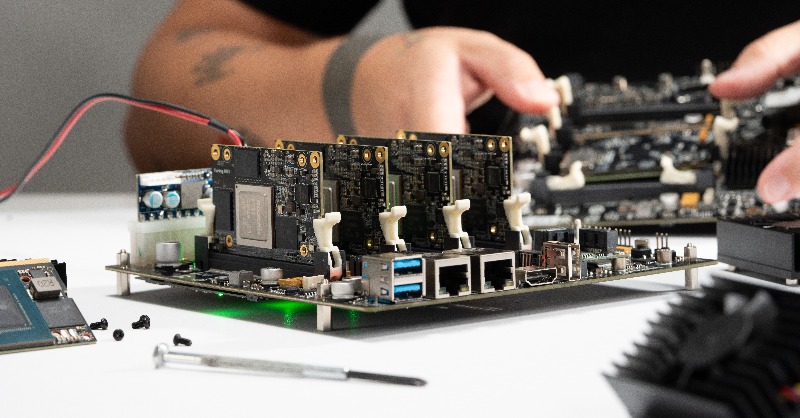
Share this post for a chance to win a Turing Pi 2.5 Cluster Board.
Winner announced November 25.
Get ready to build your dream cluster. Good luck!
@plankers@lamw Slap som MicroSD cards on carrier pigeons. High latency but I bet you get pretty decent bandwidth albeit with a risk of large packet drops. Talk about jumbo frames 😂
@lamw +1 for FreeIPA. With slight modifications to its compat ldap tree it works for authentication with vCenter as well and can provide 2fa via TOTP directly in password without the application needing to know how (password+otp)
FYI Newsflash
Just released
VMware Workstation and Fusion now FREE for personal use!
Stick that in your pipe Oracle Virtualbox!
https://t.co/sKuO38l4fX
@Oracle@vExpert
@ChrisShort For spinning I always check Backblaze who publish details on failure rates of specific models. Like this report for 2023 https://t.co/a6wJyV2WdA
Have Intel 810 8xx NIC's getting PNIC Error alarms without a performance issue? High PNIC error rate detected. Check the host's vSAN performance view for details
🧵
NEW VIDEO! The Stealthiest Tech Upgrade - AMD $5000 Ultimate Tech Upgrade
https://t.co/PswDneaCVl
Enter the giveaway for THREE Sapphire NITRO+ AMD Radeon™ RX 7800 XTs using the link below:
https://t.co/nnK1ND6RSx
#sponsoredby@AMD
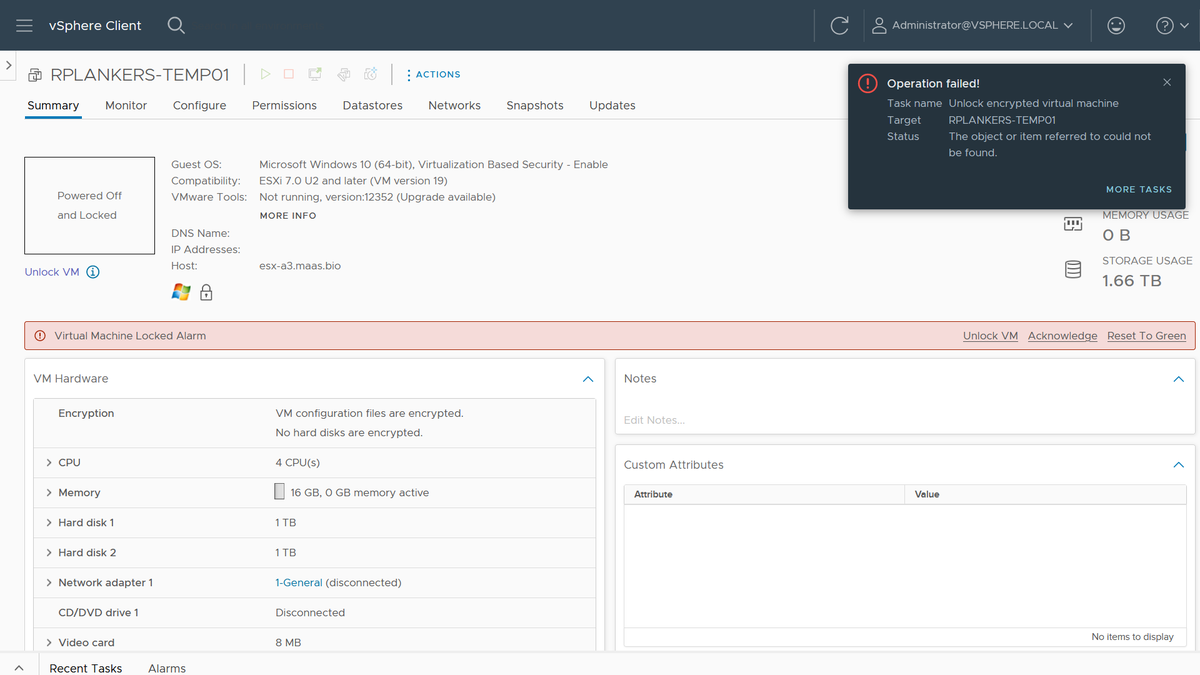
In case you were ever wondering about recoverability of encrypted @VMwarevSphere VMs if the KMS is missing, well, I just did that to myself. And not intentionally, either. Good old fashioned lack of discipline when it came to default key providers.
I have a few VMs that I care about that have vTPMs, which means they're using VM Encryption. I had a few extra key providers I was testing with, which I cleaned up yesterday. Turns out some of those VMs were using those key providers and were now "invalid" after a cluster restart for patching.
Here's how I fixed it:
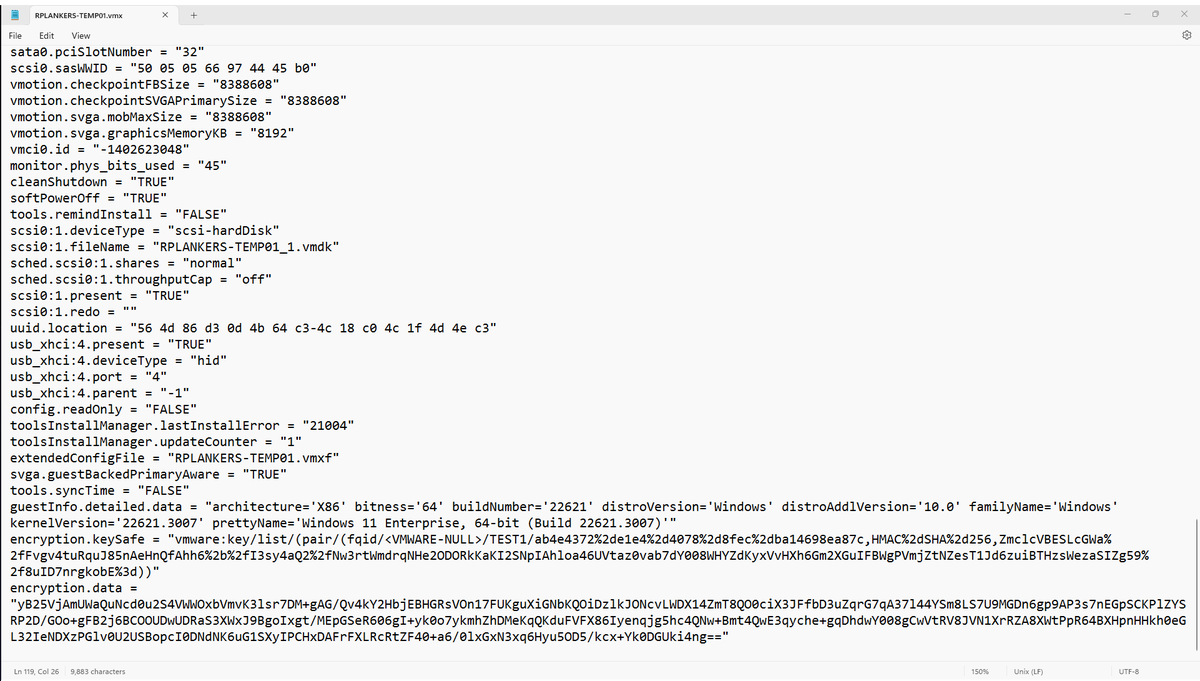
1. Look in the .vmx file for the VM, under encryption.keySafe. It'll have a reference to the key provider name. Mine started with "vmware:key/list/(pair/(fqid/<VMWARE-NULL>/TEST1/" so I know the key provider I need to restore is TEST1.
2. Look through all my backup Native Key Provider keys to find test1.p12. Didn't have one, so it was probably my external KMS. Which, as I think about it, makes sense. I didn't notice the problem yesterday because the hosts have the keys from a standard key provider cached in memory. However, I also patched and rebooted all the hosts, so when they came up they could not retrieve the key again, hence the "invalid VM" designation.
ESXi caches the keys like that because vCenter is a dependency for access to the KMS, and if an HA event occurs it's possible that vCenter is down. If the keys are cached in memory in every host in the cluster then those hosts can restart all affected VMs. No problem. However, it does mask a screwup like mine. Could have been weeks or months before I figured out what I'd done, so people have to use discipline and keep backups when they're deleting stuff.
3. Anyhow, I'd deleted that KMS VM in my cleanup spree. Dammit. Restore from backup.
4. Re-add the KMS as a standard key provider. Had to recreate the auth certs on the KMS but no biggie. Biggest problem is that Chrome is now opinionated about TLS certs on the KMS. Used Firefox, which was cool with it if I was.
5. Click "Unlock" on the VM... done. Powered on.
But wait, there's more!
6. I made my desired Native Key Provider the default key provider again.
7. I rekeyed the VM (right click, VM Policies, Re-encrypt) to the default key provider. I did this while the VM was running, no problem (it just re-encrypts the data encryption key).
8. Deleted the key provider and KMS... again.
Things I didn't plan on doing this morning, but it'd been a while since I did anything like this, and it's good to know that the recovery I tell people is possible works. As long as you have the backups!
@mreferre Once about 7-8 years ago at my old job we discarded a vendor's offer for a storage solution for the simple reason that the engineer who presented it spent more time telling us what everyone else did wrong and not what their product did right. Instant no from me!