Ever pinged a teammate on Slack, only to find out they’re on vacation? Now you won’t have to. Teamplify now syncs availability statuses to your team chat, so you can immediately see who’s out. Works with Slack, MS Teams, and Mattermost.
New Activity Timeline - it may not sound like much, but we frankly think it's one of the coolest design improvements we've made recently https://t.co/9itQ9myxmC
If you're using Teamplify with Jira, please reconnect your Jira integration. Earlier today, Atlassian Cloud experienced a major outage. While the service has since been restored, most Jira OAuth refresh tokens are no longer valid, unfortunately.
To fix this, go to Teamplify > Integrations, select your Jira integration, and click Reconnect.
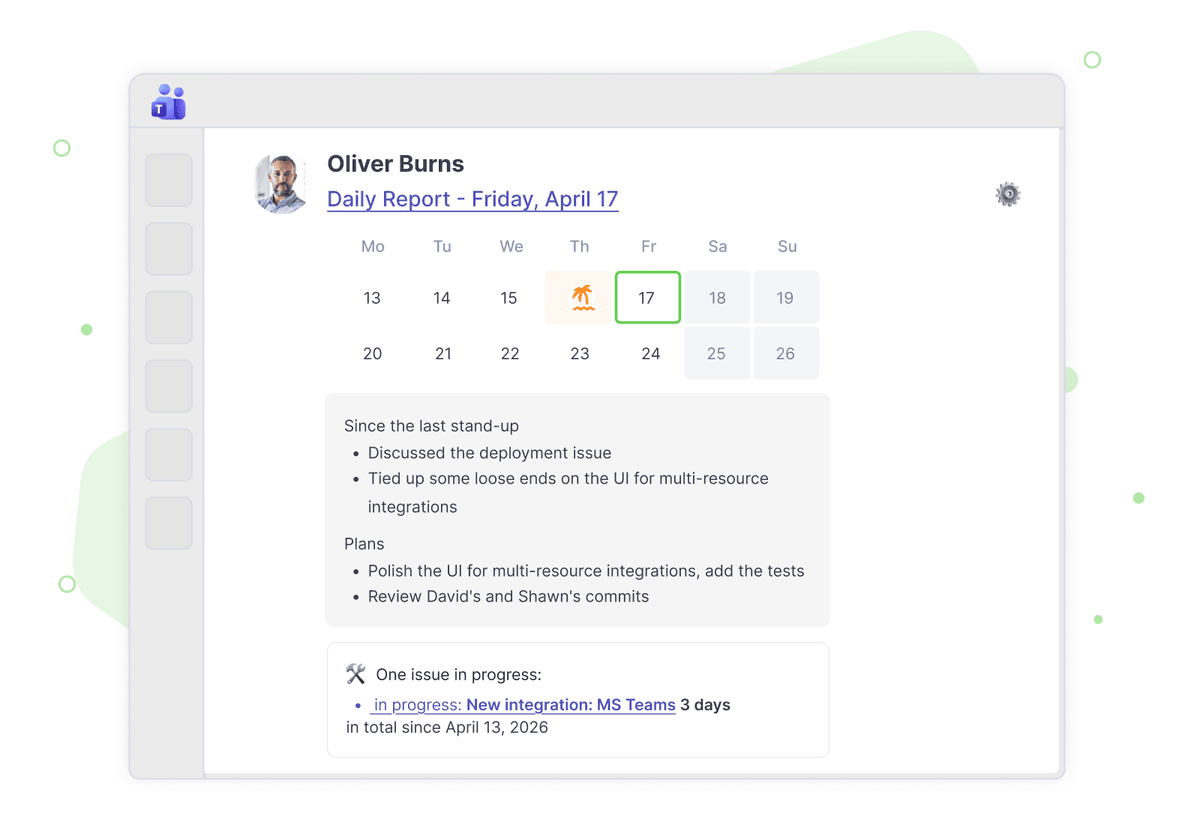
You asked, and we delivered. Microsoft Teams integration has been one of the most requested features in Teamplify, and we're excited to announce that it’s finally here!
Standups, Time off notifications and approvals, Team Analytics - all features are now supported with Microsoft Teams. Learn more: https://t.co/34qfRpjZlw
When a SaaS company announces new pricing, it's usually bad news for customers - prices tend to go up. Not this time! We made our pricing more customer-friendly. Check it out: https://t.co/ivjk5jMBtn
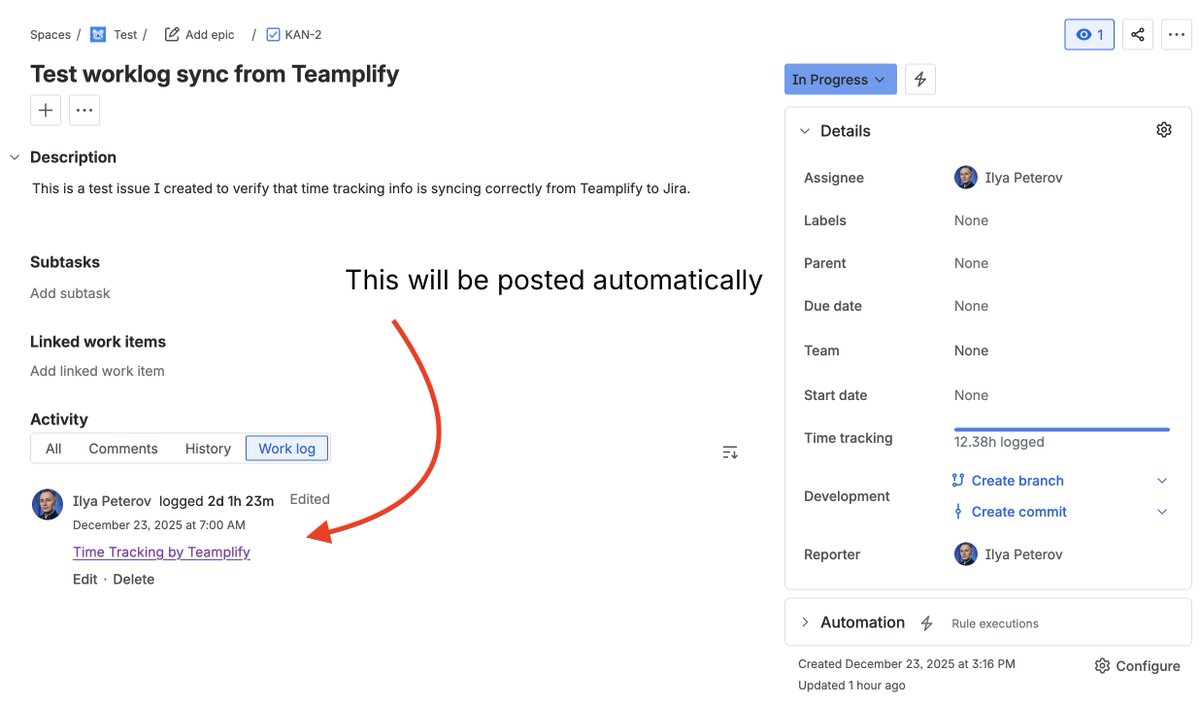
Teamplify’s Effortless Time Tracking can now sync data directly to Jira. Get the best of both worlds: fully automated, privacy-friendly time tracking combined with powerful Jira reporting: https://t.co/Ec15lQZP1L
Tired of reminding your teammates to mark their Jira tasks as "in progress"? Let the Teamplify bot take care of it. It keeps an eye on situations that might need a project manager's attention and gently reminds the team to follow the rules.
Sometimes, you need to pause, look back, and see how much was done on a project.
Or… how little.😅
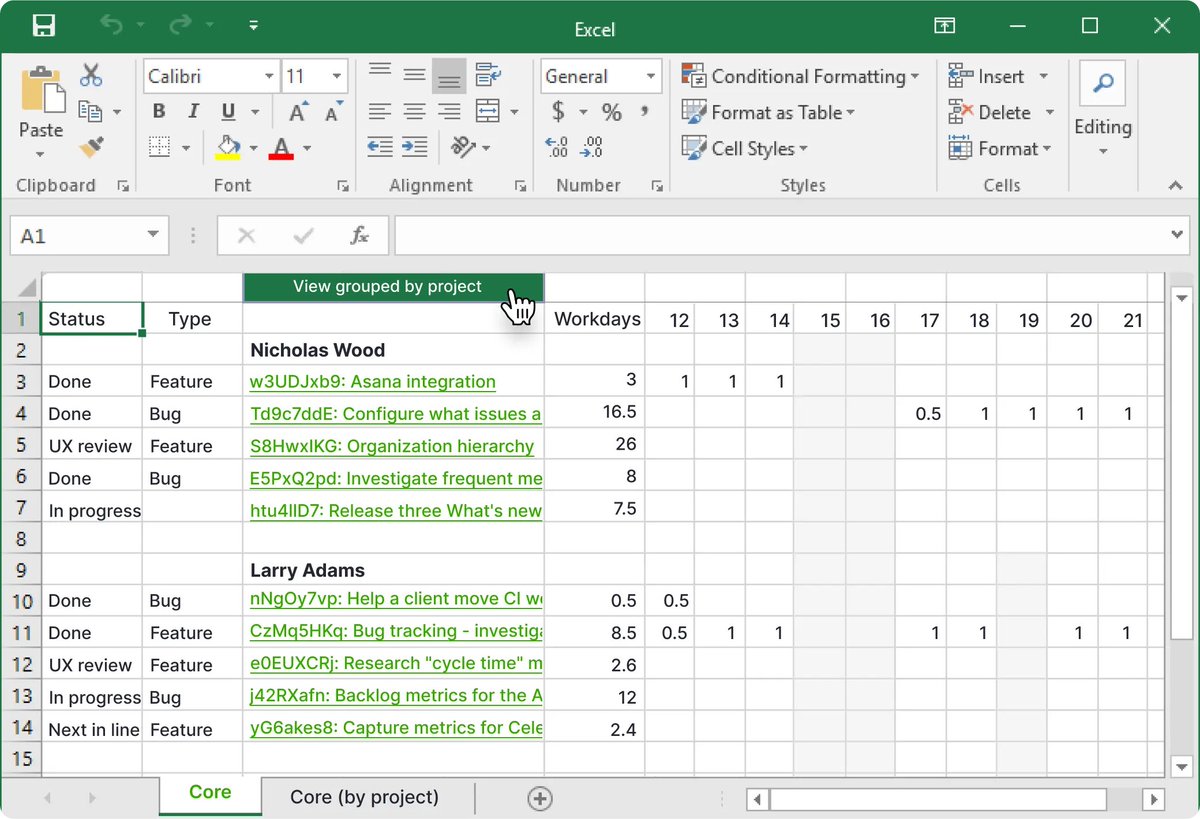
Either way — Teamplify’s Time Tracking exported reports now support grouping tasks "by project."
Export to Excel, face the truth.
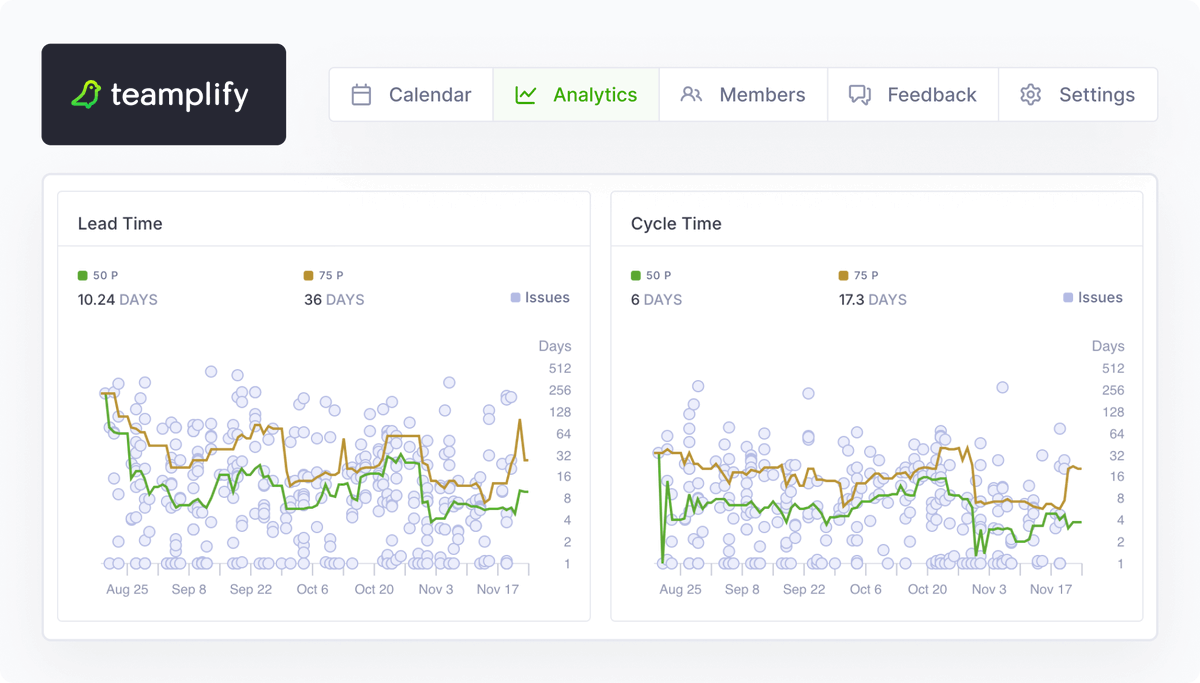
How long does it take to develop a feature in your product? Now you know. We’ve added Lead Time and Cycle Time to highlight anomalies in workflows, helping you identify tasks and processes that require your attention.