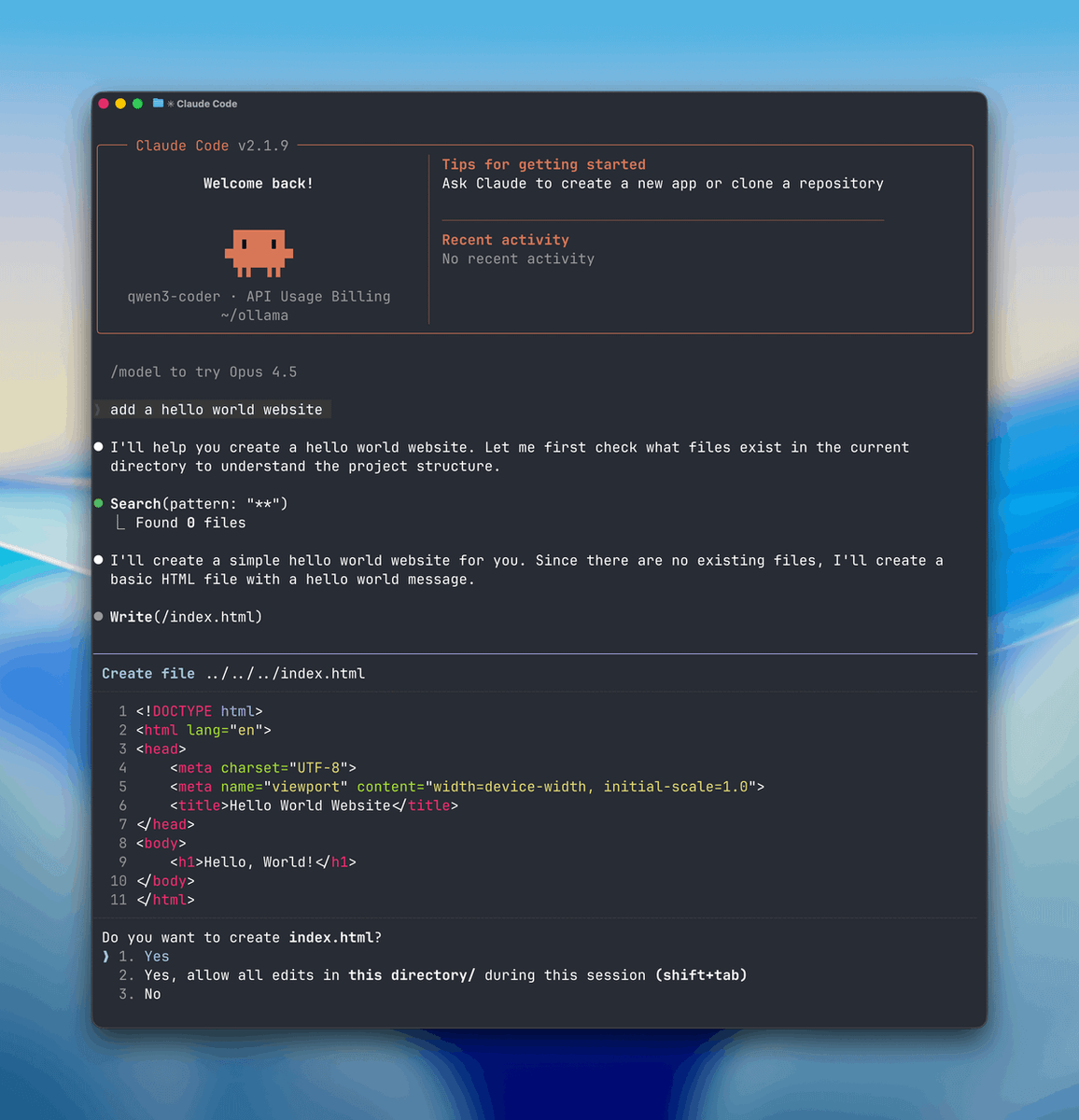
🚨 BIG UPDATE: Run Claude Code 100% FREE
No API costs.
No usage limits.
Runs fully on your own machine. 🔒
Your code stays private, and the AI works locally on your device.
Here’s the step-by-step guide to run Claude Code locally (free & private): 👇 👇
🚨 Learn Claude now like those who managed to buy Bitcoin in 2017!!
Most people discover this way too late.
Building a one-person project that generates thousands of dollars monthly
Here are 7 prompts to outperform 99% of people in 2026:
🎉 JUST IN: GLM 5.1 and Gimini 3.5 Flash now available on GlobalGPT — free to try!
Create AI videos with dynamic comic IPs, lively ads, energetic dance videos, and unique running videos in various styles, all powered by Happy Horse and Seedance.
No limits. No regional barriers. No invite codes. 👇
ANDROID USERS, READ THIS!
YOUR PHONE SAYS "STORAGE FULL."
SO YOU DELETE PHOTOS. DELETE VIDEOS. UNINSTALL APPS. YET THE STORAGE BARELY MOVES.
THAT'S BECAUSE THE REAL CULPRITS AREN'T YOUR PHOTOS OR APPS. IT'S THE HIDDEN JUNK ANDROID QUIETLY STORES IN THE BACKGROUND
HERE'S HOW I CLEANED MY PHONE YESTERDAY AND RECOVERED 35GB WITHOUT DELETING A SINGLE PHOTO, VIDEO, APP, OR CHAT I ACTUALLY USE.
HERE'S EXACTLY HOW I DID IT:
👇🏼👇🏼
If I lost EVERYTHING tomorrow and only had $150 left...
I would NOT buy crypto.
I would NOT do freelancing on Fiverr.
I would NOT start a dropshipping store.
I’d open my laptop and do THIS instead:
This CV helped many people getting a interview calls from Google, Amazon, Microsoft, Netflix, Apple and others.
I am sharing the exact ATS editable templates with you
Retweet & Reply "CV" to get it for free
[Must be following] @ZaydenTech so that I can DM you. Bookmark 🔖🔖
Introducing CapCut Design Studio 2.0.
A reimagined experience for Design on CapCut Web, making design more intuitive, visual, and exploratory, the way ideas naturally happen.
Built on an infinite AI canvas, Design Studio 2.0 brings your references, drafts, iterations, assets, and ideas into one fluid workspace. You can remix visuals, explore endless ideas in one space, edit with brushes, refine layers and elements, and co-create with an AI design agent in real time.
Just think visually and create freely. Because maybe, you were always more creative than you thought!
Stop templating. Start designing now.
Users get 20 free generations per day.
RT + comment in 5hr to get 200 free credits.
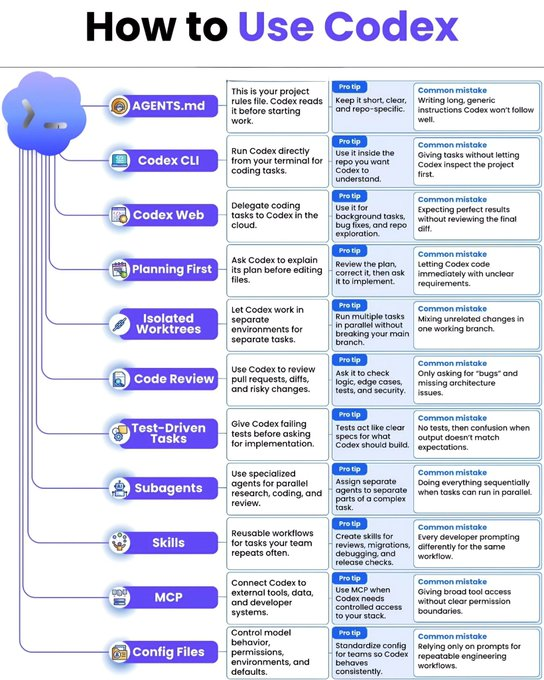
🔷How to Use Codex
Codex becomes powerful only when you use it the right way.
Here’s a simple guide to help you work smarter, code faster, and avoid common mistakes:
🟢 AGENTS.md
This is your project rules file. Codex reads it before starting work.
➡️ Pro tip: Keep it short, clear, and repo-specific.
❌ Common mistake: Writing long, generic instructions Codex won’t follow well.
➖➖➖➖➖➖➖➖➖➖➖➖
🟢 Codex CLI
Run Codex directly from your terminal for coding tasks.
➡️ Pro tip: Use it inside the repo you want Codex to understand.
❌ Common mistake: Giving tasks without letting Codex inspect the project first.
➖➖➖➖➖➖➖➖➖➖➖➖
🟢 Codex Web
Delegate coding tasks to Codex in the cloud.
➡️ Pro tip: Use it for background tasks, bug fixes, and repo exploration.
❌ Common mistake: Expecting perfect results without reviewing the final diff.
➖➖➖➖➖➖➖➖➖➖➖➖
🟢 Planning First
Ask Codex to explain its plan before editing files.
➡️ Pro tip: Review the plan, correct it, then ask it to implement.
❌ Common mistake: Letting Codex code immediately with unclear requirements.
➖➖➖➖➖➖➖➖➖➖➖➖
🟢 Isolated Worktrees
Let Codex work in separate environments for separate tasks.
➡️ Pro tip: Run multiple tasks in parallel without breaking your main branch.
❌ Common mistake: Mixing unrelated changes in one working branch.
➖➖➖➖➖➖➖➖➖➖➖➖
🟢 Code Review
Use Codex to review pull requests, diffs, and risky changes.
➡️ Pro tip: Ask it to check logic, edge cases, tests, and security.
❌ Common mistake: Only asking for “bugs” and missing architecture issues.
➖➖➖➖➖➖➖➖➖➖➖➖
🟢 Test-Driven Tasks
Give Codex failing tests before asking for implementation.
➡️ Pro tip: Tests act like clear specs for what Codex should build.
❌ Common mistake: No tests, then confusion when output doesn’t match expectations.
➖➖➖➖➖➖➖➖➖➖➖➖
🟢 Subagents
Use specialized agents for parallel research, coding, and review.
➡️ Pro tip: Assign separate agents to separate parts of a complex task.
❌ Common mistake: Doing everything sequentially when tasks can run in parallel.
➖➖➖➖➖➖➖➖➖➖➖➖
🟢 Skills
Reusable workflows for tasks your team repeats often.
➡️ Pro tip: Create skills for reviews, migrations, debugging, and release checks.
❌ Common mistake: Every developer prompting differently for the same workflow.
➖➖➖➖➖➖➖➖➖➖➖➖
🟢 MCP
Connect Codex to external tools, data, and developer systems.
➡️ Pro tip: Use MCP when Codex needs controlled access to your stack.
❌ Common mistake: Giving broad tool access without clear permission boundaries.
➖➖➖➖➖➖➖➖➖➖➖➖
🟢 Config Files
Control model behavior, permissions, environments, and defaults.
➡️ Pro tip: Standardize config for teams so Codex behaves consistently.
❌ Common mistake: Relying only on prompts for repeatable engineering workflows.
❤️ Like
🔁 Retweet
🔖 Bookmark
Follow
@sakhil_ai
for more such posts
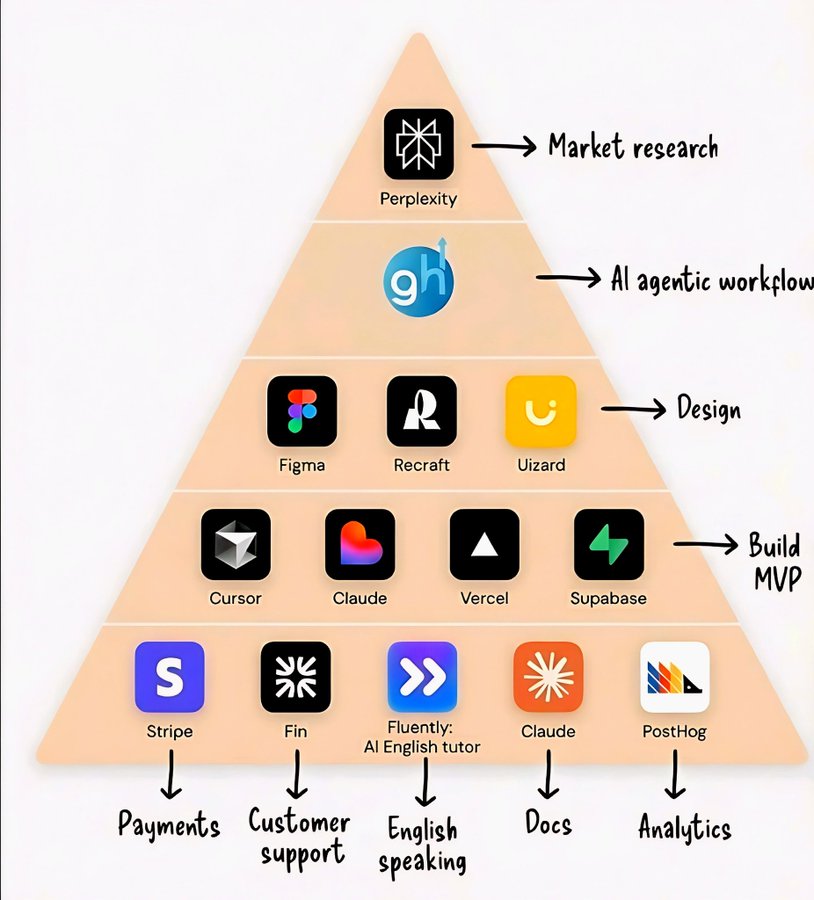
Most people focus on the final AI-generated video, but the real advantage comes from the workflow behind it.
Building a consistent AI influencer, maintaining product continuity, and creating a structured production pipeline is what separates experiments from scalable content creation.
This thread does a great job of showing how AI can be used with intention, not just automation.









![ZaydenTech's tweet photo. This CV helped many people getting a interview calls from Google, Amazon, Microsoft, Netflix, Apple and others.
I am sharing the exact ATS editable templates with you
Retweet & Reply "CV" to get it for free
[Must be following] @ZaydenTech so that I can DM you. Bookmark 🔖🔖 https://t.co/KosxgiGCZF](https://pbs.twimg.com/media/HKBnBWibgAA4pes.jpg)