Quick free $40 on mercor - complete this survey ASAP‼️‼️
open to everyone‼️ No interview, Application or restrictions.
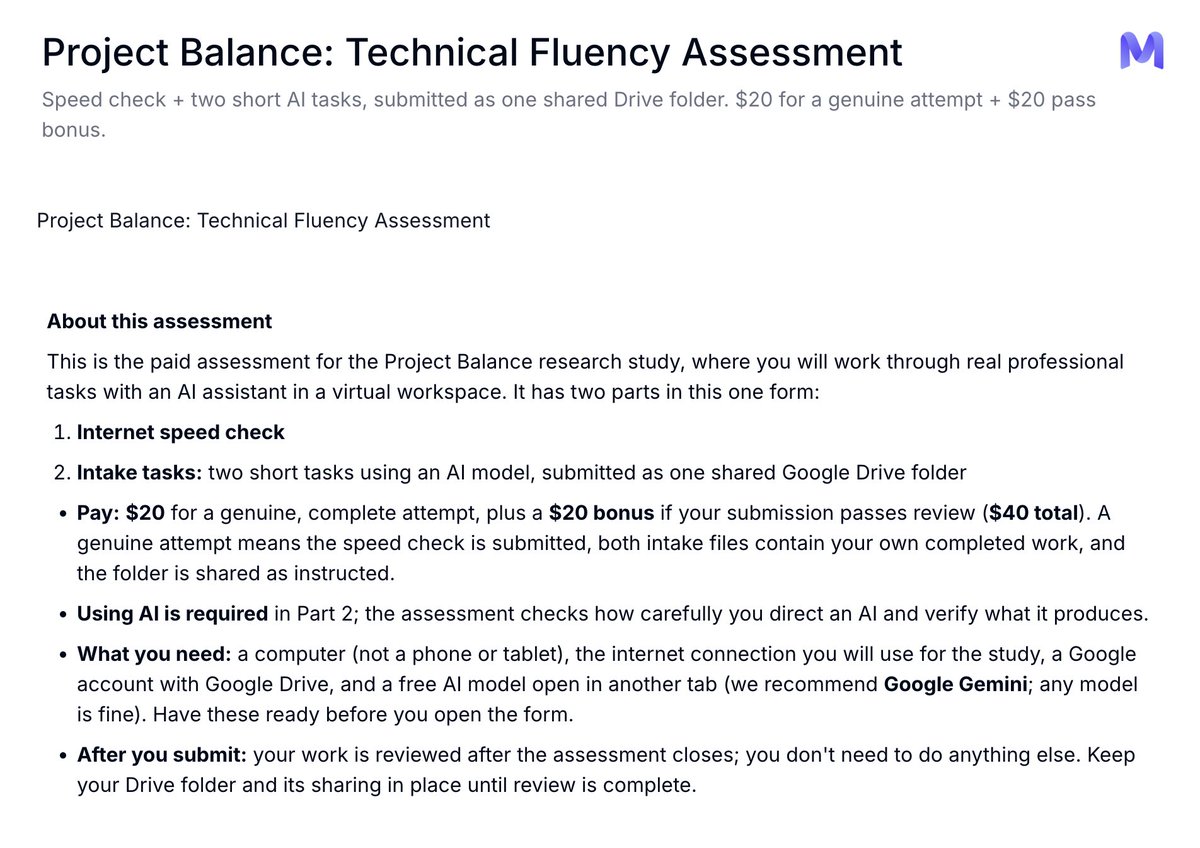
mercor is paying up to $40 for its project balance technical fluency assessment
link to get in - https://t.co/wTbux9aYgr
Need 3 Prolific taskers 🤝
also $40/hr contract that will run for almost 3 years is crazy
A recent client just secured a $40/hour contract on a new AI platform after I helped revamp his CV to better showcase his experience and skills. Well I'll also be managing the project for him.
Here's something worth knowing: Outlier and Handshake are NOT the only remote AI platforms paying well. There are other opportunities beyond the platforms everyone keeps talking about. And don't believe every hype surrounding Prolific earnings without doing your research.
Prolific taskers DM Sha you must have working tools , need 3 Prolific tasker to work with the jobs on Prolific is much at hand , just so you know Prolific does pay much
this update is new💯
🤝
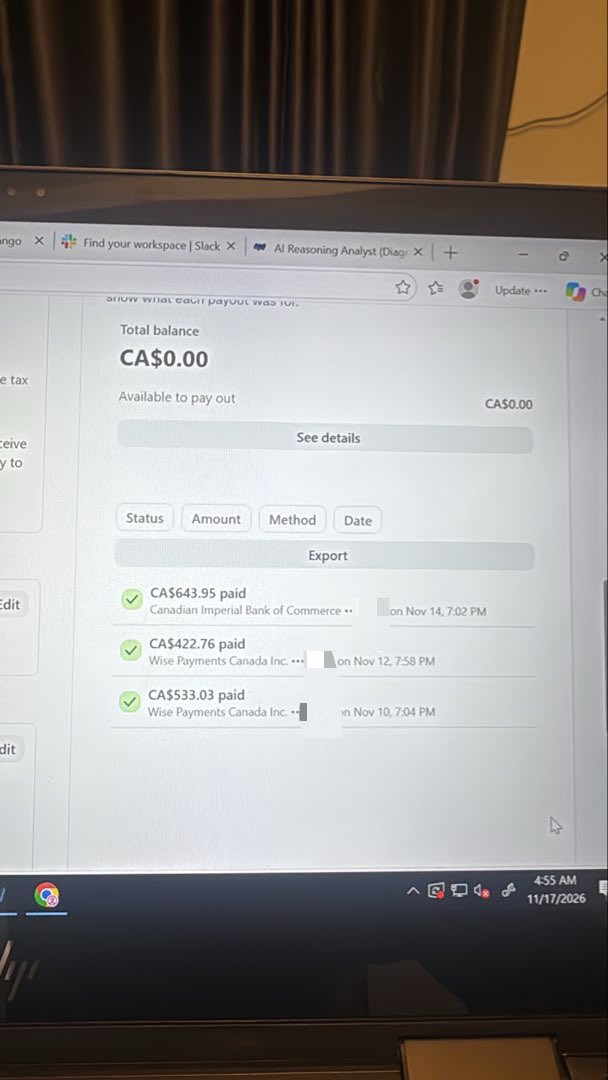
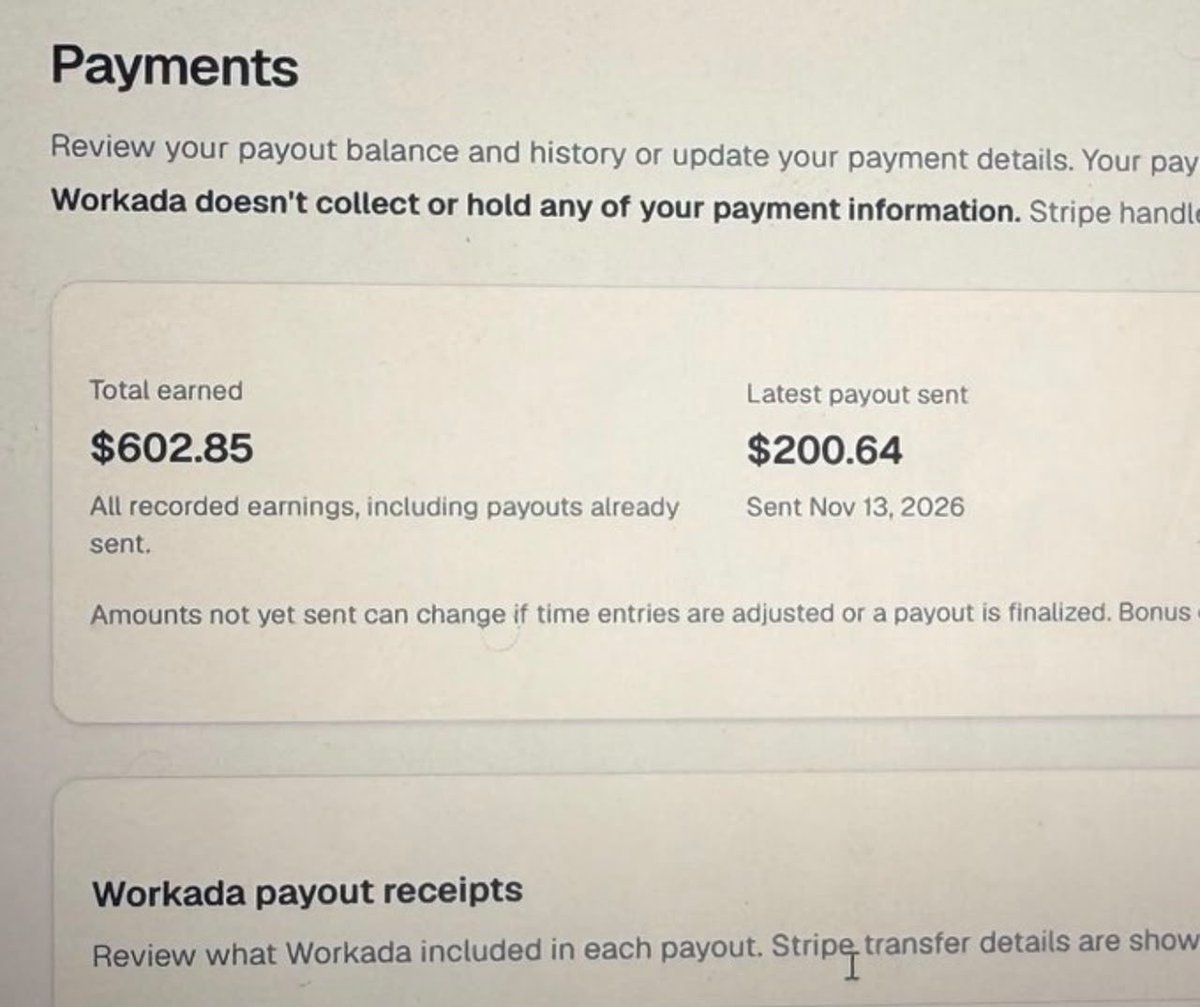
Week wey go sweet, na for weekend you go know ($1200 - $1400 weekly on Workada )
🔥🔥🔥
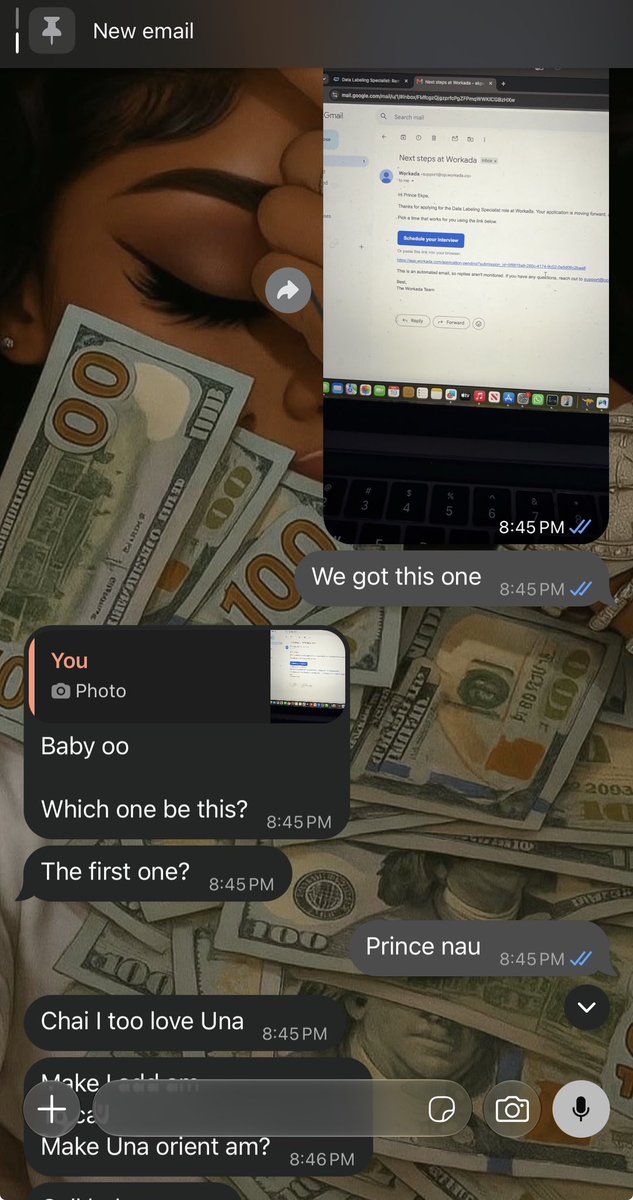
Workada is actively sending out interview invites( almost immediately for Canadian accts)
I optimized CV for two folks today and they got invited for interview almost immediately
Asides that, I onboarded 2 accts on Workada today, completed assessment and calibration for them, they’re gonna start tasking first thing tomorrow morning
If you have people in Canada or US, dem let’s run Workada for them, pay is $1200 - $1400 weekly
Completed Guide to Workada (US/CAN)
Role: Data Labeling Specialist
My timeline:
Applied on the 15th
Interview on the 19th
Onboarding session on the 19th (same day as the interview)
Completed calibration on the 20th
Started working immediately afterward
Here's what you can expect at each stage.
The Interview
The interview is pretty easy. It's mainly to verify that you are who you claim to be. They'll also ask you to complete a couple of image comparison questions.
If you have previous experience with AI training or annotation, it's a breeze. Even if you don't, the questions are fairly straightforward and should be easy to pass.
You'll know on the spot whether you passed or failed. If you pass, they'll usually send you the next steps within a couple of hours, including a link to schedule your onboarding session.
What if you don't hear back?
If you don't receive anything within a couple of days, unfortunately, you may not have passed the interview or they may have decided you're not a good fit. If your application status changes to closed without you ever getting an interview, it's likely the same situation.
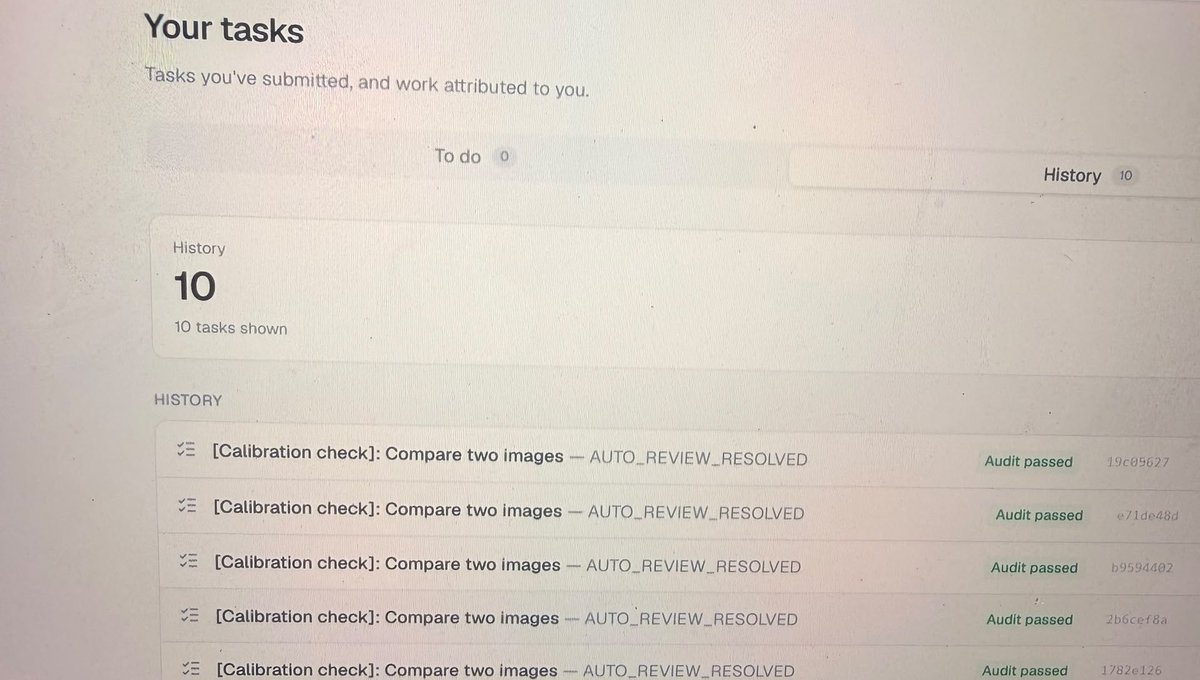
2. Image Calibration
For image tasks, you'll need to complete a calibration assessment.
You need at least 7/10 to pass.
If you pass the first 7, you don't need to complete the remaining questions.
If you don't pass within the first 10, you can continue, with up to 20 questions.
The maximum passing requirement is 14/20.
If you're struggling with the first 10 questions, I'd recommend reaching out to your pod lead for help. You can also ask them to review a particular example that you thought should have been an easy pass.
The scoring is based on a scale of 1–5:
3 = Pass
Anything below 3 = Fail
Calibration is paid, up to a couple of hours, if I remember correctly. However, if you exceed the allotted paid time, the additional time won't be compensated.
If you have previous image annotation experience, this should be relatively easy. If you're new to it, I highly recommend reading through the training guidelines before starting.
My advice is to complete your first calibration example carefully and pay attention to the feedback. Their AI feedback system tells you what you missed, which can help you understand what needs improvement before attempting the next ones.
3. Time Tracking
Workada uses its own time-tracking software called Workada Timer.
You'll need to download and install it on your device. You should start the timer whenever you begin working on tasks.
Be careful with this software because it monitors activity on your device. For example:
Staying idle for too long can trigger a warning.
Looking at something for too long can trigger a warning.
The warnings can come with a pretty loud beeping sound.
Please take these warnings seriously. Repeated issues could potentially lead to you being offboarded.
4. Video Calibration
Once you've reached 15 working hours and maintained good quality, you'll be expected to complete a video calibration to qualify for video tasks.
Don't ignore this requirement. If you don't complete it, you may risk being offboarded or losing access to further work.
The video calibration works similarly to image calibration:
You need to pass 2 out of 4 questions.
If you pass the first two, you don't need to complete the remaining questions.
Otherwise, you'll need to continue until you meet the passing requirement.
5. Slack and Communication
One thing I'd personally recommend is not spending too much time chatting in Slack.
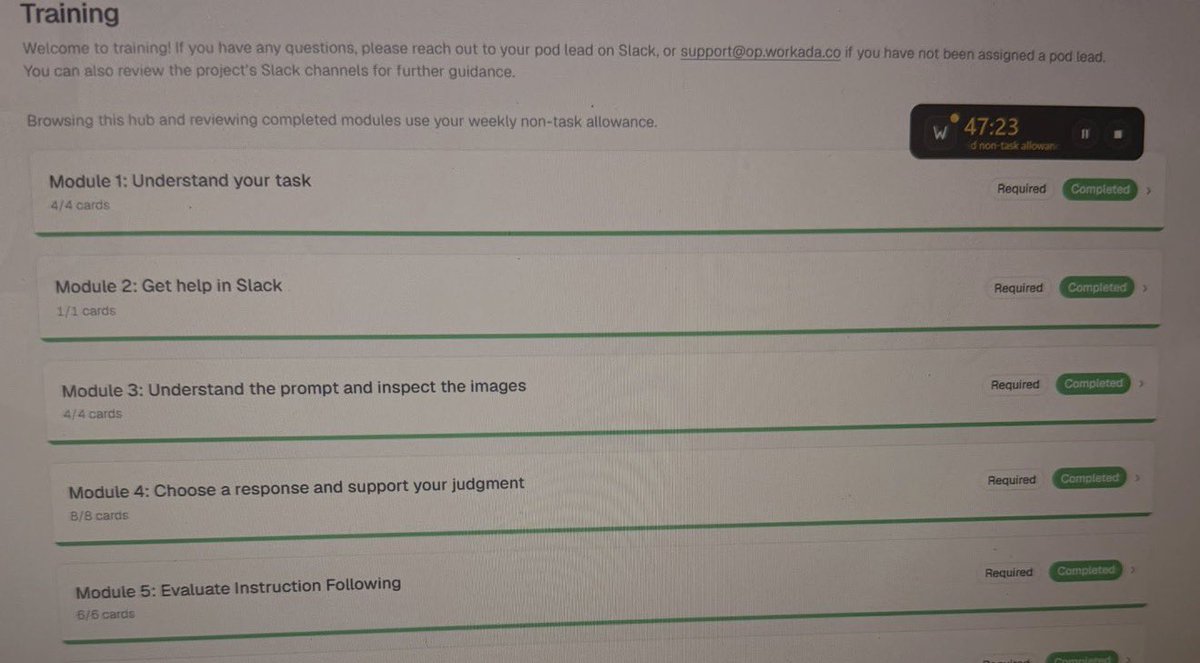
Of course, Slack is there for communication, and you may occasionally need to check announcements, ask your pod lead questions, or clarify something related to your tasks.
However, I'd personally recommend stopping your timer when you're doing things unrelated to actual tasking, even though they've mentioned that you can keep it running for certain Slack-related activities.
This is why you’re getting “APPLICATION CLOSED” on WORKADA👇
The last two accounts I landed, their CV showed a clear progression in their career, from beginner to specialist.
All I did was a little tweak and tailored it to fit into the role I was applying for
You can’t pack “AI evaluation,” “UI/UX designer and “Software engineer” in one cv and expect to be picked. They can easily tell it was doctored
This is why I advice my clients to use your actual cv.
You stand a chance of getting hired when you show that you have grounded experience in one career path
On one account I landed, the CV was that of a HR specialist. Had nothing to do with tech, or anything AI
But the skills in the cv were transferable which was why she was probably picked
After getting a good cv
1. Go to https://t.co/YbnKzLuumk
2. Click on Opportunities
3. Click Data labeling specialist ($17/hr)
4. Fill in your name, email, country, state and phone number and upload this resume .
5. Submit application and wait to be shortlisted
Workada is sweet if you get in. 😅
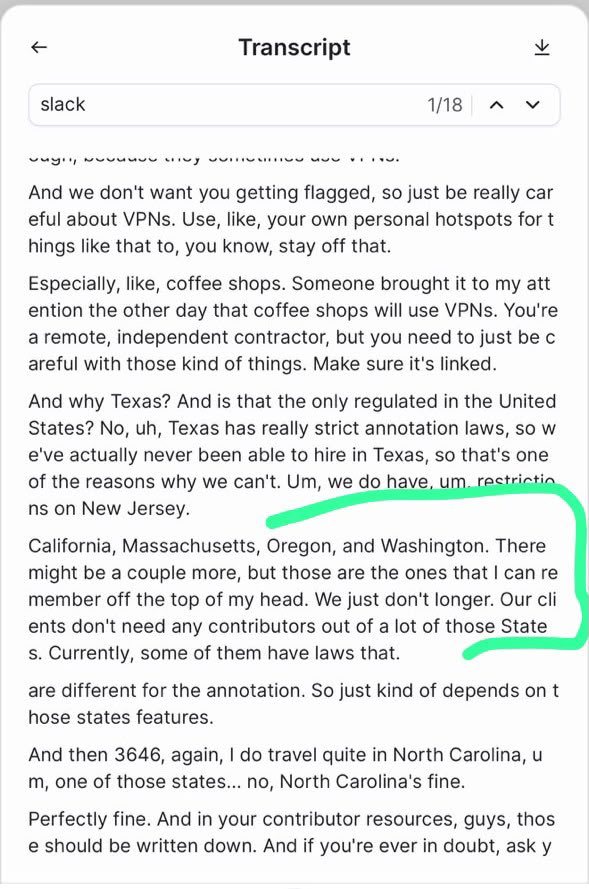
Currently accepting applicants from Canada and the US (Ohio, North Carolina and Wisconsin).
Come for creation, guaranteed interview invite, calibration and management.
If you’re eligible or have people who are, don’t sleep on it. 💯
This is one of the workers on Workada testimony 👇🏼
Hi I've seen a lot of discourse about Workada so I thought I would leave my honest review and help people decide if they want to apply to work there.
DISCLAIMER: this platform is currently only available to residents of the U.S. and Canada. If you try to apply/work from outside these regions, you will get rejected and flagged.
The application process was a little more involved than other data annotation platforms. I had to apply for a project (currently on Image Eval). Once I got my application reviewed, I had to book an interview with a human (a REAL human!???).
I was shocked because these roles don't usually work like that. I won't lie; actually booking an interview slot was rough. The first time I booked it, the Calendly link didn't register and I "didn't have an interview booked for that day" even though I explicitly asked support where the link was a few days before the interview. i wasn't expecting an answer when I messaged, but they got back to me and provided a working link to reschedule my interview.
Once I was in the interview, it proceeded like a regular interview. It was short and sweet, and I got an onboarding email right after. The interview felt more like an "are you human?" test rather than a traditional interview.
If anyone has done data annotation before, you will know that this work is turbulent and project-based, meaning that the amount of work you get is solely dependent on the number of clients that the company takes on. Workada itself is very new (~2 months old) and is flush with tasks on every project.
The positive difference with Workada is the very existent human element. During onboarding and tasking, there is a pod lead you can talk to who can answer your basic questions, save for the ones about admin (i.e. when you will be accepted onto the platform after tasking, how you performed in the tasks before they get reviewed, etc.). The pod leads (in my experience) are very active and will follow up with you during onboarding and the beginning of tasking to make sure you're not blocked.
Now I'm on the project, and tasking is pretty straightforward. You download a timer app that tracks the number of hours you work, and you task away, getting paid for the amount of active tasking time you have. So far I would say my experience is good, especially with the community chat being filled with people just chatting and having a good time.
Workada Ai complete Beginners guide, it’s finally here including a video step by step tutorial!
🔗: https://t.co/coUm9fj1Fm
If you’ve been grinding Workada and unable to land a role, this is all you need. I also showed how to structure your Resumé using claude AI or ChatGPT. Referral link in the comment section below!
Also, I’ll drop a comment that one of the earliest taskers on Workada had to say in the comment section too!
good luck🙌🏽
WORKADA $1400 weekly full guide🔥🔥🔥
You can earn from Workada by;
Creating and owning an account
Tasking on someone’s account
How to go about Workada account creation;
The Role: Data Labeling Specialist: Remote Contract
Pay: $17/hr
This role on Workada is open to US & Canada but I’ll advice you prioritize your canadian contacts
Requirement?
📍 A good laptop with working webcam
📍A well polished CV
✅ STAGE 1: ACCOUNT CREATION
Tell your Canadian or US contact to;
Head to Workada website
Click on Browse opportunities
Scroll till you see “Data Labeling Specialist: Remote Contract”
Then click Apply
Fill in your details( name, email, country, phone number and lastly your CV)
Your CV is the biggest determining factor here, if your CV is good enough you can get invited for an interview, almost immediately. From my experience so far, if you have a good CV, it doesn’t take up to 3hrs to get Canadian accts invited for an interview, every single day, I optimize minimum of 4 CVs for my Canadian clients and they all get invited for an interview, US accts takes longer, so i believe Canadian accts are more prioritized( don’t ask me why)
How to optimize your CV?
First of all, don’t lie, Start with your client’s actual CV and improve how their existing qualifications and experience are presented. To guarantee an interview invite from Workada.
Here are some important things to highlight:
📍 Educational background: Include your client’s Bachelor’s degree and clearly indicate whether it has been completed or is still in progress. If completed, include the graduation year.
📍 Attention to detail: Make sure the professional experience demonstrates strong attention to detail, accuracy and the ability to follow instructions.
📍 Professional experience: Include at least one year of experience in a role involving the review or evaluation of work against established standards. Examples include graphic design, UI/UX design, photography, video production, editorial work, research, quality assurance and technical writing. Equivalent experience in other fields may also be relevant.
This is one of the most important areas to emphasize because it directly relates to the responsibilities of the role.
📍 Location: Clearly indicate that the applicant is based either in US or Canada
I would have shared my personal CV as a template, but I’d rather not expose my personal information publicly.
Once the CV is ready, submit the application and monitor the email address used during registration. Remember to check both your inbox and spam folder for an interview invitation.
✅ STAGE 2: PASSING THE INTERVIEW
Once an interview invitation arrives, the next step is to schedule the interview.
Take this stage seriously, because passing the CV screening is only the beginning and in other to do that, you need to demonstrate that you have the experience and knowledge required for the role.
A few things to do before the interview:
Prepare thoroughly for the questions.
Understand everything stated in your CV.
Be ready to explain your previous work experience.
Practice communicating confidently and clearly.
Join the interview on time.
The interview is conducted by a real person, not an AI system, and typically lasts around 30 minutes.
I’ve attached a link to my PDF drive in the comments, where you’ll find an interview preparation guide. It covers how to approach the questions and prepare effectively.