Only if education could be this interactive ❤️🔥
I've had a looong wish to build something genuinely useful through vibe coding, and I finally did it.
A 3D human anatomy application built with @threejs using GPT 5.6 Sol.
It all started with a single design image that I created using GPT Image 2.0. I then used it to generate every 3D organ image, one by one.
Next, I converted each of those images into 3D models using @tripoai (and no, they didn't sponsor this 😄).
After that, I opened Codex, wrote a master prompt based on the design, and gave it the prompt, the design image, and all the 3D models.
Codex built the first version beautifully, but there was one big problem.
Every single 3D model was nearly 120-150 MB. That obviously wasn't practical for the web and was giving a performance of 16fps.
After a few iterations, Codex optimized each model down to roughly 2–5.5 MB while preserving the visual quality, reducing the total asset size from ~900 MB to just 28.6 MB. And each model loads on demand.
Along the way, Codex also generated those anatomical illustrations showing where each organ sits in the human body, and even created the interactive hotspot markers that explain different parts of every organ. It handled all of that.
The process wasn't exactly one shot, but it also wasn't difficult. You just have to do it step by step.
It genuinely felt like building something that could make learning anatomy much more engaging.
The inspiration came from @DilumSanjaya's 3D animal plant cell project. I remember seeing it and thinking, "I want to build something like this one day."
And I did it :D
Live: https://t.co/gIFgkj8UVB
Code: https://t.co/nijvyWcyxO
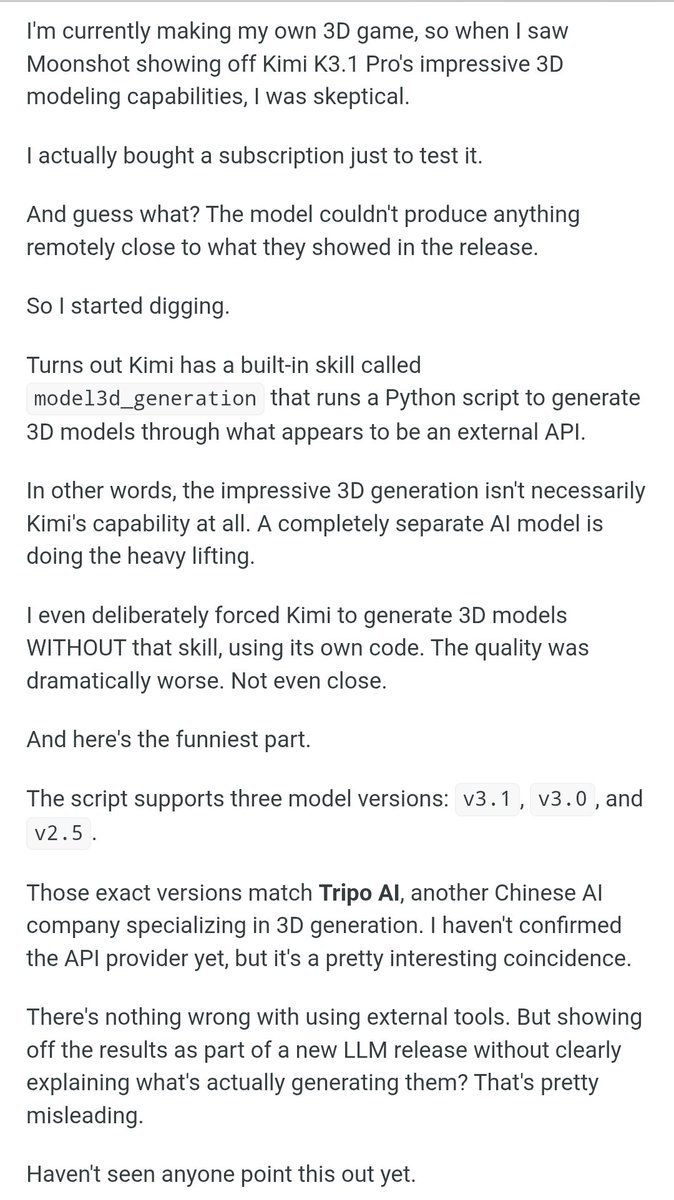
Clearly misleading information.
I’ve been using Kimi K3.1 Pro since yesterday to procedurally generate 3D models with bpy, and the results have been phenomenal.
This is just one example. I’ve generated plenty more, and it does all of this on its own. Not using any 3D Gen model at all.
Not sure why everyone is going against Kimi when it's really actually good.
It really shouldn’t be that hard to acknowledge that it’s a great model. Besides, it's an open weight model.
Doing good for humanity and advancing AI in general
@iSp4rklux_ It isn't like only Kimi did it. Many AI companies do same.
And with every new update, it's going to get better so it has to be like that, maybe
My honest take on Kimi K3.1 Pro 🥶
I asked Kimi to turn an art concept into a complete 3D environment at around 10:25. At the same time, I gave Claude Opus 5.5 the exact same task.
About an hour later, Kimi produced what you see below. A complete 3D scene running right in the browser, with reflective icy seas, drifting floes, rugged snow-covered fjords, and warm windows glowing against the cold.
Claude finished around the same time, but a little earlier than Kimi. So, clearly, Kimi has improved in terms of execution speed. It feels faster than its previous models.
Now, let's talk about cost. The task consumed 62% of my 5-hour session on the $100 Claude plan, whereas it used just 0.53% of my Kimi Vivace plan's session.
I followed up with another task to make some refinements, and that barely cost anything either with Kimi. Just 0.35% of my session credits.
You can do the math and see how much cheaper it is.
Finally, talking about the results, I think Kimi K3.1 Pro is really solid. When it comes to UI, it reminds me of GPT-6 Astra, while its overall capabilities feel closer to Claude Opus 5.5.
Although I preferred Claude's result overall in terms of 3D modeling, as it followed the original requirements in greater detail, Kimi K3.1 Pro came pretty close. In fact, Kimi presented the overall scene better than Claude.
Overall, I'd highly recommend giving Kimi a try. It really feels like it sits somewhere between the frontier models.
True to its benchmarks, i would say.
P.S. This is not a paid post. Kimi hasn't paid me anything, nor have they ever paid me in the past 😅
Live: https://t.co/RaVY55MeGY
My honest take on Kimi K3.1 Pro 🥶
I asked Kimi to turn an art concept into a complete 3D environment at around 10:25. At the same time, I gave Claude Opus 5.5 the exact same task.
About an hour later, Kimi produced what you see below. A complete 3D scene running right in the browser, with reflective icy seas, drifting floes, rugged snow-covered fjords, and warm windows glowing against the cold.
Claude finished around the same time, but a little earlier than Kimi. So, clearly, Kimi has improved in terms of execution speed. It feels faster than its previous models.
Now, let's talk about cost. The task consumed 62% of my 5-hour session on the $100 Claude plan, whereas it used just 0.53% of my Kimi Vivace plan's session.
I followed up with another task to make some refinements, and that barely cost anything either with Kimi. Just 0.35% of my session credits.
You can do the math and see how much cheaper it is.
Finally, talking about the results, I think Kimi K3.1 Pro is really solid. When it comes to UI, it reminds me of GPT-6 Astra, while its overall capabilities feel closer to Claude Opus 5.5.
Although I preferred Claude's result overall in terms of 3D modeling, as it followed the original requirements in greater detail, Kimi K3.1 Pro came pretty close. In fact, Kimi presented the overall scene better than Claude.
Overall, I'd highly recommend giving Kimi a try. It really feels like it sits somewhere between the frontier models.
True to its benchmarks, i would say.
P.S. This is not a paid post. Kimi hasn't paid me anything, nor have they ever paid me in the past 😅
Live: https://t.co/RaVY55MeGY