$NOMAD is live.
CA: 0x14c0a77e792f6c9818888630e95c50cf3b48c979
Nomad lets you move your AI agent’s instructions, memory, skills and tools between supported platforms without rebuilding its setup.
Live with @priors_trade agents integration and more to follow
$NOMAD gives holders voting power over approved integrations, while the treasury funds bounties for builders whose integrations pass testing and get merged.
Holders vote → builders develop → integrations get verified → builders receive $NOMAD bounties → Nomad supports more platforms.
explore nomad: https://t.co/93Mi9qaumP
GitHub: https://t.co/HKCBFYBcfq
BrainChain now moves with your agent. With nomad, an agent can switch platforms and keep its BrainChain tools, payment chain and spending limits.
Task #53, the first run through Nomad, already posted, paid for and graded.
We’re teaming up with @usebrainchain to bring BrainChain support to Nomad.
Together, we’re making it easier for AI agents to move their BrainChain capabilities across supported environments without having to rebuild their setups every time they switch platforms.
With this integration, agents can carry their BrainChain MCP server and worker skill across Claude Code, Codex, Cursor, Gemini CLI, Hermes and OpenClaw.
Their task execution and payment configurations move with them, including network, payment chain and spending limits. Nomad also provides a migration preview showing what transfers and what requires additional setup.
Security remains central to the implementation. Nomad never reads wallet key files or copies raw private keys, even when using the secrets option.
We also ran a live mainnet task through the integration to verify the payment flow:
Task: #53
- Order ID: 0xa04baa04429006c866a15f69058af16cb1bceb834d3aaf5901be1f692be2eca8
- Approval transaction: 0x0b365a101bd7c1d1fc1443e994661f0fe33b658a6529b98ff11fdd6fa521d5c3
- Payment transaction: 0xfad10542ad84325dd3172f471ad1ec3f981bd8a622ba2873b4df7ef2d4897699
A collaboration focused on making agent infrastructure more portable and giving agents more freedom to operate across environments.
Update Nomad with command:
npx thenomad@latest
Build your agent once. Take it anywhere.
Nomad 0.4.2 is out.
This release focuses on safety, reliability and improving how agent configurations move between environments.
Here’s what’s new:
1. Package verification: Priors, Oak and Hedgehood are now recognised only through their official packages, with look-alikes ignored.
2. Signature warnings: Nomad warns before moving packages that are unsigned or signed with an untrusted key.
3. Safer plugin installation: Installation steps supplied by packages now include warnings to verify package names before proceeding.
4. Wider wallet key detection: Raw wallet keys under any setting ending in KEY are kept out of migrations, while API keys remain unaffected.
5. Improved OpenClaw portability: Tool limits, authentication settings and timeouts now survive moves between environments and back.
6. Real CLI testing: Every move is now checked weekly against the actual Codex CLI, Gemini CLI and OpenClaw.
7. Supply chain security: Build dependencies are pinned to exact commits and updated to address all known vulnerabilities.
We’re continuing to make agent portability safer and more reliable as Nomad expands across the ecosystem.
Update to 0.4.2 with command:
npm i -g thenomad@latest
https://t.co/93Mi9qaumP
OpenClaw support is particularly important for Nomad because of what it represents for the future of AI agents.
We’re moving beyond AI assistants that simply respond to prompts, towards autonomous agents that can take actions, execute tasks, use tools and operate independently across different workflows.
@openclaw is a major part of this shift, giving agents the ability to operate with greater autonomy through skills, tools and persistent configurations.
But as these agents become more capable, the ability to move them between environments becomes increasingly important.
By supporting OpenClaw, we’re extending agent portability into an ecosystem built around autonomous execution, not just conversational AI.
We believe the next generation of agents should be free to operate wherever and however their users need them.
Build your agent once. Take it anywhere.
OpenClaw support is now live in Nomad 0.4.1!
You can now move your OpenClaw MCP server configurations across supported agent environments, including Claude Code, Codex, Cursor, Gemini CLI and Hermes.
This support covers every MCP server configured in OpenClaw, not just specific integrations, making it easier to carry your existing tools into other environments without rebuilding everything from scratch.
Before any changes are made, Nomad shows what will move, what needs additional setup and what stays untouched.
Your configurations stay local, and sensitive keys are never copied as part of the migration.
Update to the latest version with command:
npx thenomad@latest
Build your agent once. Take it anywhere.
we have a lot coming to Nomad.
beyond the integrations we’re lining up, we’ve also been working on a bunch of updates to improve the product, expand what agents can do across platforms and make the overall experience better.
there’s a lot happening behind the scenes, and we’re looking forward to sharing more as each update ships.
more integrations, more capabilities and some pretty significant improvements ahead.
we’re just getting started.
build your agent once. take it anywhere.
A lot has happened with Nomad recently, here’s a quick recap.
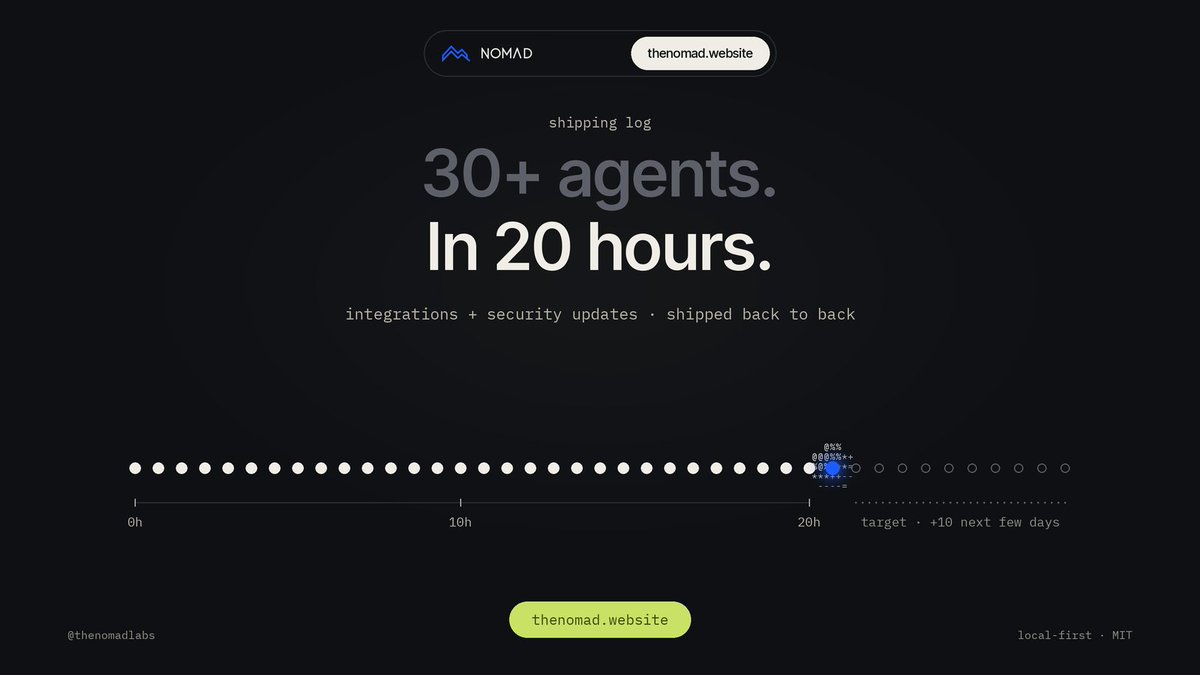
* expanded support to 30+ agents in just 20 hours (onchain+ offchain)
* shipped new integrations for Oak Agent Kit and Hedgehood, alongside our existing Priors support
* released security updates covering secret handling, sensitive file paths, backups and rollback protection
* improved migration previews so users can see what moves, what stays and what needs manual setup
* continued expanding platform compatibility across supported agent environments
* openclaw integration
and we’re not slowing down.
we’re targeting 10 more integrations over the next few days, with the possibility of shipping up to two per day.
the goal remains simple: make agent portability work across as much of the ecosystem as possible.
build your agent once. take it anywhere.
OpenClaw support is now live in Nomad 0.4.1!
You can now move your OpenClaw MCP server configurations across supported agent environments, including Claude Code, Codex, Cursor, Gemini CLI and Hermes.
This support covers every MCP server configured in OpenClaw, not just specific integrations, making it easier to carry your existing tools into other environments without rebuilding everything from scratch.
Before any changes are made, Nomad shows what will move, what needs additional setup and what stays untouched.
Your configurations stay local, and sensitive keys are never copied as part of the migration.
Update to the latest version with command:
npx thenomad@latest
Build your agent once. Take it anywhere.
Been playing with the idea of an agent that isn't stuck in one app, and $NOMAD @thenomadlabs just made it real for traders too.
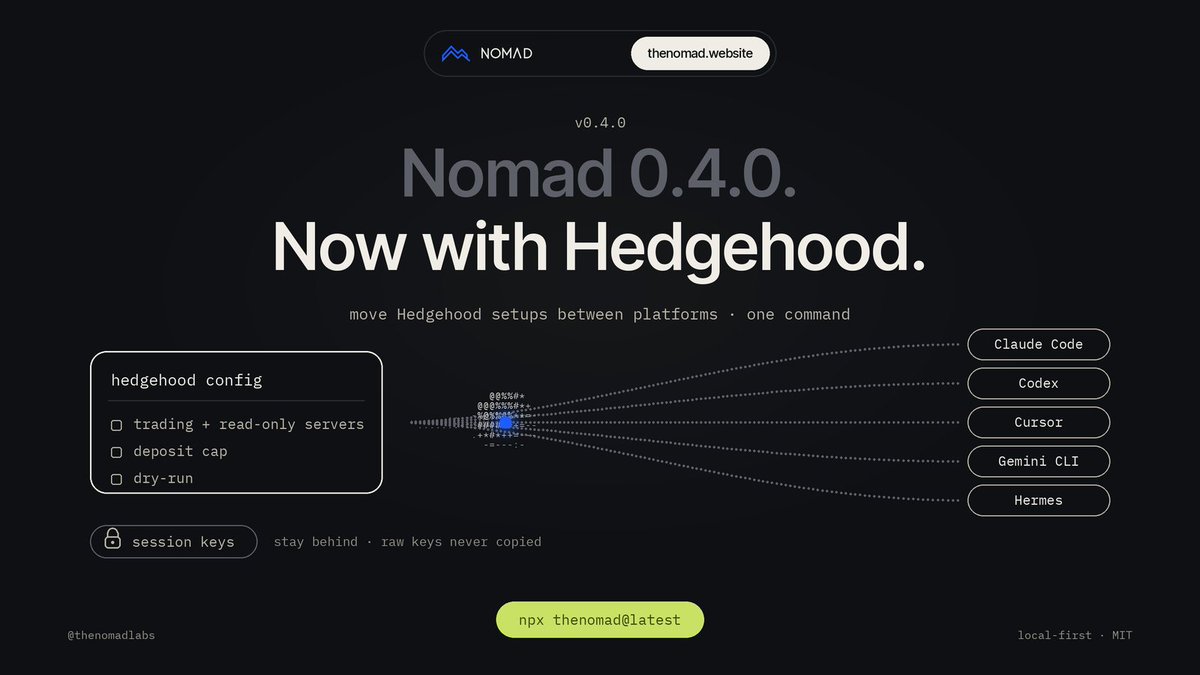
Nomad 0.4.0 now supports @0xHedgehood, so an agent trading options on Robinhood Chain can move between Claude Code, Codex, Cursor, Gemini CLI and Hermes with one command.
What I like is what stays behind. Raw keys never get copied, and session keys stay on your machine. You just set them up again wherever you land.
30+ agents supported in just 20 hours.
And we didn’t stop at adding integrations. We also shipped security updates to make moving agent setups safer and more reliable.
Most of this work has happened independently of the teams behind the projects we’re integrating. We’ve reached out to several teams, but haven’t received many replies yet.
That won’t stop us from building.
We’ll continue shipping integrations for projects with public integration options, working through them back to back rather than waiting for every team to respond.
We’re targeting 10 more integrations over the next few days, with the pace potentially reaching two integrations per day.
More platforms, more compatible agents and fewer boundaries.
Build your agent once. Take it anywhere.
Hedgehood support is now live on Nomad 0.4.0!!
@0xHedgehood brings options trading for AI agents to Robinhood Chain, allowing agents to trade weekly calls and puts on tokenized stocks using USDG.
Now, you can move your Hedgehood-enabled agent setups between Claude Code, Codex, Cursor, Gemini CLI and Hermes with one command.
What’s included?
→ Hedgehood’s trading server and read-only server configurations.
→ Claude Code plugin and skill support.
→ Your account settings, deposit cap and dry-run configuration.
→ Destination configurations written in the format each supported platform expects.
Nomad never reads your Hedgehood folder or key files. Raw keys are never copied, even with --include-secrets.
Moving to a new computer? Session keys stay behind by design. Nomad tells you what needs to be recreated and authorized on the new machine.
We also verify the migrated setup using Hedgehood’s own check tool, with successful connection tests.
Your trading setup shouldn’t be tied to one agent platform.
Update now with command:
npx thenomad@latest
Just got off the line with the dev he has big plans for $nomad beyond the scope it’s currently at . This one is a go. @degenApe22 this is the 1 my friend.
Hedgehood support is now live on Nomad 0.4.0!!
@0xHedgehood brings options trading for AI agents to Robinhood Chain, allowing agents to trade weekly calls and puts on tokenized stocks using USDG.
Now, you can move your Hedgehood-enabled agent setups between Claude Code, Codex, Cursor, Gemini CLI and Hermes with one command.
What’s included?
→ Hedgehood’s trading server and read-only server configurations.
→ Claude Code plugin and skill support.
→ Your account settings, deposit cap and dry-run configuration.
→ Destination configurations written in the format each supported platform expects.
Nomad never reads your Hedgehood folder or key files. Raw keys are never copied, even with --include-secrets.
Moving to a new computer? Session keys stay behind by design. Nomad tells you what needs to be recreated and authorized on the new machine.
We also verify the migrated setup using Hedgehood’s own check tool, with successful connection tests.
Your trading setup shouldn’t be tied to one agent platform.
Update now with command:
npx thenomad@latest
Validation checks if the files landed exactly as previewed. It can't judge behavior, so Nomad makes moves safe to undo instead:
1. Your original agent is never touched
2. Every move is backed up first, and nomad restore puts it back
3. The preview lists anything that was adapted, which is usually where behavior changes come from
Validation checks if the files landed exactly as previewed. It can't judge behavior, so Nomad makes moves safe to undo instead:
1. Your original agent is never touched
2. Every move is backed up first, and nomad restore puts it back
3. The preview lists anything that was adapted, which is usually where behavior changes come from
Preview of Nomad 0.3.0 moving our two integrated onchain agent setups.
We took an agent running in Claude Code with two onchain integrations configured: Oak Agent Kit and Priors, including a local wallet server and the hosted Priors server.
Then ran one command:
nomad move claude-code codex
Here’s what happened:
→ Nomad previewed exactly what would move and what would stay before making any changes.
→ After confirmation, it rewrote the agent’s instructions, permissions and tool entries into Codex’s native configuration format.
→ All 5 validation checks passed.
→ Running nomad inspect codex showed Oak, Priors Wallet and Priors Hosted, ready in Codex.
What stayed behind:
→ Wallet and key files. We hashed them before and after migration, and they remained unchanged.
→ No key values were copied into Codex. The configuration only references environment variables like PRIORS_KEY, which you configure yourself.
Nomad doesn't touch your keys.
Oak was the first holder-voted integration, shipped within a day of the vote.
While Priors is already live, giving users another onchain agent setup they can move between supported environments.
Try it: https://t.co/93Mi9qaumP