We released Hocuspocus 4.
Our open-source Yjs collaboration backend now runs on Bun, Deno, and Cloudflare Workers.
MIT licensed.
Docs: https://t.co/NLt4DuvKkP
Code: https://t.co/gKAqh2sbwl
A bit late to the party, but we overengineered diagrams in @tiptap_editor in classic German fashion.
It's charts and diagrams that people and AI can edit together, and that are still real charts after you export to Word. It lets you turn any table into a chart, or bring your existing Mermaid, https://t.co/da8Ewjz0Co and BPMN diagrams.
If you're building a scientific or financial editor and need charts and diagrams, feel free to reach out. It's a pilot program for now.
Demo → https://t.co/02lwWusno5
Docs → https://t.co/kYdMukCiyG
Ever wondered if you can draw in @tiptap_editor?
We built a whiteboard on top of Tiptap with sticky notes, shapes, arrows, pen drawings, frames and images.
Bonus: The whole board is just one Tiptap document. Every shape is a node, and its position and size are attributes. So it saves as JSON like any other Tiptap document with no third party whiteboard library, it's built only on Tiptap and ProseMirror.
That also means stuff we already have just works with it:
→ real time collaboration, multiple people and agents on one board
→ the AI Toolkit, so an AI agent can add notes, draw diagrams and edit the board on the server side
→ you can even put a full rich text document inside the board
This is an experiment. We wanted to see how far we can push a Tiptap document. We're still figuring out where this goes.
If you need whiteboarding for Tiptap, we can enable it for your team.
demo (create a room to get collab + AI chat): https://t.co/TKC2swlU7l
docs: https://t.co/64w5Rc0Frf
We're thinking about where to take our open-source real-time collaboration backend Hocuspocus next. If you're using Hocuspocus, we'd like to hear about your experience and invite you to shape where it goes.
5 min Hocuspocus survey: https://t.co/qMNiXMMfU0
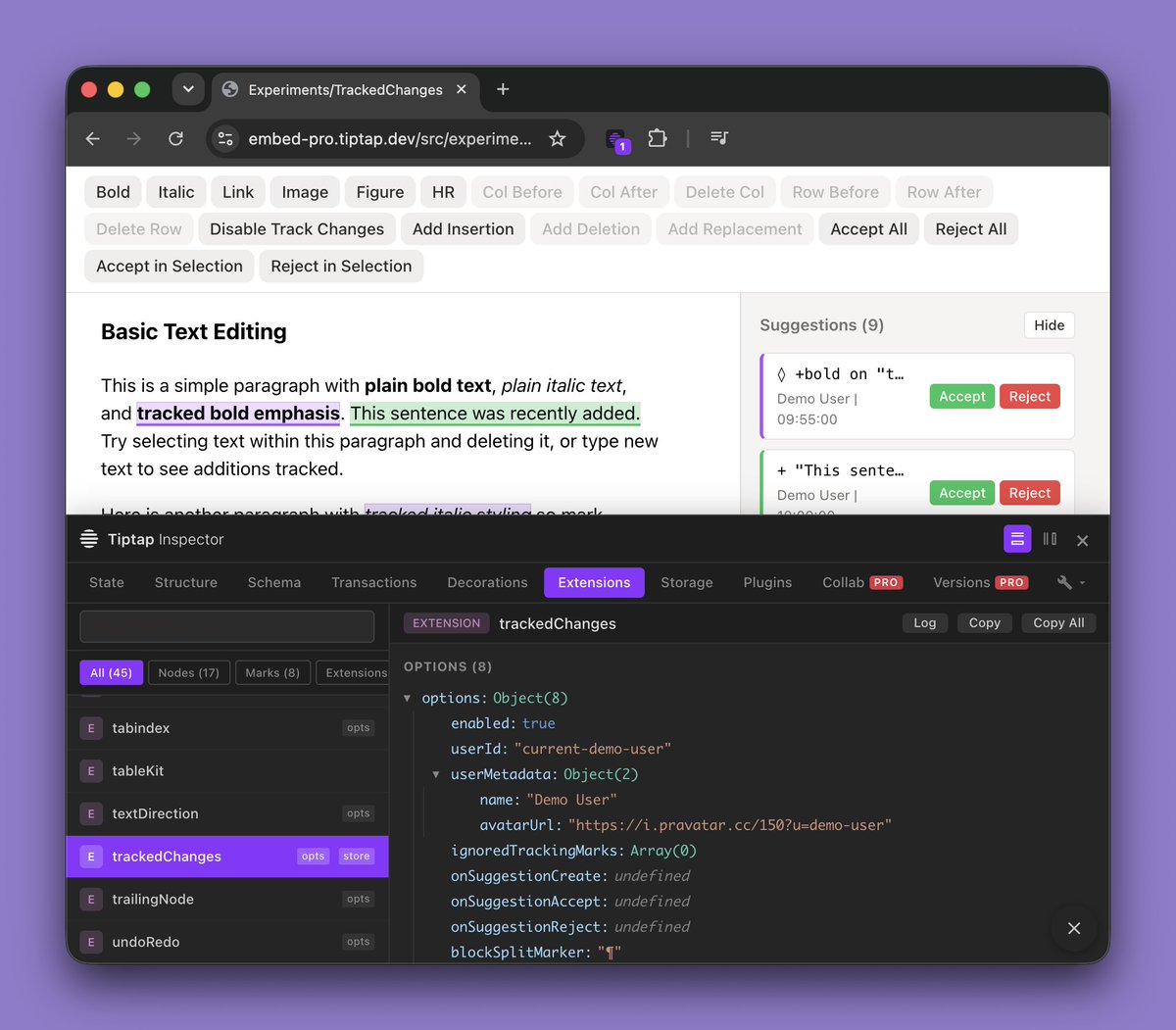
Dome and I realized we had both started building Tiptap DevTools for Chrome – independently, without knowing about each other’s work.
We wanted an easier way to inspect what’s happening inside a Tiptap editor.
Would this be useful to you? What would you want to inspect?
This week, we officially started working on Tiptap v4. The idea hub on GitHub has been open for a while, and every contribution helps us shape what v4 will become. We'll keep v3 in maintenance mode but won't add new features.
https://t.co/SgiXe9NWmA
If you built something open source around Tiptap, or using Tiptap for your project, just add it to our awesome-tiptap repo and share it with the community! It's a collection of extensions, framework wrappers, demos, blog posts and projects.
https://t.co/5byIZYVzTZ
We just shipped search and replace.
New extension, new UI component. Both are free and MIT licensed!
Headless extension: https://t.co/LWBN0bLAsF
UI component: https://t.co/IcxHsskdMM
Shipped an alpha of the AI Toolkit last year to see if people needed it. They did. Today, the beta: real-time AI editing inside your docs for redlining reports, tutoring, whatever. Giving away 100 free lifetime licenses (100k tool calls/mo) for feedback: https://t.co/SXE86e9KDz
Hocuspocus v4.4.0 is out
→ New flushDelay option which batches updates so you send fewer messages to the server during heavy editing.
→ Better state sync across Redis instances for cluster setups.
Thanks to @janthurau for the release
https://t.co/kE5HgiFyUx
The hard part is re-import. docx stores comments with its own IDs. Word rewrites its comment bookkeeping on every save, so a naive round trip duplicates every thread. We reconcile incoming comments against the live document: edits flow through, removals clean up, no duplicates.
Editor comments now round-trip between MS Word and Tiptap.
Import a .docx with comments → they become live collaborative threads → reply and resolve in real time → export back to native Word comments → re-import after Word edits with zero duplicates.
Now live as part of Tiptap's Conversion service, which moves content between DOCX, PDF, ODT, EPUB, Markdown and your editor's document model.
Docs: https://t.co/rFvdNN8g0F