Tu teléfono Android acaba de convertirse en un PC Linux completo. Sin root. Sin dual-boot. Sin complicaciones. 🔥
Andronix + Termux + PRoot = Ubuntu, Debian, Kali, Arch… corriendo nativo en tu móvil con escritorio completo (XFCE, LXDE, i3…).
→ 8 distros gratis
→ Hasta 12 entornos a la vez
→ GUI real vía VNC
→ Código, servers, pentesting, aprendizaje… desde el bolsillo
→ 2.8k stars y 100% open-source en los scripts
Esto no es un emulador. Es Linux de verdad en Android.
Repoooo 👇
Download 698-page PDF eBook…
Everything You Always Wanted To Know About Mathematics* (*But didn’t even know to ask)
A Guided Journey Into the World of Abstract Mathematics, Theorems, and the Writing of Proofs: https://t.co/JLsDOmpP1q
A guy named Rui built the world's most useful website.
It is called Brevio, and it gives you access to 492 tools for free.
It has:
> 118 developer tools
> 58 finance tools
> 53 text tools
> 41 design tools
> 36 PDF tools
> 33 math and science tools
> 30 converters
> 30 health tools
You can generate a resume, remove an image background, calculate startup runway, format JSON, compress a PDF, create video captions, build a QR code, test a password, or make an invoice.
There are even tools for checking prompt injections, comparing AI responses, calculating LLM costs, and previewing RAG chunks.
You do not need an account to use any of them.
And when you add a file, it gets processed on your own device instead of being sent to Brevio.
Most websites give you one tool and then ask for money.
Rui built 492 of them and gave the entire collection away.
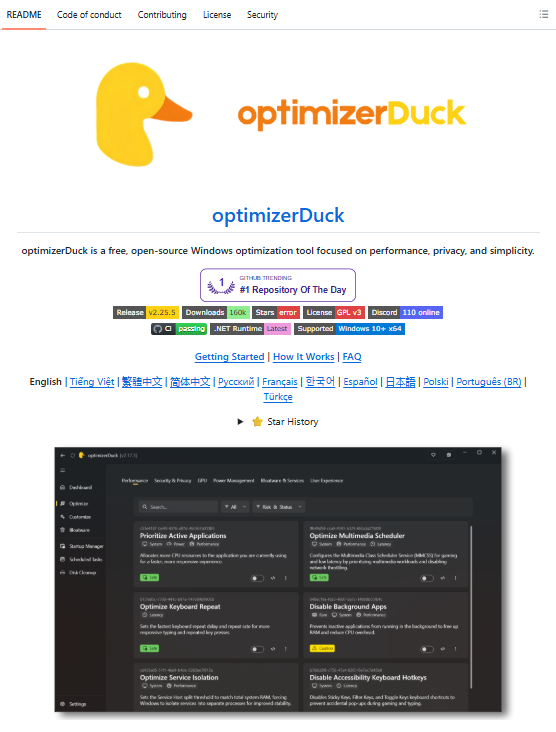
🚨 Tu ordenador Windows tiene más de 200 servicios ejecutándose en segundo plano ahora mismo.
La mayoría de ellos consumen recursos, recopilan datos y mantienen activadas funciones que probablemente nunca hayas utilizado.
Alguien se cansó y creó una herramienta gratuita para solucionar este problema.
Se llama optimizerDuck y permite limpiar Windows 10 y 11, eliminar bloatware y desactivar gran parte de las funciones que afectan al rendimiento y la privacidad.
Esto es lo que incluye:
→ Más de 35 optimizaciones de rendimiento, privacidad, batería y sistema
→ Control de más de 200 servicios con etiquetas de riesgo
→ Eliminación de bloatware con vista previa antes de borrar
→ Ajustes específicos para GPU AMD, NVIDIA e Intel
Lo más interesante:
Cada cambio genera automáticamente un archivo para revertirlo y la herramienta te obliga a crear un punto de restauración antes de modificar el sistema.
Sin instalador, sin anuncios, sin telemetría y sin versiones premium.
Es completamente gratuita, open-source y funciona sin conexión a Internet.
Te dejo el repo en comentarios 👇
Vous pouvez d'ores et déjà copier coller ces 23 points et les soumettre à votre entourage et à vos soignants pour savoir s'ils ont l'impression qu'il s'agit bien dans ce texte de loi du respect de la liberté de chacun relativement à sa mort ou bien d'un processus dégueulasse pour éliminer en toute impunité les inutiles ?
#StopLoiFalorni
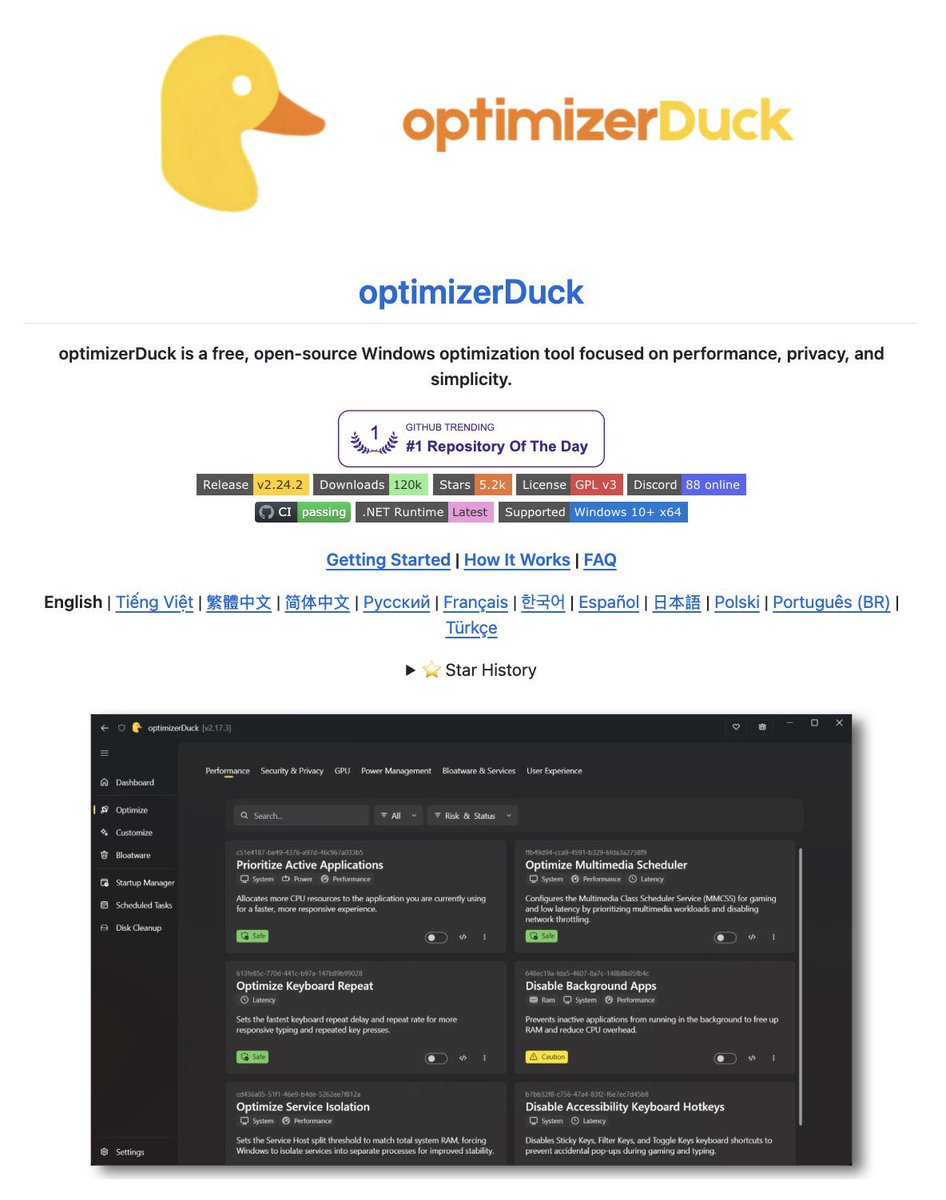
🚨 Windows tiene más de 200 servicios corriendo en segundo plano ahora mismo.
La gran mayoría existen solo para recopilar datos sobre ti.
Alguien se hartó y creó una herramienta 100% gratis y de código abierto que elimina casi todas las mierdas anti-usuario que Microsoft ha metido en los últimos años:
•Cortana
•Copilot
•Anuncios en el menú Inicio
•Telemetría agresiva
•Seguimiento de ubicación
•Aplicaciones sugeridas que nunca pediste
Todo desaparece con un clic. Un solo archivo de 8 MB.
Se llama optimizerDuck.
Es lo más parecido que he visto a tener Windows limpio, como debería haber venido de fábrica.
Lo que trae:
→ Más de 35 optimizaciones reales (rendimiento, privacidad, GPU, batería, servicios y UX) → Control total de +200 servicios con etiquetas de riesgo (bajo / medio / alto) → Ajustes específicos de GPU para AMD, NVIDIA e Intel → Removedor de bloatware con vista previa de lo que vas a eliminar → Cada cambio genera archivo de reversión automático → Te obliga a crear un punto de restauración antes de tocar nada
Sin instalador. Sin telemetría. Sin anuncios. Sin versión premium de mierda.
GPL v3 • Se ejecuta sin internet • Windows 10 y 11 (x64)
¿Cansado de que Windows te espíe aunque no quieras?
Descárgalo, pruébalo y dime en comentarios qué tal te fue.
Si te sirvió, comparte. Que esto llegue a más gente.
Partager une vidéo YouTube et seulment la vidéo, sans pub, sans suggestions douteuses, sans commentaires inutiles ? C’est exactement ce que permet SafeShare.
https://t.co/iTQ7R5Fd0G
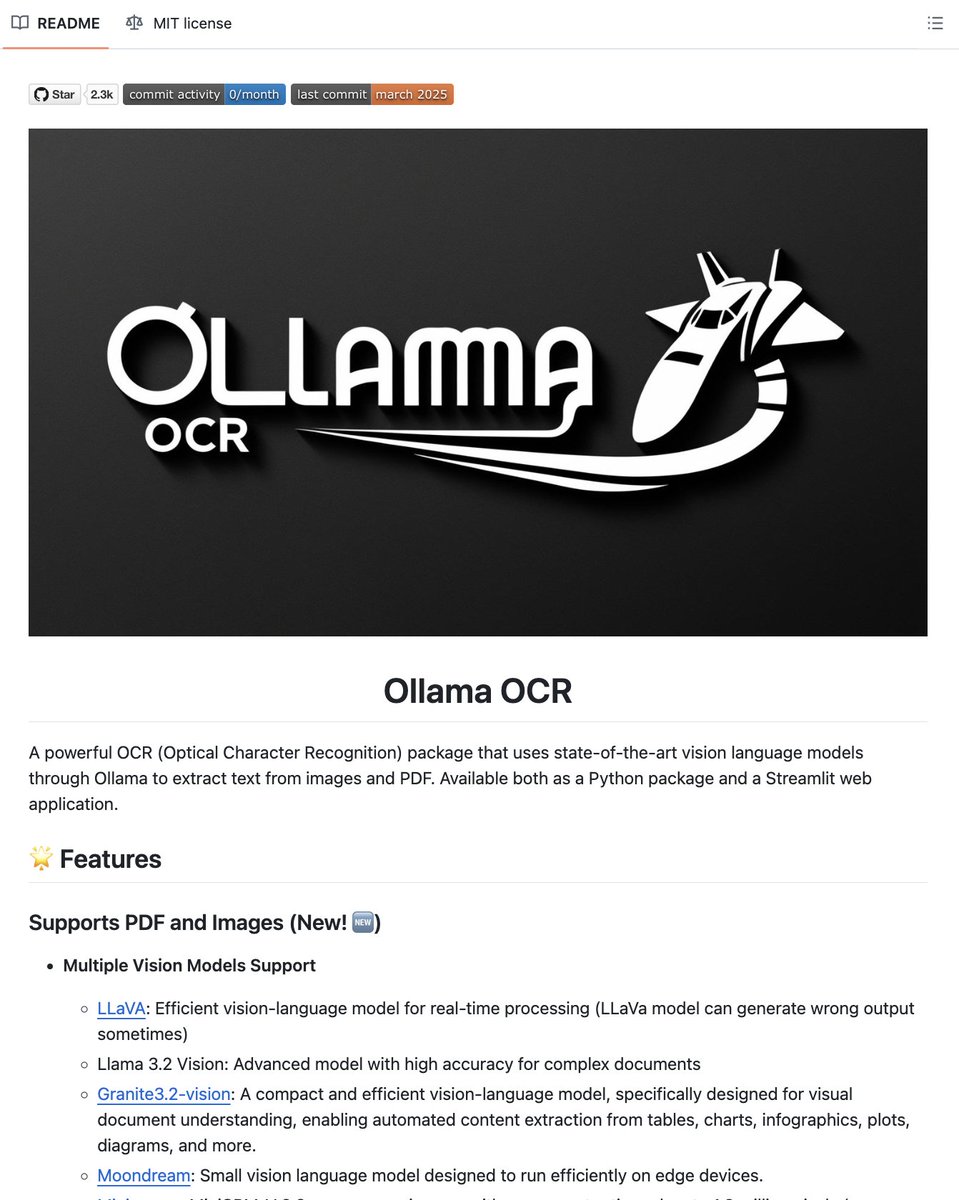
YOU CAN NOW RUN OCR COMPLETELY OFFLINE ON YOUR OWN MACHINE WITH ZERO API COSTS.
AWS Textract charges $1.50 per 1,000 pages. Google Document AI charges $1.50 per 1,000. Adobe Acrobat Pro locks basic OCR behind a subscription. this repo replaces all of them and its completely free.
Its called Ollama-OCR -- a Python package that runs vision language models locally through Ollama to extract text from images and PDFs. No cloud. No API keys. No usage limits.
Here's what you can actually do with it:
→ Extract text from images and PDF files with a single Python function call
→ Choose from 5 vision models depending on your hardware -- LLaVA, Llama 3.2 Vision, Granite3.2-vision (built for documents, tables, charts), Moondream (edge devices), or MiniCPM-V (handles images up to 1.8M pixels)
→ 6 output formats -- Markdown, plain text, JSON, structured data, key-value pairs, and clean table extraction
→ Batch processing with parallel workers and progress tracking
→ Custom prompts to focus extraction on specific fields like dates, names, invoice numbers
→ Language selection for better OCR accuracy on non-English documents
→ Streamlit web app included for drag-and-drop OCR without writing code
Here's the wildest part:
If your extracting handwritten notes, scanned invoices, tables from PDFs, or receipts in any language, this handles all of it locally on your GPU or even CPU. Your documents never leave your machine, which means sensitive medical records, legal documents, and financial statements stay private.
It also works inside Autogen and LangGraph pipelines out of the box -- so you can plug it directly into agent workflows.
Install with one line: pip install ollama-ocr
2.3K GitHub stars. 258 forks. MIT license.
100% open source.
(link in the comments)
Gratuit, sans publicité, du CE1 au lycée, utilisable en mode classe sur réseau local : Calcul Mental Challenge coche beaucoup de cases pour travailler le calcul mental autrement.
#Maths#Sympa#Calcul
https://t.co/sM69xjy6Y1
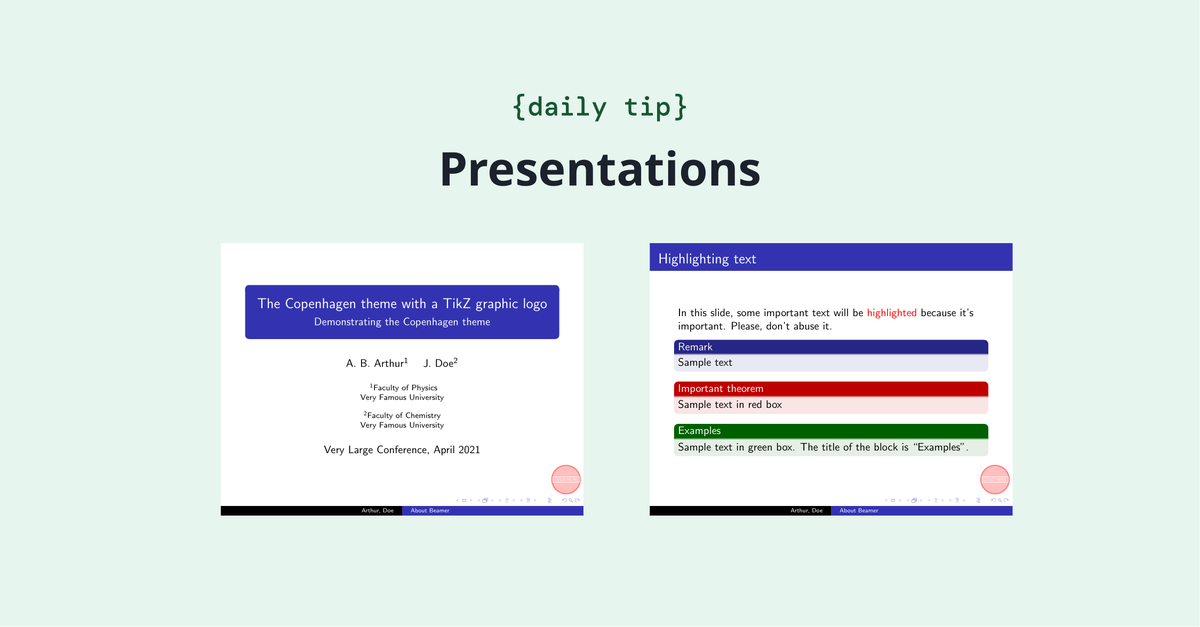
In big documents, sometimes there's an alphabetic list (usually named index) containing the main terms to help readers easily find their occurrences within the text. LaTeX makes it easy to generate such a list. Check it out: https://t.co/IxsXFjZ6NS
Every networking student has that moment when subnetting finally clicks.
Once you understand network bits vs. host bits, everything starts making sense.
Practice is the real shortcut, every networking enthusiast needs to understand the concept of subnetting.
📚 Master Linux with This Complete Open-Source Guide
Whether you're a beginner or an experienced Linux user, this repository covers almost everything in one place. Learn Linux fundamentals, desktop environments, package managers, security hardening, WireGuard, cloud, gaming, file systems, distributions like Ubuntu, Fedora, Debian, Kali, and much more. A valuable reference for cybersecurity professionals, developers, and anyone serious about mastering Linux.
🔗 https://t.co/r2mQTJx5qF
#Linux #CyberSecurity #OpenSource #SysAdmin #DevOps







![KirkDBorne's tweet photo. [Download 585-page PDF eBook]
Game Theory: https://t.co/DUxMDRc1Ll
—————
#GameTheory #Gamification #Mathematics #Statistics #Probability https://t.co/OuM1cwPhUw](https://pbs.twimg.com/media/HL3Bq77WwAA8krz.jpg)





