Ultorg demo: Appraising artworks from the National Gallery of Art using the new "Fill with AI" feature in Ultorg 2.2.0. The interesting part is in the handling of joins. We can show a list of artworks, and for each artwork, a list of provenance timeline entries, and related data from other tables, and then use all of this data as context for the appraisal task.
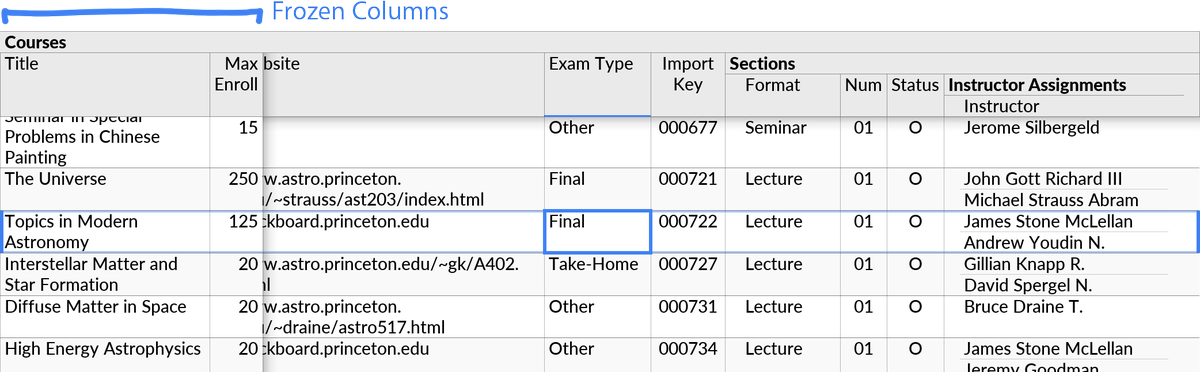
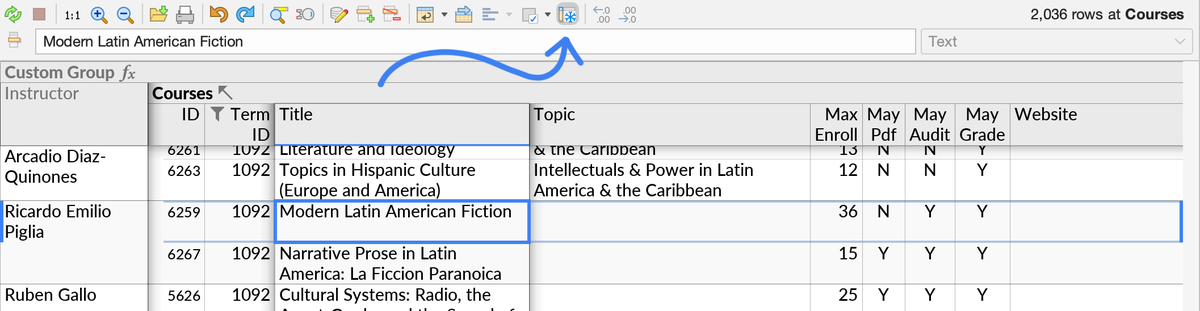
"Frozen columns" in Ultorg 2.1.5: In wide table layouts, one or more identifying columns (e.g. "Title" or "ID") can now stay frozen as you scroll left or right. This improves readability, and saves clicks that might otherwise be spent on column selections.
An analogous "Heading" feature exists in form layouts, and has related improvements in this release. In form layouts, headings are displayed in larger font, and will stay frozen while scrolling up or down.
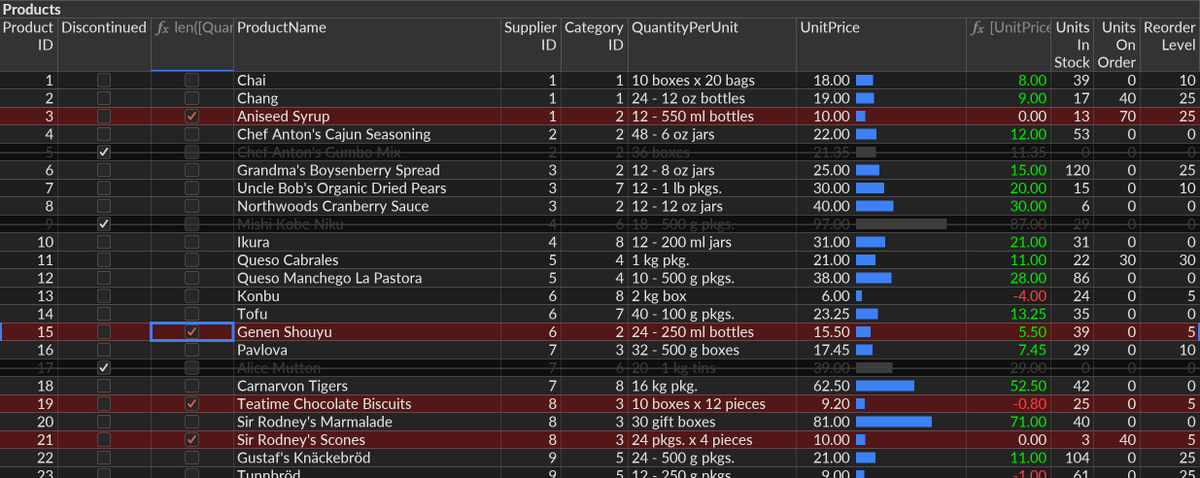
@nitroargo Thanks! Yeah, for screenshots and projection, or user preference, we might add a "high contrast" mode (simulated below) that makes the separator lines more prominent. Separators are quite subtle by default, which is more optimal at 1:1 resolution than in scaled-down figures.
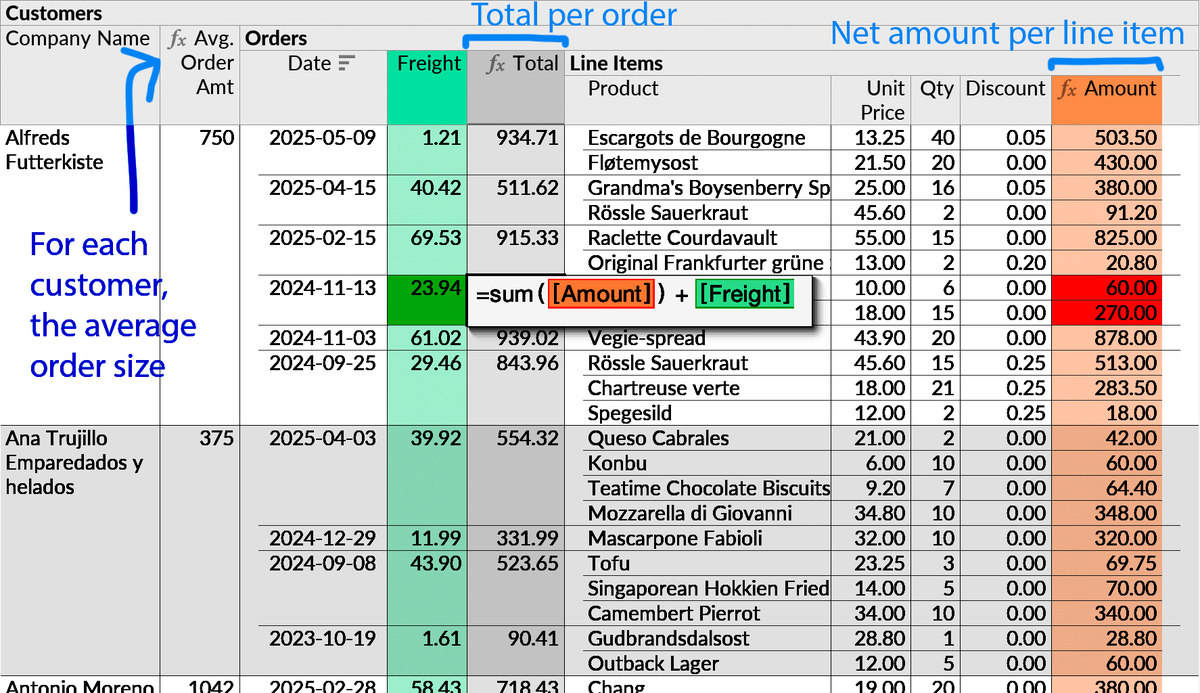
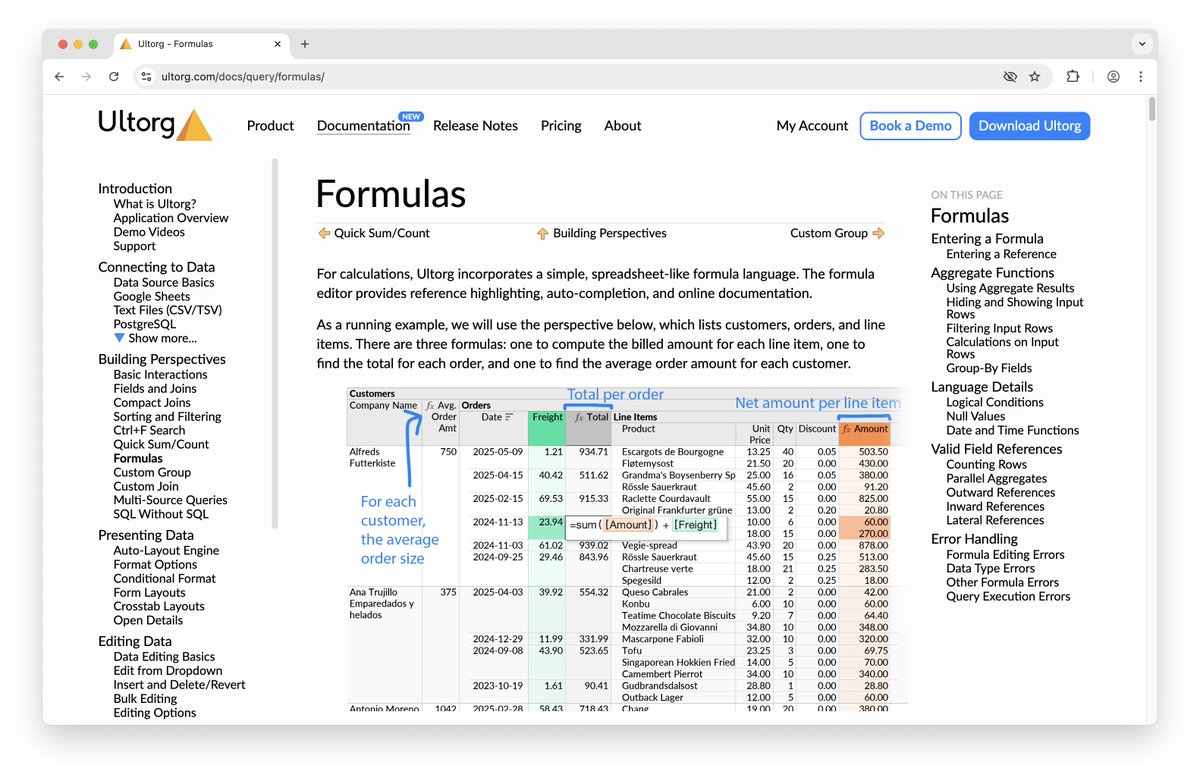
New documentation site! Ultorg, the missing user interface for relational databases, is now discussed in detail with over 400 screenshots. Topics include: data source connections, query building, formulas, automatic layouts, data editing, SQL-equivalence.
https://t.co/eilC9P8nfs
Also, handle the SQL INTERVAL type, and tables in Google BigQuery with mandatory partition filters. Download Ultorg 2.1.2 here: https://t.co/sagt3nK9Wf Full release notes at https://t.co/icT4nGY1jY (2/2)
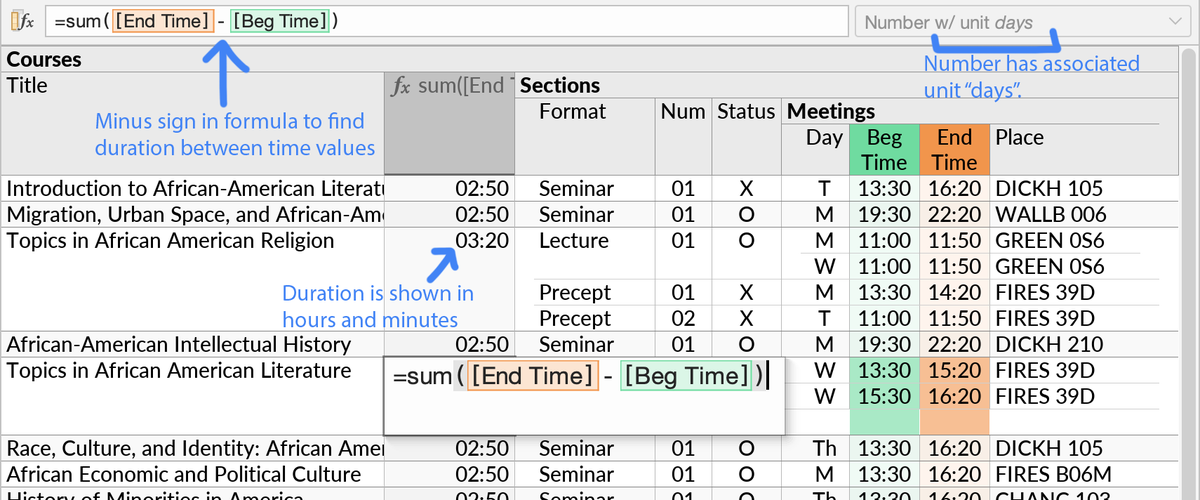
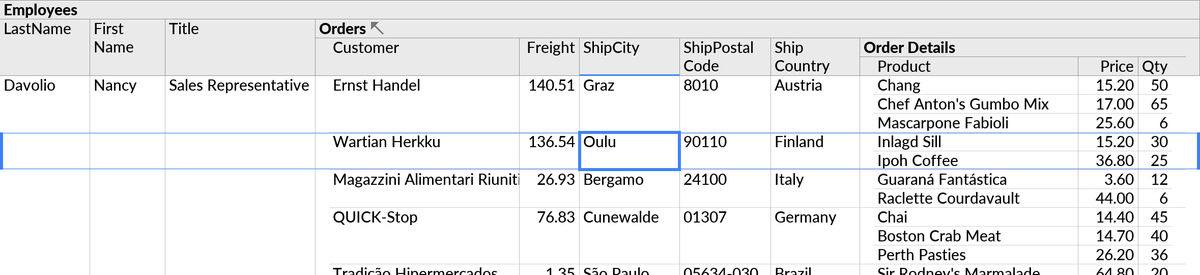
Another Ultorg release, this time simplifying formulas that involve calculations on dates and times, and improving the display of time durations. Also, by popular request: Highlight the current row, to help users maintain sanity when reading very wide tables. (1/2)
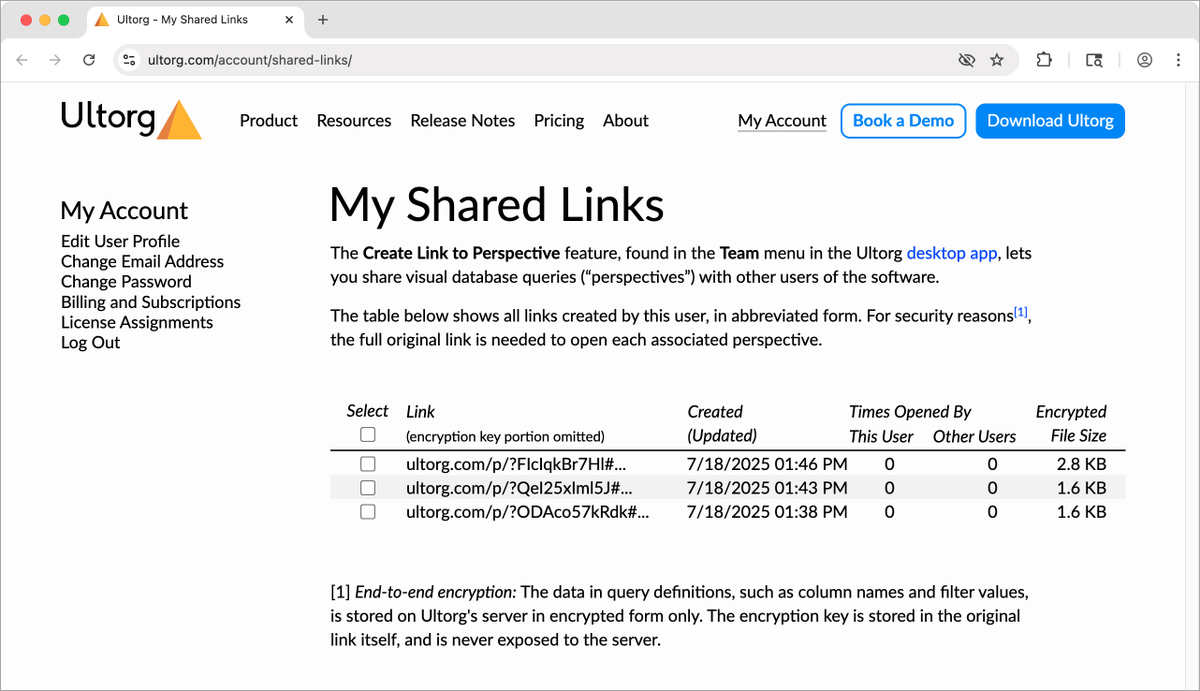
New in Ultorg 2.1.0: You can now quickly share the current perspective (visual database query), by creating a link to it. Links may be opened by other Ultorg users, or used as a way to store queries in company wikis, git repos, or similar. (1/3)
End-to-end encryption: The data in perspective definitions, such as column names and selected filter values, is stored on Ultorg's server in encrypted form only. The encryption key is stored in the “hash” portion of the link (#...), which is never exposed to the server. (2/3)
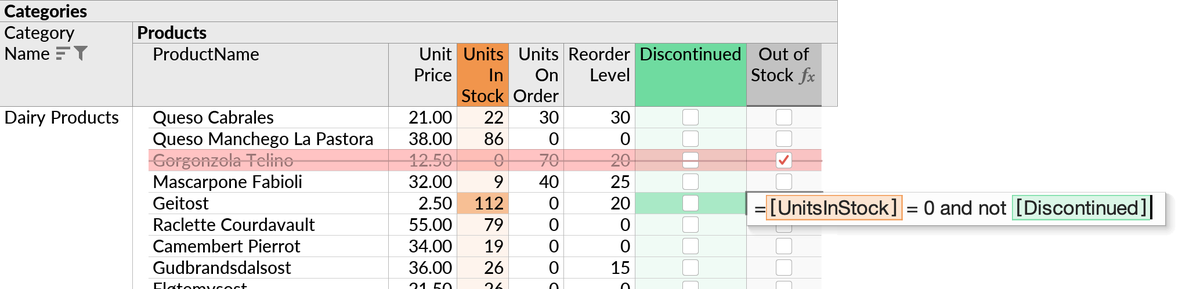
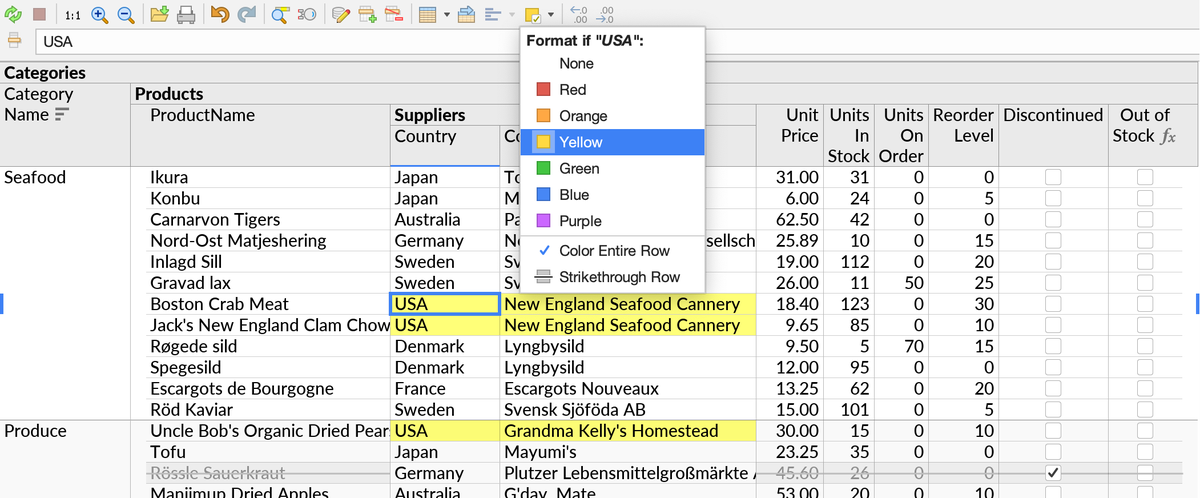
Ultorg 2.0 is released, with several user-requested features! With conditional formats, you can color rows or cells, or "strike through" a row, based on values or an arbitrary formula condition. (1/6)
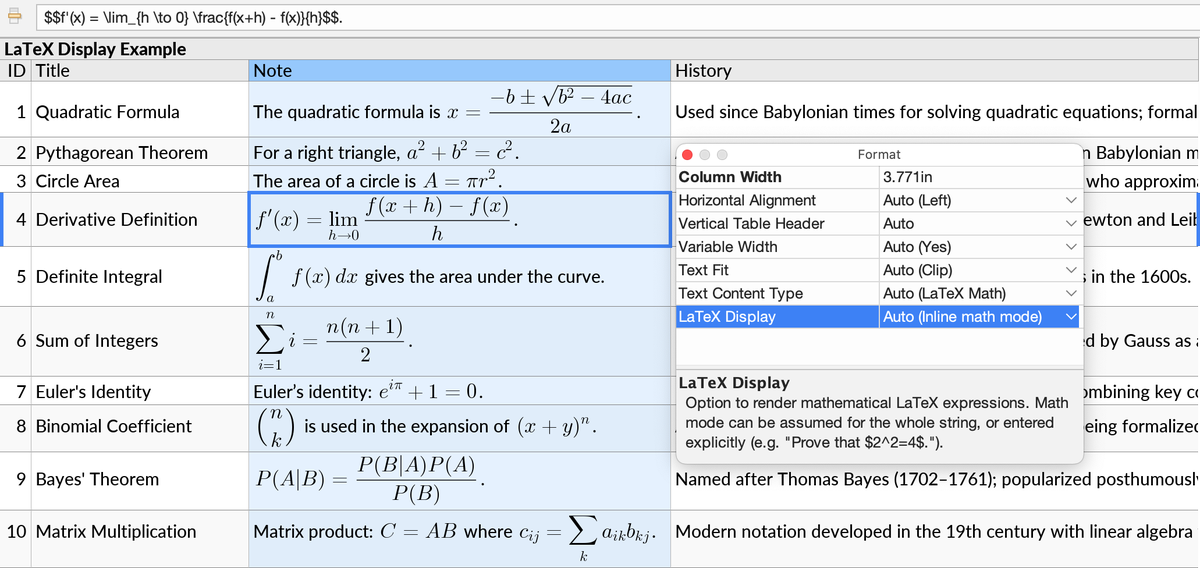
A bonus feature for some very specific use cases: Text cells can now render inline LaTeX math. (Eventually we should add support for more common markup languages...) (5/6)
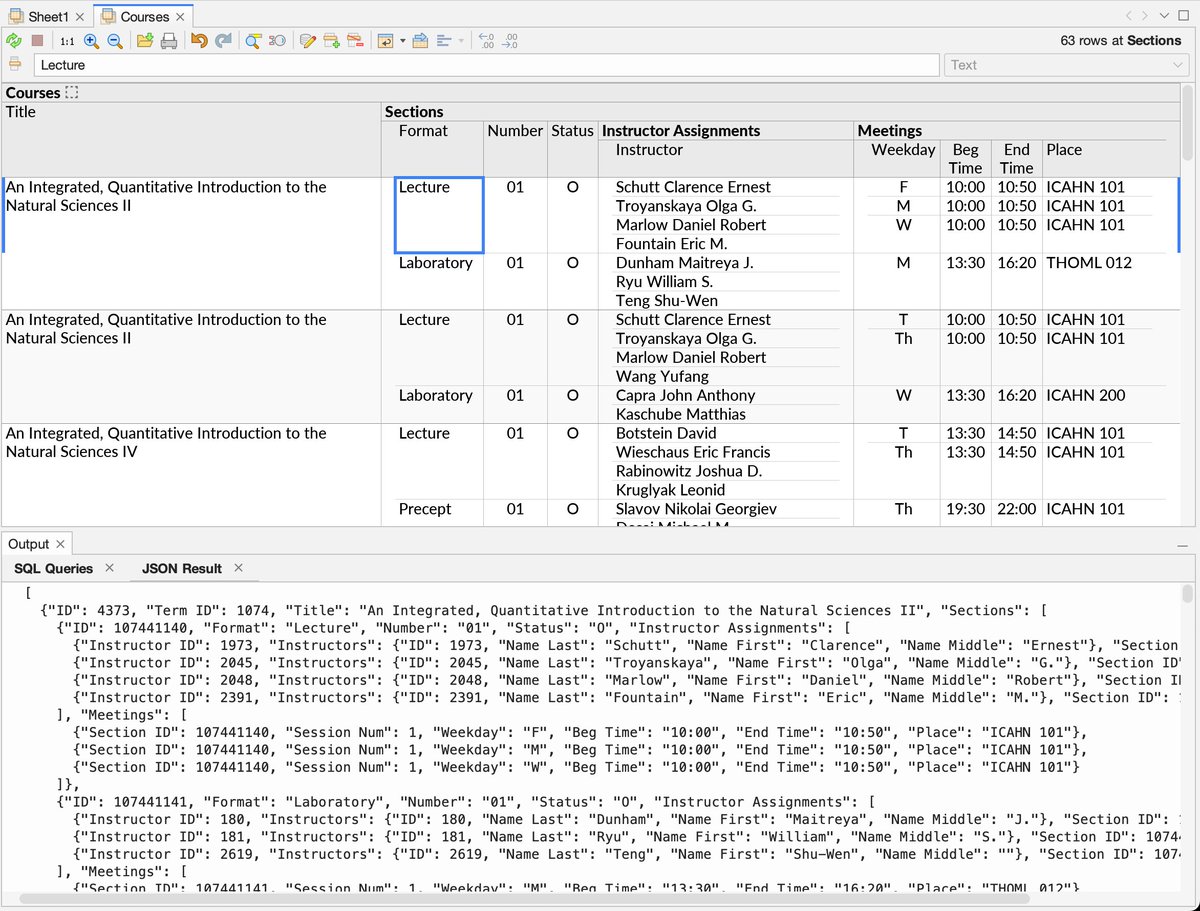
@julianhyde Ultorg has JSON output or "flattened" CSV for export purposes, though UI interactions are always driven from the graphical nested table layout. I think @jonathoda has a more terminal-like UI for nested relations, though! https://t.co/4k1h9aFWvD
@MaineFrameworks Nested relations get flattened with joins. But sometimes this would lead to a combinatorial explosion of rows, in which case Ultorg shows a warning and suggests how to modify the perspective. For its own use, Ultorg evaluates such perspectives using multiple SQL queries.
Ultorg 1.9.4: The new "Compile to SQL" action generates a SQL query from the current perspective. The query is similar to those used internally by Ultorg, but has predictable outer column names, and is better suited for use in external applications. (1/3)