📧 We've expanded Email Notifications into Email Integration, so you can:
1️⃣ Send emails with attachments
2️⃣ Process email objects, extracting content and attachments for further processing in your workflows.
Try it with the latest #ExtensionKitCore 👉🏼 https://t.co/z2pSUB1krd
Complex validation logic doesn't have to mean custom code.
With #ExtensionKitCore, validate objects and metadata directly in #MFiles Admin.
✅ Check required data and formats
✅ Validate related objects
✅ Show clear validation messages
📘 Learn more: https://t.co/3NbKGKj7UC
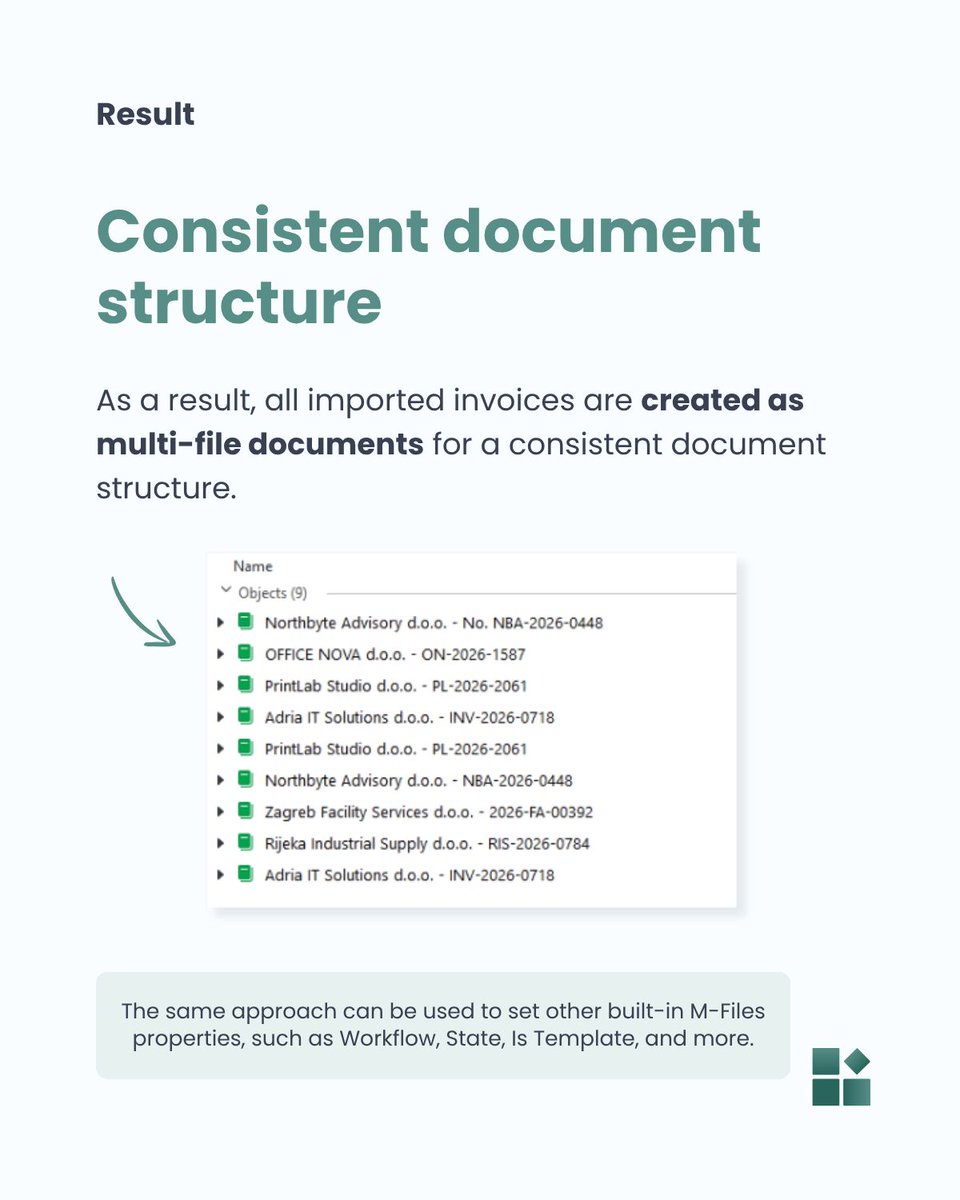
Property Setter isn't limited to custom metadata.
In #ExtensionKitCore, it can also set built-in #MFiles properties such as Single file, Workflow, State, and Is Template.
See the example below 👇️
📩 Subscribe for weekly practical tips: https://t.co/dkZC94eOhw
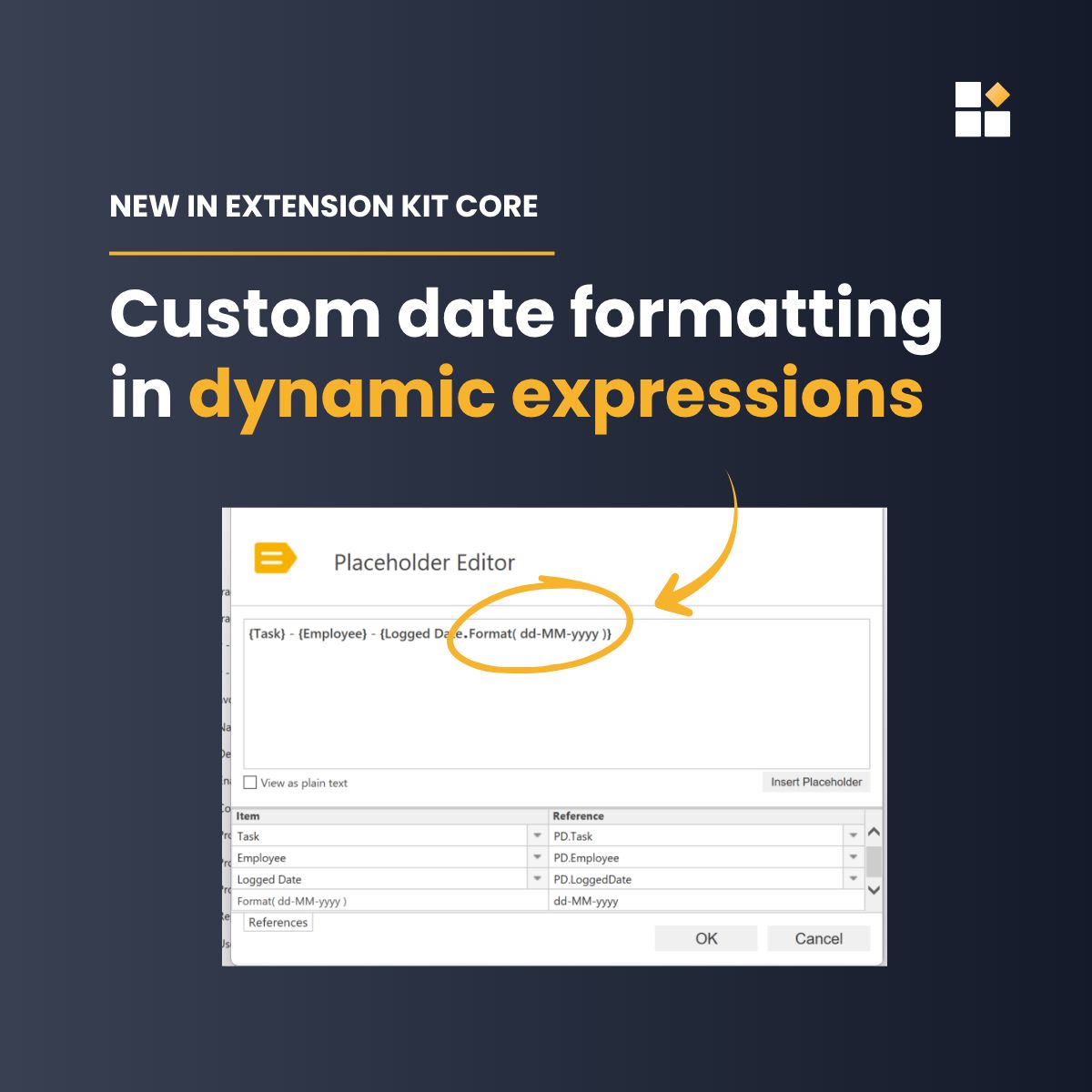
Need a date displayed differently in a dynamic expression?
With the .Format() function in #ExtensionKitCore, you can control how dates appear in #MFiles object names, emails, or other text properties.
Download the latest EK Core release to try it out 👉🏼 https://t.co/e0ZBwvOL70
📢 New #ExtensionKitCore release: 26.9.0
Key updates:
-> Email object processing and attachment extraction
-> Document AI smart lookups and .msg/.eml support
-> New Rename File action in Document Processing
👉 Read the full release notes:
👉 Download the latest version:
Need the current date, year, or user in your #ExtensionKitCore configuration?
Use placeholders like %TODAY%, %YEAR%, or %SELF% in dynamic fields, including Property Setter, Dynamic Search Conditions, and Extended Auto Properties.
Download v26.8.1 👉🏼 https://t.co/yTG180k9xx
Not sure how to set up a specific action in #ExtensionKitCore?
The answer might already be in our Expert Tips library. 🎓
Explore practical tips and real-world examples 👉 https://t.co/5DOVvr9ANd
Subscribe to get a new tip in your inbox each week 👉 https://t.co/FSzS7k0FD0
Automate object creation in #MFiles through configuration, not custom code.
✔ Create objects automatically upon predefined events
✔ Use templates to duplicate objects and maintain consistency
✔ Apply rule-based logic and property mapping
📘 Learn more: https://t.co/M81lgZrwqo
#DocumentAI automatically classifies documents and extracts metadata in #MFiles — but sometimes the correct value is already there. ✔️
Swipe to see how to control the updates. 👇🏼
Subscribe for weekly tips: https://t.co/bBiCNDudHH
Find more useful tips: https://t.co/yrC52MSQyA
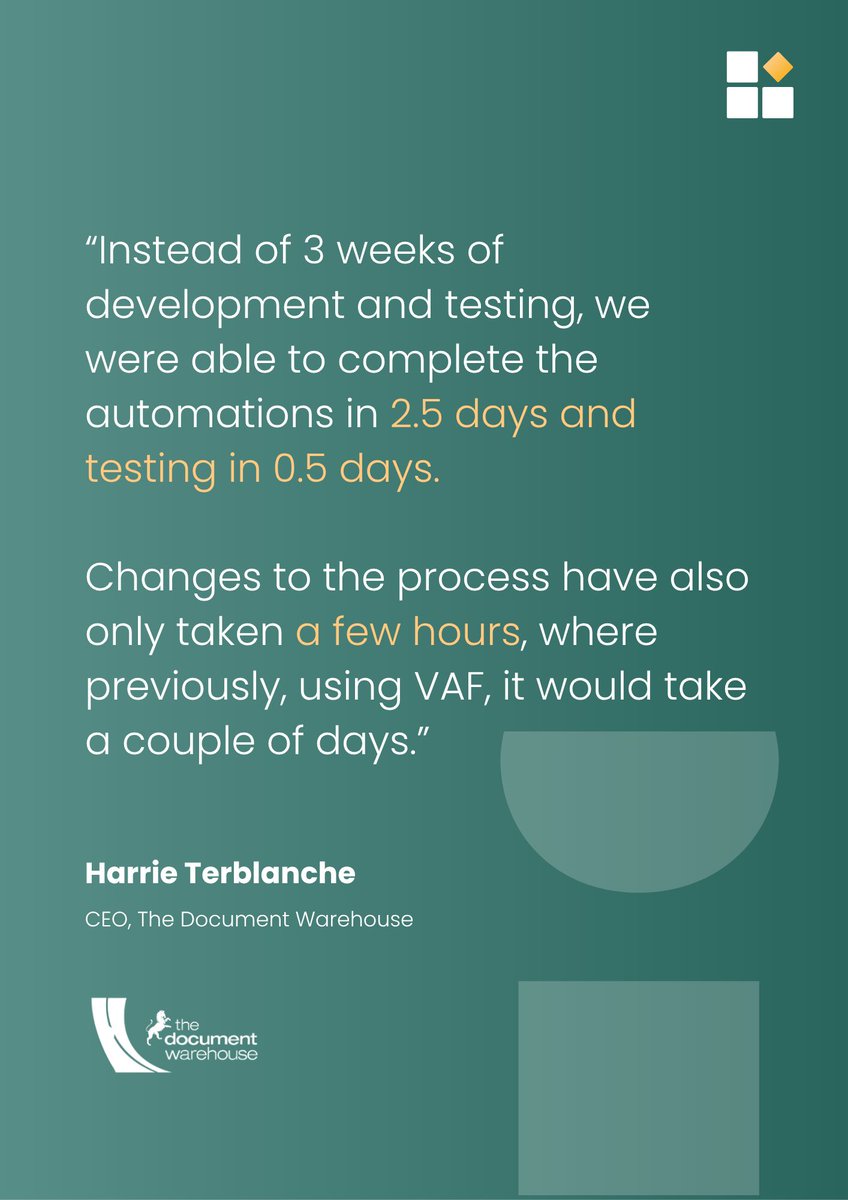
Weeks of #MFiles development work? Turn it into days with #ExtensionKitCore. 🚀
Implement advanced M-Files functionality faster using configurable modules instead of custom code.
Try it for free 👉🏼 https://t.co/3dr0Zo64DL
What's new in #DocumentAI?
✅ Classification results can now be mapped to any #MFiles property.
✅ IML now supports Foundry analysis alongside Azure Document Intelligence.
Ready to explore the new capabilities? Start a free trial 👉🏼 https://t.co/dbw4vyqdvh
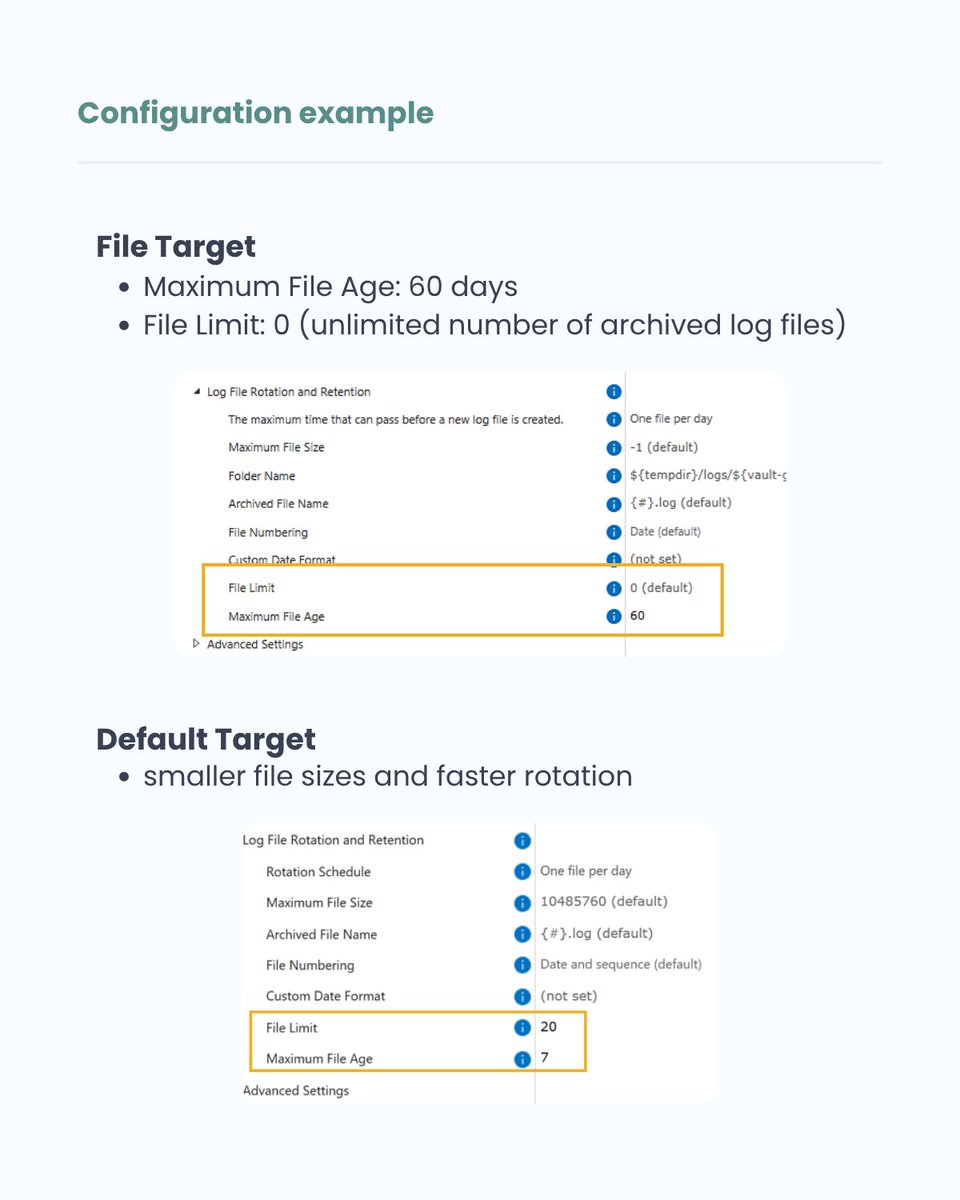
The Log File Rotation and Retention in #ExtensionKitCore help you keep log access fast without losing the history needed for troubleshooting.
Swipe through to see the example. 👇🏼
Subscribe for weekly tips: https://t.co/bBiCNDudHH
Find more useful tips: https://t.co/yrC52MSQyA
📢 New #ExtensionKitCore release: 26.8.0
Document AI enhancements, SVG images in Word Writer, expanded placeholder functionality, and more.
👉 Read the full release notes: https://t.co/SF1sI6yU2i
👉 Download the latest version: https://t.co/JNwbFGBd86
How can external AI agents become part of an M-Files workflow?
In this scenario, we’re using the HTTP Integration module in Extension Kit Core to connect M-Files with a custom AI agent.
📕 Learn more: https://t.co/DCs3zSgdXy
#MFiles#ExtensionKit#Automation#AI
New to #ExtensionKitCore?
Explore example use cases, review existing configurations, and experiment with your own rules in a safe test environment.
Download the Demo Vault and start learning faster. 🚀
👉 Download here: https://t.co/pKWnAOiHwe
#DemoVault#MFiles
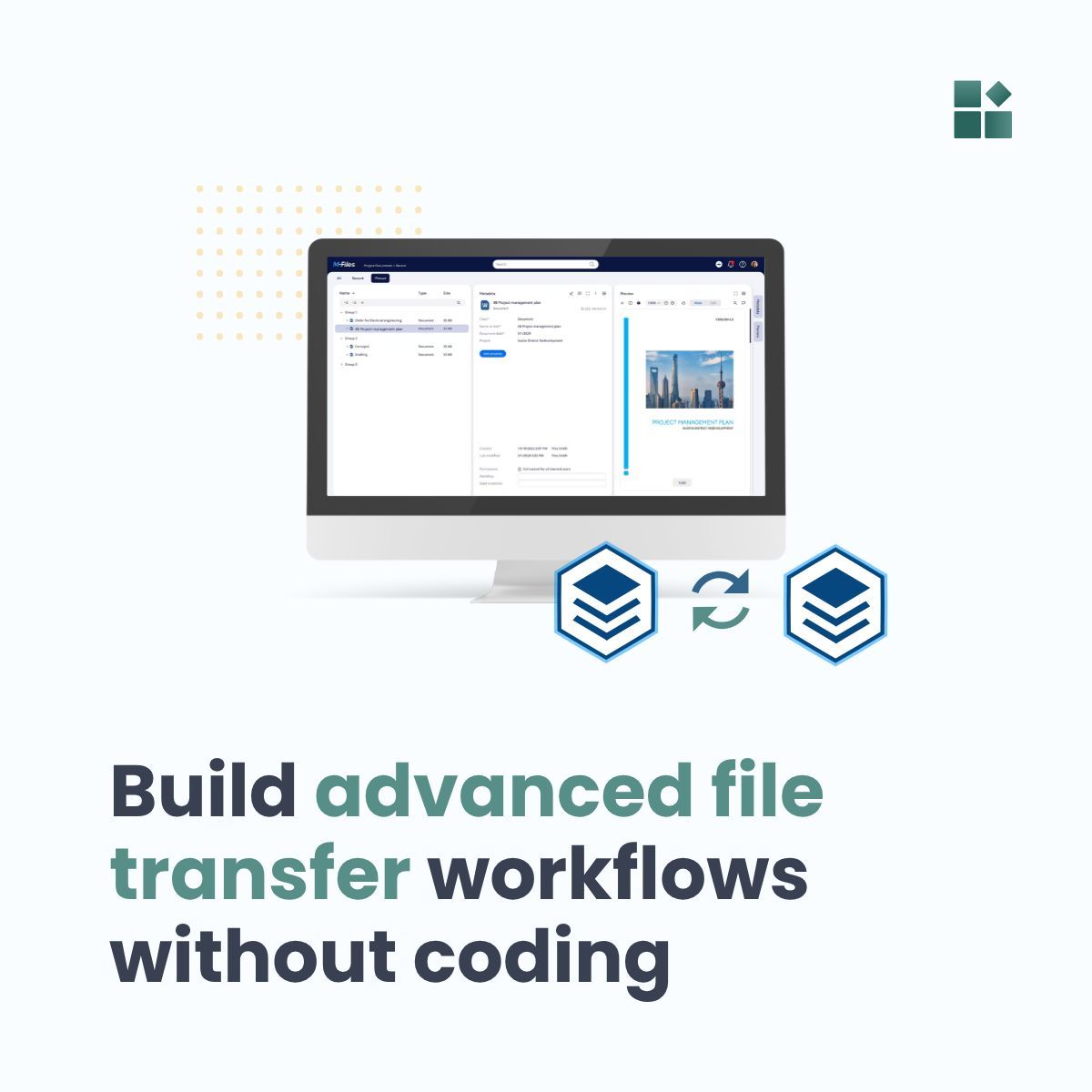
Need more than a standard #MFiles export? 📤
With #ExtensionKitCore, build advanced file export/import workflows without custom scripting.
Export only specific documents, encrypt files, sync data between vaults, and much more.
📘 Learn more: https://t.co/1Qnp3xktIL
What could an AI workflow in #MFiles look like?
When documents are imported, #ExtensionKitCore can:
- Classify the document
- Assign the correct workflow
- Extract and map metadata automatically
- Create related objects
📕 Learn more about the use cases: https://t.co/8ajGhJqKZT
Once an AI service processes a document in #MFiles, #ExtensionKitCore handles what happens next:
- Updating metadata
- Changing workflow states
- Routing documents to the correct workflow
- Generating connected documents
📕 Learn more in the blog post: https://t.co/BOl6b0xoGm