@smooyacs Owen my platform @vieforit_global its a bit different like faceit, but I know well, you like competition so pls try your aim on my site. Let me know which tournament you're joining tomorrow, so i try challenge you. I think last time I won 1vs1 vs you 😎💪
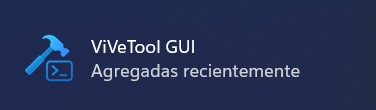
¿Quieres probar el LOW LATENCY DE W11 que va increíble? Instala desde la store ViveTool GUI y te va a preguntar que ID quieres habilitar de las que hay.
El Low Latency Profile de Windows 11 tiene los siguientes FEATURE ID:60716524 → Corresponde a LowLatencyProfile (el principal).
61391826 → Corresponde a LowLatencyProfileForApplicationLaunch (el que activa el boost
Ostia como se nota chaval..
🚨 Stop letting Windows 11 "park" your background threads mid match. 🚨
If your PC feels snappy at first, but you notice random micro stutters or a "heavy" mouse feel 45 minutes into a session, it isn't your hardware it's the Windows OS Scheduler.
By default, Windows uses EcoQoS (Power Throttling) to shove background processes into a low power state. This is great for office work, but it’s a disaster for competitive gaming. It throttles critical dependencies like Anti Cheat (Ricochet/Vanguard), high polling controller drivers (Flydigi/DS4), and system timers.
When those background threads get "throttled," your 1% lows tank and your system latency spikes. You don't lose average FPS; you lose consistency.
✅ THE "DO IT" LIST (Desktops Only):
High End CPUs: Ryzen 7800X3D/9800X3D or Intel i7/i9 (12th–15th Gen). Essential for Intel "Hybrid" chips to keep game critical tasks off the efficiency cores.
High End GPUs: RTX 4080/4090 or RX 7900 XTX. When your GPU is this fast, you feel every micro delay the CPU makes.
Competitive Edge: If you’re pushing 1000Hz+ polling on your peripherals, you need this to prevent input buffering.
❌ THE "SKIP IT" LIST:
Laptops: Disabling this will trigger thermal throttling and nuke your battery life. Not worth it.
Budget Rigs: If you’re GPU bound (100% GPU usage), this won’t change your gameplay feel.
🛠 THE FIX (Registry Override):
Win + R → regedit → Run as Admin.
Go to: HKEY_LOCAL_MACHINE\SYSTEM\CurrentControlSet\Control\Power
Right click Power → New → Key → Name it PowerThrottling
Inside it, Right click → New → DWORD (32 bit) → Name it PowerThrottlingOff
Set value to 1.
Restart your PC.
This isn't a "hidden secret" it’s a standard OS level policy override used to stabilize frametimes. It makes the FPS you already have feel like butter. 📈🔥
WINDOWS 11 NIHAYET WINDOWS 10 HIZINDA
Yeni yayinlanan optimizasyon paketi, sistemin arayuz render motorunu degistirerek o hantal hissiyati tamamen sildi.
Gereksiz yuvarlatilmis kose hesaplamalari ve golge efektleri yerine, dogrudan gpu ivmelendirmesi merkeze alindi.
Gosteris bitti, artik sadece hiz var.
Reklam değildir.
When you balance your monitor settings, do not forget to change and play with r_fullscreen_gamma.
Higher values will make the game more dark, while running with lower values, the game will become more bright (maybe a bit too much)
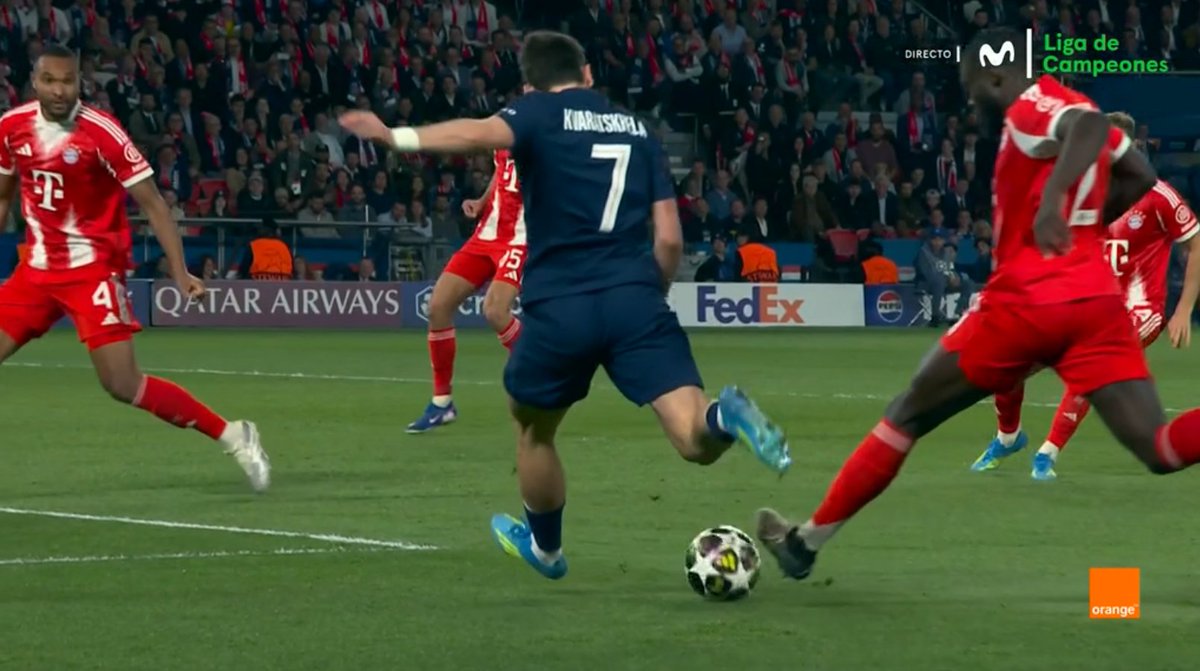
🖥️💥 Debacle total de Sandro Schärer y Del Cerro Grande en el PSG - Bayern.
👉🏻 Upamecano, que no llega al balón, coloca su pie por delante para impedir el remate de Kvaratskhelia.
❌ 𝗣𝗘𝗡𝗔𝗟𝗧𝗜 𝗖𝗟𝗔𝗥𝗢.
▪️ Acción que sí fue pena máxima en el Barcelona - Copenhague.
Microsoft is working on a Windows 11 update codenamed Windows K2 with a focus on improving gaming performance and reducing bloatware, according to @WindowsCentral
They are using SteamOS as a benchmark for performance. It will also lower idle memory use and less AI clutter.