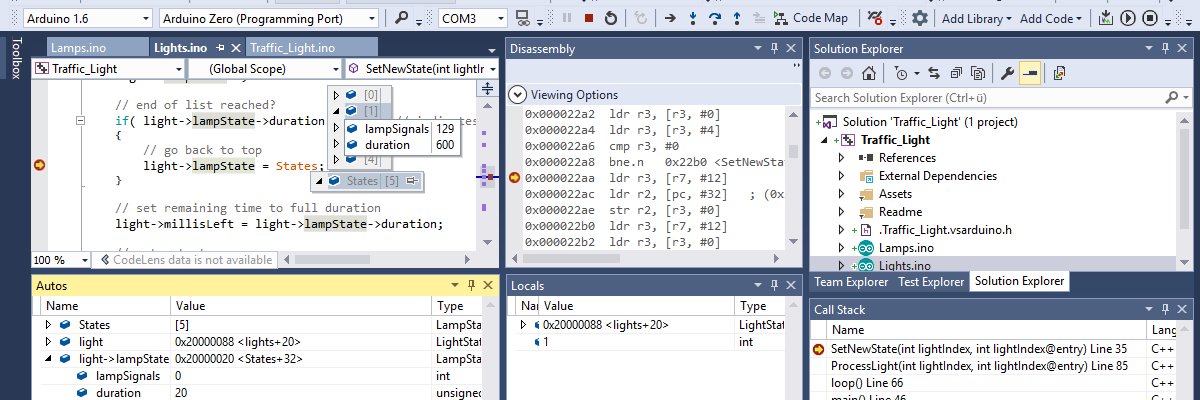
Yes. They help when working on current code in different files but become obsolete quite quickly after the work ends. I always forget to remove them. Being able to pin files temporarily to the top of the solution explorer would also help or the ability to see all open tabs as a searchable file list. The pinned list might be more useful, it would avoid having so many tabs open. A large solution would benefit from that.
One repo. One solution. Total control.
With Visual Micro Portable Solutions, you can develop firmware, desktop apps, web dashboards, mobile tools, scripts and diagnostics all in one version-controlled solution.
Your entire product ecosystem — unified and reproducible.
🔗 Learn more: https://t.co/x7vJhBLvIf
#VisualMicro #Arduino #EmbeddedSystems #DevTools
The Arduino ecosystem is bigger than any single vendor.
With Visual Micro, you can build for ESP32, STM32, RP2040, Arduino boards & more - all inside Visual Studio.
No lock-in. Just freedom.
🔗 https://t.co/Jfkmr65qYA
Teach IoT Faster with Uno R4 WiFi + Visual Micro! 🚀
Build a full Weather Dashboard using only the Arduino Uno R4 WiFi - no extra hardware.
✔ Free online weather API
✔ Portable Solutions for reproducible lessons
✔ Serial + Hardware Debugging for deep learning
Perfect for classrooms + STEM educators
👉https://t.co/fYKMSfe7Qh
#Arduino #VisualMicro #UnoR4WiFi #STEM #IoT
🚗 Consistency You Can Certify
Visual Micro Portable Solutions keep your automotive builds stable, reproducible, and ISO-ready - anywhere in the world.
🔗 Learn more: https://t.co/53gU9IQKNP
#Automotive#EmbeddedSystems#VisualMicro
✈️ When your firmware is mission-critical, control every variable.
Visual Micro Portable Solutions offer air-gapped, auditable build environments for defence and aerospace development.
🔗 Learn more: https://t.co/VfaDqP2lAP
#Aerospace#Defense#EmbeddedSystems#VisualMicro
Medical firmware that’s reproducible, traceable, and compliant - even offline.
Visual Micro Portable Solutions keep your toolchains version-locked and audit-ready.
🔗 Learn more: https://t.co/JNjkrYPdgY
#MedicalDevices#EmbeddedSystems#VisualMicro
🚀 Visual Micro is ready for Visual Studio 2026 Insiders!
Start developing your Arduino & IoT projects in Visual Micro - your favourite plugin for Visual Studio 💜
Now fully compatible with VS2026 Insiders!
Debug smarter. Code faster.
👉 Get started: https://t.co/aZJiqiQQcw
#VS2026 #VisualMicro #Arduino #IoT #Makers #VisualStudio #Coding #DevCommunity
Visual Studio 2026 Insiders Release just dropped!
⚡️ Faster startup, smarter AI agents, modern UI, and seamless upgrades.
Try the future of coding—download now and let us know what you think!
🔗 https://t.co/84PE96ljDl
#VisualStudio
💡 Want to define -DDEBUG or -DTEST_BUILD in your Arduino project?
In Visual Micro, it’s easy:
🛠️ Project Properties > Compiler > Custom Flags
No scripts. No hacks. Just flags that work.
Build like you mean it.
#Arduino#Embedded#VisualMicro
💡 Tired of trying to navigate your Arduino Project?
With Visual Micro for Visual Studio, you get:
✅ IntelliSense
✅ Jump-to-definition
✅ Hover docs
✅ Refactor Support
📌 Stop wrestling with minimal editors.
Build like a real developer.
Free 45 day Trial: https://t.co/aZJiqiRo24
#arduino #VisualStudio #EmbeddedDevelopment
Still using PlatformIO for debugging?
Here’s why Visual Micro might save your sanity. 👇
#Arduino#embedded
PlatformIO requires:
❌ platformio.ini
❌ toolchain setup
❌ debugger configuration
Visual Micro gives you:
✅ Serial or GDB debugging in 1 click
✅ WiFi debugging for ESP32, RP2040-W, Nano 33 IoT
✅ Breakpoints, tracepoints, hit counters
All inside Visual Studio.
No platform juggling. No guesswork.
🔗 https://t.co/2bdQvin0ie
🎯 Mini Tip Monday:
Need to see what’s really going into your Arduino project?
Use ‘vMicro > Show Hidden Files’ to inspect and navigate core and library files, as if they are in your project.
#VisualStudio#arduino#tips