@AgentChud@cryptojuggler3@rbthreek Can we get some onchain proof of this ? Any dude these days can generate this kind of stuff. What's the source, bro ?
Drink your Milk!
Fellow Milkers, we are proud to announce that MilkyWay has raised a $5 million seed round.
Investors include @polychain and @BinanceLabs, and other prominent angels and investors.
The milky journey is just getting started 👇
How to Create Your Own Trading Journal for Free:
There's no need to pay for a journaling service when you're just getting started.
Journaling is a great way to bring your emotions under control. Do you find yourself market buying into a position and end up instantly underwater? Do you get stressed out when price doesn’t go your way but your trade is not yet invalid? Journaling can help with managing these emotions.
Discord is an incredible tool to build your own journal. The best part is it’s completely free. Discord allows you to create your own server for free. Within the server, you can set up different channels such as your trading rules, trading setups, and so much more.
Journals are very custom to you and to fit your own personal needs. The purpose of this post is to give you some guidelines to get the ball rolling with your own journal. You can add or remove anything that doesn’t fit your needs.
Section One: Collection and organization of setups:
There should be certain setups you look out for. It’s a great idea to keep track of them and see how they perform over time. Let’s set up our journal so we can highlight the trade setups we’ll be on the lookout for.
For the purpose of this guide, we’ll have one setup as an example so you can see how the channel and category is setup. You WILL have more setups than this. This is just an example.
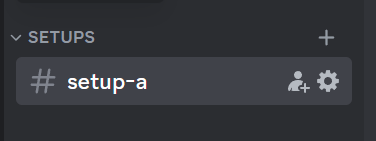
Setup A: In this channel within your Discord server, you want to have an example of the setup and a brief description.
In this channel, you will post all of the Setup A examples.
Do this exact process with all of the setups you currently have. Create more channels as you look to add more setups.
Section Two: Organization of thoughts:
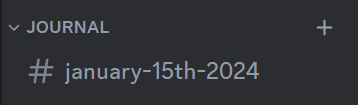
Create a new category within your server and title it "Journal"
Here's a template you can follow for this section. You want to complete this template for every trade you take.
1. Week X (Week one, week two, etc. This will be explained later)
2. Date
3. Which setup is it? (Set up A, B, C, etc)
4. Screenshot of Setup
5. Direction (Up or Down)
6. Risk % (How far is the SL from your entry? For example 3%
7. Size (What’s the notional size of the position)
8. Risk:Reward (You can use the R:R tool on tradingview)
9. Entry Price: (Self Explanatory)
10. Stop Loss Price: (Self Explanatory)
11. Take Profit Price: (Self Explanatory)
Steps 4 to 11 can be seen from the tradingview link you post in step 4. You don't need to type it all out if you don't want to.
POST TRADE:
1. Did I Trade my Plan: (Did you follow your plan, take profit at TP or get stopped out. Or did you cut it early/not follow the plan you made as you entered the trade?)
2. Trade Management Notes: (I write if i took profit at TP1 for example, or got stopped out)
3. Results: (Profit or loss in % and/or currency amount)
4. Emotions when taking the trade: (Describe your emotional state during entry, forces you to recognize where you are emotionally when entering, allows you to see patterns in your profit and losses and how you feel during each of them.)
5. Feedback/notes to self: (What could’ve been done better?)
6. Could I have gotten a better entry?: (If I was more patient)
You can add anything to this section. Years ago, I tracked how much sleep I got per night to see if that impacted my trading decisions (it did). With the data, I wouldn’t open a new position if I got under a certain number of hours of sleep.
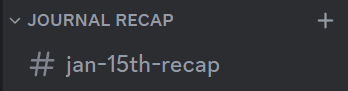
Section Three: The Journal Recap.
It’s important to review your trades on AT LEAST a weekly basis. We want to figure out what we could be doing better and implement it for the week ahead.
Journal Recap format:
1. Week X (From section one, you want to represent when these journal entries took place. For example, week one)
2. Amount of trade taken: (TOTAL number of trades taken for the week)
Winning trades:
3. Setup with the highest win rate: (For example, setup A performed really well for me this week)
4. Losing Trades: (I lost 4 trades this week)
5. Setup with the highest failure rate: (Setup B did not perform well for me this week)
6. Reflection on the week (How do I feel like I did overall. What can I do better for next week?)
Thank you for making it this far into the post. I want to mention again, this is just a template to get you started with journaling. This is by no means perfect. You can make adjustments to the journal to make it look better or fit your needs more. I wanted to make you aware that Discord is a great journaling tool and share a template that can help gather your thoughts.
👋 Attention Milkers!
Are you ready for the next round of testing? We've added @leap_cosmos, along with other exciting updates. Find out more in the milking-ground channel on Discord!
Non-Milkers, complete the Zealy quests to earn your qualification!
👉 https://t.co/bZEDTUhDF0
tping on the way up be like:
> tp
> price went higher
> FUCK
> buy back in
> price dumps
> FUUUUUUUCK
> Sell
> it was the bottom
> price goes back to second entry