🧊 ran live ops for Heroes of Newerth (SEA + NA/EU): pricing, promos, content + release schedules | built and sold a $6-7M/yr Amazon biz | build games now
@justsamyyyy_ Ah this makes sense, I just kept looking over and seeing you click it every time.
Could the calculation just be a script that runs and you update the values only when stats ever get changed for the units?
Great work so far on this, keep going!
@chongdashu no the tripo sub is only for gens on the website, the tripo api you have to purchase credits at a higher cost
but you can run grokbot headless easily and have it download the models for you
EVERYONE gates their vfx sfx and the scripts, I'm sharing everything for Set 2 of my Roblox VFX
Edit, change colors do whatever you want they're yours to use
Set 2 has five effects:
- 🐦🔥ChargeAura: Energy builds around the character, then lights up into a rainbow body aura with rising sparks and a ground ring. For powering up or charging an ability.
- 💥HitBurst: A quick contact flash with sharp spikes, sparks and a small shock ring. For punches, weapon hits and combo attacks.
- ⚡️ChargeBeam: Energy gathers in the character’s hands, then fires a thick rainbow beam with a bright core, spiral strands and an end burst. Stops at the surface it hits, up to 70 studs away.
- 💨GhostDash: Leaves five ghost copies of the character’s pose along a short speed trail. For dashes and dodges. The effect supplies the visuals; your game controls movement.
- 🔆ImpactFlash: Briefly flips the scene between black and white, then brings colour back with a shockwave and sparks. For heavy hits and finishers. The screen flash can be disabled.
#RobloxDev #roblox #robloxvfx
I'm open sourcing all my custom rainbow attack VFX for Roblox
slash, lightning, crystal, and an earth attack that throws giant bricks out of the ground (some of you might get the reference!)
full repo, all Luau. take it, reskin it, put it in your game, do whatever you want with it
repo in the replies 👇
#RobloxDev #Roblox
@chongdashu Have you done a comp vs Meshy? I'm using the same right now but considered doing some tests with Meshy just to see
honestly I'd love to be able to use my tripo sub credits via api 😂
@PlayUGC As soon as the games for UEFN games stop looking like Roblox games with the Fortnite model then maybe.
right now it just seems like it's playing catchup and trying to make the adult Roblox
I'm open sourcing all my custom rainbow attack VFX for Roblox
slash, lightning, crystal, and an earth attack that throws giant bricks out of the ground (some of you might get the reference!)
full repo, all Luau. take it, reskin it, put it in your game, do whatever you want with it
repo in the replies 👇
#RobloxDev #Roblox
neither of them are honestly, the method I referenced is a setup I already use, I have different git repos for all of my projects, Roblox or otherwise
I think a dev should definitely be using GitHub even if you're just messing around that way you can look back at your older work, keeps everything organized and it's free
Im getting ready to release two games I was just fooling around with on Roblox that are racers and battlers, just going to give them away and let folks play around with them and you can check out the repos then
You don't have to use obsidian at all, it's not remotely necessary for dev work.
A lot of people get caught up in the planning and systems and never build anything. It's like the old guys you see riding bikes who are wearing $500 worth of biking gear and they're still out of shape.
Use github
Just have an agent use this prompt:
"Build My Personal Knowledge Management System Using Git
I want you to design and implement a completely free, Git-based personal knowledge management system that replicates the core functionality and experience of Obsidian, without requiring Obsidian itself.
The system should function as a personal knowledge base, project management workspace, documentation repository, and interconnected note-taking environment.
Core philosophy:
- Local-first: My files belong to me and remain accessible offline.
- Git-powered: Git handles synchronization, version history, and remote storage.
- Free: No subscriptions or required paid services.
- Portable: Everything should use open formats, primarily Markdown.
- Cross-platform: Support desktop and mobile wherever practical.
- Extensible: I should be able to add functionality without rebuilding everything.
- Simple: Prefer existing free, open-source tools over unnecessarily building new software.
1. Investigate My Environment
Before implementation:
- Inspect my operating system and available development tools.
- Identify existing Git repositories and relevant project directories.
- Determine which devices need synchronization.
- Evaluate suitable open-source editors and Markdown knowledge-management tools.
- Recommend the simplest architecture that meets my requirements.
Do not assume I have Obsidian installed.
Git should provide storage, synchronization, and version control. Select or configure separate tools to provide the editing and knowledge-management interface.
2. Recreate Obsidian's Core Features
Implement or integrate the following capabilities:
Note-taking
- Markdown-based notes.
- Live Markdown preview.
- Fast note creation and editing.
- Nested folders and organized workspaces.
- Full-text search across notes.
- Tags, metadata, and categories.
Knowledge linking
- Internal links between notes.
- Backlinks showing which notes reference each other.
- Support for interconnected knowledge rather than isolated documents.
- Automatic link updating when practical.
- Optional interactive knowledge graph visualization.
Project organization
- Separate spaces for different projects.
- Project dashboards or index pages.
- Linked research notes and documentation.
- Project-specific tasks and checklists.
- Central navigation between projects.
- Ability to reference shared knowledge across projects.
Productivity
- Daily notes or journals.
- Reusable note templates.
- Task tracking using Markdown checkboxes.
- Quick capture or inbox functionality.
- Optional project status tracking.
Attachments
- Support images, PDFs, and other relevant files.
- Use portable relative paths.
- Avoid broken links when moving between devices.
Use existing open-source extensions or tools wherever possible. Do not build features from scratch when reliable free alternatives already exist.
3. Design the Storage Structure
Create an intuitive directory structure for my knowledge base.
For example:
KnowledgeBase/
- Inbox/
- Projects/
- Areas/
- Resources/
- DailyNotes/
- Templates/
- Attachments/
- Archive/
- README.md
Treat this as a starting point, not a mandatory structure.
Each project should have its own landing page linking to related notes, tasks, resources, and documentation.
Use standard Markdown links or another portable linking convention.
Avoid dependencies on proprietary file formats or databases.
4. Implement Git-Based Synchronization
Configure Git as the primary synchronization and version-control system.
Requirements:
- Use free private GitHub repositories or an equivalent free Git hosting solution.
- Automatically or conveniently commit and synchronize changes.
- Support editing across multiple devices.
- Support offline changes that synchronize later.
- Preserve full version history.
- Handle simultaneous edits and merge conflicts safely.
- Never silently overwrite or discard unsynchronized work.
- Exclude secrets, credentials, caches, and unnecessary generated files.
Evaluate whether one repository or multiple repositories makes more sense.
If mobile devices are involved, investigate compatible tools such as GitSync, mobile Git clients, and Markdown editors.
Prefer automatic synchronization where reliable, with an easy manual fallback.
5. Recreate the Obsidian User Experience
The system should feel like a cohesive knowledge-management application, not merely a folder of text files.
Prioritize:
- Fast navigation between notes.
- Easy creation of linked pages.
- Searchable project knowledge.
- Simple Markdown editing and preview.
- Convenient backlinks.
- Clean organization.
- Minimal friction when switching devices.
Evaluate existing free solutions such as VS Code with Foam, compatible Markdown editors, and other open-source alternatives.
Choose the most practical combination rather than installing every possible tool.
If an existing application provides most of the desired functionality, configure it instead of developing a replacement from scratch.
Only build custom scripts, extensions, or interfaces when they provide meaningful benefits.
6. Automation
Reduce repetitive maintenance.
Where appropriate, implement:
- Automatic or one-command Git synchronization.
- Templates for new projects and notes.
- Automatic creation of daily notes.
- Easy generation of project indexes.
- Convenient search and navigation.
- Safe repository maintenance and backup scripts.
Keep automation understandable and easy to disable.
7. Privacy and Backups
Prioritize security and data ownership.
- Default to private repositories.
- Never commit credentials or sensitive configuration.
- Explain that private Git hosting is not equivalent to end-to-end encryption.
- Offer encryption options if sensitive notes require them.
- Configure an independent backup strategy.
- Provide straightforward restoration procedures.
The system must remain usable locally if GitHub or the internet becomes unavailable.
8. Implement and Validate
Do not stop at providing recommendations.
Where your environment and permissions allow:
1. Select the appropriate tools and architecture.
2. Create the knowledge-base directory structure.
3. Configure the Markdown editing environment.
4. Implement internal linking, backlinks, and search.
5. Set up Git repositories and synchronization.
6. Add templates and project organization.
7. Configure safe automation.
8. Test note creation, linking, synchronization, offline editing, and recovery.
9. Document any additional manual setup required.
Never claim functionality has been tested unless you actually tested it.
Do not delete, overwrite, or publish existing files without appropriate safeguards.
Ask for information only when absolutely necessary.
9. Deliverables
When finished, provide:
- A working personal knowledge management environment.
- The selected tools and explanation of their roles.
- A documented folder and project structure.
- Git synchronization configuration.
- Instructions for connecting additional devices.
- Instructions for daily use.
- Instructions for restoring previous versions.
- A list of remaining limitations.
- Suggestions for future improvements.
Success Criteria
I should be able to:
1. Open my workspace and immediately access all my projects and notes.
2. Create a Markdown note and link it to related information.
3. Navigate between interconnected notes and view backlinks.
4. Search my entire knowledge base.
5. Organize projects, tasks, research, and documentation.
6. Make changes offline.
7. Synchronize everything through Git.
8. Access and edit the same information from another supported device.
9. Recover previous versions of notes.
10. Continue using the system indefinitely without a required subscription.
Ultimate goal: Build a free, portable, extensible, Git-backed alternative to the Obsidian experience that I fully control, using existing open-source tools wherever possible.
Prioritize practicality, reliability, and ease of use over unnecessary technical complexity."
got 3 Fable 5.2 resets, I know what I'll be doing this week! some side projects might actually see the light of day now
let's see how far we can push this thing. 5.0 to 5.1 wasn't much of a jump so let's see how this one goes.
anyone else seeing good results thus far?
We wanted to do more for the people who’ve been with us the longest. So with Fable 5.2, the longer you’ve been subscribed, the more Fable resets you get.
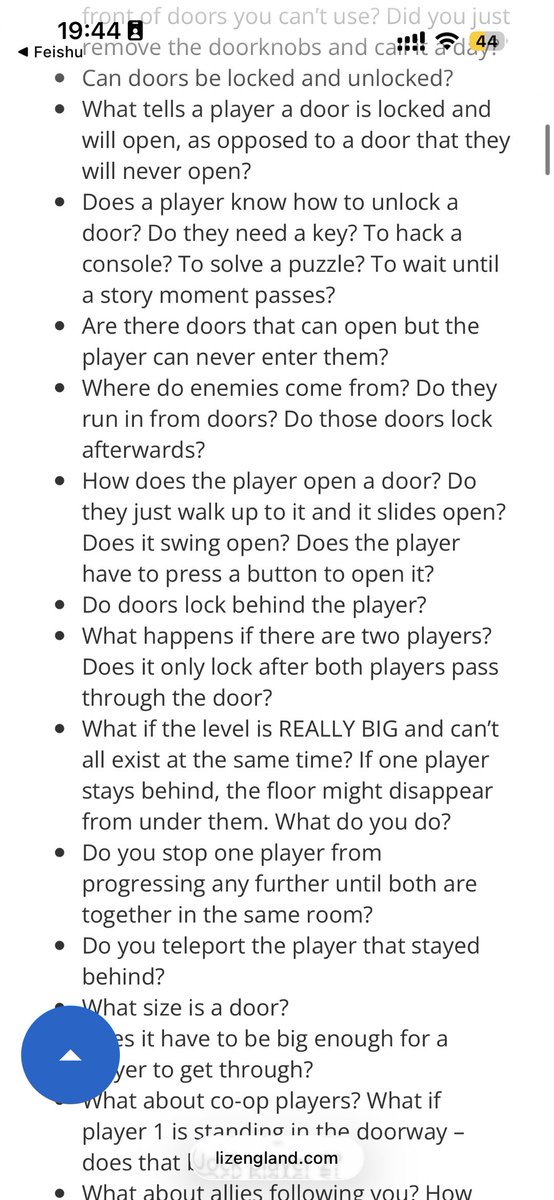
Some of my friends think AI will make it possible to build AAA games in just a couple of months. I think that seriously underestimates how complex game development is.
I often point them to game designer Liz England’s “The Door Problem.” It’s a great example of how much thought goes into game design. Making a good game still takes hard work and experience.
#gamedev #game
Just released ten (10) new completely free tools on Retro Diffusion!
The Pixel Fixer was already the best slop -> pixel art converter out there, and now there are a bunch more great tools :)
https://t.co/1S3SPYn07v
The sheet slicer is my favorite, its crazy good.