Introducing Wallaby for Coding Agents! 🎉
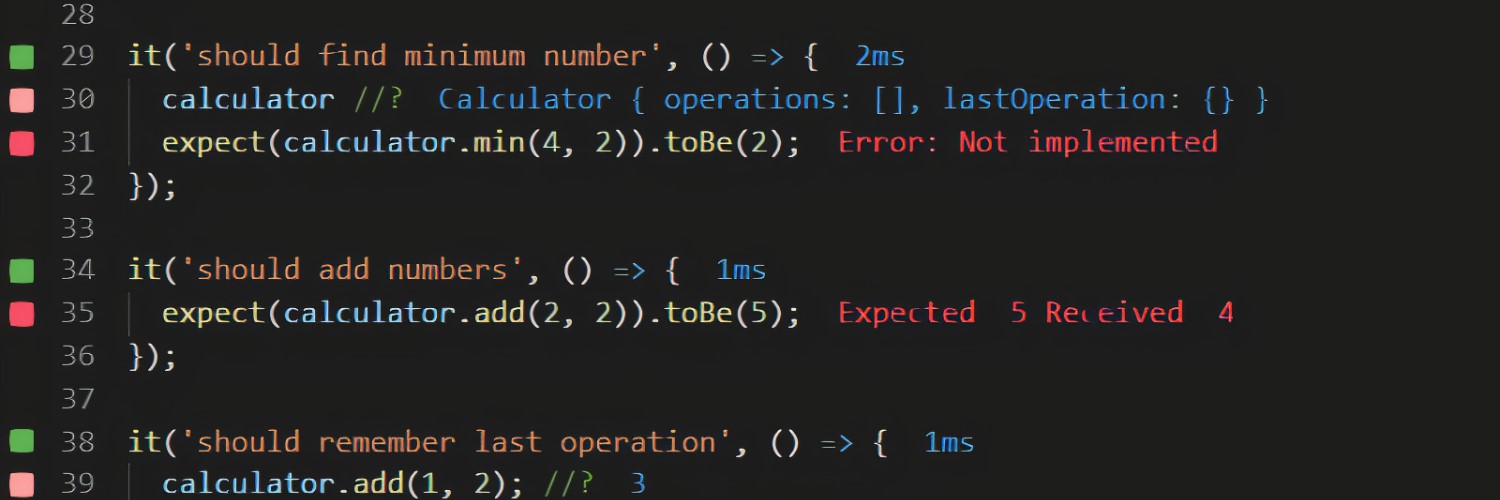
AI can write low-value tests that pass without checking much. Wallaby helps your agent strengthen assertions and verify that tests catch regressions.
Free during beta.
https://t.co/vUOkTNE2xy
Introducing Wallaby for Coding Agents! 🎉
AI can write low-value tests that pass without checking much. Wallaby helps your agent strengthen assertions and verify that tests catch regressions.
Free during beta.
https://t.co/vUOkTNE2xy
📣 Wallaby for Python is in now available in beta!
See test feedback, coverage, and runtime values in your editor instantly. Your AI tools get the same live context for fewer tokens, faster results, and more accurate code.
Try it: https://t.co/4YHrkiFY2y
Wallaby now supports Angular 21 projects using Vitest 🚀
→ Auto-detection & zero config
→ Faster incremental runs
→ Live results streaming
Vitest 4.1 handled. Experimental oxc-angular/vite support too, nice work @voidzerodev ⚡
https://t.co/kcbj8e2bcL
⛵️ Charted Coding in action
🫠 Less review fatigue, and context switching.
⚡️ More action.
My favorite part is when the agent uses @wallabyjs MCP tools to get instant #Vitest feedback and debug values. No waiting. No guessing.
Thanks for the feedback, glad to hear it’s awesome when it works 🙂
When Wallaby runs tests as a result of an agent change, it intentionally waits until the **requested** tests are complete before responding. Otherwise, it could return false or out of date results to the agent. So if tests are still running or spinning, the expected behavior is for the agent call to wait until they finish.
If you’re seeing cases where tests are clearly no longer running but the agent call is still hanging, that would be unexpected and something we’d want to investigate further.
If the issue is mainly that the tests take a long time to execute in a large project, you may want to try starting Wallaby in Smart Mode:
https://t.co/dpemAMpyPF
In that mode, Wallaby will only run the specs touched by the agent’s changes, which also narrows the meaning of “project tests” down to just those relevant tests and should significantly reduce wait times.
You may also want to use the Wallaby skill:
https://t.co/n8h8OpRSCq
If needed, you can adjust it to guide the agent to prefer file scoped commands over project scoped ones. That way, the agent can request results for a specific test file it’s working on, which may already be available, instead of waiting for results for the entire project as in your example.
If the problem persists or you can reproduce the hanging when tests are no longer running, please drop us a line at [email protected] and we’ll be happy to dig into it.
🎉 Excited to share Console Ninja v2! Redesigned Log Viewer that makes scanning, comparing, and exploring logs inside your editor smoother and more intuitive. Try it out and tell us what you think! 🚀
https://t.co/KE2cFGMBGO
@dzakh_dev Thanks for giving Wallaby a go 🙏
Very curious whether Wallaby MCP ends up being helpful. If you feel there is more context we could provide to make LLM debugging better, please let us know.
@danielkelly_io I would say it's a "human first product" more than it's an AI product. The time travel debugging is excellent. The 'inline watch variables' are ergonomic and significantly faster than console.log debugging. Their support has been responsive and solved bugs I reported within hours
We’ve rolled out MCP support for JetBrains editors 🚀. Visit https://t.co/7a4l60Tvzr and switch to the JB editor guide using the control in the top right. Then follow the Junie or AI Assistant instructions to add the Wallaby MCP server:
https://t.co/PPDfub9eir
https://t.co/h2k7ZuC06V
Thanks for the interest in Wallaby.js AI support, much appreciated. Quick question so I can understand the context better: which JetBrains plugin are you referring to with version 1.0.437? That doesn’t look like the latest release of any of our JetBrains products. Also, which AI integration are you using on your side right now, AI Assistant, Junie, or both?
Wallaby just got smoother 👁️
Press . to instantly peek into source code from tests, errors, and logs. No context switching.
Plus:
✅ Vitest 4 support
✅ Customizable diff views
✅ Enhanced Copilot integration
🚀 Since Wallaby v3, we’ve been busy throughout October shipping a bunch of upgrades:
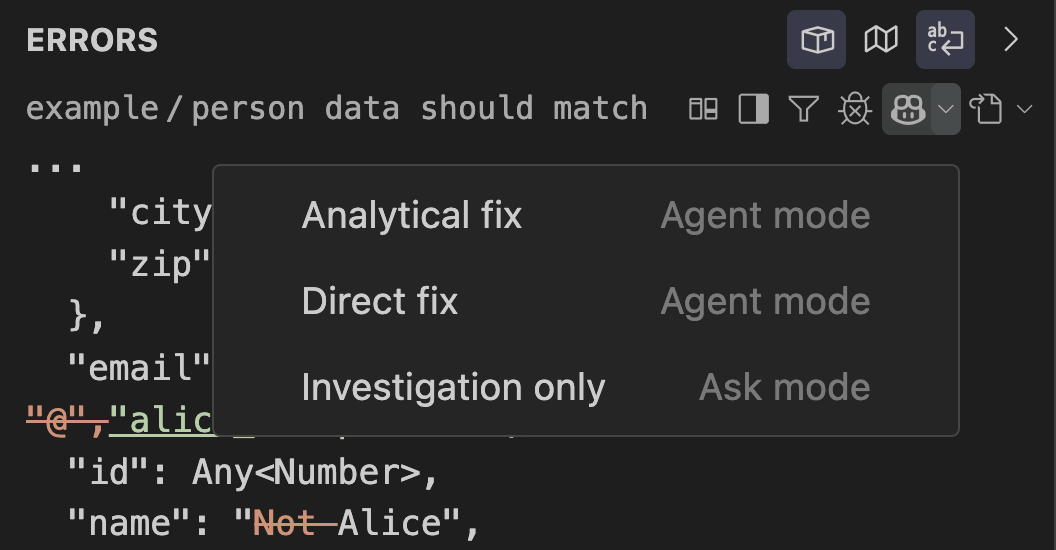
🧠 Copilot Mode Selector: choose Investigation, Analytical Fix, or Direct Fix for smarter AI assistance.
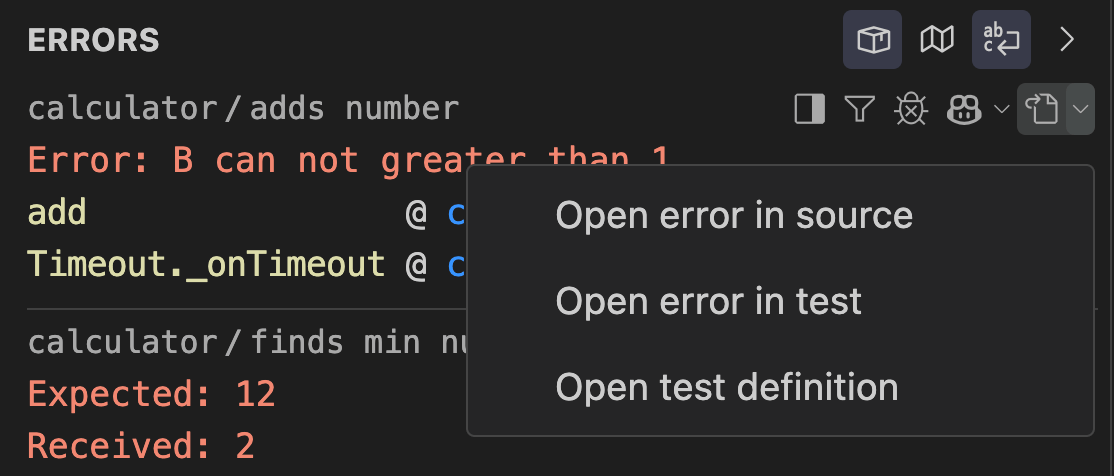
🎯 Navigation Target Selector: jump straight to test definition, assertion, or source line.
⚡ Faster Caching & Worker Management: quicker runs, lower memory use.
🅰️ Angular 20: isolated browser instances per project.
🧪 Vitest: faster, more reliable integration.
🪄 Smarter Logging: clearer multi-value logs for identifier expressions.
https://t.co/EB6Ub5X2Zz
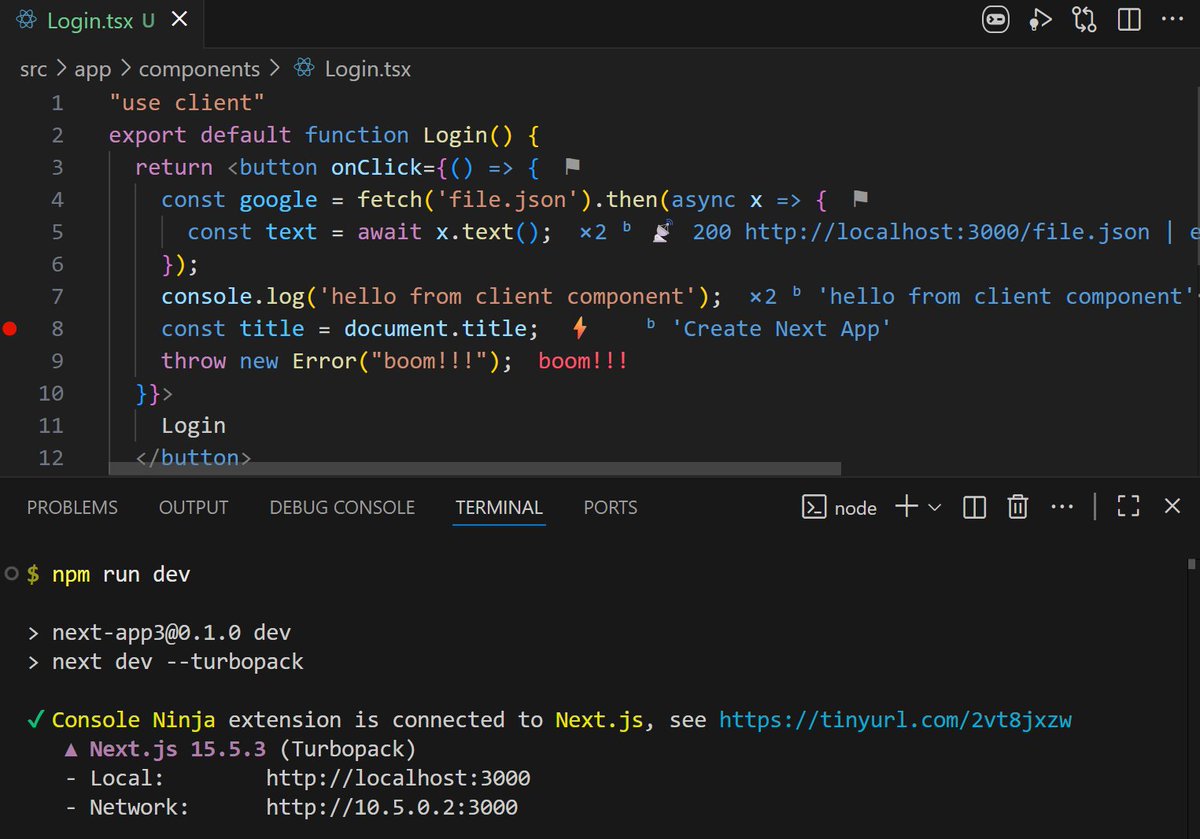
🚀 Console Ninja now supports Next.js Turbopack
🔥 Zero configuration
✨ Native Rust via N-API
📍 Accurate source maps
Run npm run dev and Console Ninja takes care of the rest 🥷
Wallaby overview panel now includes a full Test Explorer view. Switch between failing tests and complete test tree seamlessly. Same shortcuts, same actions, filter preferences saved across sessions. 💾
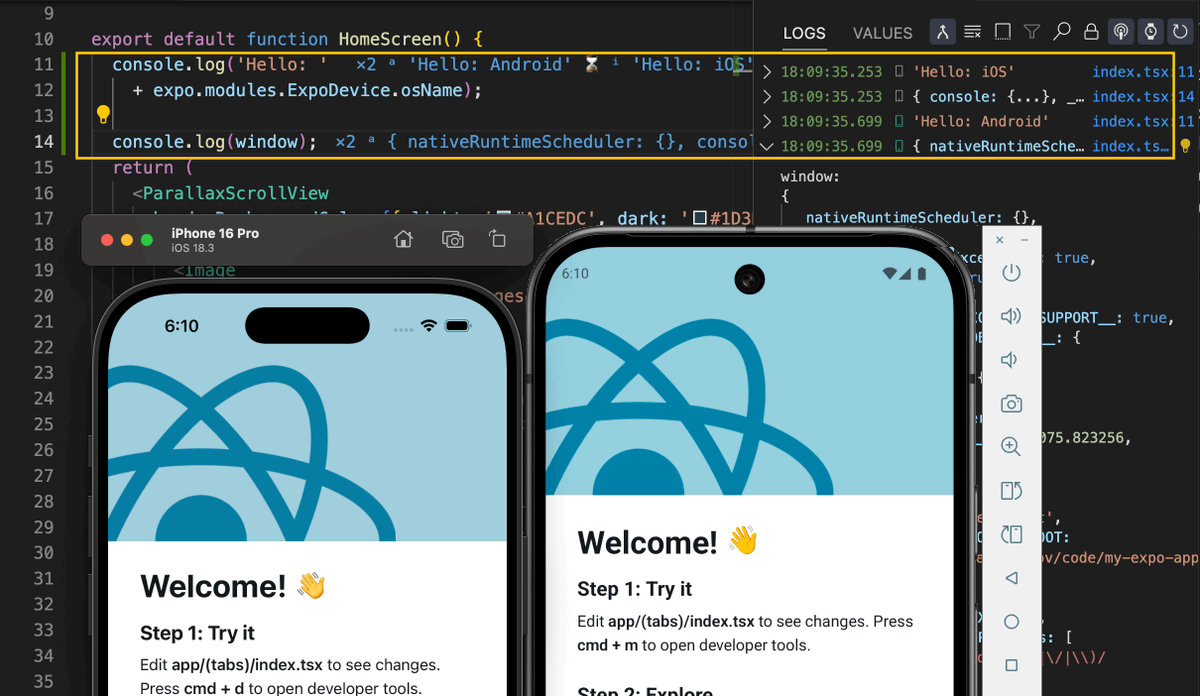
🚀 Console Ninja now works with React Native Expo 📱
View and search all your iOS & Android emulator logs inside your editor.
Pro features packed in:
• MCP server integration
• Interactive value graphs
• Logpoints & Predictive logging
• And more
Open your Expo project, fire up your emulator, add some console logs, and Console Ninja does the heavy lifting. 🥷 https://t.co/UtoEByDcs8