Creating Photo Words with Google Slides - https://t.co/nhwoImAC9H
?️ Place an image inside text in Slides to make designs for vocabulary, names, places, concepts, reflections, goals & more!
#GoogleEDU#controlaltachieve
Day 1: Merry Maker Challenge! Look around your classroom or your home. Is there something you can build to solve a problem? Use everyday items to create solutions to problems around your home or classroom. Learn at the 12 Days of EdTech page on https://t.co/2oAPxSYp32!
The 12 Days of EdTech activities have arrived! Your APS EdTech team put together activities to get you/ your students into the holiday spirit! All grades and skill levels, ready-to-use templates, lesson plans, and video tutorials! https://t.co/9ebse9IDBI
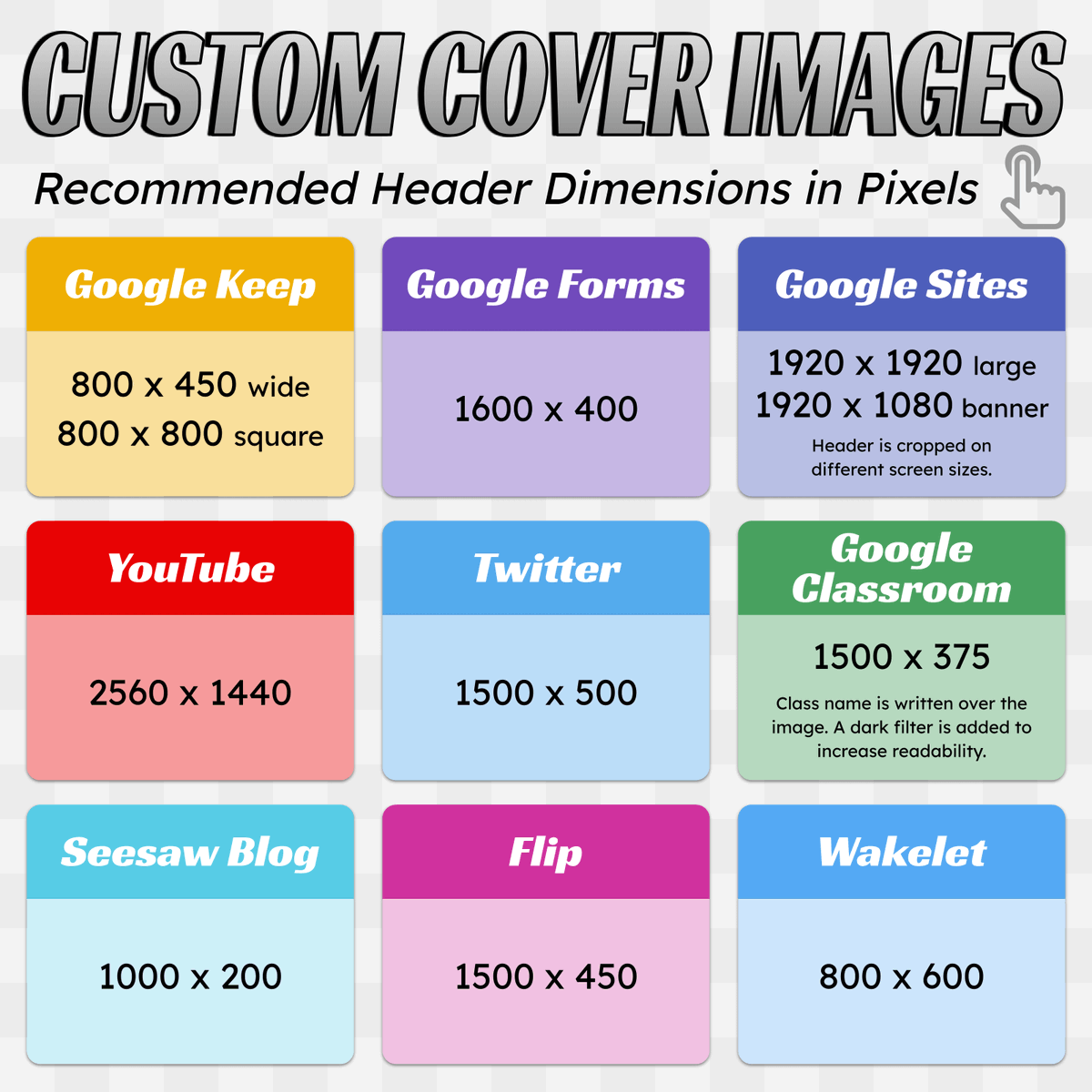
📏 This chart lists the recommended header sizes for sites and services you might use.
When creating custom headers, change the page or canvas size to the recommended dimensions in pixels. (In Google Slides go to File → Page Setup → Custom)
Have some time for a quick virtual 🌎 field trip?
L👀king for a video 🎥 to add to a lesson?
Want to have your class listen to a fun read 📖 aloud?
Our new TEACHFLIX page has all that and more!
Browse through tons of videos all in one spot!
https://t.co/FgMtsA3xSl #Ditchbook
Google's buried treasure! 💎20 hidden tricks and tools
📱AR in search
🌎Make a virtual field trip in Google earth
🔗Copy link to highlight
⏰Quick timer
➕ MORE
https://t.co/TgEnEDY97k #Ditchbook
10 ways to make lessons more hands-on🖐🏾
Fantastic ideas from our #Ditchbook community!
🧮Bring math to life
👩🏽🎨 Be designers
🌎Make real world connections
🔎Explore and discover
And MORE plus practical ideas to use in the classroom!
https://t.co/XZFCfw3s1V
💬 "Your response has been recorded" is the default confirmation message for Google Forms. Here's a video on how to customize that message with emojis and hyperlinks.
https://t.co/5aFyRXllcx
🤯WAIT WHAT?!?!?!?!
Video 🎥 background remover??? My mind is spinning with ideas for using this amazing new feature.
https://t.co/cml1519tfP
#CanvaCreate
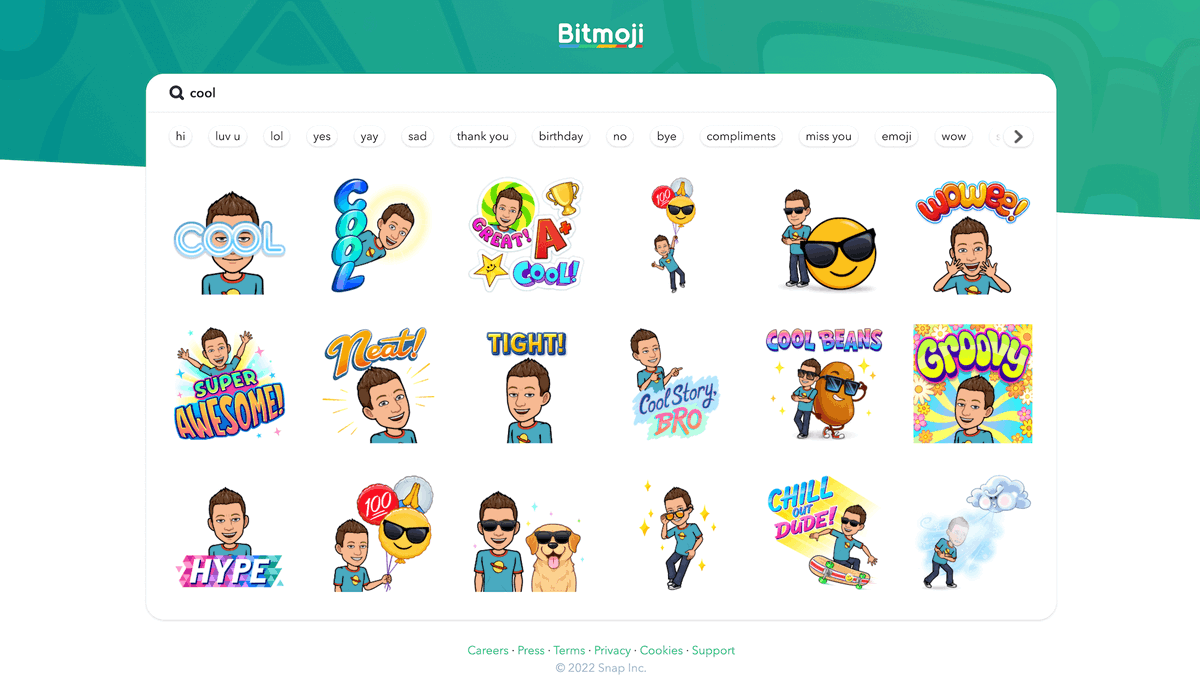
😎 You can now download high resolution Bitmojis! Bitmojis are 398x398 pixels when you get them through the app or Chrome extension.
Get them from https://t.co/kVASJBQFGH and you can copy or download images that are 1592x1592.
(Thanks @apsitjen for letting me know about this!)