☮️💜💚ITS GIVEAWAY TIME!💚💜☮️
To show my gratitude to the Community we’re giving this one away from the REBORN collection. Winners picked on Monday! 🤩
All you have to do to is:
1️⃣ Like & RT
2️⃣ Follow @DOMIVAKERO
3️⃣ Tag 2 of your bffs ☮️
Join discord for a 2nd chance to win
Day 7 of 100:
Taking on more kivy challenges:
-Learned how to create a 2D Game board
-Perspective transform that 2D Game Board
-use canvas to create a triangle that represents a flying ship
Challenging but how exciting!
#100DaysOfCode#100daysofcodechallenge#python#kivy
Almost forgot to post my day’s work but I remembered while in bed. Then I had to roll out of my comfy bed and make sure all the blue lights were off so I can rest effectively 😴 I think I will rest better knowing I did something I didn’t want to do🤤
Day 6 of 100:
- Canvas’ inside kivy and changing shape position
- Drawing shapes within canvas using Line, ellipses, rectangles, and circles
- I learned how to create barrier from the windows and have a ball bounce around within the barrier
#100DaysOfCode#100daysofcodechallenge
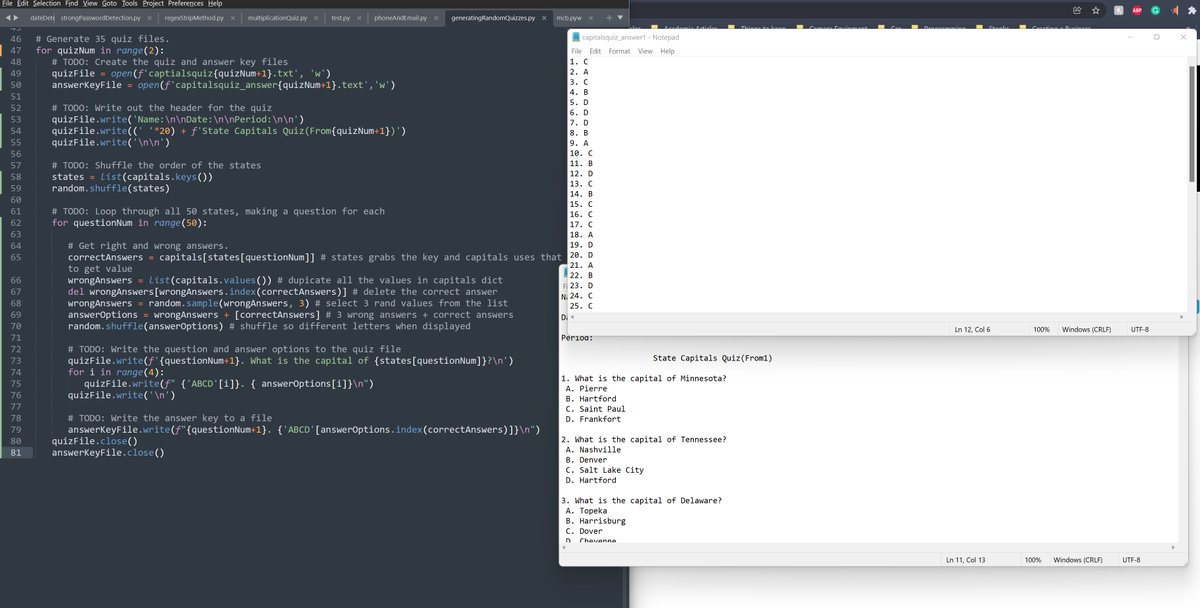
Day 5 of 100:
Another day of Kivy <3.<3
Learned:
- Boxlayout, Gridlayout, AnchorLayout, StackLayout,ScrollView,PageLayout,
- Sliders, Button,Labels,Textinput
- How a kivy file interacts with a https://t.co/EnrOqLfV3p file
- Syntax of a kv. file
#100DaysOfCode#Python#kivy
Day 4 of 100:
- I learned how to install and run kivy using Visual Studio Code
- I learned how to use a kivy file to run https://t.co/zycNaAhMJO
Hours coded: 2
Following this tutorial, he’s amazing:
https://t.co/aOQ5BFZWyV
#100DaysOfCode#100daysofcodechallenge
Day 3 of 100:
- Assertions, logging, exceptions, and debuggers
- Creating a python environment to run kivy
- Using Rosetta2 on mac m1 chip is necessary
- @kivyframework have python3.9 and use to create a working virtual env
#100DaysOfCode#100daysofcodechallenge#Python
Day 2 of 100:
What I learned today:
- Shelve uses the clipboard method to call and print
- pprint.format calls files directly from the hard drive
- How to create, read, write, and append to new files.
#100DaysOfCode#CodeNewbie#Python
I've Created a Notion Template for
» #100DaysOfCode
» #100Daysofcode
» #100daysofcodechallenge
➯ Document your Journey.
➯ Record each Day.
Grab it for Free.
Drop a 🔥in the Comments.
Make sure you follow me so I can DM you.
What's up #100DaysOfCode peeps! I made a @NotionHQ template that I'll be using for the #100daysofcodechallenge. I hope it'll help keep you in check! We have a long road ahead of us but it's progress, not perfection! Link is under this tweet vvv