Hey friends, bloom season is here at Zeplin! 🌸
We just shipped Project Activity and a whole lot of everyday improvements — updates to features you already rely on, inspired by your feedback. ↓
Hi friends!
You can now write your own prompt in AI Design Review — set your own rules, and have AI check designs against them. 🥽
Oh, and both AI Design Review and AI Organize are officially out of beta with sharper, more accurate results.
Hi friends!
You can now write your own prompt in AI Design Review — set your own rules, and have AI check designs against them. 🥽
Oh, and both AI Design Review and AI Organize are officially out of beta with sharper, more accurate results.
Figma Slots are now fully supported in Zeplin. 🕳️
Slots show up on hover as you inspect, and they’re listed in the right panel when you select a component.
Hey friends, bloom season is here at Zeplin! 🌸
We just shipped Project Activity and a whole lot of everyday improvements — updates to features you already rely on, inspired by your feedback. ↓
The small stuff matters too! Beyond Project Activity, here's what else we shipped:
→ Component background color
→ Figma hyperlinks
→ Layer deep links
→ Spellcheck for annotations/comments
→ Section names in the Figma plugin project list
Read the full rundown: https://t.co/HMkVxtykx9
Project Activity is the big one: a new tab in your project to see what's been happening at a glance. 🎾
It tracks things like new screens, screen updates, status changes, and mentions. Let us know if the information is helpful, and if there's other stuff you'd want us to add.
If you’ve ever squinted at your Styleguide trying to spot a white icon on a light background, you’re not alone. 🖼️🔍
Component cards now support custom background colors. Set it per section, per page, or across your entire styleguide.
Happy Slots week! 🕳️
Just released a small update to our @figma plugin — you can now export Slots to Zeplin with no issues.
More improvements coming soon to surface them better inside the app.
Hey friends, we’ve got a small update to Flows. 🪟
Groups panel in Flows is now resizable and collapsible: long group names finally fit, and you can hide the panel to see more of your flow when you need it.
Happy flowing!
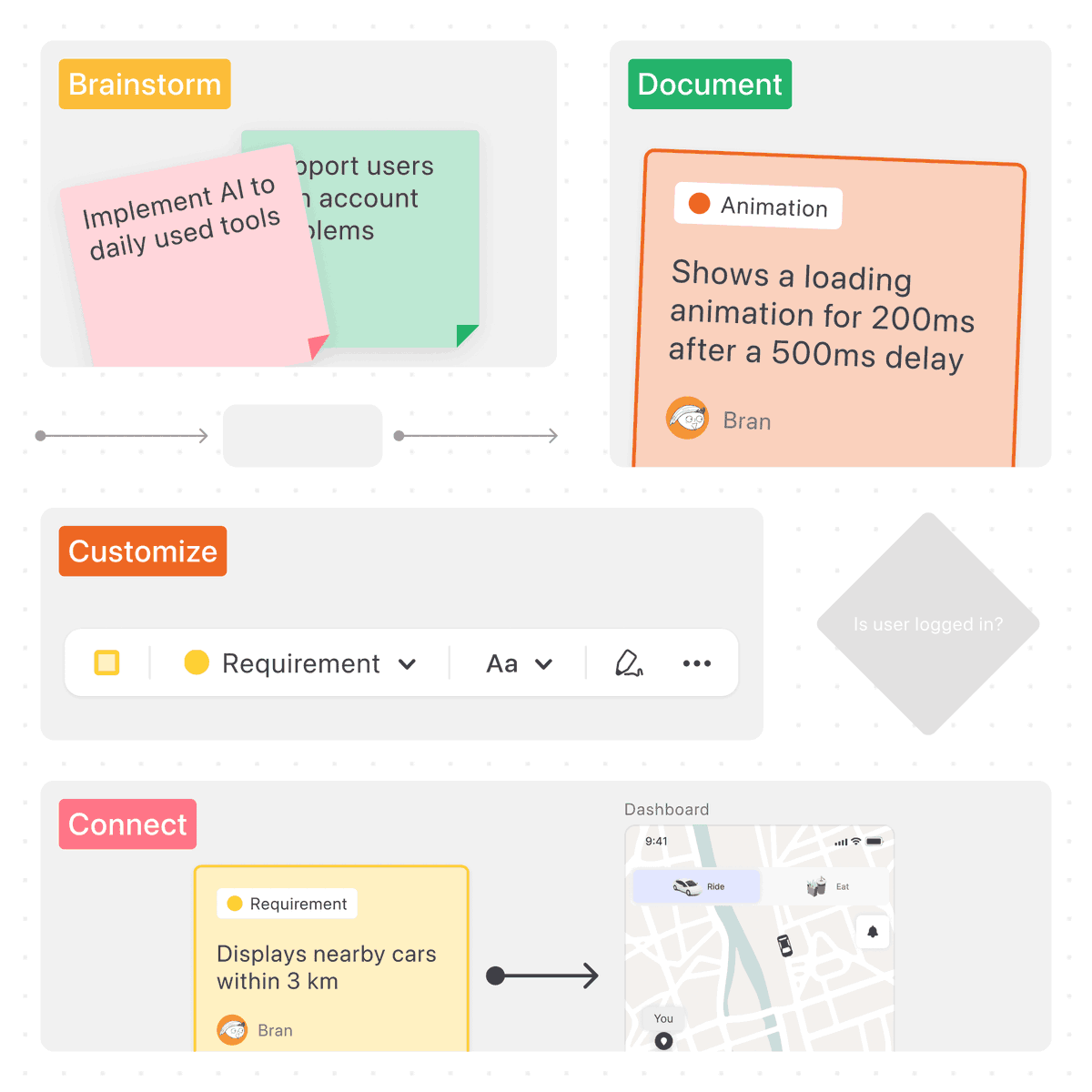
Annotations aren’t limited to screens anymore—they’re in flows. 🧠🌀
→ Start with sticky notes for rough ideas
→ Assign a type to specify requirements and behavior
→ Connect them to screens and shapes
→ Customize the look (font, size, color) to match your workflow
We also rounded up everything we released in 2025 — a full year of features, fixes, and lots of learning around design delivery. Give it a read: https://t.co/EpnHH2zEgA
Last chance to see a little snow and grab a few wrapped-up treats in Zeplin. Once it’s gone, it’s gone! 🎁
Head to the app and see what you get: https://t.co/GEKOdFK2Xc
Happy 2026 friends! 🎄
2025 was a big one for us. It was a year full of big bets, small wins, and a lot of listening.
Here’s a recap of everything we released in 2025: https://t.co/EpnHH2zEgA