#MadeItWithPowerApps#Sweepstakes Best of the Best, because it takes a complex project management process previously done in client-side code to PowerApps making it more maintainable and flexible to grow with the business.
https://t.co/5hQJAifhMO
@MSPowerApps I just noticed today that my custom app icons are getting cut off. I have multiple clients where I'm publishing updates today and seeing this issue across different tenants. I have not updated these icons recently.
Release 3.23043.16
Was not happening in 3.23033.15
Use case: I'm creating a self-service request process in SharePoint for site owners to manage a QnA bot on their sites. They can request to create sources in the KB and then it downloads the source QnA Pairs to a SP list for them to manage.
@MSPowerApps I can't find any info on using SQL timestamp data types in Power Apps? It comes back like this in a Form:
appres://datasources/[TABLE_NAME]/table/%5Bdbo%5D.%5B[TABLE_NAME]%5D/rows/194/inline/rowVersion
Instead of like this: 0x00000000002FB2FA
#PowerApps#SQLServer
More details on this, if I create an app in my default environment with #Dataverse there is no issue when I go to play the app. Only when I try to play in my dev, test, prod environments. Is there a setting that I'm missing?
@MSPowerApps I have a #PowerApps app inside a solution in a sandbox environment that has a #Dataverse connection for environment variables. I'm using an account with premium licensing, but when I play the app I get the message for premium license required. Any idea why?
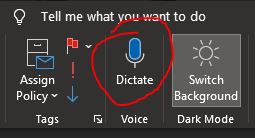
It amazes me that I can still discover features in @Outlook having used the application my entire career. I use dictation all the time on my #iPhone12 but this is my new favorite feature on my desktop!
@MSPowerApps Okay great, just posted the issue in case anyone else runs into this. A fellow consultant reached out to me the other day with this exact same issue. I have more details in my post.
https://t.co/MfmjXBCNv1
@MSPowerApps my Display Forms (or any canvas control) cards won't wrap in Layout containers. I've tried using "Snap to columns" and Parent.Width/2 on the cards. If I remove it from the layout container and use a regular one it's fine though.
#PowerApps
@MSFT365Status is there an issue with @MSPowerAutomate? I can't edit Flows for any of my clients this morning. The screen takes forever to load. When it does all actions show "undefined". Also getting this when trying to export a Flow.
@MSPowerApps I'm eternally grateful for the update that was recently released for PowerApps studio 🙏. My components tab loads in a matter of seconds now!! It used to take up to a minute 😅. I'm loving the new icons too!
@dchristian19@MSPowerApps Thanks Daniel but that's a regular container, not a Layout Container. I was able to make it work using a regular container as well. Just not the new layout containers.
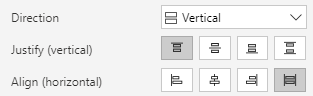
@mrdang@MSPowerApps That was the trick thanks @mrdang! The vertical layout with Align (horizontal) = Stretch works. The child controls respect the padding and the width of the controls can be set to anything because it's ignored.
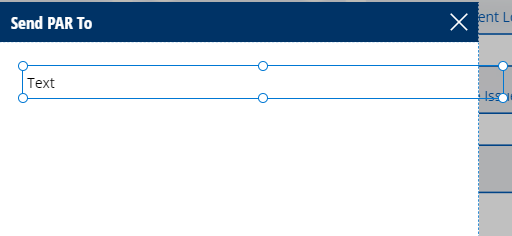
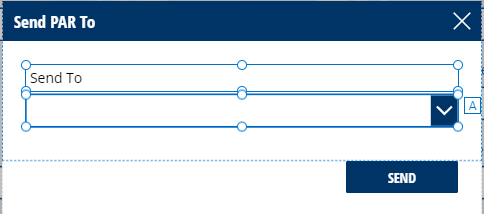
@MSPowerApps why don't child controls inside a vertical container respect the parent padding when using the Parent.Width property? Instead I need to subtract the padding from left and right to get it to work dynamically. Is this intentional?
#powerapps#microsoft#PowerPlatform
@MSPowerApps I need my controls to stack though, so vertical works best. Even the horizontal layout doesn't respect the padding when using Parent.Width.
Finally scroll vertically AND HORIZONTALLY in @MSPowerApps with Gallery controls using the new Vertical container! Check out my detailed post here:
https://t.co/cvKPg2baVb









![zshane15's tweet photo. @MSPowerApps I can't find any info on using SQL timestamp data types in Power Apps? It comes back like this in a Form:
appres://datasources/[TABLE_NAME]/table/%5Bdbo%5D.%5B[TABLE_NAME]%5D/rows/194/inline/rowVersion
Instead of like this: 0x00000000002FB2FA
#PowerApps #SQLServer https://t.co/fMzN8rGzkJ](https://pbs.twimg.com/media/FEehed-XEAEFc9g.png)