@Big_Bestmann You will cum quickly first time ever, but the more you practise the better you get mate. But don't expect your first time to be like 20 minutes haha. More like 10 seconds
Your selling day keys like people are gonna pay daily for your tweaks. Do me a favor there are many optimization offers out there that work just the same and guess what it's a one time paypal lifetime panel. Unless you guys are working from Kernel Level or optimizing .sys files below the user level these are just scams at this point. Sorry to disappoint you. Most Performance gain is from BIOS!
CLAUDE CODE İLE OYUN FPS DROPLARINI ÇÖZDÜM.
BİLGİSAYARI RESMEN YENİLEMİŞ GİBİ OLDUM.
Oyunda random fps düşüşleri yaşıyordum.
Özellikle:
savaş anlarında
shader yüklenirken
harita geçişlerinde
yayın açınca
Bir an düşündüm acaba format mı atsam diye?
Sonra dedim ki ulan Claude Code’a tüm sistemi analiz ettireyim.
ve anladım ki olay sadece “ekran kartı gücü” değilmiş.
Bunu en iyi hale getirmek için 7 promt:
🚨 INTEL CPU USERS 🚨
Want more FPS in games? Enable Intel APO 👇
1. Update BIOS
2. Go into BIOS and enable Intel Dynamic Tuning Technology / Intel DTT / Intel IPF
3. Update chipset drivers
4. Install Intel DTT from your motherboard support page
5. Install Intel Application Optimization UI
6. Open APO and check supported games
Free FPS if your CPU/game supports it 🔥
Yes! If you're Windows, you MUST:
> swap File Explorer with Filepilot.
https://t.co/qsgBxlQmt6
> swap Task Manager with TaskSlinger.
https://t.co/bG6hL4j1R3
Both are superior, lightweight, ultra fast counterparts.
I'm on Windows bc gamedev, but I avoid Microsoft apps.
إذا تستخدم ويندوز 11 لايفوتك المشروع هذا 🔥
مشروع على GitHub يجمع لك أفضل أدوات وسكربتات تحسين النظام بمكان واحد
• تسريع ويندوز
• حذف البرامج المزعجة
• تحسين الخصوصية
• تخصيص الواجهة
• تفعيل مميزات مخفية
• تعديلات PowerShell جاهزة
The time has come.
TaskSlinger launches into open beta today at 15:00 UTC.
A faster, cleaner task manager replacement for Windows, built from scratch for people who care about performance.
Get the free beta: https://t.co/pOVuGotRAK
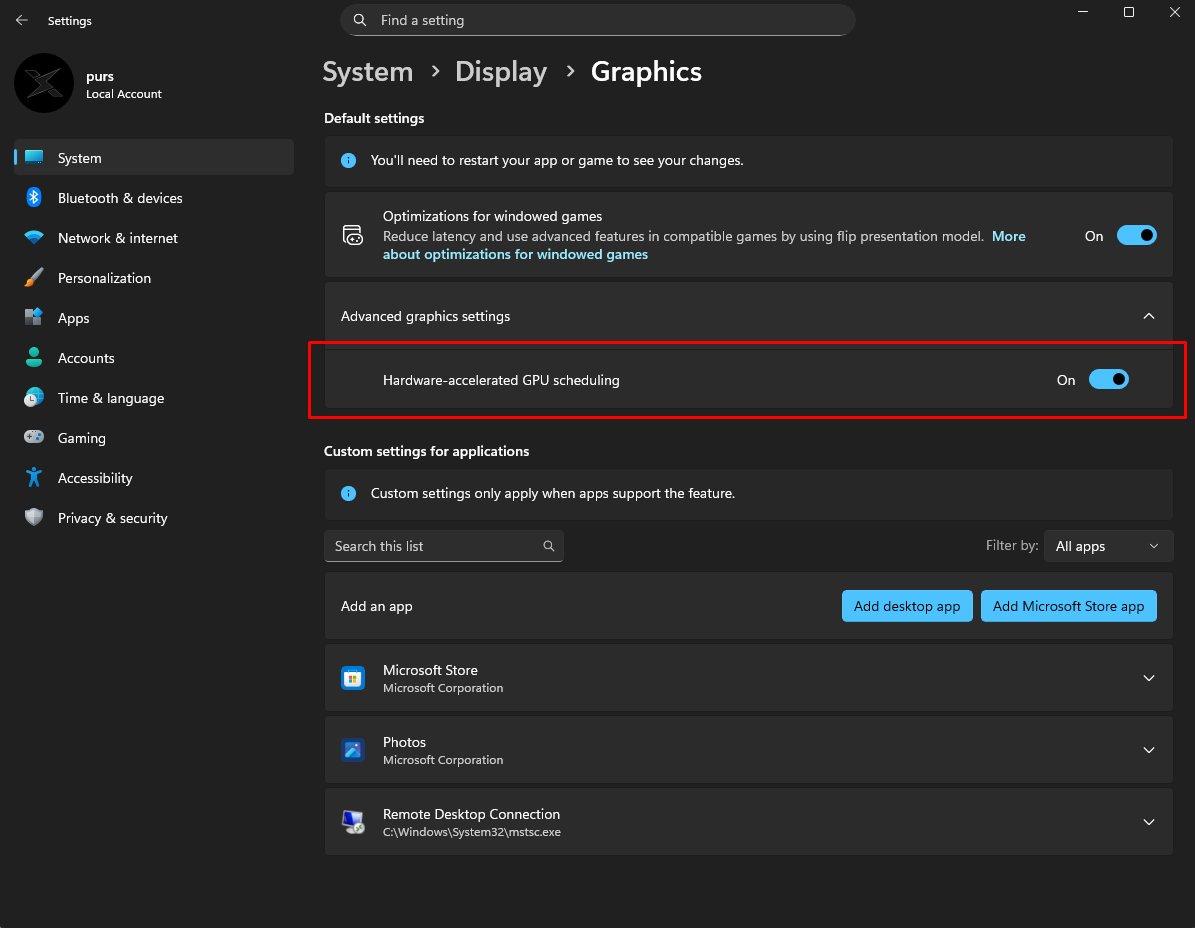
Optimization Guides tell you to disable Hardware Accelerated GPU Scheduling (HAGS)
THE TRUTH: It improves 1% lows by ensuring a more consistent flow of data to the GPU. Instead of higher peak FPS, you get fewer micro-stutters and a smoother visual experience during gameplay.
¿Quieres probar el LOW LATENCY DE W11 que va increíble? Instala desde la store ViveTool GUI y te va a preguntar que ID quieres habilitar de las que hay.
El Low Latency Profile de Windows 11 tiene los siguientes FEATURE ID:60716524 → Corresponde a LowLatencyProfile (el principal).
61391826 → Corresponde a LowLatencyProfileForApplicationLaunch (el que activa el boost
Ostia como se nota chaval..
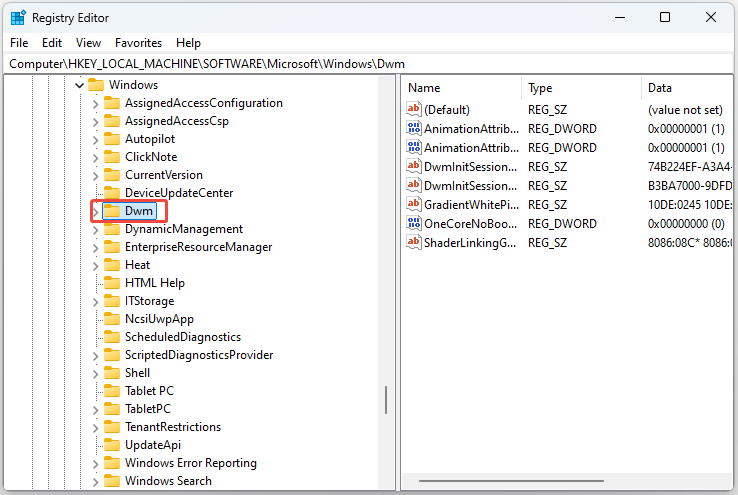
🚨 PC GAMERS 🚨 The hidden Windows MPO tweak is secretly causing stutters input lag and bad 1% lows in 2026
Most gamers never touch registry stuff and this quietly ruins smoothness
1 Win+R → regedit
2 Go to HKEY_LOCAL_MACHINE\SOFTWARE\Microsoft\Windows\Dwm
3 Right click → New → DWORD (32-bit) Value
4 Name it OverlayTestMode → value 5
5 Restart PC
Smoother gameplay zero micro-stutters 🔥
Fixed it on my setup — what game did you test? Drop before/after numbers below 👇
@imhazxrd@kirillianfnx@kirillianfnx this guy is a retard don't ever work with him. I know this guy from when he was in EGY , begged to join chronic and they declined him little TikTok kid.
Was gonna leave the redesign for V2.0 but we’re doing it now I guess…
Here’s some things included in the program:
- Hardware aware logic, not a one size fits all utility
- Low latency heterogenous system configuration
- Smarter thread scheduling & kernel adjustments for REAL workloads
- 400+ BIOS Parameters
- ~0.15ms script processing
- 8 years of PC optimization knowledge packed into one studio
THIS IS NOT ANCEL’S OPTIMIZATION BATCH. That batch file I created who every “tweaker” copies and pastes from is 3 years old and made for windows 10.
This is brand new.