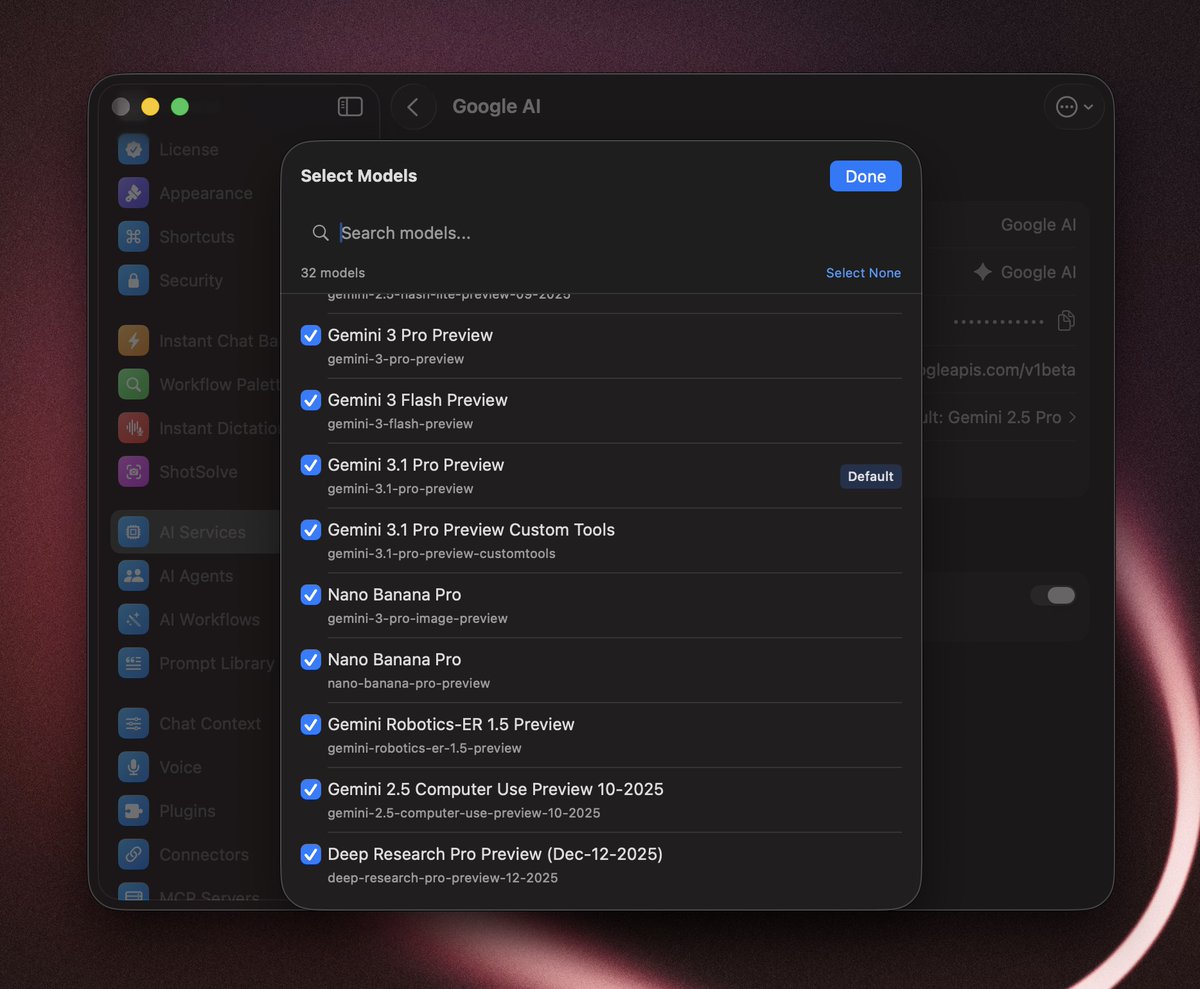
I listened to your feedback and redesigned the Model Selection popover.
✅ One list for all providers & models
✅ Fast fuzzy search
✅ Add models to favorite for quick access
✅ Keyboard-friendly
Release soon.
Big thanks to @Bolt__AI for supporting this week newsletter! 🙏
One native app, 100+ AI models on Mac, iOS, and Android. Fast, keyboard-driven, no Electron. 25% off for a limited time with code `FATBOBMAN25`.
https://t.co/ZHdgK8q7D0
I've had BoltAI on my Mac since the v1 days, but upgrading to v2 last week reminded me why I made the switch. Before Bolt, I was stuck with the ChatGPT desktop app (buggy, missing web features), the Claude app (locked to one provider), and alternatives like MindMac that crashed constantly. There are GitHub threads of people saying it crashes every few messages.
What sold me originally was the global shortcut. I hit one key combination and BoltAI appears over whatever I'm working on. No context switching, no tab hunting. But v2 brings even more to the table.
The instant workflows are genuinely useful. I set up custom shortcuts for specific tasks, and the inline editing means I can rewrite text or fix code right where I'm typing. Everything is customisable too, from my prompt library to plugins that extend what the AI can do. I can switch between models instantly depending on what I need, using proprietary models or any open source model with the provider of my choice.
When I'm working with sensitive client data, I flip to a local model via Ollama and keep everything on my machine. That privacy-first approach matters in some cases.
The app isn't perfect. I'd love more detailed cost tracking for API usage (they've added basic usage metrics recently, but more granularity would help). These are nits though. The developer ships regular updates, v2 is noticeably snappier with modern Apple APIs, and it respects your privacy by default.
One-time purchase, no subscription. For Mac power users who need AI properly integrated into their workflow, BoltAI v2 is the best option I've found.
BoltAI now supports Codex 5.3 model via the Codex CLI integration.
You can use the native Web Search tool, customize your System Prompt and use your own Agent settings.
Update when you have a chance ✌️