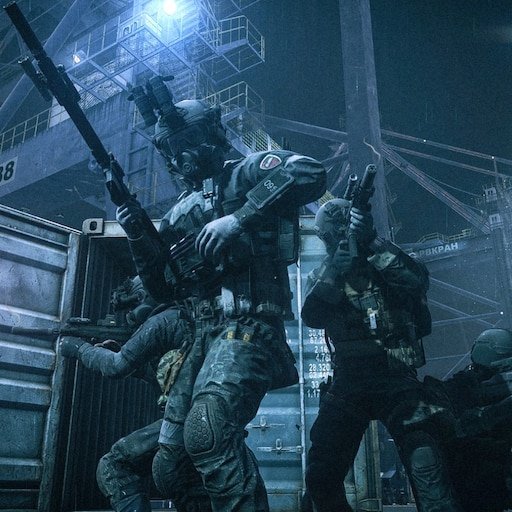
The upcoming 1.2.0.0 update will focus on improving the PvE gameplay experience. One of its additions will be a dedicated Prestige system for PvE, which we’d like to take a closer look at today.
The core concept behind PvE Prestige will be similar to the one already available in PvP: a system that, after meeting a set of requirements, allows you to start from scratch in exchange for permanent rewards. The requirements themselves will also be similar to those of PvP Prestige.
What will set PvE Prestige apart is its rewards. These will include, for example, new unique versions of NKVD Finka knife, Akula dagger, and Gamma secure container. These items can only be earned through PvE Prestige, but once unlocked, they will become available across all game modes.
Another exclusive reward will be TarCoin. For every PvE Prestige level, you will receive this valuable currency, which can be used in the Expansions Hub in any game mode.
Some Prestige rewards, such as apparel and character appearance, will be identical to those in the PvP mode. When earned in PvE, such rewards will only be available in PvE.
It’s also worth pointing out a technical detail: Prestiging in PvE will not reset your character’s progression in EFT: Arena.
#EscapefromTarkov
🚨 Windows Users
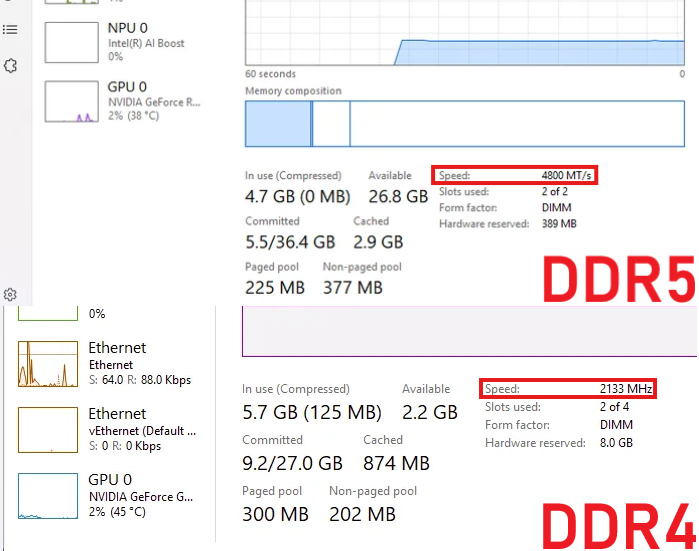
Your RAM might be running WAY slower than advertised
Here’s how to check ⬇️
1. Open Task Manager
2. Go to Performance → Memory
3. Check the Speed
4. Make sure it isn’t stuck around 2133 or 4800 MT/s
Day 4 of tweeting until @nikgeneburn
puts/plans to put roaming black division in PVE
( i will even accept the labs power button enabling them instead of map roaming )
#escapefromtarkov
🚨 Windows Users
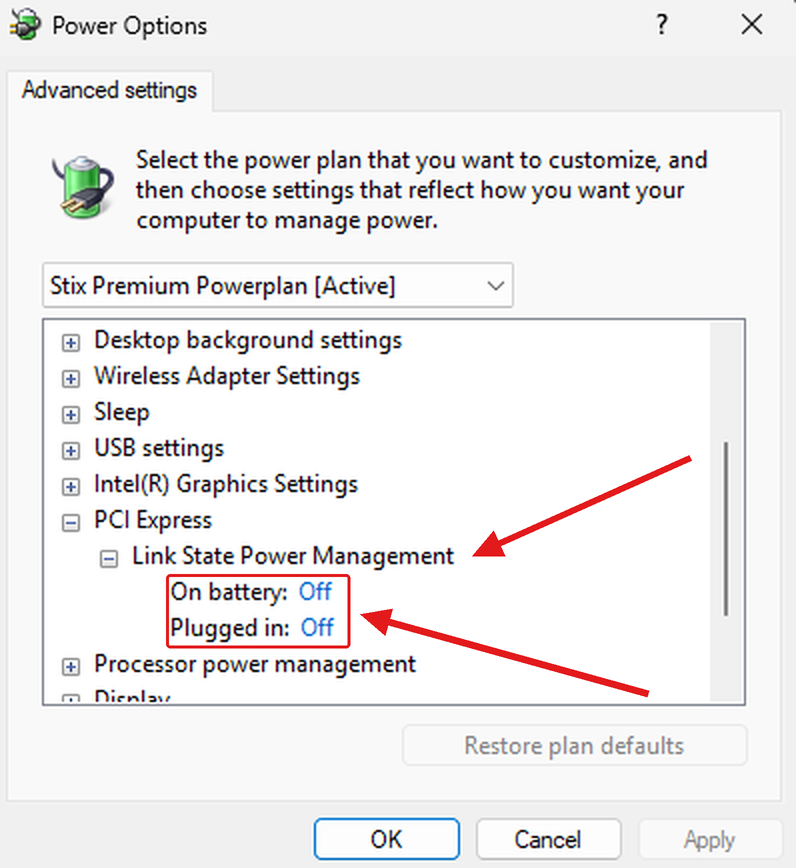
Your PCIe slot might be POWER SAVING mid game
Here's how to check ⬇️
1. Press Windows + R
2. Type powercfg.cpl and hit Enter
3. Click Change plan settings, then Change advanced power settings
4. Open PCI Express and set Link State Power Management to Off
Si tienen monitor de mas de 60hz (75, 90, 100, 120, 144, 165 y etc etc) hagan esto:
Pongan los fps a un multiplo de sus hz (al doble o al triple preferiblemente) y luego activen el frame extrapolation
Espero les funcione :D
🚨 NVIDIA Users
Your NVIDIA App settings might be COSTING you performance
Here’s the fix ⬇️
1. Open NVIDIA App
2. Go to Graphics → Global Settings
3. Match the settings shown below
NVIDIA USERS — YOU COULD BE LOSING FPS TO THIS
If you don't use NVIDIA recording, screenshots or filters, there's no reason to keep the overlay running.
Open:
NVIDIA App → Settings → Features
Turn OFF:
NVIDIA Overlay
Less unnecessary background activity while gaming.
Follow @ultimatetweakk for more FPS, Ping & Delay optimizations.
🚨 NVIDIA Users
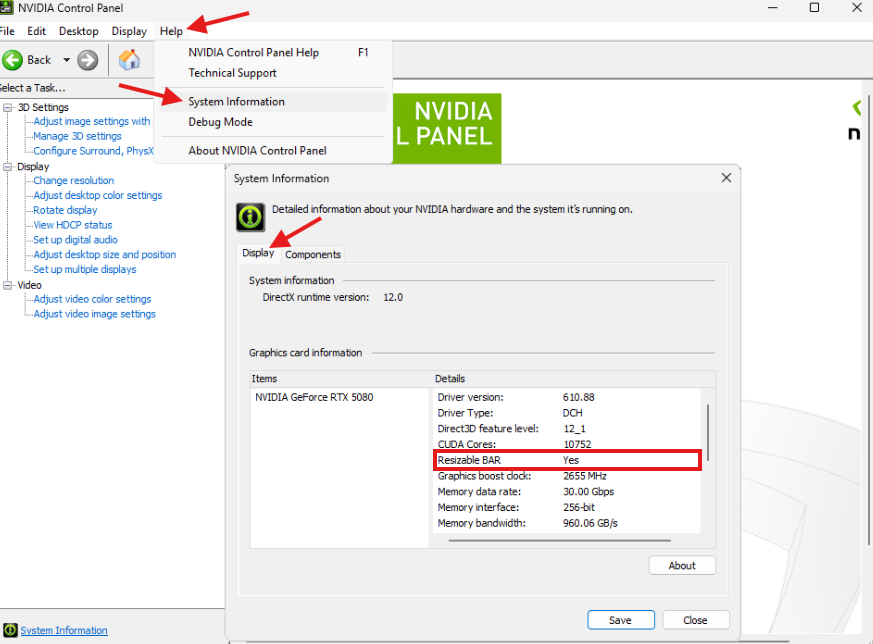
Your GPU might be losing FREE performance
Here’s how to check ⬇️
1. Open NVIDIA Control Panel
2. Go to Help → System Information
3. Find Resizable BAR
4. Make sure it says Yes