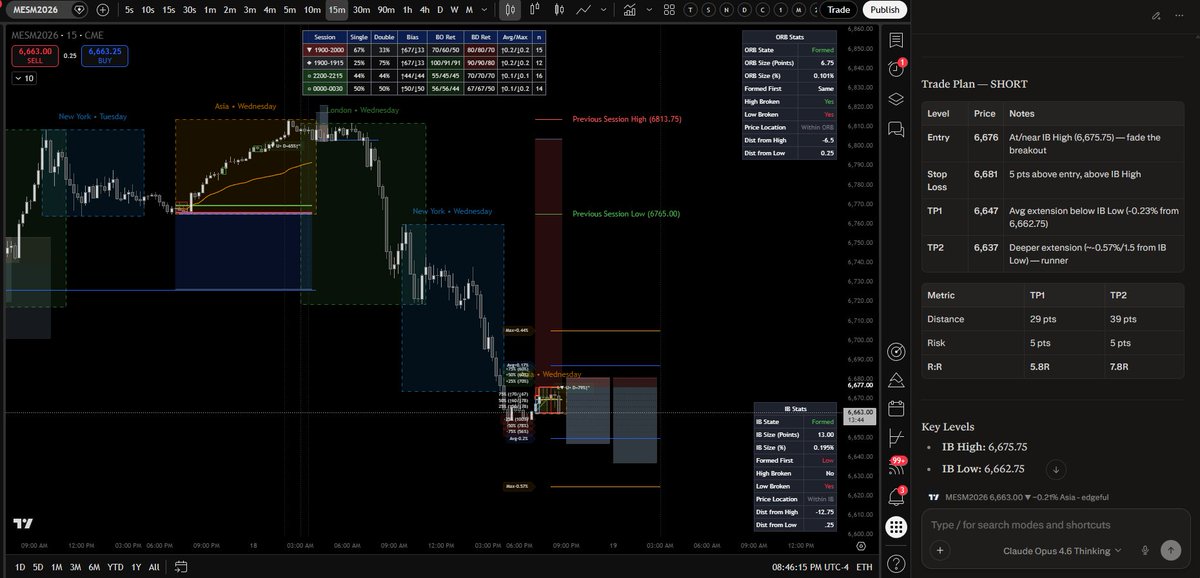
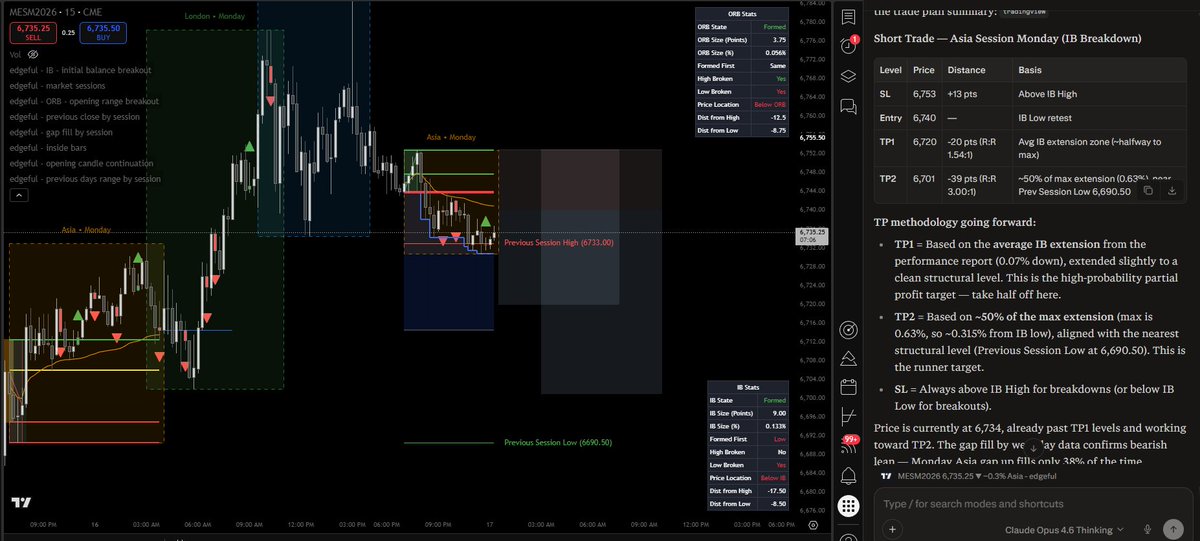
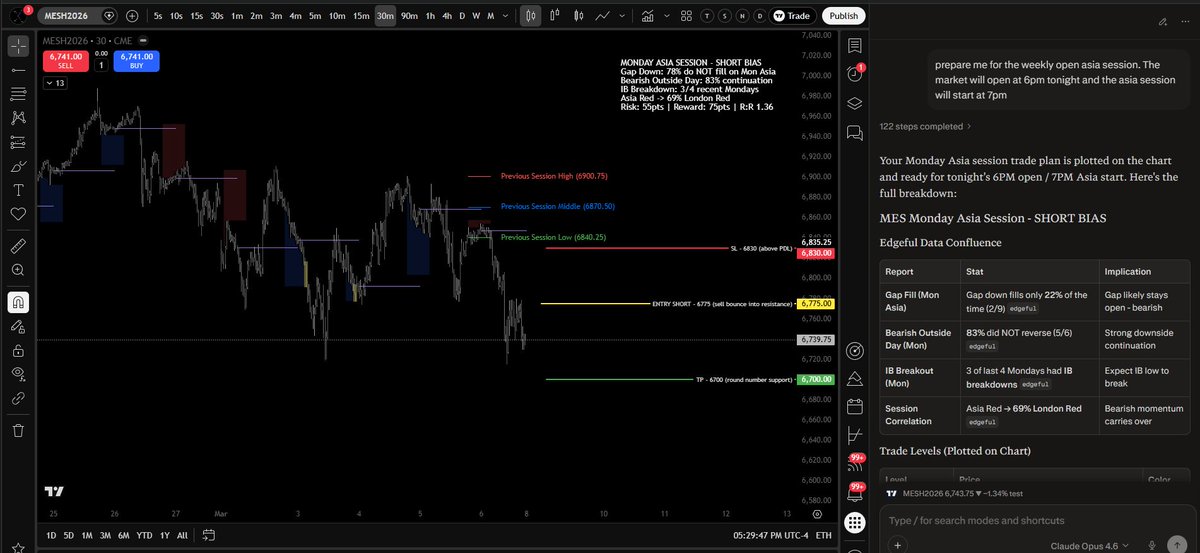
@Tradesdontlie@tradingview Perplexity Comet browser does most of this quite well. Here it is scanning @edgeful and marking up the chart according to mutiple filtered reports.
@RHerman What you described has been the most useful indicator I’ve made. I’ve added a few great features/filters to this. I’ll add you to the latest version so you can have a look.
Respectfully, the companies' euphemism "performance reward" is there, but its definition is unclear and buried deep in the Help Center. It could simply say "after first payout," but of course way less people would buy it.
The main issue is @FundedNext branding it as a classic "BOGO" when it's actually "buy one, survive eval + funding + profitable trading + hit reward rules (hidden in Help Center), then maybe get one free!"
The headline creates misleading expectations.
I hope your prop comparison site can help identify these advertising tricks as well.
🚨 Governments pay millions for this. Someone just open sourced it for free.
It's called Crucix. It watches the entire world. And texts you when something changes.
It pulls from 26 live data sources every 15 minutes and renders everything on a single Jarvis-style dashboard.
Here's what it watches:
→ Satellite fire detection (NASA)
→ Live flight tracking
→ Radiation monitoring
→ Conflict zone events
→ Economic indicators from the Fed
→ Live market prices, crypto, oil, and commodities
→ Sanctions lists
→ Social sentiment from 17 Telegram intelligence channels
→ Maritime vessel tracking
→ News from GDELT and RSS feeds
Here's what makes this one different:
It's two-way. It pushes alerts to your Telegram and Discord. You text it back. Type /brief from your phone and get a full intelligence summary. Type /sweep to force a new scan. It responds like an assistant.
It even generates trade ideas based on cross-domain signals.
No cloud. No subscription. No telemetry. Runs on your machine.
node server.mjs
That's it. Your own intelligence terminal.
This is the kind of setup that costs six figures behind closed doors.
100% Open Source. MIT License.
if you are not seeing the RR positioning tools you can add this to the prompt:
CHART PLOTTING (REQUIRED):
After completing the analysis and trade plan, you MUST plot the trade directly on the TradingView Asia chart using the Short Position or Long Position drawing tools:
Plot Position 1: Entry, SL, and TP1 (avg extension — high probability partial profit)
Plot Position 2: Same Entry, same SL, and TP2 (50% max extension / structural level — runner)
Remove any previous session's trade plots before placing new ones
Confirm the plotted levels match the trade plan by reading back the Entry, SL, TP1, TP2 prices and R:R ratios