Day 3 out of 10 of Meteora Tutorial!
DLMM stands for Dynamic Liquidity Market Maker - Meteora's flagship product that revolutionizes how liquidity is managed in DeFi pools.
The Problem with Traditional AMMs
Most AMMs (like Uniswap V2) use a simple mathematical curve where liquidity is spread evenly across all possible prices. This leads to:
•Inefficient capital use - Most liquidity sits at prices that will never be reached
•High slippage - Especially for larger trades
•Static positions - LPs can't easily adjust their strategy
The DLMM Solution: "Price Bins"
DLMM introduces a discrete, bin-based system where liquidity is concentrated in specific price ranges, similar to Uniswap V3 but with crucial differences.
Key Concept: Instead of a continuous curve, DLMM divides the price spectrum into individual "bins" - think of them as liquidity buckets at specific price points.
Zero-Slippage Trading
•Trades that occur within a single bin experience zero slippage
•Each bin acts like a tiny, perfectly efficient pool
•Only when trades cross bin boundaries does price impact occur
Dynamic Liquidity Movement
LPs can easily:
Add liquidity to specific bins where they expect trading activity
Move liquidity between bins as market conditions change
Collect fees only from the bins where their liquidity is active
Key Takeaways
DLMM uses a bin system - liquidity is placed in specific price buckets
Zero slippage within bins - makes trading more efficient
Dynamic management - LPs can move liquidity as markets change
Higher capital efficiency - more fees with less capital
The @MeteoraAG Setup Guide!
When you go to their website
https://t.co/v7nsTPeC6j you can connect different @solana wallets.
Mainly:
- @phantom
- @Backpack
- @solflare
- @JupiterExchange
Dashboard Tour
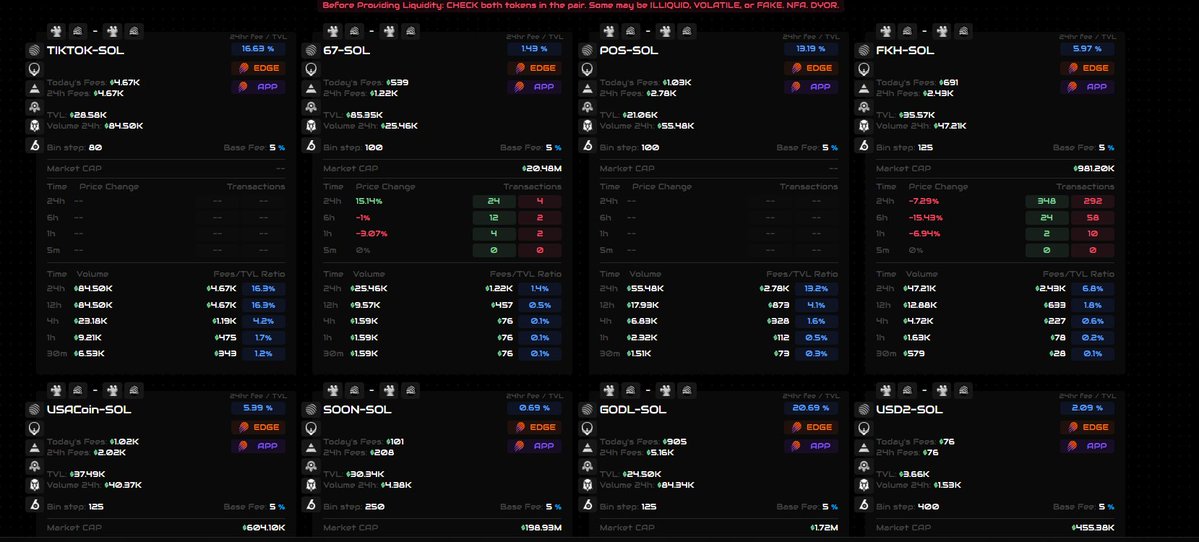
•Pools: Browse TVL/APY (filter SOL/USDC)
•Portfolio: Track positions (add watch addr)
You can also see in the meteora homepage the LP starter guide tab!
Check that out 😊
See you again tomorrow!
@MeteoraAG DAMM V2 is a brand-new constant-product AMM program on Solana, designed not as an upgrade but as a complete rebuild of its predecessor. It provides greater flexibility and a suite of powerful tools for liquidity providers (LPs), token projects, and launchpads.
🛠️ How to Use DAMM V2: A Practical Guide
For liquidity providers, interacting with DAMM V2 pools is a straightforward process on the Meteora app.
1. Navigating to a Pool -You can browse and select DAMM V2 pools from the pool list on the Meteora app. Each pool has a detail page where you can analyze key metrics before depositing:
Total Value Locked (TVL): The total value of assets locked in the pool, showing vested and permanently locked percentages.
Price Range: For most UI-created pools, this is 0 to infinity, but programmatically created pools can have a specific concentrated range.
Pool Fees: Displays the 24h volume, fees, base fee, and dynamic fee structure.
2. Adding Liquidity
Navigate to the "Deposit" tab on your chosen pool's page.
Enter the amount of either the base or quote token you wish to deposit. The interface will automatically fill in the corresponding amount of the other token based on the pool's current ratio.
You can adjust the liquidity slippage setting, which determines how much the pool price can change while your transaction is processing.
3. Managing Your Position
Your liquidity position is represented by a Position NFT in your wallet, not a traditional LP token.
Accumulated fees do not auto-compound; they must be manually claimed separately from your liquidity.
You can transfer your entire LP position by simply sending the Position NFT to another wallet
DAMM V2 also provides advanced features for greater efficiency and control. It uses concentrated liquidity to boost fees and a Fee Scheduler to deter snipers at launch.
Liquidity providers can collect fees in a stablecoin to reduce risk, while projects benefit from single-sided liquidity and locking tools for secure launches. This makes it a powerful solution for both traders and token creators.