LGTM now stands for "Looks Good To Model."
Engineer 1 asks the AI to build it. Engineer 2 asks the same AI to review it. Two humans, one model, zero second opinions. The model just agreed with itself.
I run a one-person company where AI agents write almost all of the code, so I hit this wall early. These are the review rules every release goes through now:
1. Payments, login and webhooks get a read-only adversarial review from a different model than the one that wrote the code. Its only job is to find what breaks.
2. The reviewer only comments. The author fixes. Max 3 rounds.
3. A preflight script runs first. If it fails, nobody reviews anything.
4. Code review and QA start on the same live preview at the same time, not just on the diff.
5. Nothing ships without screenshot evidence and a rollback ID written down first.
6. Anything that touches money still needs my personal sign-off.
Same-model review is a spell checker grading its own spelling. Different blind spots are the whole point.
https://t.co/v5LvMAVMYW
90% of software engineering in 2026:
Engineer 1 → AI: “Build this and open a PR”
Engineer 1 → Engineer 2: “Can you review?”
Engineer 2 → AI: “Review this PR”
Engineer 2 → Engineer 1: “LGTM”
The irony: both engineers use the exact same AI model.
Heads-up after my OpenCode post:
OpenCode says a distillation attack hit 1.4% of its Console users, all with external providers linked. Affected users got an email.
Linked your provider keys there? Rotate them and set spend caps.
#OpenCode#AIsecurity
https://t.co/A1VlUfx2Ky
We had a security breach last night related to a large scale distillation attack that impacted 1.4% of OpenCode Console users
We have notified them all this morning via email. If you did not get an email you were not impacted, it was a subset of users who had external providers linked
The incident is ongoing so we cannot share more details at this point but we are working with Anthropic, OpenAI, and Google to remediate
Your overnight agent should wake you up with evidence, not a guess.
Give it a narrow job before you give it more access.
OpenAI shared how Ali, one of its engineers, let his dot triage a 3am on-call incident. It investigated and started a Codex thread he could steer from his phone.
The instruction I'd start with:
"Watch the alert channel. Collect the relevant evidence, separate observations from guesses, and prepare an investigation summary. Ask before changing production."
Then replay it on an old incident:
1. Did it find the context that mattered?
2. Can you trace every claim?
3. Did it stop where you told it to?
Three yeses, then it earns the night shift.
#AIAgents #IndieDev
https://t.co/kAoUNTELpF
Put your dot on call.
Ali, an engineer at OpenAI, used his dot to triage an on-call incident at 3am.
His dot investigated the issue and started a Codex thread, so he could steer the work from his phone in the ChatGPT app.
@Daimonrun Cost per finished task, not cost per call. If an agent spends $2 to close a ticket a human spends $20 on, that's wise. If it spends $0.10 looping on the same API, that's not.
Giving your agent a credit card is scary. Giving it a budget with the rules built into the payment rail is a different conversation.
Sui Agent Payments is a gateway for paid APIs where your agent pays per call in USDC. You fund a pool and grant the agent access with:
1. Allowed services
2. A total budget
3. A per-payment cap
4. An expiry
Sui says these limits are enforced onchain at settlement and can be revoked anytime. A request outside the grant is denied instead of attempting a payment.
Alibaba Cloud announced on Oct 7 that its services will be integrated into this toolkit. Reality check: it runs on testnet, paid calls are invite only, and no launch date has been given for the Alibaba integration.
A cap limits how much your agent spends. Not how wisely.
#AIagents #Stablecoins
https://t.co/429XTZtsWG
@0xMassi@doooyle@gathint Depends on the TV. Disabled packages usually survive normal updates, but a big firmware update or a factory reset can bring them back. Worth re-checking after every update.
Your smart TV is an ad billboard you paid for. People are now handing it to Claude Code to fix.
Ryan Doyle (@doooyle) sent Claude Code his TV's product listing and asked "can you hack this?" His two posts about it are past 4.5M views combined.
Gathin (@gathint) did his parents' Xiaomi TV in one afternoon: 25 packages gone, a new Apple TV style launcher, 900K+ views. Then he open-sourced the whole thing as tv-vibehack, which picked up 600+ GitHub stars in about a day.
Why this works:
1. Most of these sets run Android TV or Google TV. Turn on Developer options and USB debugging and the TV accepts ADB commands over your Wi-Fi.
2. ADB can disable preinstalled apps. No root, no firmware flashing.
3. The hard part was never the commands. It was knowing which package names are ads and which one keeps your HDMI inputs alive. That is exactly what an agent is good at: probe the model, list the packages, look them up, ask you which apps you actually use.
How to try it without bricking anything:
1. Check Settings > About. It needs to be Android TV or Google TV. Samsung (Tizen), LG (webOS) and Roku are a different story.
2. Tap Build 7 times to unlock Developer options, then turn on USB debugging.
3. Open Claude Code on a computer on the same Wi-Fi and paste the prompt from the repo with your TV model.
4. Make it back up the package list first, and disable instead of uninstall. The repo ships a restore script.
5. Install the new launcher before disabling the stock one, or the Home button can land on a factory test app.
6. Turn USB debugging off when you're done. An open ADB port on your home network is a door.
My take: the best agent use cases right now aren't new apps. They're the boring fixes nobody would ever pay a developer for, on hardware you already own.
https://t.co/7h4f2labQp
@Madeactual This is the underrated part. A generic reviewer flags semicolons; a reviewer that knows 'money is never a float here' catches the bug that costs you a weekend.
You do not need a Team plan to get a second pair of eyes on every change. You need one command.
Anthropic just made Code Review for Claude Code generally available for Team and Enterprise. Most reviews now finish about 3x faster than in preview, roughly 6-10 minutes instead of about 20, and admins pick Quick, Standard or Deep per repo.
If you build solo, here is the version that works on any plan:
1. Run /code-review in Claude Code to review your branch
2. Use /code-review low when you only want the findings it is most confident in
3. Add --fix and Claude applies the findings
4. Put your house rules in CLAUDE.md. The local command reads it. REVIEW.md is only for the managed GitHub service
Quick for routine code. Deep for the code that touches money.
#ClaudeCode #AIcoding
https://t.co/Nm2cOPsToW
Data: your queries and the pages you fetch go through DeepSeek's servers. Keep API keys, passwords and customer data out of prompts, and read DeepSeek's privacy policy before pointing it at private code.
Official docs:
https://t.co/9lpmvv5N2h
#DeepSeek#AIagents
Your coding agent can search the live web free for the next 2 weeks.
DeepSeek's new Search and Fetch tools cost $0.75 per 1,000 calls each, but calls made through Claude Code, Codex or DeepSeek Harness stay free until Nov 1, 00:00 Beijing time (Oct 31, 16:00 UTC).
Setup below.
Limits:
- Only the Search and Fetch calls are free. Model tokens used to read the results are still billed
- Calling the Search or Fetch REST API directly is billed now
- 5 QPS per account for Search and 5 for Fetch
- Failed or empty results are not billed
Your CLAUDE.md is not a settings file. It is your taste, written down.
Cindy Sridharan shared how she built hers: she had Claude read her favorite programming books and blogs, the best open source projects, and the code of the engineers she respects most. Her verdict: "Claude (when given proper instructions, constraints, and context) now writes better code than me, almost always."
Steal the method:
1. Pick 3 sources you would happily copy: a book, a repo, one engineer's code
2. Ask Claude to extract the rules they follow: naming, error handling, tests, what they refuse to do
3. Cut it down to the rules you actually agree with
4. Save it as CLAUDE.md in your repo root and commit it
Same model as everyone else. Different standards.
#ClaudeCode #AIcoding
https://t.co/FPgUig5qNt
To create my claude.md, I had it read:
- my favorite programming books + blogs
- the best oss projects
- the code of the engineers I respect the most
Claude (when given proper instructions, constraints, and context) now writes better code than me, almost always.
Limits before you build on it:
- Free models: 20 requests/min, 50/day (1,000/day once you've bought 10+ credits)
- OpenRouter lists NVIDIA, the only provider here, as "may train" on prompts. Keep keys, passwords and client data out
- Opted out of training in Privacy settings? Requests won't route here
https://t.co/B0q8FUBf0T
#NVIDIA #OpenRouter
A 1M-token AI model that reads screenshots, documents and video costs $0 right now.
NVIDIA's Nemotron 3.5 Super VL went live on OpenRouter Oct 15 with a free endpoint: $0 input, $0 output, up to 131K tokens out, tool calling built in.
No end date announced. 3-step setup below.
Who can use it: anyone with a free OpenRouter account.
1. Sign up at https://t.co/CFhPmVZrE8
2. Create an API key in your settings
3. Point any OpenAI-compatible client at https://t.co/veJiRVdNHj with model nvidia/nemotron-3.5-super-vl:free
First test: send a screenshot of your site and ask "List every UI bug and broken layout you see."
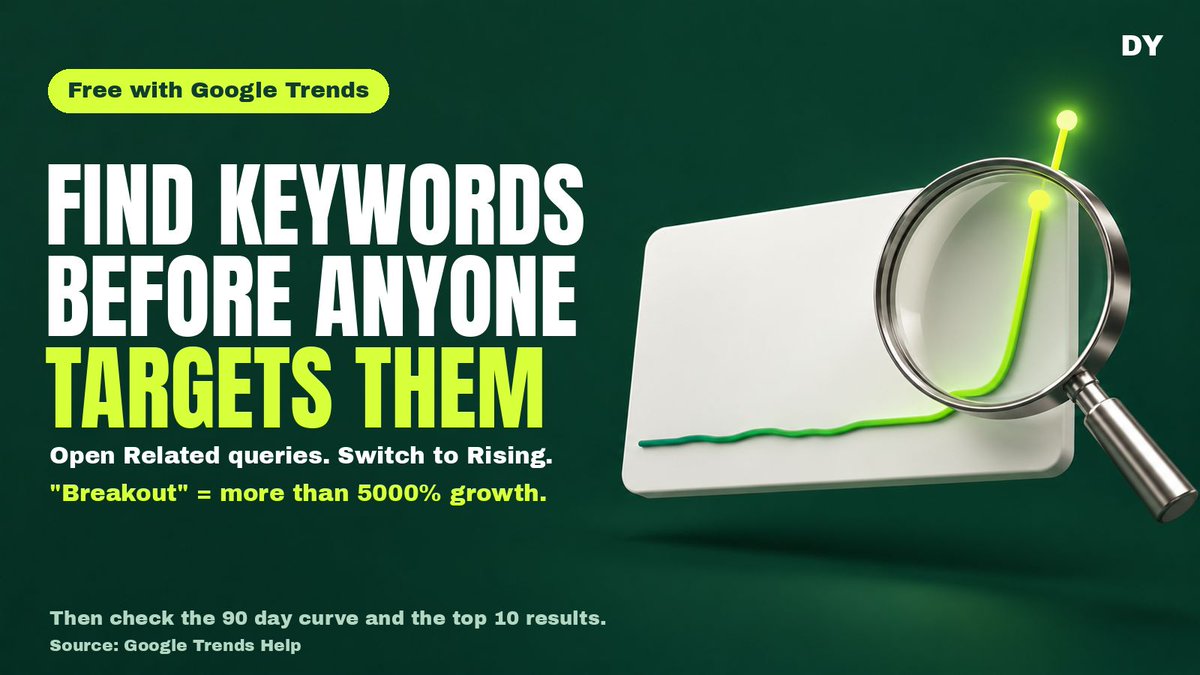
Holy sh*t, Google hands out brand-new keywords for free every day, and almost nobody clicks the tab that shows them.
The method: type a "money word" into Google Trends, flip Related queries to Rising, and hunt anything marked Breakout.
Why it works: Rising lists the searches that grew fastest alongside your word. Breakout is Google's label for more than 5000% growth vs the previous period. Terms this new often show tiny or zero volume in paid keyword tools, so very few people are building pages for them yet.
How to do it:
1. Open Google Trends Explore. Set Worldwide and Past 7 days.
2. Type a money root, a word people add when they want a tool: generator, converter, maker, checker, detector, calculator.
3. Scroll to Related queries. Switch Top to Rising. Copy every Breakout and every big % jump.
4. Check the birth date. Search each candidate on its own over Past 90 days and Past 12 months. If the curve starts inside the last 30 days, it is probably new. Treat it as a lead, not proof.
5. Google it. Top 10 mostly inner pages of big sites, or weak small sites? You have a shot. Lots of homepages built on that exact term? Be careful.
6. Feed every new term back in as a root. Re-run your roots every 7 days and keep the ones that still produce.
The catch: Trends is relative interest on a 0 to 100 scale, not search volume. Google itself says low-volume terms can show noise spikes, so confirm in the 90 day view and pull real numbers from Keyword Planner before you build. New product names often fade within weeks. The lasting value is the generic need behind them and its long tail.
And build a page that actually solves the search. No keyword stuffing, no mass-generated pages.
Free tool: https://t.co/QYJYaiohdv
Google's definition of Breakout: https://t.co/1aiJ9SsaWb
#SEO #KeywordResearch