How To Fix Jagged Lines in Zbrush?
🔸Go to Tools panel> Masking> MaskByFeature
🔸 Disable Groups and Crease
🔸 Hit MaskByFeature
🔸Hold Ctrl + Click on the Canvas outside your mesh to invert the mask
🔸 Hold Ctrl + Click inside…
#zbrush#zbrushsculpt#3dmodeling#zbrushtutorial
How to Move Multiple SUBTOOLS + Hidden Trick in Zbrush? 👀
🔸 With gizmo On, click on the top right icon over the gizmo
🔸 Move all subtools at once
🔶BONUS TIP
🔸 Hold Ctrl + Click on canvas to mask and …
#zbrush#zbrushsculpt#zbrushtips#zbrushtuts
How to snap objects in Zbrush?
🔸Press W/E/R to bring the gizmo
🔸Press Y to transform the gizmo into an alien👽
🔸Click and drag a line from the object you want to snap to the surface you want it to snapped to
🔸Go to Tools Panel - Contact …
#zbrush#zbrushtips#3DModeling
The right way of masking a thin mesh in Zbrush!
🔸Make sure it has some thickness
🔸Go to Tools panel> Polygroup> Polygroups by Normals
🔸Now hold actor + Shift and click on the area you want to mask
🔸Mask the area you want
🔸Hold Ctrl + Shift and …
#zbrush#zbrushsculpt#3dart
How to center the gizmo in Zbrush?
🔸With your mesh selected, hold Alt/Opt
🔸Holding Alt/Opt, click anywhere on the mesh and the gizmo will appear where you clicked
🔸Keep holding Alt/Opt and click at the “Pin” icon on the upper left side of the gizmo…
#zbrush#zbrushtips#3d
How to work with symmetry when your object is out of the world center?
🔸 Face your object from the front
🔸 Put the gizmo in the center of your object holding Alt/Opt
🔸 Activate symmetry by pressing X
🔸 Turn on Local Symmetry and Dynamic
🔸 Be happy ✍️
#zbrush#zbrushsculpt
@gstv_salem Hey! I personally prefer sculpting on Zbrush but if I need to manage some UVs, modify some vertex, or some “hard surface” detail that would be better in non organic 3D sculpting, I go to Maya/Blender and then back to Zbrush. 🤷🏽♂️
@criegrrunov There are different ways to achieve the same result. I think this is the easiest one. But tell me if that doesn't work still, we can find another way to achieve the results you are looking for! 🙏👊
@criegrrunov Now it is a bit tricky, it can work or not...
Geometry> ZRemesher > Change Adaptive skin to 0 or try some number from 0 to 50 > Hit "Keep Groups" and change Smoothing to 0 > Try different target polygons count, 5 worked okay here, try there.
Again Deformation> Smooth by groups.
@criegrrunov Idk if I got the merging hardsuraces doubt.
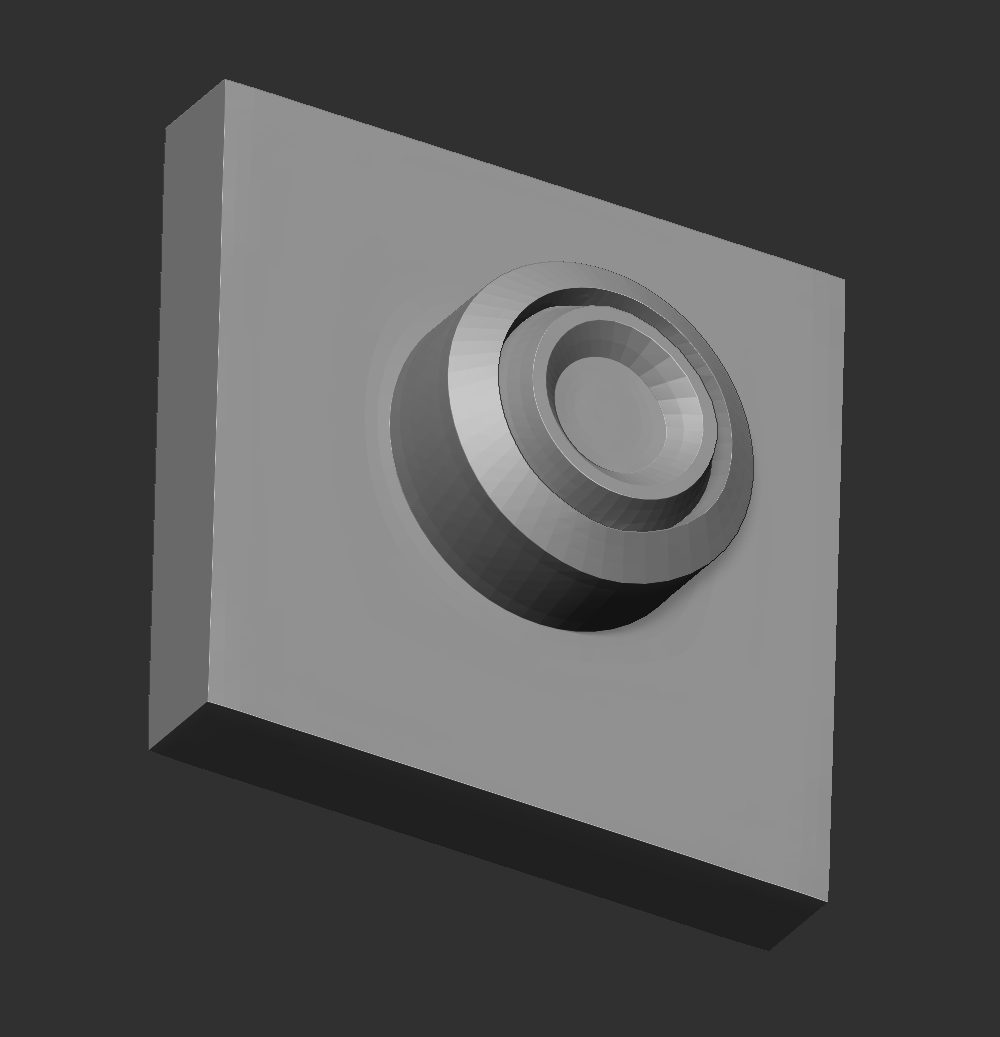
You can have objects in the same subtool but nor merged (Photo 1). You can also have them merged still having clean edges (Photo 2). Is this what you are trying to do? 😅
@criegrrunov Well, it depends on what details you want to add. You could simply use Zmodeler brush/subdivide the mesh and other special brushes to add the details you want on it. About keeping it merged or not... If it would be separated in real life - Continues on the next tweet.
@criegrrunov For splitting objects, You can make the tubes different polygroups and split by polygroups. It will create new subtools for you splitting the meshes 👍🏽
There are several ways to add details. You can subdivide the mesh and use brushes or use surface noises or displacement maps 🤷🏽♂️
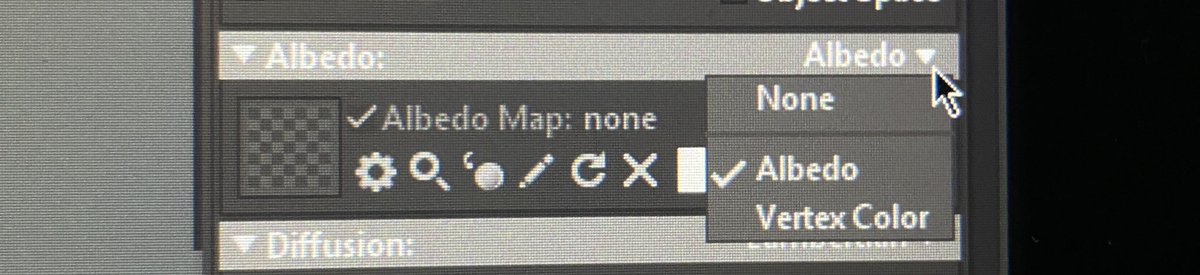
@JLisanjaya@slipgatecentral You can bake make maps in Zbrush and import to Marmoset. You can also export to Marmoset without maps. I’m the material tab, at Albedo option, you change it from albedo to Vertex Color. And it will automatically show the polypaint you did in Zbrush.