@SBrenksy45@vimcal We just pushed out a build last night, can you update to the latest version and let us know if you're still running into problems? Thanks!
It's available today on both iOS and Desktop.
When this feature finally passed our internal bar, it quickly became one of the most used features for our team.
We hope you find it just as useful - try it out here: https://t.co/QF1nW5NZnh
✨ New in @vimcal: you can now schedule by voice or screenshot!
We spent months training this AI feature to understand all the nuance and social etiquette that goes into scheduling:
🎙️ Voice
Tap the mic and say something like "Coffee chat with Monica next Thursday at 1pm at Starbucks."
Vimcal will help you pick a Starbucks location and even find the right Monica.
📸 Screenshots
Upload or drag a screenshot (e.g. email threads, concert tickets, flight confirmations) into Vimcal to autofill the event details for you.
Vimcal will pick up details like the time zone based off location of the venue, or that you want a recurring meeting based off your email convo.
When this feature finally passed our internal bar, it quickly became one of the most used features for our team.
We hope you find it just as useful!
Available on both iOS and Desktop - try it out here: https://t.co/QF1nW5NZnh
@sir@vimcal Hey Shimon under your Slots you should see "Booking link style" with 4 options.
I think you're looking for "Hyperlinked Text" but probably have the "URL only" option selected!
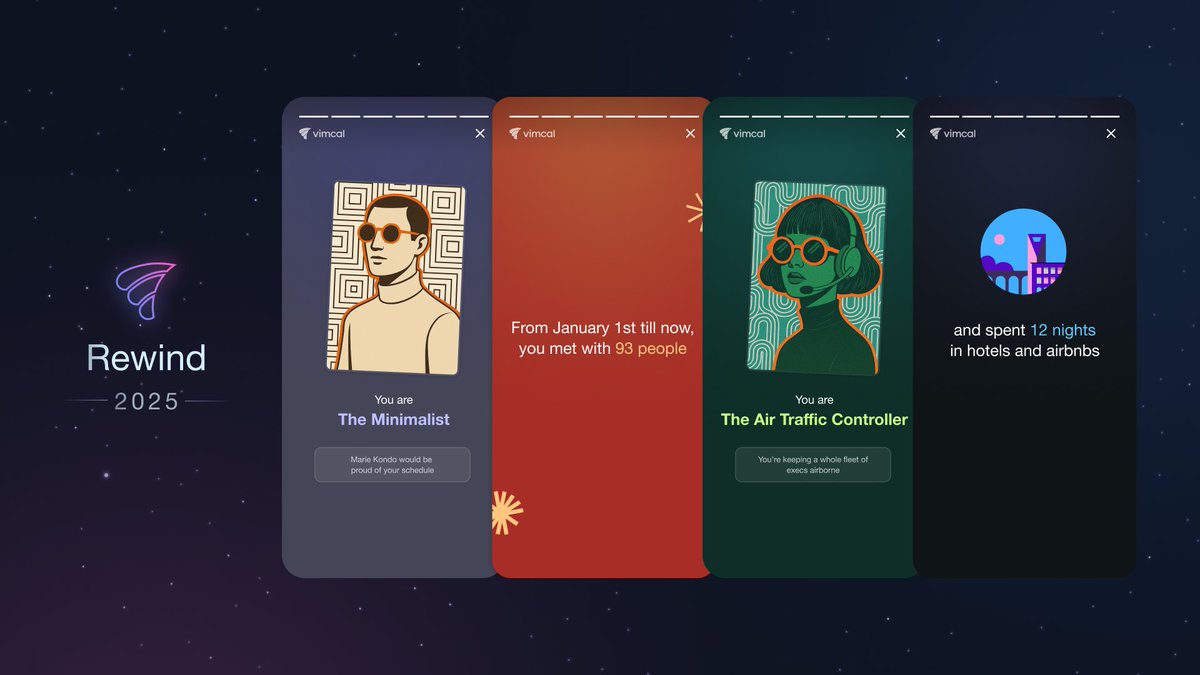
Your 2025 @Vimcal Rewind is now live!!
This year brings refreshed visuals, new personas, and a clearer picture of how your calendar evolved in a year where AI sped up deep work… and somehow still made meetings multiply.
It answers the questions we all secretly have at the end of the year:
- How many hours did I spend in meetings?
- How many times did I reschedule meetings?
- How many flights did I take?
- What's my Calendar Persona?
And much more!
You can access your Rewind for the rest of the year by typing “Rewind” into the Command Center.
Hope it gives you a fun look back and a few surprises!
One unexpected trend we're seeing from our users:
Teams that use AI end up with more meetings.
While AI drastically reduces the time it takes to do solo work (coding, drafting emails, reviewing contracts), humans are still the deciding factor on what's acceptable to ship.
💡 𝗠𝗼𝗿𝗲 𝗼𝘂𝘁𝗽𝘂𝘁 = 𝗺𝗼𝗿𝗲 𝗮𝗽𝗽𝗿𝗼𝘃𝗮𝗹𝘀 = 𝗺𝗼𝗿𝗲 𝗺𝗲𝗲𝘁𝗶𝗻𝗴𝘀
In effect, deep work is disappearing and the new bottleneck in the age of AI is synchronous collaboration.
We're seeing this shift in our user signups as well.
@vimcal was always designed for the busiest people in an org (founders, C-suite, EAs, managers), but we're now getting more ICs who traditionally had emptier calendars.
They tell us they now spending more time "collaborating" (code word for meetings/email/Slack) and less time "doing".
In other words, the future of work might depend less on AI and more on how we collaborate as humans.
⌛ New in Vimcal: Smart Meeting Buffers + Commute Time Calculator!
Whether you need to drive to a coffee chat or leave room to prep for a sales call, @Vimcal's got your back.
With our new Smart Buffers feature, you can easily add color-coded buffers before and/or after any meeting.
The best part? If the meeting gets rescheduled, the buffers will automatically move with the meeting to the new time. No more manual dragging after-the-fact.
🚗 Buffers for Commuting
For in-person meetings, we have a built-in Google Maps integration that lets you:
* Pick your travel mode (walk, drive, bike, public transit)
* Auto-calculate buffer length using live traffic data
* Get a direct Google Maps link inside the buffer event
All you have to do is click on "Advanced buffers" and enter the starting and ending location in the Travel ETA section. If your meeting has an address, it will already be pre-filled on your behalf.
🔒 🗒️ New in @vimcal: You can now add a private note on any calendar event!
By "private", I mean no one else can see them but you. Not an attendee, not a teammate, not even someone with edit access to your calendar.
Use them for:
* Quick meeting prep, e.g., “Remember to bring up budget increases”
* Running agendas
* Sensitive context you don't want in the description
Just scroll to the bottom of an event on any of your calendars and start typing.
Your notes live within your Vimcal account and are for your eyes only, even if the event is owned by a coworker or is on a shared calendar.
This is a feature I've personally wanted ever since we launched Vimcal in 2020, so I hope you find it as useful as I do!
Comment and let us know if there's anything else you'd like to see regarding notes.