I’m giving away some FREE seats for the final Jetpack Compose and internals cohort. Just need to retweet this and follow me in the 🦋 platform. Link in replies 👇
Did you know @csinco made a plugin for Figma that exports a vector to Compose Paths and Shapes? It generates the code required to import your path easily in Compose ✨ Super useful!
https://t.co/2li4HqrUzq
A new version of #JetpackCompose has been released! Welcome 1.0.0-alpha05 😃
All https://t.co/DRDpHWHO6x are already updated to the new version! Go check them out 🧑💻🎉🥳
Jetpack Compose Alpha just released! 🎉 And you don't have to rewrite a single line of code to adopt. What are you going to compose now? #jetpackcompose#11WeeksOfAndroid https://t.co/f95Iv1aKgK
Are you curious about how to migrate from Dagger to Hilt? Checkout this codelab 👇👇👇https://t.co/oeFtNF2io0
or if you are new to Dependency Injection and want to learn how to use Hilt, checkout this one 👇👇👇
https://t.co/WV3vZ8bqMZ
#Android11
Just open-sourced my @Android#JetpackCompose playground project over on @github ⭐️ There are 100+ samples of building + customising composables (with more to come), each categorised by their corresponding package. Happy learning! 🤗 https://t.co/r5c9cxIgrf #GDE#AndroidDev
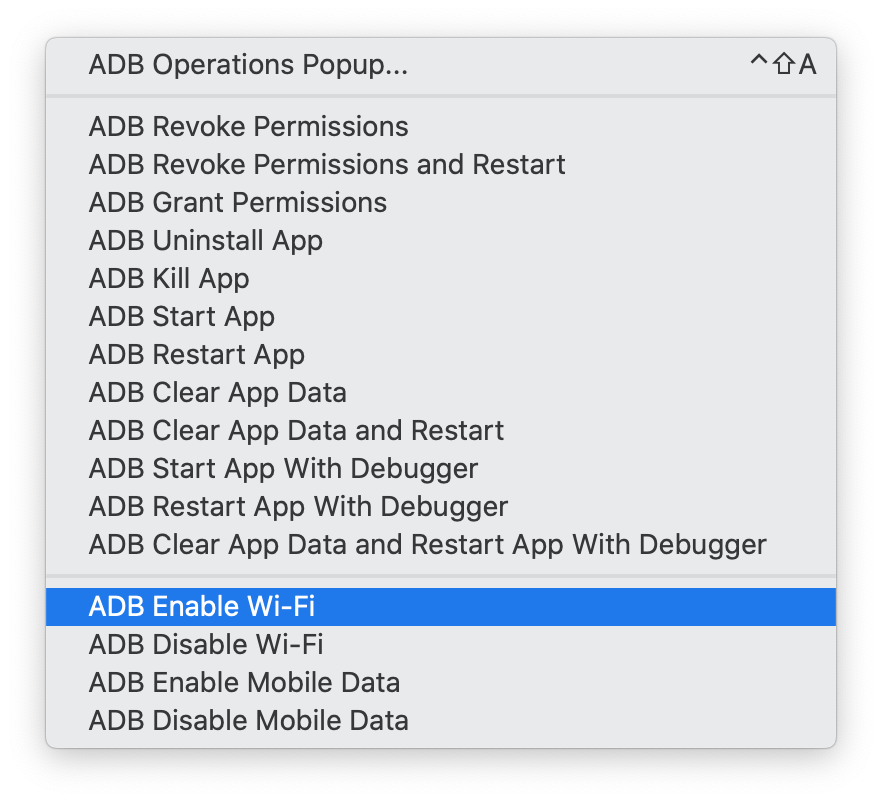
ADB Idea 1.6.0 is out with two new fancy commands to toggle wi-fi and mobile data. You can thank @_tiwiz for this contribution! Also fixes compatibility with the current Android Studio 4.1 alpha. Available in a plugin repository near you.
Navigating a Dagger project just got easier! 🎉
#AndroidStudio 4.1 Canary 7 introduces smart navigation tools to help you with your Dagger-related code!
See how @manuelvicnt uses it in an Android app → https://t.co/kzrH08HRO1
Modifying data got easier! 🎉
Instantly inspect, debug, and modify databases in your running app with Database Inspector. Follow along to see how @yenerm uses Database Inspector on the Sunflower app to test some edge cases.
Read → https://t.co/ys327CxzZP
🚶♀️ Migrate to Material Components for Android 🚶♀️
Material Design Components replaces the Design Support Library. @ricknout will show you how to migrate your codebase so you can make use of the new attributes, styles, and widgets!
Read more ↓ https://t.co/4Rfs3ZSmwl
Just published a new WorkManager codelab that shows how to:
- configure logging level
- publish progress data from your Worker
- Test your Worker
This is the direct link:
https://t.co/Scy2arfw3x
Today we’re announcing free private repositories with unlimited collaborators for teams with GitHub Free, and reducing the price of our paid Team plan to $4 per user/month. All of the core GitHub features are now free for everyone.
Learn more: https://t.co/fQ3r2ABtTR
Are you a developer who:
⚪ is new to Android
⚪ uses Java and wants to learn Kotlin
⚪ uses Kotlin, but wants to advance their knowledge
👩🎓 If you said yes to any of the above, check out our free Kotlin for Android training courses!
🔘 Get started → https://t.co/sBWugb14id
Want to add some code to your project? You don’t need to create a file for it first. Just copy the code, select the folder in the Project View in IntelliJ IDEA or Android Studio where you want to have it, and paste it. The IDE will automatically create a file for you. #KotlinTips
MDC-Android 1.2.0-alpha06 is out:
🙀 MaterialButton respects android:background!
🎨 MaterialColors is no longer library restricted
🛠️ Various fixes to Material Motion, chips and bottom sheets
#MaterialDesign#AndroidDev
https://t.co/Vvt7frqgWc