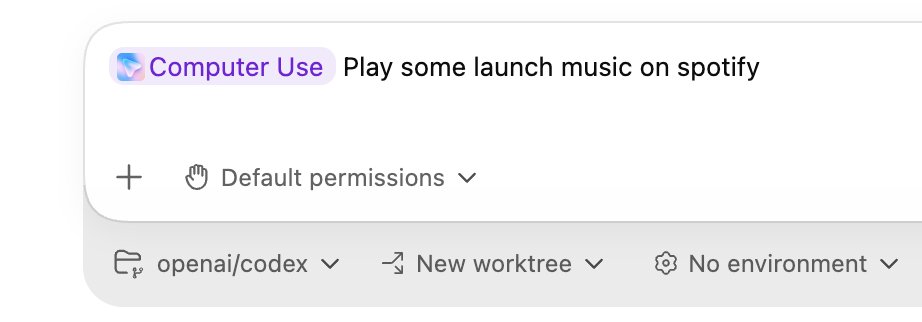
I’ve been working on bringing Codex to iOS and I am thrilled to finally be able to share it with you all!
I happen to be OOO today for some personal stuff so I’ll post more thoughts later, but wanted to share this just to say it’s a great experience on an iPad with a keyboard :)
Step away from your laptop. Keep building with Codex on your phone.
Codex keeps working on your computer, with your files and project context still in place.
Pocket-sized access. Full Codex working state.
https://t.co/vGsw5wnHnG
At round four of the @IMSA on 3rd May at Laguna Seca the #Porsche works team will show a historic Apple Computer-inspired livery. The special wrap is based on the 935 K3, which competed in the 1980 season. More: https://t.co/wuFO5jts48
Our partners at @AISecurityInst and @USTreasury CAISI are continuously testing frontier models from @OpenAI et al to help provide the public and government a clear view on the rise in capabilities.
5.5 is an incremental but important step to accelerate our collective security.
On Notion's knowledge work benchmark, GPT 5.5 is 33% faster, uses half the tokens (so half the price), and scores slightly higher than Opus 4.7. @OpenAI has declared themselves the winners, this week, in the frontier knowledge work arena.
Stop tweeting for a hot minute and update your Codex App to find full browser use, global dictation, non-dev mode, a new auto-review mode that is much safer than yolo, in-app docs and PDF viewer, and ... GPT-5.5.
Introducing GPT-5.5
A new class of intelligence for real work and powering agents, built to understand complex goals, use tools, check its work, and carry more tasks through to completion. It marks a new way of getting computer work done.
Now available in ChatGPT and Codex.
I’ll be in the bay area this summer between early June — late August!!
More details soon but if anyone know’s people looking for housemates or about subleases in SF/Mtnview/Santa Clara/Sunnyvale, please reach out :))
One of my favorite parts of the new Computer Use feature in Codex is the cursor.
@supercgeek cooked up this crazy design that calculates natural and aesthetic motion paths and @kierajmumick@dexterleng and @philzet built it.
Codex just got a lot more powerful.
Computer use, in-app browser, image generation and editing, 90+ new plugins to connect to everything, multi-terminal, SSH into devboxes, thread automations, rich document editing. Learns from experience and proactively suggestions work. And a ton more.
@karpathy i built a similar system, geared mostly towards handling new information and it's a big learning unlock for me:
every new piece of content gets compared against what i've seen, so I can quickly tell: (1) related things i've seen (2) what's novel (3) where it offers a fresh POV
LLM Knowledge Bases
Something I'm finding very useful recently: using LLMs to build personal knowledge bases for various topics of research interest. In this way, a large fraction of my recent token throughput is going less into manipulating code, and more into manipulating knowledge (stored as markdown and images). The latest LLMs are quite good at it. So:
Data ingest:
I index source documents (articles, papers, repos, datasets, images, etc.) into a raw/ directory, then I use an LLM to incrementally "compile" a wiki, which is just a collection of .md files in a directory structure. The wiki includes summaries of all the data in raw/, backlinks, and then it categorizes data into concepts, writes articles for them, and links them all. To convert web articles into .md files I like to use the Obsidian Web Clipper extension, and then I also use a hotkey to download all the related images to local so that my LLM can easily reference them.
IDE:
I use Obsidian as the IDE "frontend" where I can view the raw data, the the compiled wiki, and the derived visualizations. Important to note that the LLM writes and maintains all of the data of the wiki, I rarely touch it directly. I've played with a few Obsidian plugins to render and view data in other ways (e.g. Marp for slides).
Q&A:
Where things get interesting is that once your wiki is big enough (e.g. mine on some recent research is ~100 articles and ~400K words), you can ask your LLM agent all kinds of complex questions against the wiki, and it will go off, research the answers, etc. I thought I had to reach for fancy RAG, but the LLM has been pretty good about auto-maintaining index files and brief summaries of all the documents and it reads all the important related data fairly easily at this ~small scale.
Output:
Instead of getting answers in text/terminal, I like to have it render markdown files for me, or slide shows (Marp format), or matplotlib images, all of which I then view again in Obsidian. You can imagine many other visual output formats depending on the query. Often, I end up "filing" the outputs back into the wiki to enhance it for further queries. So my own explorations and queries always "add up" in the knowledge base.
Linting:
I've run some LLM "health checks" over the wiki to e.g. find inconsistent data, impute missing data (with web searchers), find interesting connections for new article candidates, etc., to incrementally clean up the wiki and enhance its overall data integrity. The LLMs are quite good at suggesting further questions to ask and look into.
Extra tools:
I find myself developing additional tools to process the data, e.g. I vibe coded a small and naive search engine over the wiki, which I both use directly (in a web ui), but more often I want to hand it off to an LLM via CLI as a tool for larger queries.
Further explorations:
As the repo grows, the natural desire is to also think about synthetic data generation + finetuning to have your LLM "know" the data in its weights instead of just context windows.
TLDR: raw data from a given number of sources is collected, then compiled by an LLM into a .md wiki, then operated on by various CLIs by the LLM to do Q&A and to incrementally enhance the wiki, and all of it viewable in Obsidian. You rarely ever write or edit the wiki manually, it's the domain of the LLM. I think there is room here for an incredible new product instead of a hacky collection of scripts.
@jxnlco Take the 1, and if you like driving twisties, stop for brunch at The Dutchess in Ojai, then take the 33 west to Cuyama
Overnight stop in Cambria close to Moonstone Beach, maybe Carmel.
@jxnlco it makes sense: the people who care most about fashion do it for self-expression, and prefer not to outsource to AI, or groupthink.
There’s a great podcast about an app for outfits that found RNG worked better than any style rules they could encode.
https://t.co/qz4U7waLaT