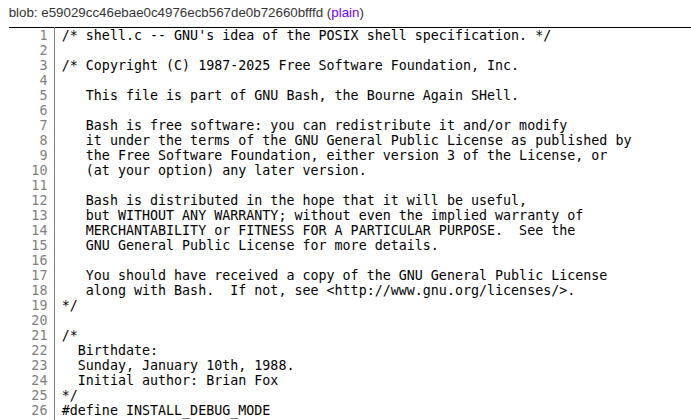
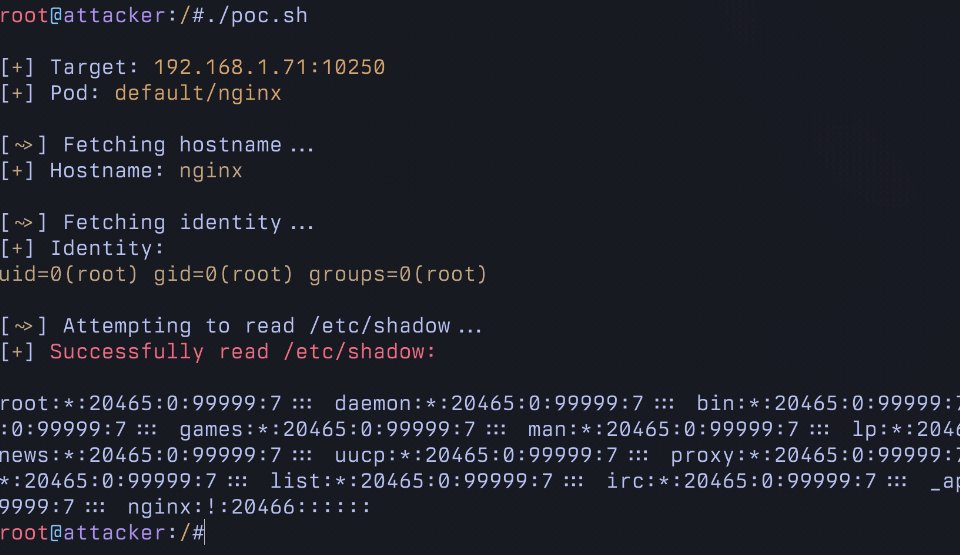
Excited to disclose my research allowing RCE in Kubernetes
It allows running arbitrary commands in EVERY pod in a cluster using a commonly granted "read only" RBAC permission. This is not logged and and allows for trivial Pod breakout.
Unfortunately, this will NOT be patched.
Part 3: SSH Tunnels Deep Dive - SSH Through Bastion Server [with labs]
In the last two parts , Local Port Forwarding and Remote Port Forwarding , we covered the two main directions of SSH port forwarding: local and remote. Those are the ones most people struggle with at first, but once you understand them, everything else falls into place. The next type of SSH tunnel builds on what you already learned about local forwarding, but adds an intermediate step.
Instead of forwarding traffic directly to the SSH server, we forward it through a machine that sits between you and the actual target. This intermediate machine is commonly known as a bastion host.
Learn more in this guide:
https://t.co/HY3fgsMsfX
CrashLoopBackOff is Kubernetes telling you: "I've tried restarting your container multiple times, but it keeps failing, so I'm giving up temporarily." https://t.co/0KQ466p1gR
NEW! The Arduino Nesso N1 - an Arduino/M5Stack collab (neat!).
It's a tiny 1.14" touchscreen ESP32-C6 unit with Wi-Fi 6, BT 5.3, Zigbee, LoRa, a built-in battery, IMU, IR, buttons, buzzer, Qwiic+Grove and moooore.
https://t.co/Lf6XOWkSc8
That’s a wrap on another busy week in open source. From rack-scale advances to 2026 outlooks, we’re focusing on the infrastructure that will move enterprise AI from experiment to production. Catch up on the top stories in this week's Friday Five: https://t.co/k0kUs6ktnm.
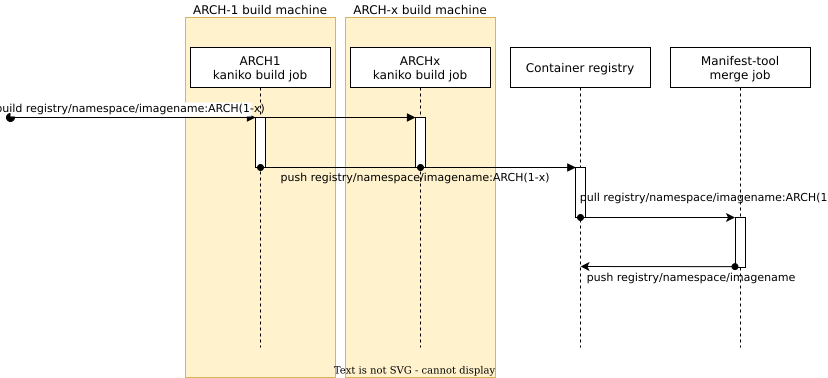
Kaniko builds container images from Dockerfiles without needing a Docker daemon and supports secure CI/CD workflows via signed images and SBOMs
➤ https://t.co/KCqrl2tRkf
When people talk about homelabs, they usually mean physical hardware at home. But for most learning scenarios, renting a few remote VMs (VPS, cloud instances, droplets, etc.) gets you surprisingly far.
With a handful of VMs, you can do pretty much the same things a typical homelab is used for:
- Run Docker and Kubernetes
- Build multi-node setups
- Experiment with networking, storage, and system-level tooling
- Break things, rebuild them, automate everything
The setup is different (remote servers instead of a physical box in your basement), but the learning experience is largely equivalent. You still SSH in, configure machines, wire them together, and debug real systems.
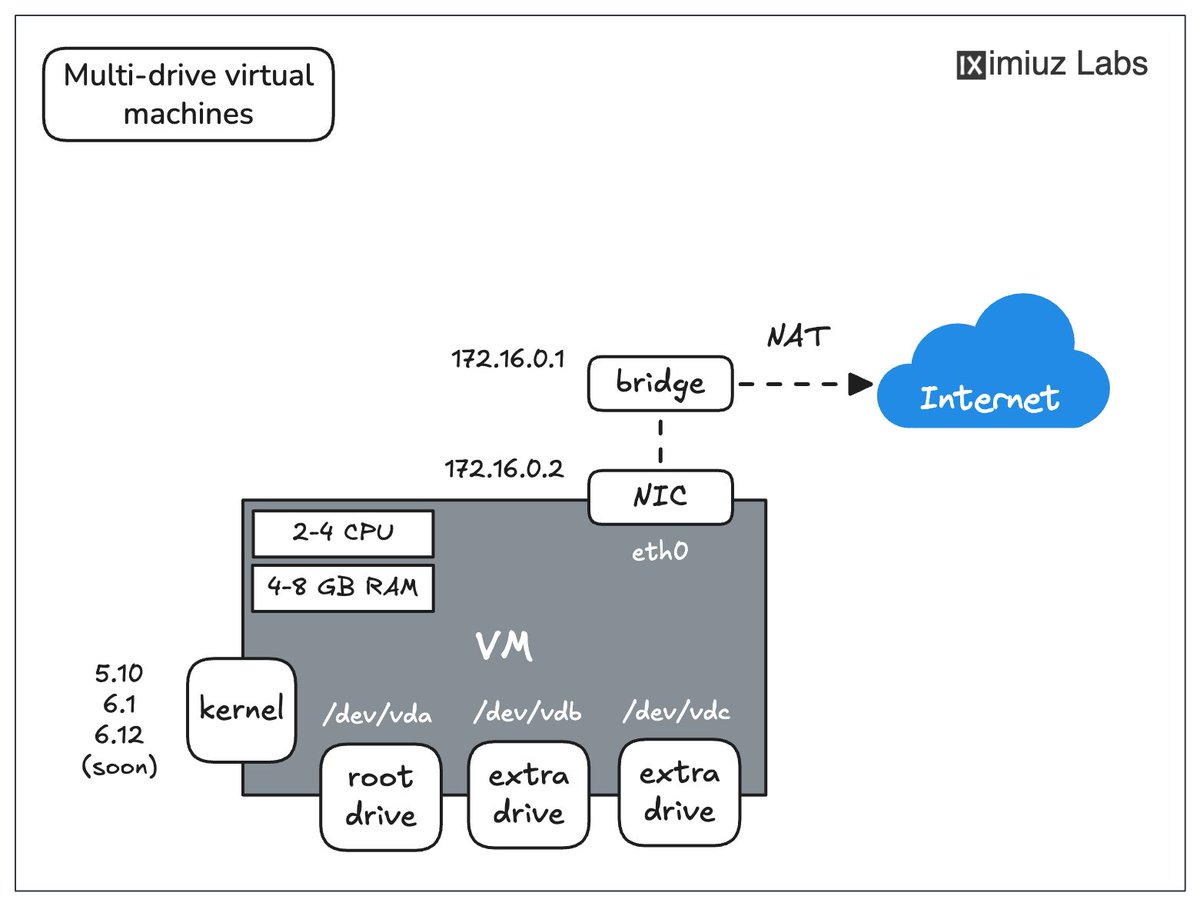
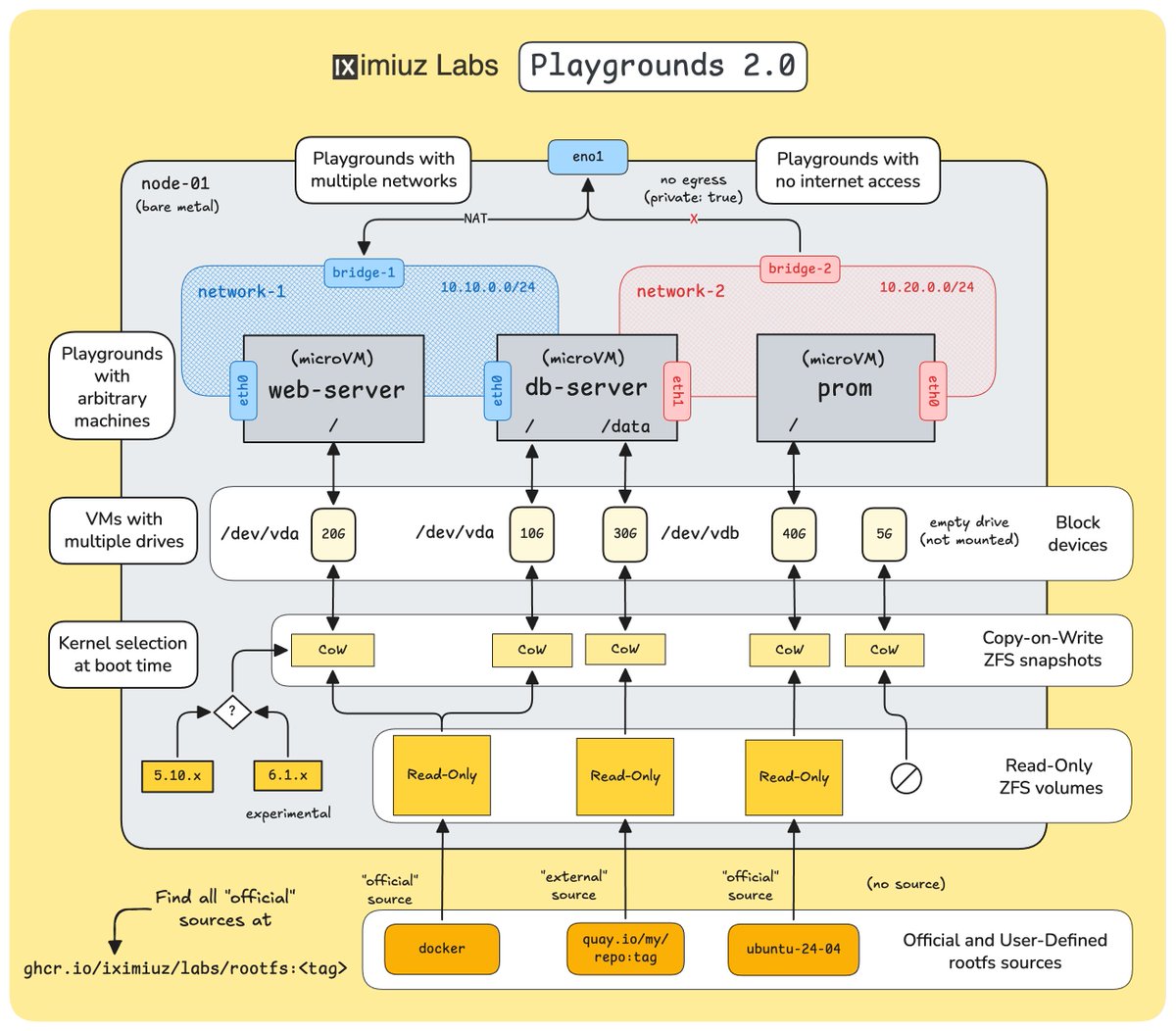
iximiuz Labs Playgrounds are built around the same idea. They're real VMs, not containers or simulated sandboxes. You can do the same things you'd do on EC2, DigitalOcean, or a box under your desk: Docker, Kubernetes, Cilium/Tetragon, multiple disks, private networks, multi-node topologies - all of it.
For learning and experimentation purposes, iximiuz Labs Playgrounds can actually be even handier than both homelabs and generic VM providers:
- No hardware to buy, host, or maintain (and I'm personally very afraid of my lab catching a fire while I'm away)
- No paying for machines while you're not using them - playgrounds can be paused and resumed
- Spinning up or cloning environments takes seconds, not evenings
- Multi-node labs are trivial and much cheaper without juggling multiple VPS servers or cloud instances
But most importantly, iximiuz Labs lowers the barrier to experimenting. When environments are easy to create and easy to throw away, you try more things, break more setups, and learn faster.
If you like the idea of a homelab but prefer something lighter and more disposable, this may be a very natural alternative. Check it out https://t.co/x9Q3BQUIK8
👨🏻💻 From reliable RAG pipelines and Deep Agents to Edge AI and observability, the latest THRIVE-ONE microlearning dives into the systems powering AI at scale.
Annual subscribers get new microlearning every week—plus access to 250+ tools.
Save 40% when bundled with any certification.
👉 https://t.co/RHR1LCZD3l
#AI #PlatformEngineering #CloudNative #DevOps














![sysxplore's tweet photo. Part 3: SSH Tunnels Deep Dive - SSH Through Bastion Server [with labs]
In the last two parts , Local Port Forwarding and Remote Port Forwarding , we covered the two main directions of SSH port forwarding: local and remote. Those are the ones most people struggle with at first, but once you understand them, everything else falls into place. The next type of SSH tunnel builds on what you already learned about local forwarding, but adds an intermediate step.
Instead of forwarding traffic directly to the SSH server, we forward it through a machine that sits between you and the actual target. This intermediate machine is commonly known as a bastion host.
Learn more in this guide:
https://t.co/HY3fgsMsfX](https://pbs.twimg.com/media/G-60U8SWQAA8bLe.jpg)