You don't learn pattern recognition by watching someone else recognize patterns. You learn it by getting reps until the classification is automatic.
That's the gap most courses leave wide open.
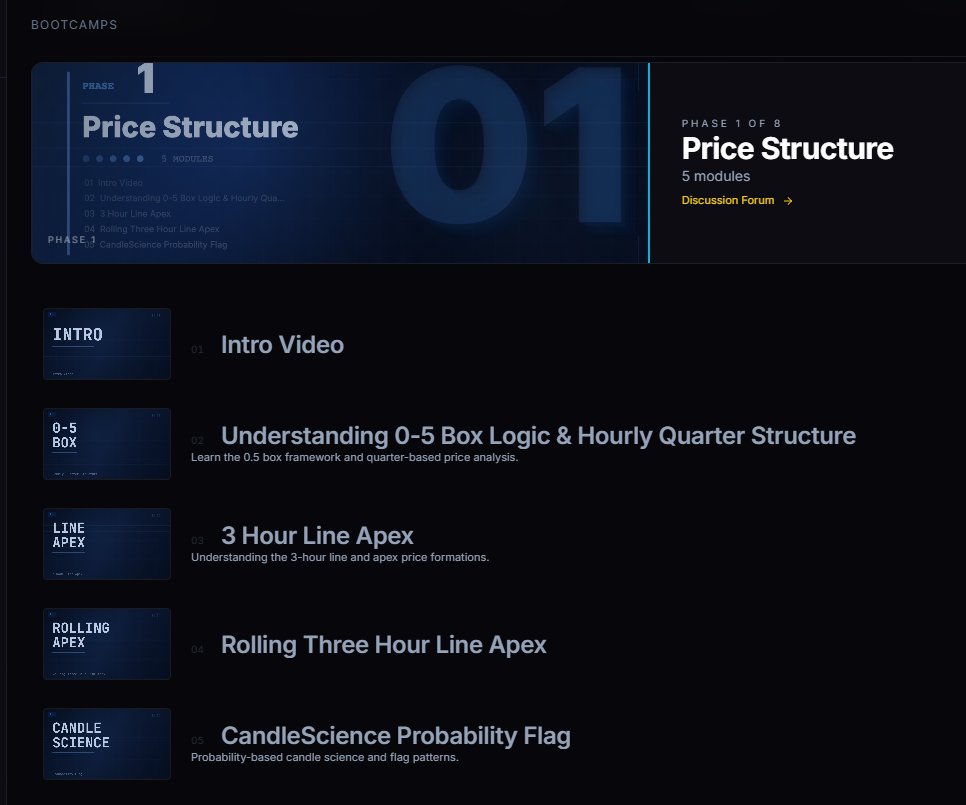
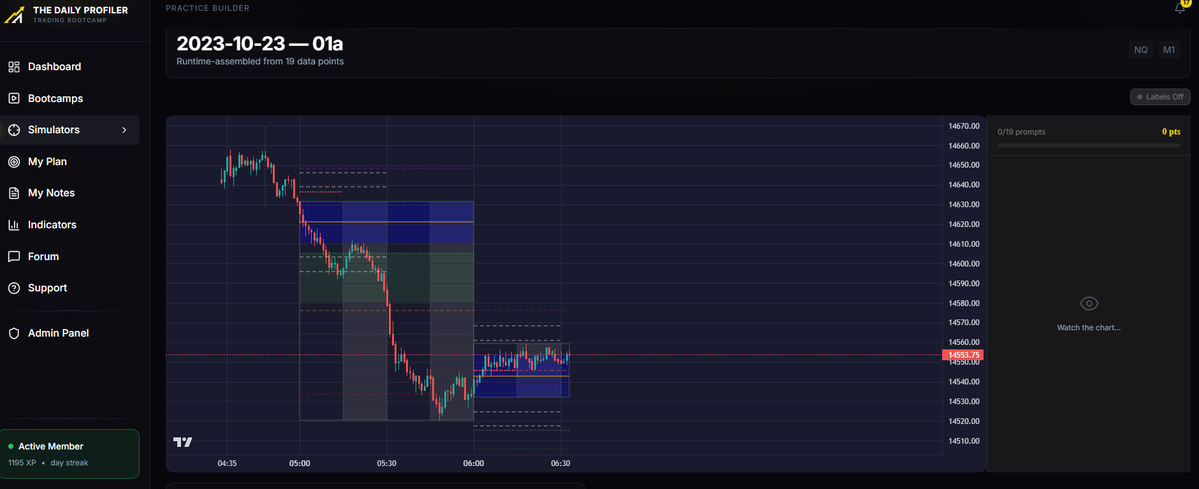
The bootcamp built simulators to close it. You pick the concept, the simulator runs the setup against real chart data, the quiz forces you to make the call before
you see the answer, and the debrief tells you exactly which signal you missed.
Every drill is graded against 4,180 classified trading days and 17,000+ pattern datasets. The simulator doesn't ask your opinion. It asks what the data does. Get it wrong, you debrief. Get it right, you go again.
Drill until the call is reflex. Then trade.
3-month bootcamp. $100. https://t.co/IebFRBfqzX @AC_Trades@Tradesdontlie
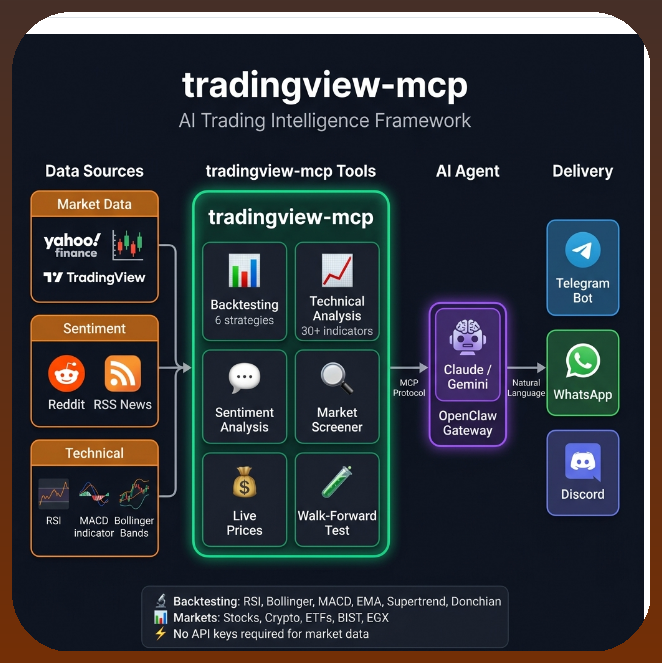
🚨 HOW I BUILT A FULLY AUTOMATED TRADING BOT IN 34 MINUTES WITHOUT WRITING A SINGLE LINE OF CODE
> One person built a trading bot in 34 minutes
> Didn't write a single line of code manually
> Just talked to Claude Code
> The bot detects market regime on its own: bull, bear, sideways
> Switches strategies for each regime automatically
> 13 safety checks before every single trade
> Stop-loss, circuit breakers, position limits, correlation check
> Walk-forward backtest - not curve fitting, real simulation
> Connected to Alpaca - free paper trading
> 45 out of 45 tests passing
> Full pipeline: data -> regime -> signal -> risk -> order -> log
Hedge funds pay millions for this, He paid $0
LLM Knowledge Bases
Something I'm finding very useful recently: using LLMs to build personal knowledge bases for various topics of research interest. In this way, a large fraction of my recent token throughput is going less into manipulating code, and more into manipulating knowledge (stored as markdown and images). The latest LLMs are quite good at it. So:
Data ingest:
I index source documents (articles, papers, repos, datasets, images, etc.) into a raw/ directory, then I use an LLM to incrementally "compile" a wiki, which is just a collection of .md files in a directory structure. The wiki includes summaries of all the data in raw/, backlinks, and then it categorizes data into concepts, writes articles for them, and links them all. To convert web articles into .md files I like to use the Obsidian Web Clipper extension, and then I also use a hotkey to download all the related images to local so that my LLM can easily reference them.
IDE:
I use Obsidian as the IDE "frontend" where I can view the raw data, the the compiled wiki, and the derived visualizations. Important to note that the LLM writes and maintains all of the data of the wiki, I rarely touch it directly. I've played with a few Obsidian plugins to render and view data in other ways (e.g. Marp for slides).
Q&A:
Where things get interesting is that once your wiki is big enough (e.g. mine on some recent research is ~100 articles and ~400K words), you can ask your LLM agent all kinds of complex questions against the wiki, and it will go off, research the answers, etc. I thought I had to reach for fancy RAG, but the LLM has been pretty good about auto-maintaining index files and brief summaries of all the documents and it reads all the important related data fairly easily at this ~small scale.
Output:
Instead of getting answers in text/terminal, I like to have it render markdown files for me, or slide shows (Marp format), or matplotlib images, all of which I then view again in Obsidian. You can imagine many other visual output formats depending on the query. Often, I end up "filing" the outputs back into the wiki to enhance it for further queries. So my own explorations and queries always "add up" in the knowledge base.
Linting:
I've run some LLM "health checks" over the wiki to e.g. find inconsistent data, impute missing data (with web searchers), find interesting connections for new article candidates, etc., to incrementally clean up the wiki and enhance its overall data integrity. The LLMs are quite good at suggesting further questions to ask and look into.
Extra tools:
I find myself developing additional tools to process the data, e.g. I vibe coded a small and naive search engine over the wiki, which I both use directly (in a web ui), but more often I want to hand it off to an LLM via CLI as a tool for larger queries.
Further explorations:
As the repo grows, the natural desire is to also think about synthetic data generation + finetuning to have your LLM "know" the data in its weights instead of just context windows.
TLDR: raw data from a given number of sources is collected, then compiled by an LLM into a .md wiki, then operated on by various CLIs by the LLM to do Q&A and to incrementally enhance the wiki, and all of it viewable in Obsidian. You rarely ever write or edit the wiki manually, it's the domain of the LLM. I think there is room here for an incredible new product instead of a hacky collection of scripts.
How can you use Claude to gain a trading edge?
In the video, Jeff Holden, the Head of Trader Development at SMB Capital, outlines five specific practices where AI (specifically Claude) can transform a trader's workflow to gain edge:
1. Custom Price Alerts
Jeff suggests using AI to bypass the limitations of standard platform alerts. Instead of simple price crosses, you can use Claude to code surgical alerts that only fire when a complex set of conditions are met.
Example: An alert that triggers only if price breaks the 30-minute opening range high on 1.5x average volume while staying above VWAP.
Benefit: Reduces noise and ensures you only focus on the highest-probability setups.
2. Pre-market Game Plan Automation
AI can be used to process large amounts of data to prioritize your morning watchlist in minutes rather than an hour.
Method: Creating a template where you paste overnight headlines and pre-market data, and Claude outputs a prioritized table of stocks to watch.
Benefit: Provides institutional-level preparation and consistency every single day.
3. Trading Performance Analysis
Jeff highlights using AI to build personalized Python scripts that analyze your specific broker data to find hidden "leaks" in your performance.
Insights: Claude can identify if you are consistently losing money during specific times of the day (e.g., mid-day "lunchtime" lulls) or with specific setup types.
Actionable fix: Jeff personally used this to identify that his edge disappeared after 11:30 AM, leading him to implement a "size down" rule for the afternoon.
4. Custom Order Entry and Exit Logic
AI allows non-coders to create sophisticated execution rules that aren't standard in most trading platforms.
Example: Coding a "two-bar trailing stop" that automatically moves your stop loss up based on price structure but never moves it down.
Benefit: Removes human emotion and hesitation from the exit process, making your trading more systematic.
5. The AI Trade Autopsy
Jeff describes this as getting "coaching-level feedback for free." After the market closes, you can provide Claude with a screenshot of your chart and the context of your plan.
Feedback: Claude acts as an objective coach to tell you if you actually followed your rules or if you were influenced by emotional patterns (like revenge trading after a loss).
Super Prompting: Jeff suggests taking autopsies of all your trades at the end of the week and asking AI to identify the single most important trend you need to work on.
The "3 Tiers of Traders"
Jeff frames these suggestions by categorizing traders into three levels:
Tier 1 (90%): Manual everything; limited by platform constraints.
Tier 2 (7%): Using AI as a "fortune teller" to predict the market (which he calls "garbage").
Tier 3 (3%): Using AI as a research and infrastructure partner to automate bottlenecks and operate like a professional hedge fund.
How to use Claude To Gain a Huge Day Trading Edge https://t.co/zH5N2VcWU1 via @YouTube
Claude + NotebookLM seems like a dangerous combo 🤯
One student used them to pass a university exam on a subject they had never studied before.
48 hours. Zero prior knowledge. Full marks.
See how it works 👇👇
Claude explains complex topics better than any AI I've tested.
You can use it to learn machine learning, SQL, and statistics and go from zero coding to building ML models in weeks.
Here are 10 Claude prompts that teach you anything faster for free:
After 3 years of using Claude, I can say that it is the technology that has revolutionized my life the most, along with the Internet.
So here are 10 prompts that have transformed my day-to-day life and that could do the same for you:
I started PackTV with 1 vision and that is to showcase the incredible gift we as humans have….taking objective numbers and then making it your own
You get to see various trading styles all rooted in the same lense of statistical based day trading all done live sharing executions!
Come check us out 😁 link in replies to set a reminder
London goes live at 3am EST then we keep it going till market close!