We offer a free and simple API endpoint to grab all the hostnames for a domain based on the certificate transparency logs: https://t.co/xAuMunXvYM
Sample Python code available in the Shodan book: https://t.co/36mxTrS2QS
One of the largest free cybersecurity knowledge repositories on GitHub 💀🔥
The Art of Hacking (h4cker)
26K+ stars and thousands of curated resources covering:
• Ethical Hacking
• OSINT
• DFIR
• AI Security
• Cloud Security
• Exploit Development
• Reverse Engineering
• Certifications
• Home Labs & Cyber Ranges
Organized into domains, certifications, labs, and AI-focused learning paths.
🔗 https://t.co/Ir57bRkHC8
If you're building a cybersecurity roadmap, this repo can save hundreds of hours of searching.
#CyberSecurity #OSINT #DFIR #Pentesting #ThreatIntel #AIsecurity #Infosec
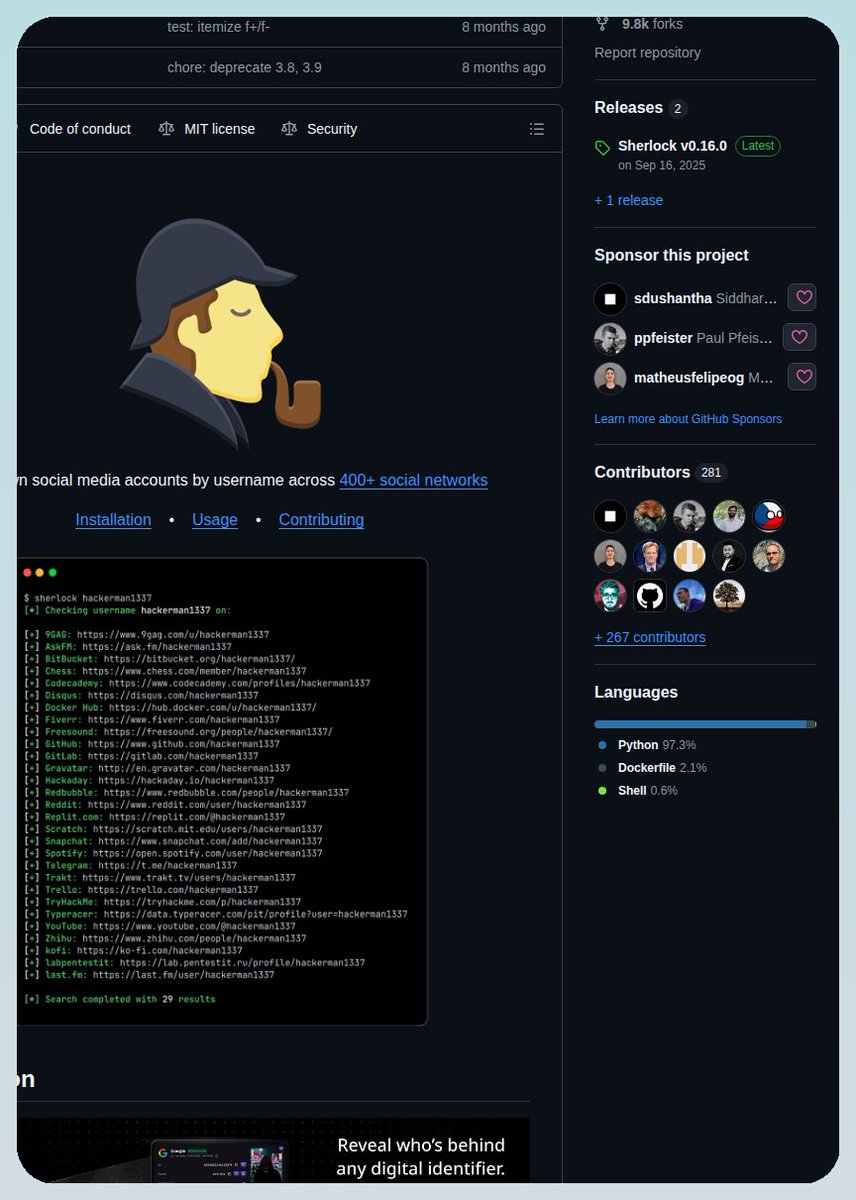
This free tool can find someone's username across 400+ social networks in seconds 👀
Just enter a username.
It scans hundreds of platforms and uncovers matching profiles automatically.
Perfect for OSINT, cybersecurity research, and digital investigations.
Sherlock might be the most powerful open-source username hunting tool on the internet.
https://t.co/dHkEByOriv
The creator of Claude Code Teaches more about vibe-coding in 30 minutes than most paid tutorials do in 10 hours.
Absolutely Free. From the guy who built the tool.
Save it. Watch tonight. It'll change how you build forever.
You've been using Claude Code wrong for months without knowing it.
This fixes that in 30 minutes.
Follow @codewithimanshu for more high-signal content that actually moves your career forward.
↓
Boris runs technical staff at Anthropic.
He built Claude Code.
He just gave away the entire playbook.
This is the talk that separates people making $10K/month with AI coding from people still Googling "how to fix this error."
Here's everything he covers in 30 minutes.
Follow @codewithimanshu, I break down a video like this.
↓
Installation and setup the right way.
Not the wrong way you did it.
`npm install` to get Claude Code running.
`terminal setup` to enable Shift+Enter for new lines and themes.
GitHub app integration to @-mention Claude directly on issues and pull requests.
Mac users: system-level dictation for hands-free prompting.
Most people skip these steps and wonder why their Claude Code workflow feels clunky.
Follow @codewithimanshu For Full Claude Code setup guides.
↓
The workflow most users miss entirely.
Codebase Q&A is the real starting point.
Not "write me code."
Ask Claude about your codebase first.
It explores locally. No indexing. No data upload.
You can ask:
> Why was this function written this way?
> What did I ship this week?
> What's the git history of this file?
Understand the codebase before you touch it. That's how senior engineers think. That's how Claude Code wants to work with you.
Follow @codewithimanshu for more high-signal content that actually moves your career forward.
↓
Interactive coding that actually ships.
Claude uses file editing, bash commands, and file search to execute tasks in real time.
Boris's rule: brainstorm and plan BEFORE you trigger code generation.
Skip the planning step and you get garbage. Do the planning step and Claude ships production-ready code.
This alone is the difference between "AI wrote my app" and "AI wrote an app that actually works."
More ship-ready Claude prompts already posted on @codewithimanshu.
↓
Tool integration nobody uses.
Custom CLI tools. MCP servers. Integrated directly into your Claude Code workflow.
Claude calls your tools. Uses your data. Executes tasks across your entire stack.
This is where Claude Code stops being a coding assistant and starts being a full engineering team.
Follow @codewithimanshu for MCP server breakdowns every week.
↓
Iterative feedback loops.
Give Claude access to your unit tests. It refines until they pass.
Give Claude screenshots of your UI. It iterates until the design matches.
Most people run Claude Code once and accept the first output. The best users build feedback loops that let Claude improve itself.
I share the exact feedback loops I use daily.
↓
Context management: Claude MD.
Place a `claude(dot)md` file in your project root.
Persistent context. Shared across every session.
Enterprise config for global policies across teams.
This is the file that separates hobby Claude Code users from production users.
I'll post my full claude(dot)md template next week.
Follow me @codewithimanshu.
↓
Slash commands and memory.
`/memory` to view or modify how Claude remembers instructions.
Slash commands for automating complex workflows.
Example: auto-labeling GitHub issues with one command.
Slash command library coming soon on @codewithimanshu.
↓
Pro key bindings Boris drops at the end.
Shift+Tab: auto-accept mode for edits. Saves hours.
!Command: execute a bash command and pipe output into context.
Escape: safely stop Claude without corrupting your session.
Drag and drop images. Paste screenshots for UI implementation. Multimodal from day one.
Follow me @codewithimanshu for Daily Claude Code tips.
↓
30 minutes from the guy who built the tool.
You'll learn more from this than from 50 YouTube tutorials made by people who've never shipped production code with Claude.
This is where the gap gets built.
People who watch it understand Claude Code at the architect level.
People who skip it keep copying commands they don't understand.
Save the video. Watch it tonight. Build something tomorrow.
Follow @codewithimanshu for more high-signal content that actually moves your career forward.
Awesome Cybersecurity Handbooks
30 quick reference guides on various cybersecurity topics:
#osint#forensics
reverse engineering
social engineering
wireless attacks
and more.
https://t.co/5jjNkrrdY5
Contributor @syr0_
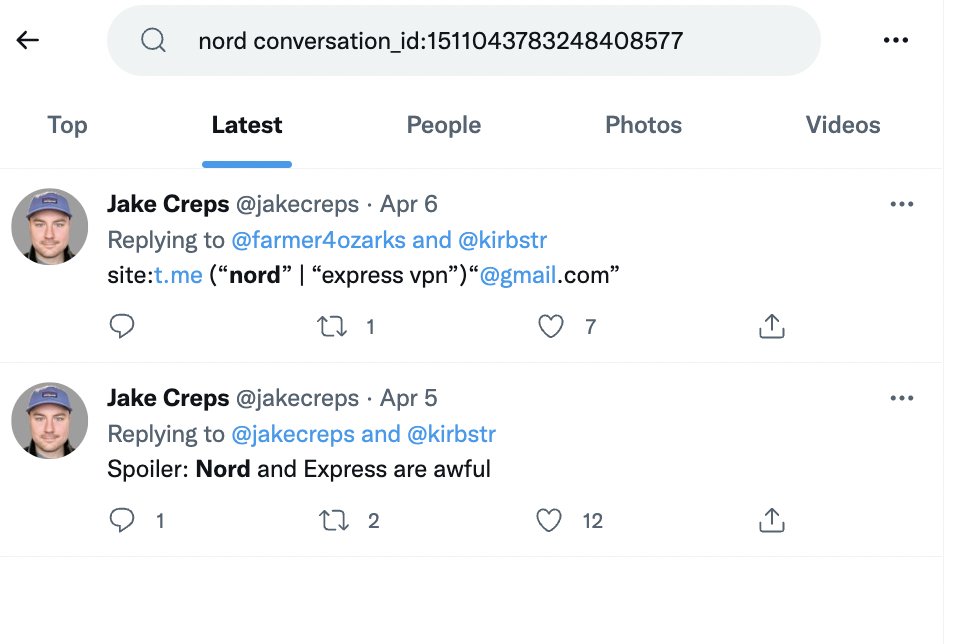
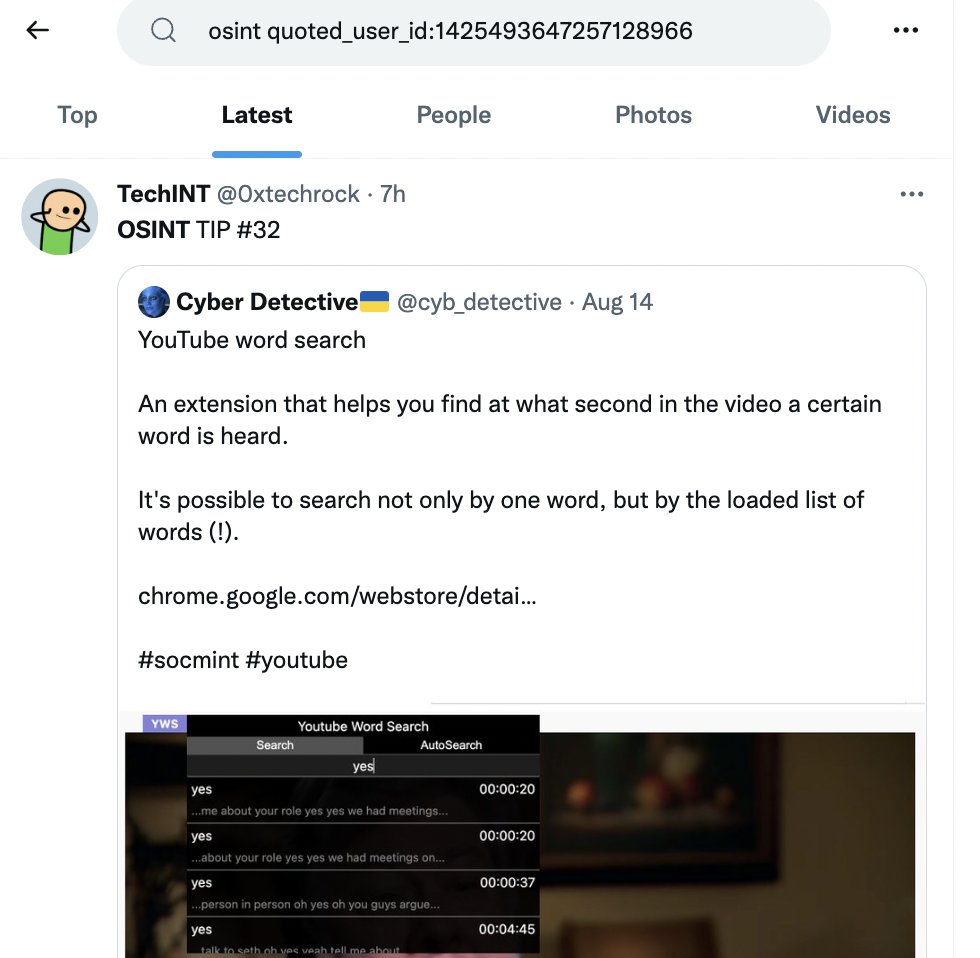
2 little known Twitter advanced search operators:
conversation_id: 1511043783248408577
(search in all replies to a particular tweet)
quoted_user_id:1425493647257128966
(see all quoted tweets of a user with a specific ID)
* user ID can be found here https://t.co/8YUJGNlr7T
Become an Nmap pro in 30s 👇🕥
Nmap is a port scanner, but it does much more including service/OS detection and even vuln scanning.
By default nmap does a standard TCP SYN scan on the top 1000 ports of host.
$ nmap host
For more verbosity use -v or -vv.
$ nmap -vv host
🧵👇
The use of #OSINT is not limited to the United States, of course. Here's a wonderful collection of resources categorized by country. https://t.co/vVBxMArCiM
This is Great!!! Telegram-Nearby-Map for your daily #OSINT geo stuff, amazing! Used it once or twice, already
https://t.co/3soQ0o1rod
Joseph Jones put together a quick summary tutorial. Marries well with my explainer on Open Street Map.
👀 @Sector035
https://t.co/iIvFHMHtnN
[#DailyOSINT - Day#169] Trying to automate #OSINT stuff via APIs? Maybe this API Directory will help you find some interesting ones. https://t.co/kFS3F0vrwm