What makes me so much special is that my thoughts , my dreams, my determination to achieve those dreams , and with that I am the unique person in this world
Napkin sketch to interactive 3D rendering!
Antigravity is the agentic development platform for developers to turn hand-drawn sketches into fully functional 3D learning modules.
Introducing D4RT: A unified AI model for 4D scene reconstruction and tracking across space and time. 🎯 Catch the demo with Skanda Koppula at 12 pm at our #CVPR2026 Google booth kiosk! https://t.co/p6SclNe1zi @GoogleDeepMind
I know, these days stars don't mean much, but it's still lovely to see such a nice round number. Thank you everyone for trusting your ML workloads to us, here's to the next 100K stars! (H/t Tianyu for pulling this screenshot)
Gemini 3.5 Pro is going to be insane
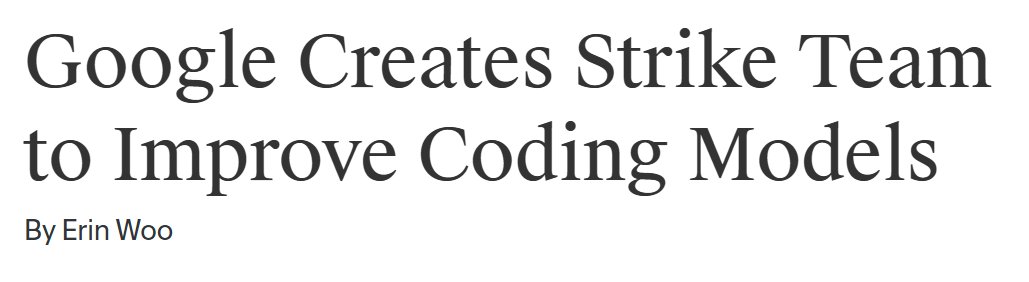
Google created a new DeepMind strike team led by Sergey Brin to improve coding models
They are training it directly on their internal codebase to handle complex long term engineering tasks
If they fix the coding then they will surpass GPT 5.4 and Opus 4.7 in coding for sure
I hope they will announce their new coding model in Google I/O 2026
Google's comeback in coding is going to hit hard
Today, we’re open-sourcing the draft specification for DESIGN.md, so it can be used across any tool or platform. We’re also adding new capabilities.
DESIGN.md lets you easily export and import your design rules from project to project. Instead of guessing intent, agents know exactly what a color is for and can even validate their choices against WCAG accessibility rules.
Watch David East break down this shared visual language in action👇. New capabilities and links in 🧵
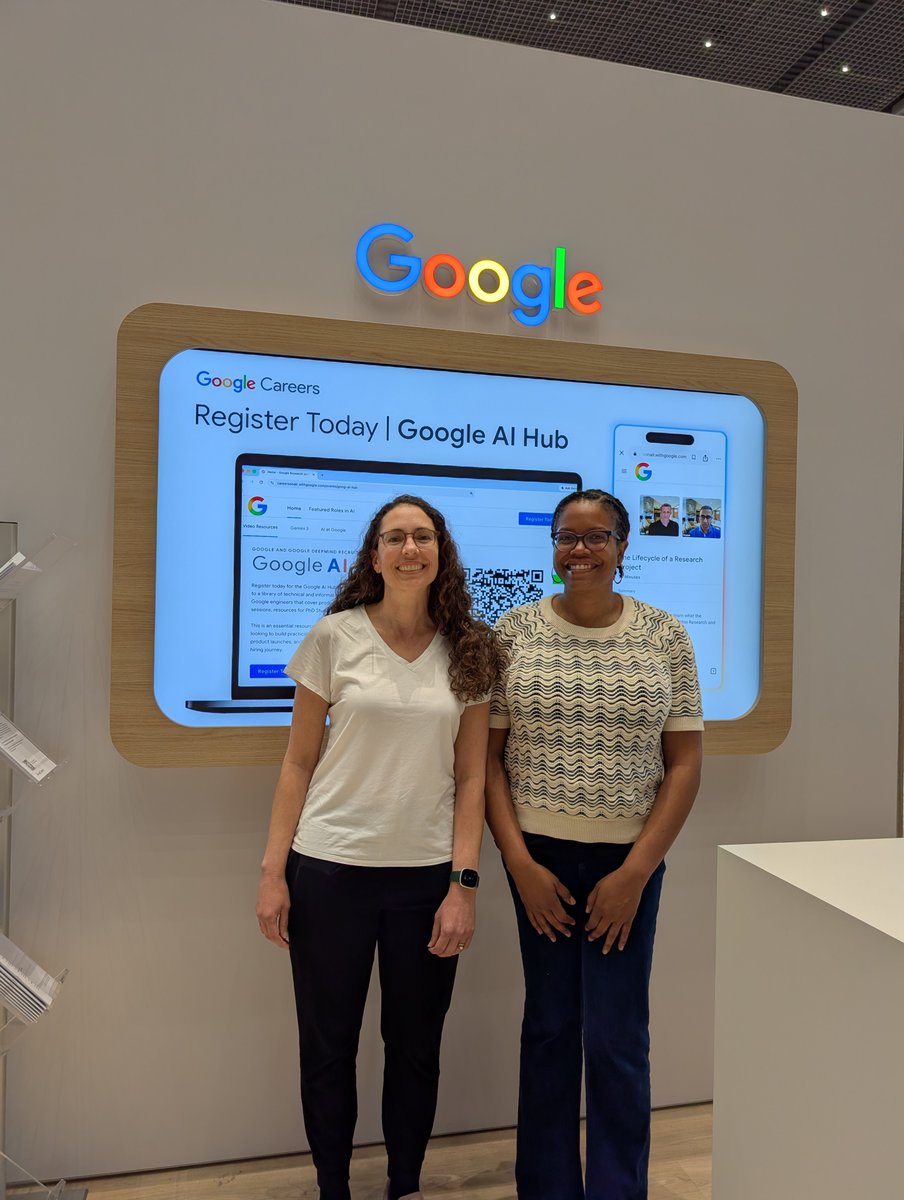
Congratulations to Andrea Parker, Laura Vardoulakis & Christina Harrington on receiving the Best Paper award for 'Promise or Peril? Exploring Black Adults' Perspectives on the Use of Artificial Intelligence in Health Contexts' at #CHI2026!
Built an AI agent with Claude Vision and Gemma 4
Saturday, 22 crore humans + 1 AI Agent watched the CSK vs DC Match.
Yes, I got tired of watching CSK lose and decided to give that job to an AI. So I built an agent that watches IPL the same way you do — sits in front of the TV, reacts to every ball, opens Twitter on its own and posts a raging tweet.
Not a bot. An actual agent. How it works: A phone camera pointed at the TV streams live footage to my laptop. No score APIs. No data feeds. Just a camera watching a screen - exactly like a human.
Claude Vision reads a frame every 15 seconds and understands what it sees - six, wicket, catch, ad, replay. If it's an ad, skip. If it's live cricket, trigger. Gemma 4 26B runs locally on my ASUS ROG Strix - no cloud, no API cost.
It receives the event, decides whether it's worth reacting to, and writes the tweet in the voice of a real unhinged cricket fan. pyautogui moves the actual cursor. Opens Chrome. Types the tweet. Posts it. No Twitter API. Real browser. Real cursor movement.
The captured TV frame becomes the meme background. Real moment, real reaction.
What it said during yesterday's match: "THAT DELIVERY HAD NO BUSINESS DOING THAT. The stumps didn't just evacuate the premises. Bumrah is not a bowler he is a threat to national stability."
"SANJU SAMSON WHAT WAS THAT STUMPING??? That's not keeping that's witchcraft."
Stack: Claude Vision · Gemma 4 (local) · pyautogui · Pillow · Flask · Python
Cost per match: ~$0.50. Build time: 4 days Gemma 4 launched: 2 days before I built this.
Full video and code in comments.
What other tasks can we give to this agent?
Github: https://t.co/YxUPbBhVx8
Tweets: https://t.co/g7SxdH0H8W
3M registered users
9M page views/month.
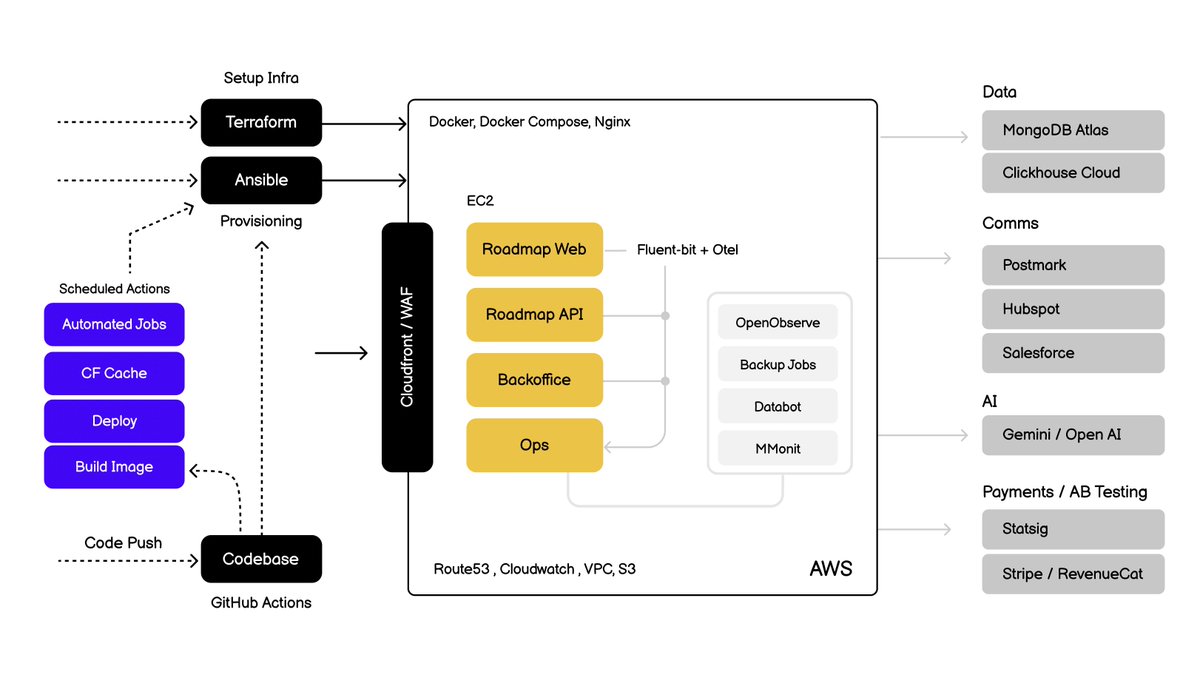
This is the entire stack behind roadmap
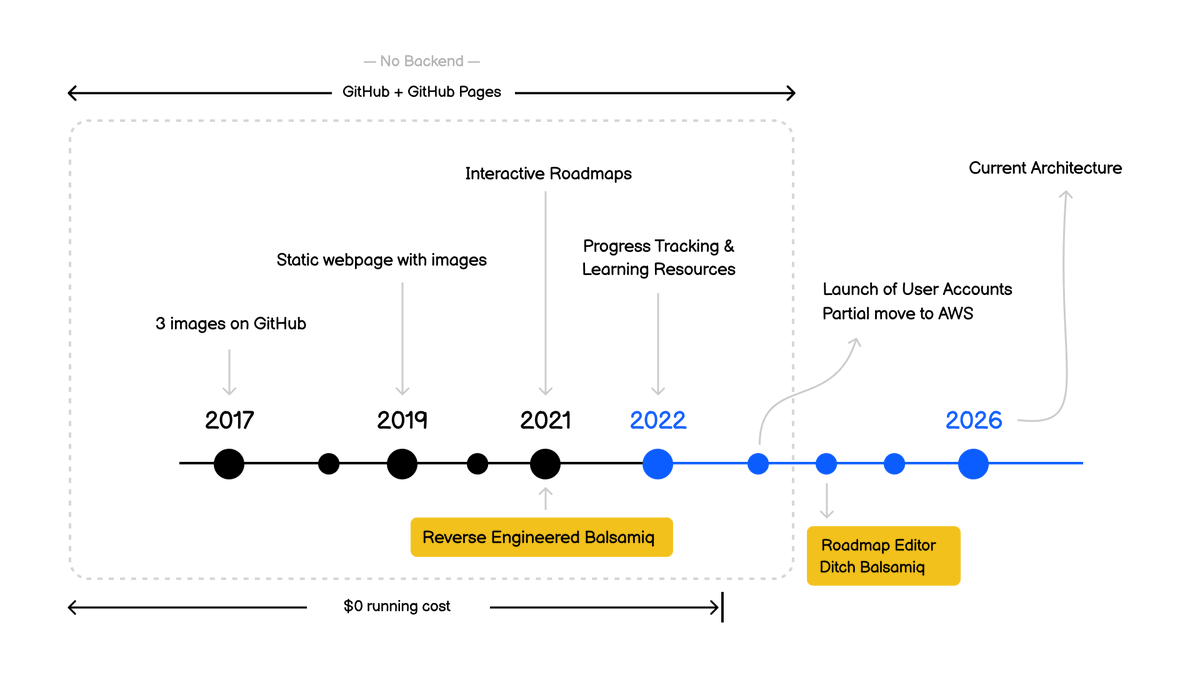
And for the first 7 years, it was all running on GitHub Pages with $0 infra cost.
Today, we’re introducing Skills in @GoogleChrome, a new way to build one-click workflows for your most frequently used AI prompts — like asking for ingredient substitutions to make a recipe vegan, generating side-by-side shopping comparisons across multiple tabs, or scanning long docs to get the info you need quickly.
When you write a prompt that you want to use again, you can save it as a Skill directly from your chat history. The next time you need it, select your saved Skill in Gemini in Chrome by typing forward slash ( / ) or clicking the plus sign ( + ) button, and your Skill will run on the page you’re viewing, along with any other tabs you select.
Project organization is here: Introducing notebooks in Gemini.
You can now keep multiple projects organized and even add past chats and relevant files as sources, so you have a dedicated space to focus on the task at hand.
Select “New notebook” in the side panel to get started.
Meet Fabula: an interactive AI writing tool helping authors structure & refine stories. Co-designed with 42 expert writers, the demo showcases how convergent iteration supports creativity. Catch the demo at the Google booth at 10:30AM! #CHI2026
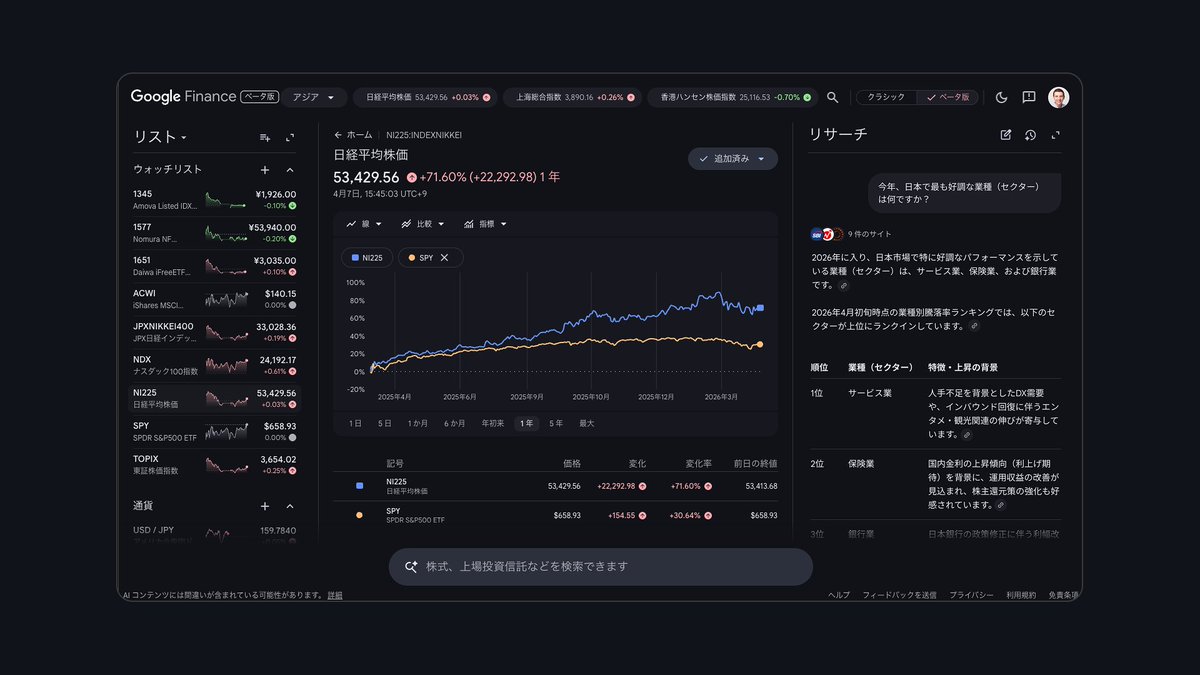
The new AI-powered Google Finance is going global and shipping to 100+ countries… it’s a total reinvention of Google Finance with AI at the core 🚀🚀🚀
+ AI-powered market research
+ Advanced charting
+ Live earnings calls
+ Expanded real-time data
Try it: https://t.co/DUtHFXM0cH
Thanks for following us!
We're excited to see what you all build with Gemma 4!
In case you missed it, you can find all our checkpoints, with an Apache 2.0 License, on Hugging Face:
You asked, we delivered. If you’re a U.S. Google user, you can now change your account username for tools like Gmail, Photos, Drive and more — while keeping your emails, data and account history. Here’s what to know:
1️⃣ You can choose any available @gmail.com username.
2️⃣ Your old username will become an alias, so you won’t lose access to it. You can still sign in and send and receive emails with both usernames. Plus, you can also revert to your old username.
3️⃣ You can choose a new username once a year — up to three times total.
Get Gemini up to speed on what matters most to you with memory import.
Bring an understanding of your key preferences, relationships, and personal context directly into Gemini. Once you import these memories, Gemini will understand the same key facts you’ve shared with other AI apps, like your dietary restrictions, your sibling’s names, or where you grew up and securely save those details for your next chat.
To get started:
1) Head to your Settings in Gemini and select “Import memory to Gemini.”
2) Ask your current AI: Copy our suggested prompt and paste it into your other AI app to generate a summary of your preferences and style.
3) Copy the response: Copy the personalized summary it creates for you.
4) Paste into Gemini: Go back to “Import memory to Gemini,” paste the text, and start a new chat.
Vibe code at the speed of thought with Gemini 3.1 Flash Live. Here’s an example to get you started.
Using the model in @GoogleAIStudio, you can build apps as you talk out loud with a pace that keeps up with your brainstorms. Start creating your own app with voice control today, or remix ours: https://t.co/TYubZborBH