It takes just 18 minutes a day to learn something new in cybersecurity. Practice on TryHackMe, set up a homelab, or read up on threat analysis. Small, consistent actions build big results. Are you putting in the time to grow your skills? 🚀 #Cybersecurity#Consistency
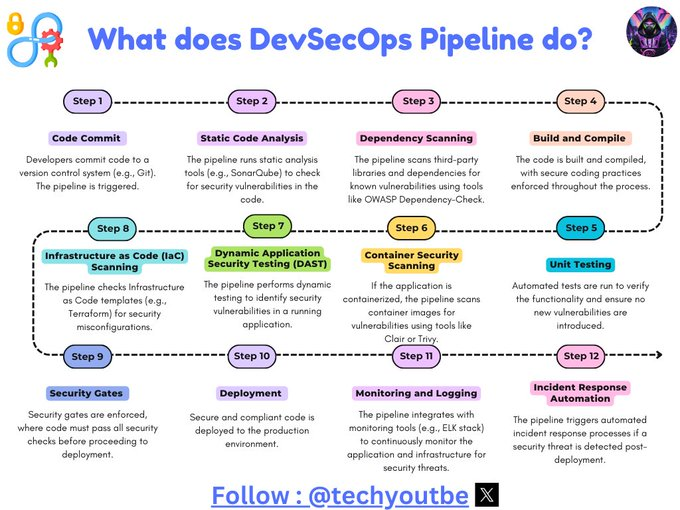
What does DevSecOps Pipeline do?
Step 1: Code Commit - Developers commit code to a version control system (e.g., Git). The pipeline is triggered.
Step 2: Static Code Analysis - The pipeline runs static analysis tools (e.g., SonarQube) to check for security vulnerabilities in the code.
Step 3: Dependency Scanning - The pipeline scans third-party libraries and dependencies for known vulnerabilities using tools like OWASP Dependency-Check.
Step 4: Build and Compile - The code is built and compiled, with secure coding practices enforced throughout the process.
Step 5: Unit Testing - Automated tests are run to verify the functionality and ensure no new vulnerabilities are introduced.
Step 6: Container Security Scanning - If the application is containerized, the pipeline scans container images for vulnerabilities using tools like Clair or Trivy.
Step 7: Dynamic Application Security Testing (DAST) - The pipeline performs dynamic testing to identify security vulnerabilities in a running application.
Step 8: Infrastructure as Code (IaC) Scanning - The pipeline checks Infrastructure as Code templates (e.g., Terraform) for security misconfigurations.
Step 9: Security Gates - Security gates are enforced, where code must pass all security checks before proceeding to deployment.
Step 10: Deployment - Secure and compliant code is deployed to the production environment.
Step 11: Monitoring and Logging - The pipeline integrates with monitoring tools (e.g., ELK stack) to continuously monitor the application and infrastructure for security threats.
Step 12: Incident Response Automation - The pipeline triggers automated incident response processes if a security threat is detected post-deployment.
#DevOps #DevSecOps #techyoutbe