forget the wallet address, just tell me your X handle
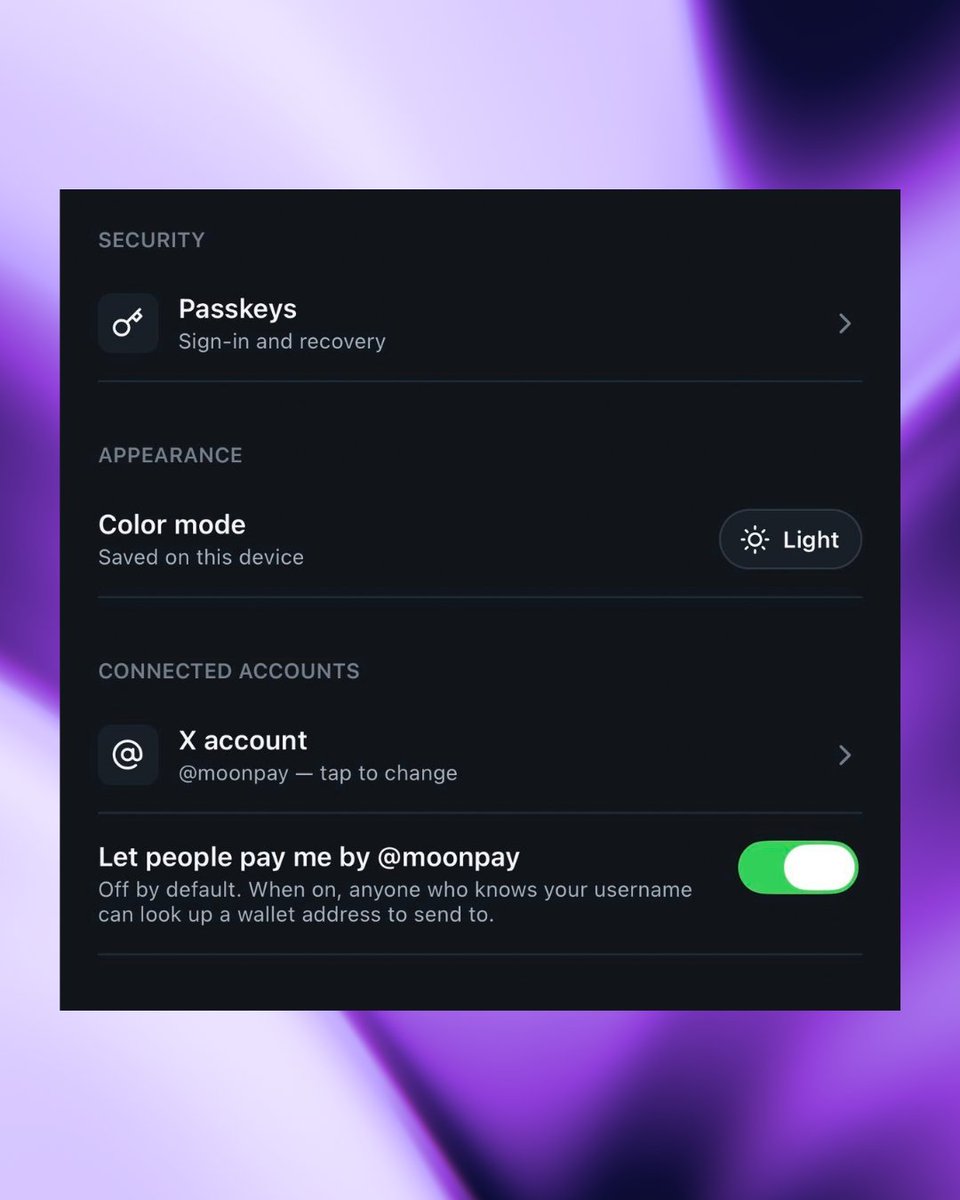
connect your X account today in the PayBox app or by visiting https://t.co/0282ir0wpo
reply to this post once you're connected, because we're sending free SOL to people for the next 7 days
BREAKING: we just gave every @X account a Solana and EVM wallet
1️⃣ download the @PayBox app
2️⃣ connect your X account
3️⃣ that's literally it
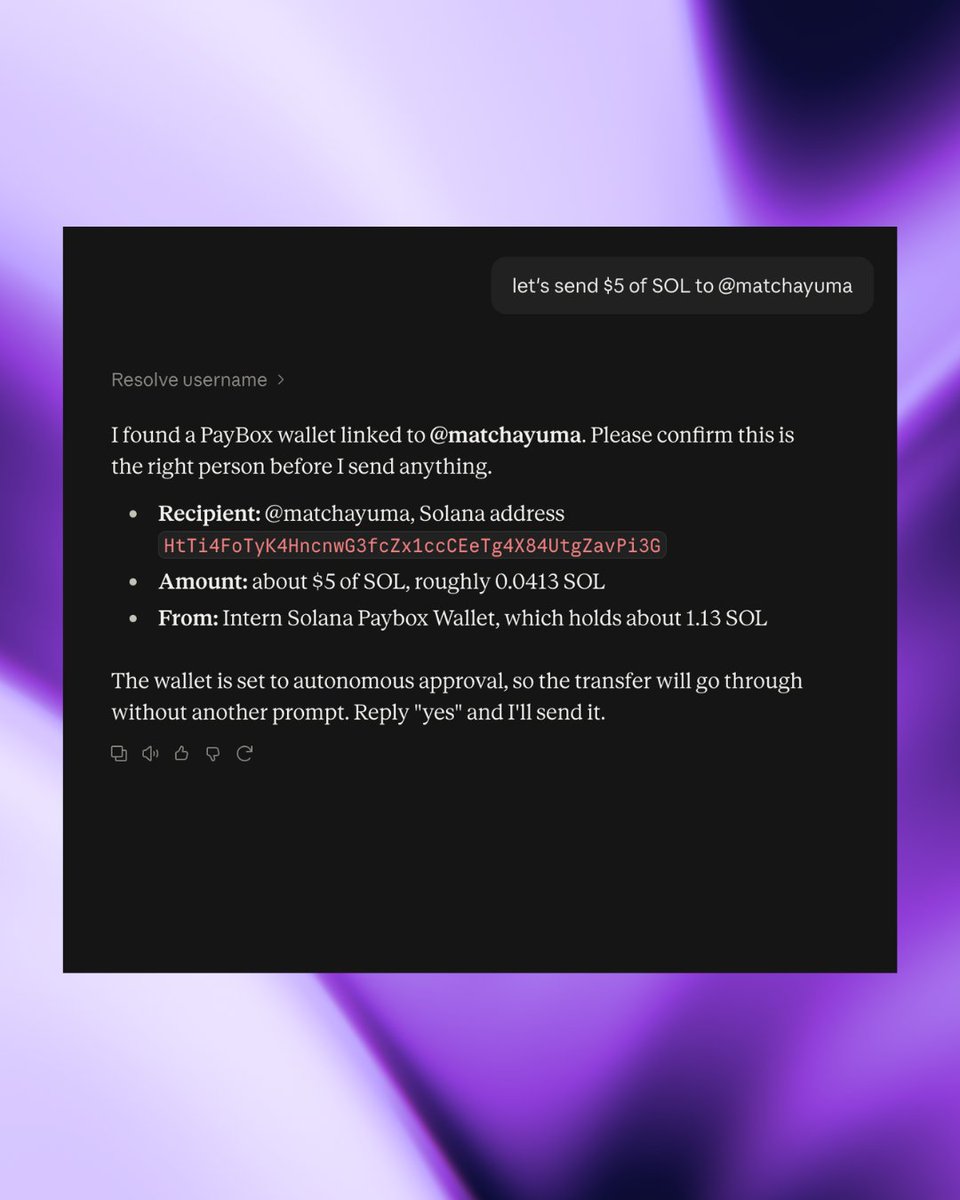
now anyone in the world can send you crypto using your X handle on Claude, ChatGPT, or Grok
prompt it today
PayBox really became my crypto command center
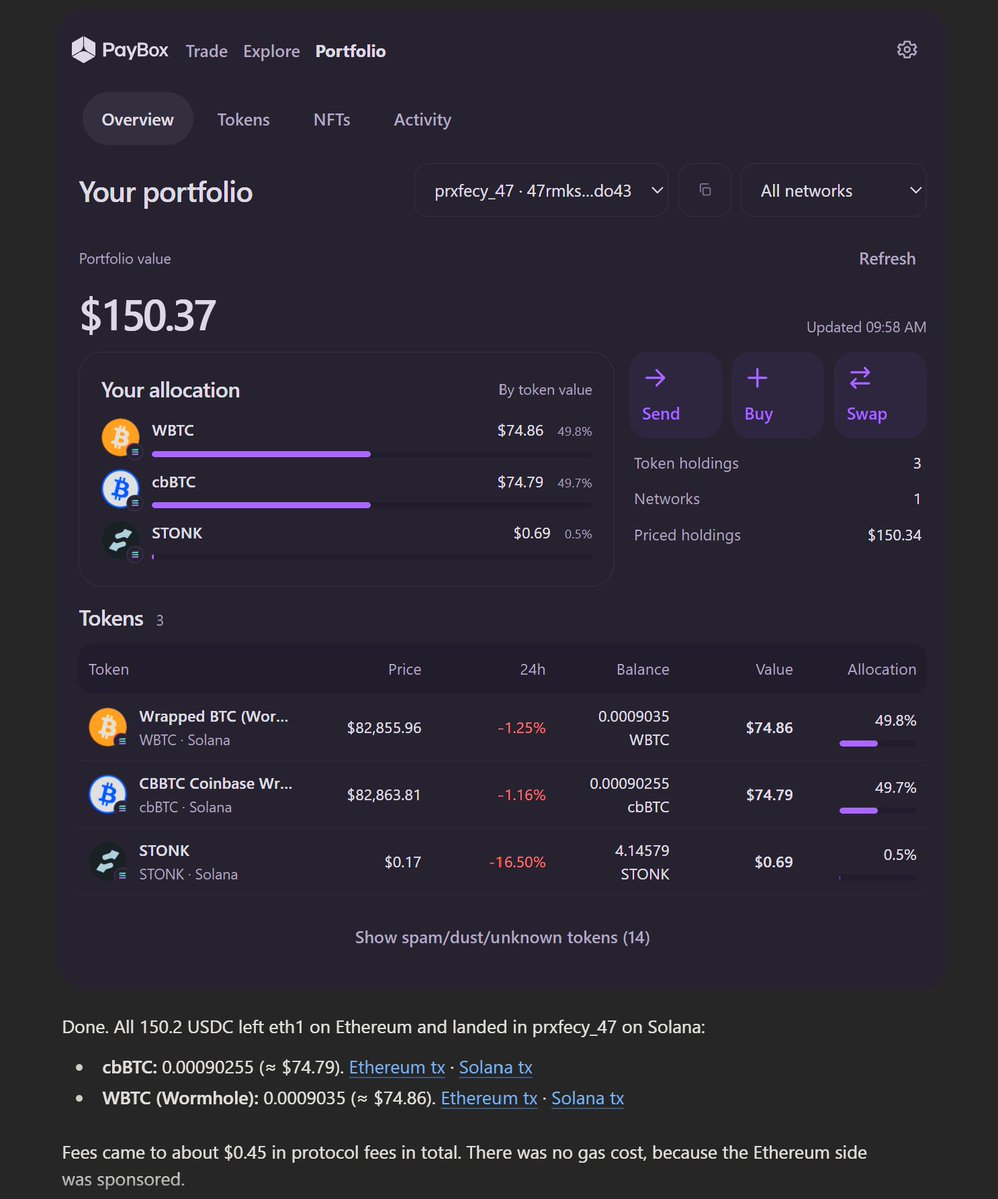
swapped some USDC from my eth mainnet wallet into CBBTC and WBTC (50/50) in one of my solana wallets
and to my surprise the gas was sponsored on eth mainnet, I'm not sure why, but most likely by PayBox
if you still not using it, you're definitely missing out
Opened @PayBox to perform a quick experiment.
Just wanted to see what I’m holding, its dollar value, and which asset makes up the biggest share of my wallet using ChatGPT
One prompt for a clearer portfolio picture ✨
Last item on today’s to-do list: PayBox account set up and connected to Claude
Now anyone in the world can send me crypto via my X handle on Claude, ChatGPT, or Grok
Wallet’s ready. Don’t let anything stop you 💸
maybe you’ve noticed this cute badge by my name
yep… i’m officially a PayBox creator now 🥹
really happy to be part of this and see what we can build together 🖤
i spent hours putting this video together because i wanted to explain what PayBox is building in the simplest way possible.
in this video i break down what paybox is all about.
how it gives ai agents a way to interact with money and onchain finance.
and why this could be important for the ai x crypto narrative.
i didn’t want to make it complicated, i just wanted to explain it in simple words that actually make sense.
so anyone watching can understand what paybox is building and why it matters.
spent a lot of time getting everything right, hope this makes it easier to understand?
This video is for anyone who can’t see the option to enable 𝕏 Payments in the PayBox mobile app.
You can enable it through the PayBox web app instead.
Note:
• The video below shows how to enable the option on the web. This method works on iOS, Android, and PC.
• I was already signed into my PayBox account in the video, so you’ll need to sign in to your account if you’re doing this for the first time. 💜
link: https://t.co/IhKkmrJvPA
maybe you’ve noticed this cute badge by my name
yep… i’m officially a PayBox creator now 🥹
really happy to be part of this and see what we can build together 🖤