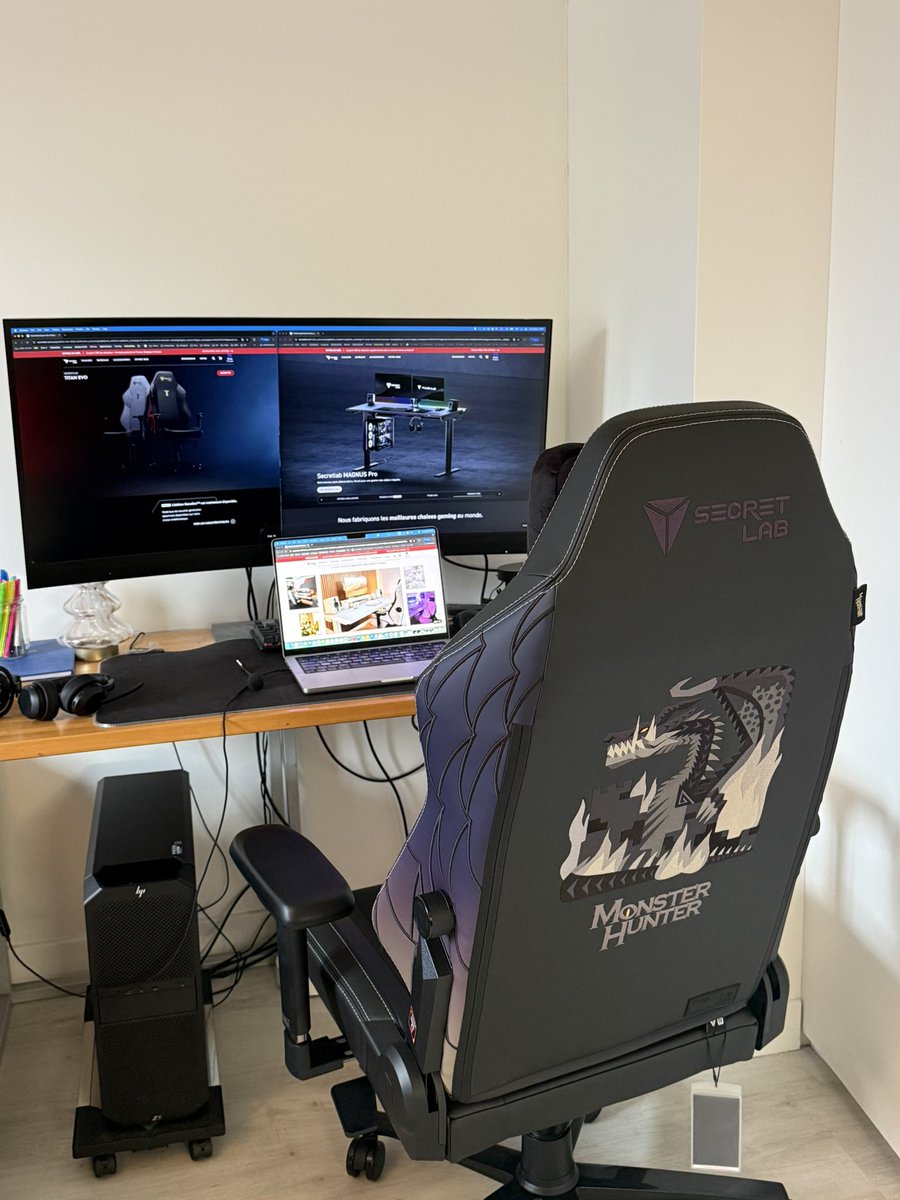
Thank you Jensen and NVIDIA! She’s a real beauty! I was told I’d be getting a secret gift, with a hint that it requires 20 amps. (So I knew it had to be good). She’ll make for a beautiful, spacious home for my Dobby the House Elf claw, among lots of other tinkering, thank you!!
It is hard to communicate how much programming has changed due to AI in the last 2 months: not gradually and over time in the "progress as usual" way, but specifically this last December. There are a number of asterisks but imo coding agents basically didn’t work before December and basically work since - the models have significantly higher quality, long-term coherence and tenacity and they can power through large and long tasks, well past enough that it is extremely disruptive to the default programming workflow.
Just to give an example, over the weekend I was building a local video analysis dashboard for the cameras of my home so I wrote: “Here is the local IP and username/password of my DGX Spark. Log in, set up ssh keys, set up vLLM, download and bench Qwen3-VL, set up a server endpoint to inference videos, a basic web ui dashboard, test everything, set it up with systemd, record memory notes for yourself and write up a markdown report for me”. The agent went off for ~30 minutes, ran into multiple issues, researched solutions online, resolved them one by one, wrote the code, tested it, debugged it, set up the services, and came back with the report and it was just done. I didn’t touch anything. All of this could easily have been a weekend project just 3 months ago but today it’s something you kick off and forget about for 30 minutes.
As a result, programming is becoming unrecognizable. You’re not typing computer code into an editor like the way things were since computers were invented, that era is over. You're spinning up AI agents, giving them tasks *in English* and managing and reviewing their work in parallel. The biggest prize is in figuring out how you can keep ascending the layers of abstraction to set up long-running orchestrator Claws with all of the right tools, memory and instructions that productively manage multiple parallel Code instances for you. The leverage achievable via top tier "agentic engineering" feels very high right now.
It’s not perfect, it needs high-level direction, judgement, taste, oversight, iteration and hints and ideas. It works a lot better in some scenarios than others (e.g. especially for tasks that are well-specified and where you can verify/test functionality). The key is to build intuition to decompose the task just right to hand off the parts that work and help out around the edges. But imo, this is nowhere near "business as usual" time in software.
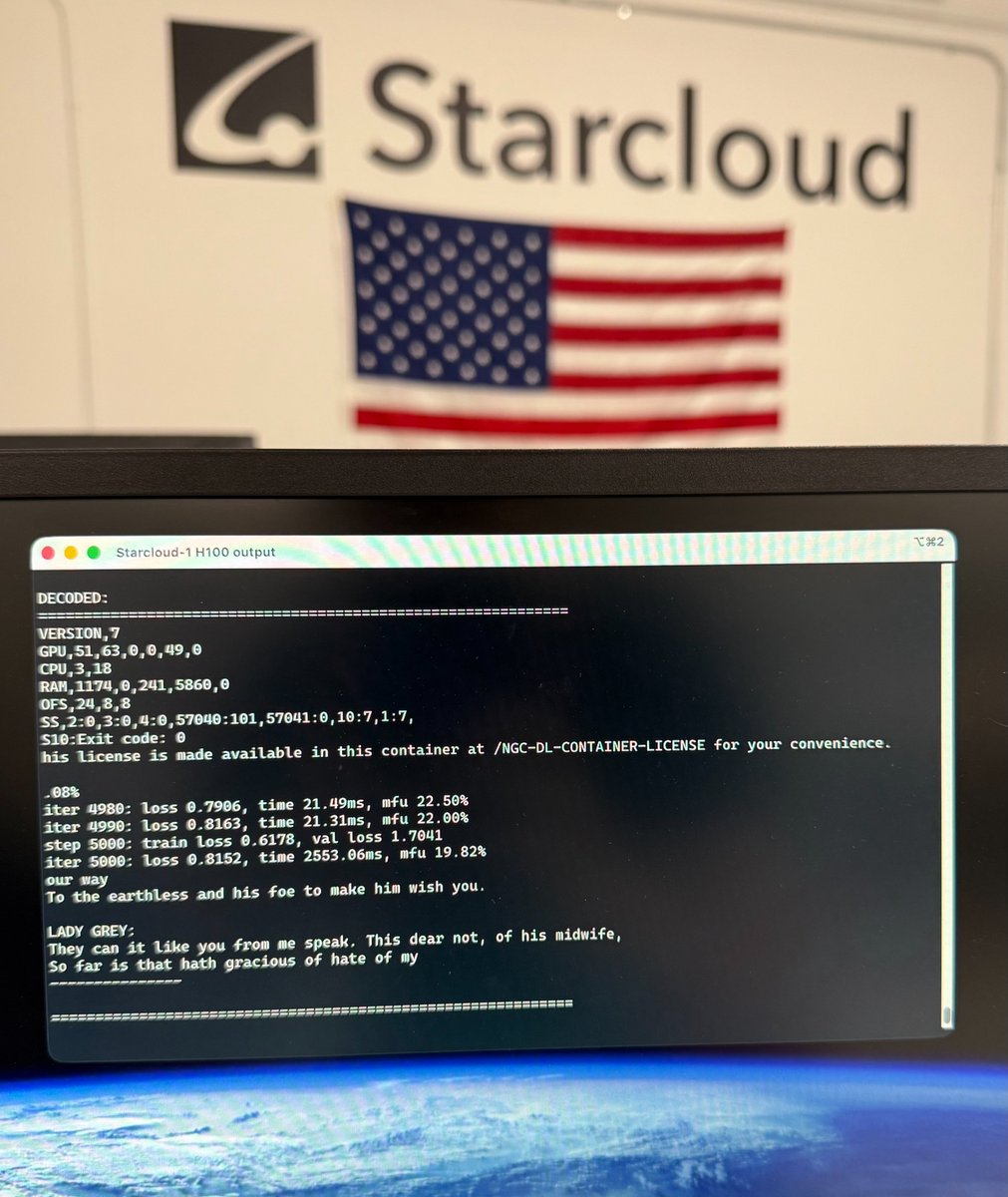
We have just used the @Nvidia H100 onboard Starcloud-1 to train the first LLM in space!
We trained the nano-GPT model from Andrej @Karpathy on the complete works of Shakespeare and successfully ran inference on it.
We have also run inference on a preloaded Gemma model, and we plan to try more exciting models in the future.
Getting the first H100 to work in space required a lot of innovation and hard work from the incredible Starcloud team to make this breakthrough.
This is a significant first step toward moving almost all computing off Earth to reduce the burden on our energy supplies and take advantage of abundant solar energy in space! 🚀
New Anthropic research: Natural emergent misalignment from reward hacking in production RL.
“Reward hacking” is where models learn to cheat on tasks they’re given during training.
Our new study finds that the consequences of reward hacking, if unmitigated, can be very serious.
Transforming human knowledge, sensors and actuators from human-first and human-legible to LLM-first and LLM-legible is a beautiful space with so much potential and so much can be done...
One example I'm obsessed with recently - for every textbook pdf/epub, there is a perfect "LLMification" of it intended not for human but for an LLM (though it is a non-trivial transformation that would need human in the loop involvement).
- All of the exposition is extracted into a markdown document, including all latex, styling (bold/italic), tables, lists, etc. All of the figures are extracted as images.
- All worked problems get extracted into SFT examples. Any referenced made to previous figures/tables/etc. are parsed and included.
- All practice problems are extracted into environment examples for RL. The correct answers are located in the answer key and attached. Any additional information is added as "answer key" for a potential LLM judge.
- Synthetic data expansion. For every specific problem, you can create an infinite problem generator, which emits problems of that type. For example, if a problem is "What is the angle between the hour and minute hands at 9am?" , you can imagine generalizing that to any arbitrary time and calculating answers using Python code, and possibly generating synthetic variations of the prompt text.
- All of the data above could be nicely indexed and embedded into a RAG database for later reference, or maybe MCP servers that make it available.
Then just as a (human) student could take a high school physics course, an LLM could take it in the exact same way. This would be a significantly richer source of legible, workable information for an LLM than just something like pdf-to-text (current prevailing practice), which simply asks the LLM to predict the textbook content top to bottom token by token (umm - lame).
As just a quick and crappy example of synthetic variations of the above example, GPT-5 gave me this problem generator (see image), which can now generalize that problem template to many variations:
- When the time is 11:07 a.m., what is the degree measure of the angle between the hands? (Answer: 68)
- Determine the angle in degrees between the clock’s hands at 4:14 a.m.. (Answer: 43)
- What angle do the clock hands form when the time reads 11:47 a.m.? (Answer: 71)
- At 7:02 a.m., what angle separates the hour hand and the minute hand? (Answer: 161)
- At 4:14 a.m., calculate the angle made between the two hands. (Answer: 43)
- What angle is formed by the hands of a clock at 4:45 p.m.? (Answer: 127)
- What is the angle between the hour and minute hands at 8:37 p.m.? (Answer: 36)
(infinite practice problems can be created...)
Noticing myself adopting a certain rhythm in AI-assisted coding (i.e. code I actually and professionally care about, contrast to vibe code).
1. Stuff everything relevant into context (this can take a while in big projects. If the project is small enough just stuff everything e.g. `files-to-prompt . -e ts -e tsx -e css -e md --cxml --ignore node_modules -o prompt.xml`)
2. Describe the next single, concrete incremental change we're trying to implement. Don't ask for code, ask for a few high-level approaches, pros/cons. There's almost always a few ways to do thing and the LLM's judgement is not always great. Optionally make concrete.
3. Pick one approach, ask for first draft code.
4. Review / learning phase: (Manually...) pull up all the API docs in a side browser of functions I haven't called before or I am less familiar with, ask for explanations, clarifications, changes, wind back and try a different approach.
6. Test.
7. Git commit.
Ask for suggestions on what we could implement next. Repeat.
Something like this feels more along the lines of the inner loop of AI-assisted development. The emphasis is on keeping a very tight leash on this new over-eager junior intern savant with encyclopedic knowledge of software, but who also bullshits you all the time, has an over-abundance of courage and shows little to no taste for good code. And emphasis on being slow, defensive, careful, paranoid, and on always taking the inline learning opportunity, not delegating. Many of these stages are clunky and manual and aren't made explicit or super well supported yet in existing tools. We're still very early and so much can still be done on the UI/UX of AI assisted coding.
I wrote a quick new post on "Digital Hygiene".
Basically there are some no-brainer decisions you can make in your life to dramatically improve the privacy and security of your computing and this post goes over some of them. Blog post link in the reply, but copy pasting below too.
Every now and then I get reminded about the vast fraud apparatus of the internet, re-invigorating my pursuit of basic digital hygiene around privacy/security of day to day computing. The sketchiness starts with major tech companies who are incentivized to build comprehensive profiles of you, to monetize it directly for advertising, or sell it off to professional data broker companies who further enrich, de-anonymize, cross-reference and resell it further. Inevitable and regular data breaches eventually runoff and collect your information into dark web archives, feeding into a whole underground spammer / scammer industry of hacks, phishing, ransomware, credit card fraud, identity theft, etc. This guide is a collection of the most basic digital hygiene tips, starting with the most basic to a bit more niche.
Password manager. Your passwords are your "first factor", i.e. "something you know". Do not be a noob and mint new, unique, hard passwords for every website or service that you sign up with. Combine this with a browser extension to create and Autofill them super fast. For example, I use and like 1Password. This prevents your passwords from 1) being easy to guess or crack, and 2) leaking one single time, and opening doors to many other services. In return, we now have a central location for all your 1st factors (passwords), so we must make sure to secure it thoroughly, which brings us to...
Hardware security key. The most critical services in your life (e.g. Google, or 1Password) must be additionally secured with a "2nd factor", i.e. "something you have". An attacker would have to be in possession of both factors to gain access to these services. The most common 2nd factor implemented by many services is a phone number, the idea being that you get a text message with a pin code to enter in addition to your password. Clearly, this is much better than having no 2nd factor at all, but the use of a phone number is known to be extremely insecure due to the SIM swap attack. Basically, it turns out to be surprisingly easy for an attacker to call your phone company, pretend they are you, and get them to switch your phone number over to a new phone that they control. I know this sounds totally crazy but it is true, and I have many friends who are victims of this attack. Therefore, purchase and set up hardware security keys - the industrial strength protection standard. In particular, I like and use YubiKey. These devices generate and store a private key on the device secure element itself, so the private key is never materialized on a suspiciously general purpose computing device like your laptop. Once you set these up, an attacker will not only need to know your password, but have physical possession of your security key to log in to a service. Your risk of getting pwned has just decreased by about 1000X. Purchase and set up 2-3 keys and store them in different physical locations to prevent lockout should you physically lose one of the keys. The security keys support a few authentication methods. Look for "U2F" in the 2nd factor settings of your service as the strongest protection. E.g. Google and 1Password support it. Fallback on "TOTP" if you have to, and note that your YubiKeys can store TOTP private keys, so you can use the YubiKey Authenticator app to access them easily through NFC by touching your key to the phone to get your pin when logging in. This is significantly better than storing TOTP private keys on other (software) authenticator apps, because again you should not trust general purpose computing devices. It is beyond the scope of this post to go into full detail, but basically I strongly recommend the use of 2-3 YubiKeys to dramatically strengthen your digital security.
Biometrics. Biometrics are the third common authentication factor ("something you are"). E.g. if you're on iOS I recommend setting up FaceID basically everywhere, e.g. to access the 1Password app and such.
Security questions. Dinosaur businesses are obsessed with the idea of security questions like "what is your mother's maidan name?", and force you to set them up from time to time. Clearly, these are in the category of "something you know" so they are basically passwords, but conveniently for scammers, they are easy to research out on the open internet and you should refuse any prompts to participate in this ridiculous "security" exercise. Instead, treat security questions like passwords, generate random answers to random questions, and store them in your 1Password along with your passwords.
Disk encryption. Always ensure that your computers use disk encryption. For example, on Macs this total no-brainer feature is called "File Vault". This feature ensures that if your computer gets stolen, an attacker won't be able to get the hard disk and go to town on all your data.
Internet of Things. More like @internetofshit. Whenever possible, avoid "smart" devices, which are essentially incredibly insecure, internet-connected computers that gather tons of data, get hacked all the time, and that people willingly place into their homes. These things have microphones, and they routinely send data back to the mothership for analytics and to "improve customer experience" lol ok. As an example, in my younger and naive years I once purchased a CO2 monitor from China that demanded to know everything about me and my precise physical location before it would tell me the amount of CO2 in my room. These devices are a huge and very common attack surface on your privacy and security and should be avoided.
Messaging. I recommend Signal instead of text messages because it end-to-end encrypts all your communications. In addition, it does not store metadata like many other apps do (e.g. iMessage, WhatsApp). Turn on disappearing messages (e.g. 90 days default is good). In my experience they are an information vulnerability with no significant upside.
Browser. I recommend Brave browser, which is a privacy-first browser based on Chromium. That means that basically all Chrome extensions work out of the box and the browser feels like Chrome, but without Google having front row seats to your entire digital life.
Search engine. I recommend Brave search, which you can set up as your default in the browser settings. Brave Search is a privacy-first search engine with its own index, unlike e.g. Duck Duck Go which basically a nice skin for Bing, and is forced into weird partnerships with Microsoft that compromise user privacy. As with all services on this list, I pay $3/mo for Brave Premium because I prefer to be the customer, not the product in my digital life. I find that empirically, about 95% of my search engine queries are super simple website lookups, with the search engine basically acting as a tiny DNS. And if you're not finding what you're looking for, fallback to Google by just prepending "!g" to your search query, which will redirect it to Google.
Credit cards. Mint new, unique credit cards per merchant. There is no need to use one credit card on many services. This allows them to "link up" your purchasing across different services, and additionally it opens you up to credit card fraud because the services might leak your credit card number. I like and use privacy dot com to mint new credit cards for every single transaction or merchant. You get a nice interface for all your spending and notifications for each swipe. You can also set limits on each credit card (e.g. $50/month etc.), which dramatically decreases the risk of being charged more than you expect. Additionally, with a privacy dot com card you get to enter totally random information for your name and address when filling out billing information. This is huge, because there is simply no need and totally crazy that random internet merchants should be given your physical address. Which brings me to...
Address. There is no need to give out your physical address to the majority of random services and merchants on the internet. Use a virtual mail service. I currently use Earth Class Mail but tbh I'm a bit embarrassed by that and I'm looking to switch to Virtual Post Mail due to its much strong commitments to privacy, security, and its ownership structure and reputation. In any case, you get an address you can give out, they receive your mail, they scan it and digitize it, they have an app for you to quickly see it, and you can decide what to do with it (e.g. shred, forward, etc.). Not only do you gain security and privacy but also quite a bit of convenience.
Email. I still use gmail just due to sheer convenience, but I've started to partially use Proton Mail as well. And while we're on email, a few more thoughts. Never click on any link inside any email you receive. Email addresses are extremely easy to spoof and you can never be guaranteed that the email you got is a phishing email from a scammer. Instead, I manually navigate to any service of interest and log in from there. In addition, disable image loading by default in your email's settings. If you get an email that requires you to see images, you can click on "show images" to see them and it's not a big deal at all. This is important because many services use embedded images to track you - they hide information inside the image URL you get, so when your email client loads the image, they can see that you opened the email. There's just no need for that. Additionally, confusing images are one way scammers hide information to avoid being filtered by email servers as scam / spam.
VPN. If you wish to hide your IP/location to services, you can do so via VPN indirection. I recommend Mullvad VPN. I keep VPN off by default, but enable it selectively when I'm dealing with services I trust less and want more protection from.
DNS-based blocker. You can block ads by blocking entire domains at the DNS level. I like and use NextDNS, which blocks all kinds of ads and trackers. For more advanced users who like to tinker, pi-hole is the physical alternative.
Network monitor. I like and use The Little Snitch, which I have installed and running on my MacBook. This lets you see which apps are communicating, how much data and when, so you can keep track of what apps on your computer "call home" and how often. Any app that communicates too much is sus, and should potentially be uninstalled if you don't expect the traffic.
I just want to live a secure digital life and establish harmonious relationships with products and services that leak only the necessary information. And I wish to pay for the software I use so that incentives are aligned and so that I am the customer. This is not trivial, but it is possible to approach with some determination and discipline.
Finally, what's not on the list. I mostly still use Gmail + Gsuite because it's just too convenient and pervasive. I also use 𝕏 instead of something exotic (e.g. Mastodon), trading off sovereignty for convenience. I don't use a VoIP burner phone service (e.g. MySudo) but I am interested in it. I don't really mint new/unique email addresses but I want to. The journey continues. Let me know if there are other digital hygiene tips and tricks that should be on this list.
Link to blog post version in the reply, on my brand new Bear ʕ•ᴥ•ʔ blog cute 👇
This is interesting as a first large diffusion-based LLM.
Most of the LLMs you've been seeing are ~clones as far as the core modeling approach goes. They're all trained "autoregressively", i.e. predicting tokens from left to right. Diffusion is different - it doesn't go left to right, but all at once. You start with noise and gradually denoise into a token stream.
Most of the image / video generation AI tools actually work this way and use Diffusion, not Autoregression. It's only text (and sometimes audio!) that have resisted. So it's been a bit of a mystery to me and many others why, for some reason, text prefers Autoregression, but images/videos prefer Diffusion. This turns out to be a fairly deep rabbit hole that has to do with the distribution of information and noise and our own perception of them, in these domains. If you look close enough, a lot of interesting connections emerge between the two as well.
All that to say that this model has the potential to be different, and possibly showcase new, unique psychology, or new strengths and weaknesses. I encourage people to try it out!
AI made in 🇪🇺
OpenEuroLLM, the first family of open source Large Language Models covering all EU languages, has earned the first STEP Seal for its excellence.
It brings together EU startups, research labs and supercomputing hosts to train AI on European supercomputers ↓
Jensen, at the CES 2025 stage with 14 humanoid robots standing in the background, announced NVIDIA Isaac GR00T Blueprint.
It's a simulation workflow for synthetic motion generation, enabling developers to create large datasets for training humanoids using imitation learning.
A reminder that 10+ nocode functions are freely available to analysts, journalists, students ⏬
• topic and sentiment detection
• semantic network generation
• @Gephi and VOSviewer functions
All in a web app:
https://t.co/kpY5m60Xvy
Four functions for routine or path breaking operations in text mining:
• sentiment analysis
• organic voice vs corporate speak
• co-occurrence networks
• topic modelling
The website has a better design, have a look!
https://t.co/kpY5m60Xvy