Last night and for our final lesson, I decided to create a Kahoot quiz for my Grandma to wrap up everything we learned these past 9 weeks. She ended with a score of 18/20 and was so happy. She also told me she enjoyed our time learning together. #letsteachadults@YEPeducation
@YEPLovepreet@YEPeducation This will be super helpful for your Mom and will be great for organizing her future upcoming classes too. It could also be better option to use rather than using paper lists to organize everything. Good job!! :)
@MyCommunityExp1 @YEPeducation Your grandmother came up with a great question using Q-Matrix!! It’s nice to know that she enjoys and looks forward to her lessons and exercises with you every week :)
@megsgogs@YEPeducation That’s some great progress so far! It’s great to start off with the easier but useful aspects that she would use more on a daily basis.
@PatrickLipski3@YEPeducation Aww that was sweet of your Mom to send a thank you back to her boss!! This would be good to know just in case she would ever need to send flowers again to someone virtually in the future. Glad she was also able to use her skills she already learned for this new lesson as well.
Today was our first major snowfall so I decided to base my lesson around that. I taught my Grandma how to download and navigate the Weather Network App. We also made hot chocolate to go along with the lesson & snowy weather as well. #firstsnowfall#letsteachadults@YEPeducation
@celnov25@YEPeducation This is a very useful device to have especially if she is a teacher or teaches others. I liked the question she came up with for the device using the Q-Matrix chart. Was it easy for her to figure out how to connect it afterwards?
Since last week’s lesson with my Grandma was a little heavier, this week I decided to teach my Grandma how to video call and text my Dad. She especially loved using voice text to help her with typing because her English is not the greatest. #LetsTeachAdults@YEPeducation
@YEP_tstart@YEPeducation After she called my Dad I also made my Dad recall her back so that I can also teach her how to answer and respond to calls. Great question!
@ClaireB01544827@YEPeducation Yes she did, she wanted to continue asking more questions when the activity was finished so I let her choose whatever she wanted to ask about from the chart rather than the slips of paper instead.
This week, I introduced my Grandma to the Q-Matrix Chart. I had her pick out 8 prompts from an envelope and told her to come up with questions that she still may have about iPads. She enjoyed using the chart and said it challenged her thinking. #letsteachadults@YEPeducation
@julialucasxx @YEPeducation Great job with your use of the Q-Matrix chart in your lesson this week. I liked that your Grandma enjoyed using it and wants to continue using it in your further lessons to come.
This week, I noticed a new IOS update came out for all Apple devices. I decided to teach my Grandma how to update along with it’s importance to allow the iPad to keep functioning properly. I also taught her about App updating with this as well. @YEPeducation#letsteachadults
This week, I taught my Grandma what you can do with an iPad without Wi-Fi along with the idea of downloading shows, movies and music. I also included a new and exciting discovery...BLUETOOTH EARBUDS!! Enjoy her cute and funny little reaction below #letsteachadults@YEPeducation
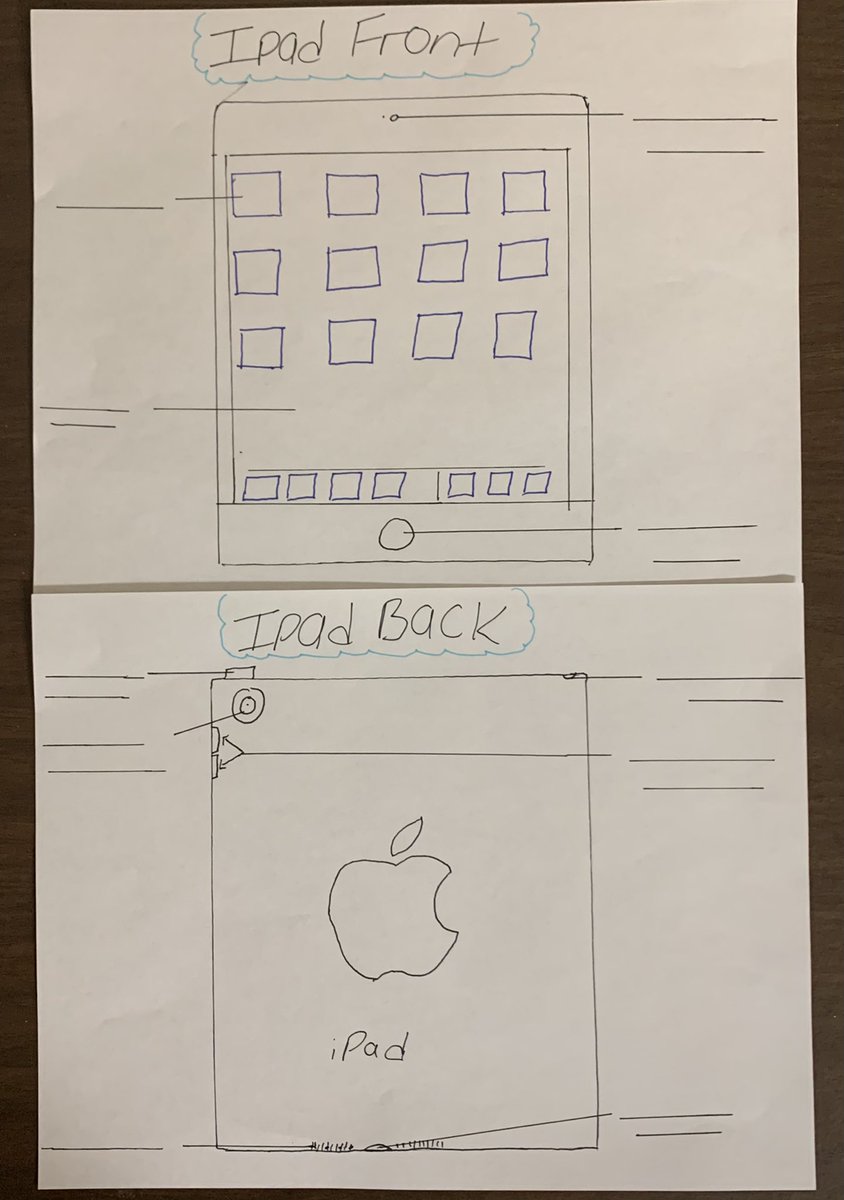
This week, I showed my Grandma some iPad basics including the buttons that are used along with different ways of touching the touch screen (lightly pressing, swiping & zooming in/out). I also had her label a diagram so that she was able to remember. #letsteachadults@YEPeducation
This fall, I will be teaching my Grandma some skills specifically involving an iPad. She has not had any previous experience with our more modern technology so I thought it would be a fun challenge to try to teach her a thing or two about it. #letsteachadults@YEPeducation