Also tried running this genie 3 creation through a classical photogrammetry pipeline to extract a textured 3d mesh that you can import into any 3d tool.
The radiance field obviously degrades more gracefully than the mesh, but it's still pretty useable!
Damn it worked! Genie 3 world --> inpaint UI --> 4x topaz AI upscale --> train 3d gaussian splat
You can step inside a painting of Socrates from 1787. Better than any image-to-3d model I've seen.
I think Google has stumbled upon the killer app for VR -- the literal holodeck.
We released COLMAP v3.12, which adds long-awaited end-to-end support for multi-camera rigs and 360° panoramas 👀 COLMAP just got better at handling your robotics, AR/VR, or 360 data - try it and let us know! https://t.co/3SOdNhKBAI Kudos to Johannes & team for this great work 🚀
I'm very excited about this work from our climate research team in @GoogleAI. Contrails turn out to be surprisingly large contributors to global warming, & in a partnership w/@AmericanAir+@Breakthrough we showed they can be avoided w/low cost! (cont)
https://t.co/XNjIEvNz6x
Since we announced our partnership with @GMapsPlatform on Photorealistic #3DTiles, we've been inspired by the creativity of the developer community!
What will you build with Google Photorealistic 3D Tiles and Cesium?
Get started: https://t.co/bgndoDMlav
You liked SuperGlue? You'll love ⚡️LightGlue⚡️, our new deep network for light-speed image matching!
➡️Faster, stronger, easier to train than SuperGlue
➡️Code: https://t.co/SLLvKOwbEo
➡️Paper: https://t.co/8b38JCoFdg
Fantastic work by @PhilippCSE for #ICCV2023, with @mapo1
1/
This is wild:
DraGAN: Interactive point-based manipulation of images using AI.
This gives you controllability of the pose, shape, expression, and layout of the objects in your images.
A nice blog post covering ideas and techniques above and beyond “vanilla” transformers: The Transformer Family Version 2.0 | Lil'Log https://t.co/Sg4Ahc3mbT
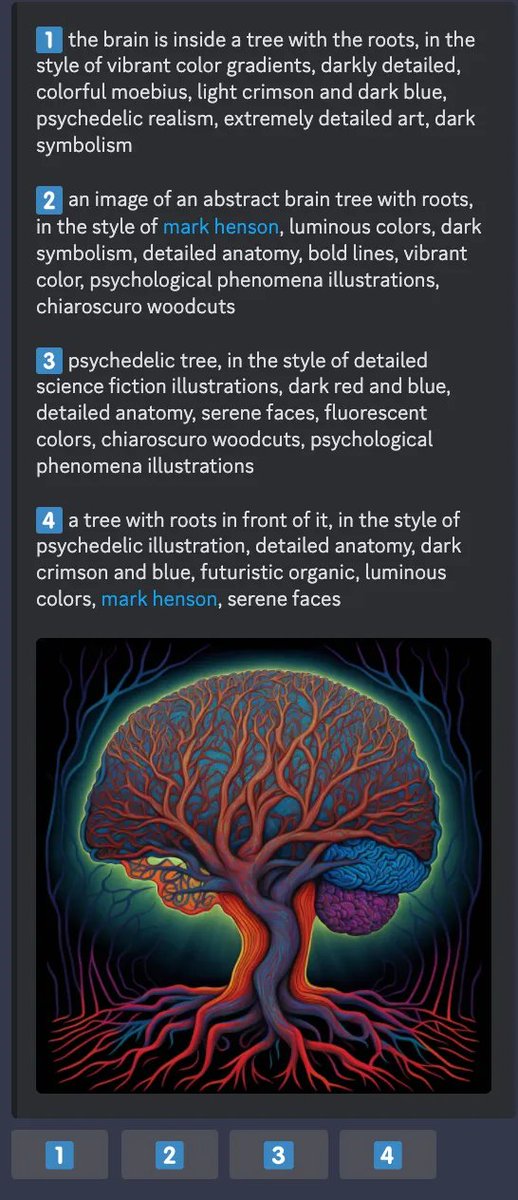
You think MidJourney's /describe is just a cool new tool? Think again. I believe hidden behind /describe is MidJourney's next-generation data flywheel.
/describe guesses the prompt from an image you upload. Then you can select from (or edit) 4 choices to generate more images. This provides a brilliant community-drive data engine:
1. You typically upload images that are interesting and useful. They may not be in the training set. So you contribute a nice jpg!
2. You select from 4 choices - that provides a reward signal for the captioning model. Reinforcement learning from human feedback ("RLHF") hard at work.
3. If you edit the prompt and preserve the meaning, that's instruction finetuning. You provide a human-written "groundtruth" description.
4. If you edit the prompt and change the meaning, that helps MJ's future "edit recommendation" engine, if there will be one. (3) vs (4) can be classified by an LLM.
5. Your (prompt, image) pair will be saved to MJ's database to train BOTH diffusion and captioning models. Rinse and repeat.
TL;DR: you are happily doing high-quality data annotation for free.
@arthurschiller_@GoogleARVR @getscavengar Right now these convenience functions aren't exposed; but the SDK provides the necessary transformations so that you can implement this yourself: take the ecef_t_session transform you obtain from the Earth object and combine this with the point in the session frame.
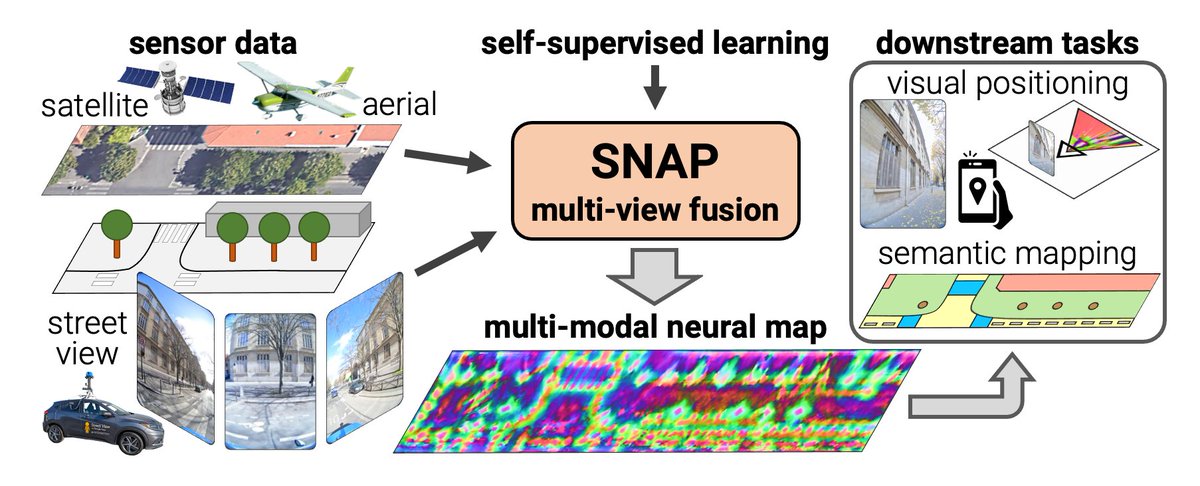
The ARCore Geospatial API is based on the Visual Positioning Service built by our team in Zurich and Tel Aviv and was featured at the opening of the I/O Developer Keynote: https://t.co/ZjHWupyvxs
Excited to announce the launch of the ARCore Geospatial API in ARCore for 1.2B Android and iOS devices. The new API leverages data from Google Earth 3D models and Street View imagery from Google Maps to enable users’ apps for immersive, global-scale augmented reality experiences.
In collaboration with @UVIC, @studyatctu, and @EPFL, we are releasing an open-source benchmark for evaluation of 3D image reconstruction methods. Check it out and grab the code at https://t.co/e911CJpNi7