JEV + Claude Opus 5.5 + GPT Dots in one closed loop, live on a single screen. make $2,000 per week
the courier lives on a web. every road it uses, it has to build. every road it stops using rots away.
that turned out to be the most honest picture of an agent stack i’ve drawn.
here’s the breakdown:
1. the brain: JEV, a 64-slice scan stack spinning inside a fixed scanner ring. small tasks get a quick pass. a big plan makes the whole stack pull apart like an accordion before it commits. → lesson: planning depth should scale with the task. most tasks don’t deserve the full think.
2. the web: Opus 5.5 only moves on silk. when it needs a route that doesn’t exist, it shoots a new thread. threads nobody uses for 30 seconds fade and disappear. → lesson: build integrations on demand, and let dead ones die. your stack is probably carrying threads nobody has walked in months.
3. the cocoon: every task gets wrapped before it’s carried. the worker unwraps it at the bench, and the result comes back wrapped too. → lesson: package the context once, at the handoff. a worker that has to go fetching its own context is a worker that’s not working.
4. the snap: sometimes a thread breaks under the spider. it drops on a dragline, swings, and spins a new route. nothing restarts. → lesson: most failures are routing problems, not model problems. give the courier a fallback line before you blame the worker.
5. the Dots agents: Echo, Sprout, Pocket, Stella, one in each corner. each has a conveyor (in → work → out), and finished results sit at “out” until the spider comes by. → lesson: don’t make workers wait on the courier. decouple the handoff.
6. you: a Petri net across the top shows every task’s state as a moving dot, and a RadViz panel flags any task that went to the wrong worker. → lesson: if you can’t see a misroute, you’re paying for it.
the shape: 1 planner → 1 courier on a living web → 4 workers → 1 screen.
i’m breaking down one AI stack like this every week.
if your team’s integration map still has threads nobody has walked in a year, show this to whoever maintains it.
how many of the routes in your stack would survive a 30-second decay rule?
Opus 5.5 + Jev = crack.
This is quite literally the most powerful AI trading bot setup you could run.
My new high-frequency Opus 5.5 + Jev trading bot (full guide):
Claude Sonnet 5.5 is Incredibly efficient for web deisgn.
Built a North Face concept site with live rain physics, a 3D jacket that gets wet as it pours, and a full checkout flow.
Demos and tutorial below 👇
I COOKED PASTA, SLEPT 8 HOURS AND HIT THE GYM WHILE JEV + SIX GROK BOTS MADE 42% ON ONE F*CKING COIN, MY $1,000 IS NOW $44,198.24
$1,000 → $3,833.92 → $9,118.21 → $12,539.36 → $20,974.63 → $31,042.45 → $44,198.24
the last shift added +$13,155.79, biggest day of the run
six days in and i still have not opened the chart once
Jev went through 86 coins and picked one that was born the day before
it launched at $49K. when my bots sat down it was already at $2.06M
i would have called that too late and gone to bed
my day vs theirs
→ 19:10 i was boiling pasta. they bought at $2.06M
→ 20:55 i was scrubbing the pot. they sold at $4.38M, +$5,934.97
→ 22:35 brushing my teeth. one bot bought a bounce at $4.28M, another dumped it at $3.42M, -$437.28
→ 04:25 asleep. they bought $2.95M, sold $4.26M at 05:55, +$2,739.91
→ 09:55 gym. they caught the low of the day at $1.87M
→ 12:10 lunch. they sold at $3.12M, +$4,455.57
→ 14:30 work call. last trade, $1.93M to $2.07M, +$534.20
→ the 6% they never take out of the coin, -$71.58
anyone who bought at the start and held is down 3.84%
same chart, my bots made 42.38%
that $4.28M bounce buy is the exact trade i made for 3 years. this time a bot sold it an hour later
the pasta was the hardest part of my day lol
half my feed is reading the Jev founder's PDF this week. this is that setup on real money
how i wired mine is in the article below ↓ free
bookmark it for the week you want your sleep back
be honest, how many hours did you stare at charts this week?
19 year old Japanese student built a trading bot with Claude Code in 2 days.
Used his iPad as a second monitor.
First night: $6,732 profit.
Starting capital: $68.
Total profit so far: $750,000.
[ 𝐍𝐨𝐭𝐞: 𝐅𝐨𝐥𝐥𝐨𝐰 𝐌𝐞 @sauda_coder 𝐅𝐨𝐫 𝐢𝐧𝐬𝐭𝐚𝐧𝐭𝐥𝐲 𝐚𝐮𝐭𝐨 𝐃𝐌]
Here's how it works👇
The bot scans over 50 markets simultaneously.
Syncs live BTC data from Binance every second.
Spots price errors before humans even notice.
The edge is pure speed + pattern recognition.
While traders stare at charts trying to predict the next move, his bot is already executing on mispricing across dozens of markets.
No guessing.
No emotions.
No hesitation.
Just Claude Code logic finding gaps that close in seconds.
He built the entire system in 48 hours:
— Claude Code handles the trading logic
— Binance API feeds real-time BTC data
— iPad displays multi-market monitoring
— Executes trades when arbitrage windows open
The system runs 24/7.
Every price dislocation = profit opportunity.
Most people are still trading manually, refreshing charts, second-guessing entries.
Meanwhile this 19 year old engineering student turned $68 into $750K by letting Claude Code do what humans can't: process 50 markets instantly and execute without fear.
Why are people still trading manually?
I'm giving away the exact Claude Code setup for free.
24 hours only.
To get it:
1️⃣ Comment " Setup "
2️⃣ Like and Repost
3️⃣ Follow @sauda_coder (so I can send it via DM)
I'll DM you the complete setup.
Opus 5.5 is f*cking insane for AI UGC
send this single prompt to Opus 5.5 and it turns into a full AI UGC ad director
or grab the free skill and it runs the whole thing
locked creator, hooks, shot list, video prompts for every shot
full AI UGC ads made in minutes. Skill below↓
20 UI resources every design engineer should have bookmarked.
Save this 🔖
1. Scrolltide (https://t.co/RlChWqggj8) - 300+ animated components and full site prompts, and every single one ships with the complete build prompt behind it. Spiral sliders, morph cards, 3D scenes, scroll-driven sections.
- Copy the prompt, paste it into Claude or Cursor, get the component live.
-Personal and client use, full source included, new drops weekly.
2. shadcn/ui (https://t.co/vUKwdPK1IN) — the gold standard for copy-paste React
3. Aceternity UI (https://t.co/nxASYyVHLH) — 200+ animated React/Tailwind
4. Magic UI (https://t.co/E2oLbxcBP3) — drop-in animated components
5. Motion Primitives (https://t.co/MIhQHgyUPK) — advanced UI interactions
6. Uiverse (https://t.co/9G9JFLtNIg) — thousands of open-source elements
7. https://t.co/p6pXo8hFRn — component registry that plugs into agents via MCP
8. UIAble (https://t.co/E5NS5sigjw) — expands the shadcn ecosystem
9. mapcn (https://t.co/AckvMvEKdL) — map components for React
10. MicroKit UI (https://t.co/iFJCleZZpJ) — micro-interactions for buttons and inputs
11. Liquid Glass (https://t.co/cP8YFdb7cr) — glass refraction components
12. Kinetics (https://t.co/NvM0Wbm3rN) — 150+ motion effects with code
13. Theatre.js (https://t.co/G41plIs0iY) — expressive web animation
14. Anime.js (https://t.co/knFchyx5GQ) — lightweight DOM animation
15. Spline (https://t.co/pk3zS9R4Rp) — 3D in the browser, exports to React
16. Unicorn Studio (https://t.co/Aa72CXKAyf) — interactive web effects
17. Component Gallery (https://t.co/ZNFmqbqGsp) — 2,600+ examples of the same element solved
18. Navbar Gallery (https://t.co/75zV2ioDNu) — hundreds of navigations
19. CSS Text Effects (https://t.co/yHgo53Ydgw)
20. 3Dicons (https://t.co/BfrrSJOQVY) — open-source 3D icons
stop wondering how apps are scaling to 100k mrr
the answer is simply AI UGC
if you want to learn how we make ai ugc videos like this
bookmark the article below
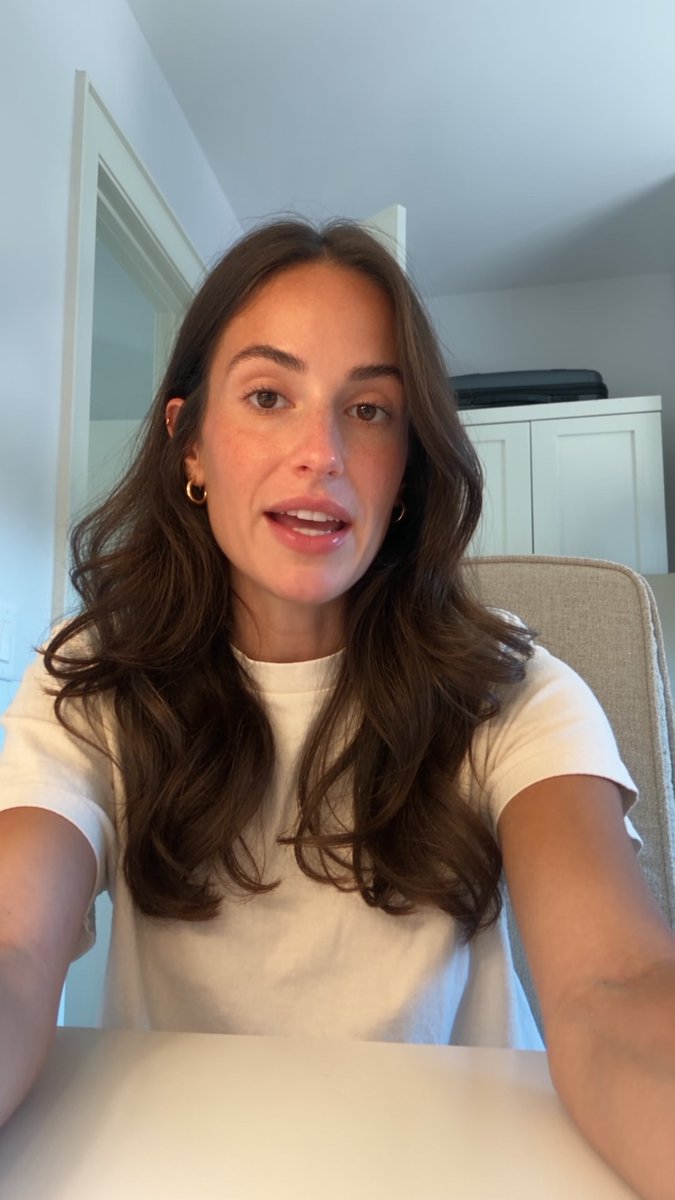
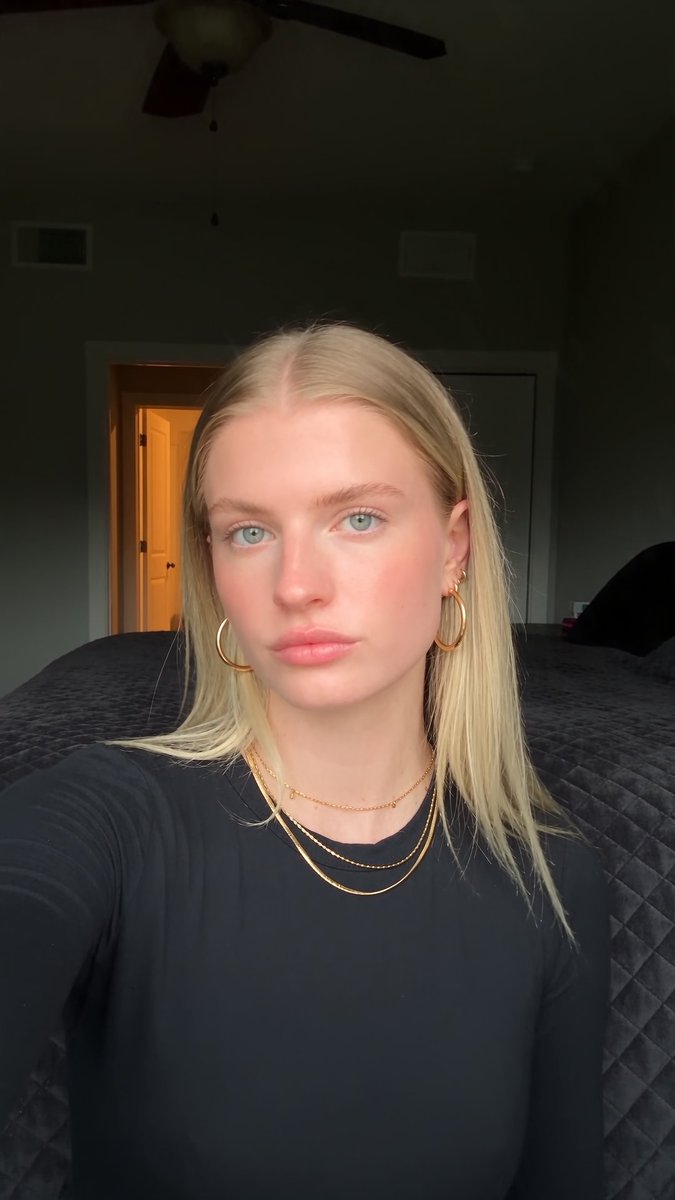
I stopped using image models for AI characters. here's what I do instead:
image models make people look too perfect. smooth skin, perfect light, that fake AI look. you can spot it in a second
video models don't do that. Seedance 2.5 makes people look like they were filmed on a phone. so I make my characters there
here's how:
go on TikTok or Pinterest and search what you want. "girl in kitchen", "guy in car", "UGC in bedroom". find a video that looks real and capture the exact frame you want
put that frame into ChatGPT and ask it to describe everything in a JSON prompt. face, hair, skin, clothes, light, camera angle...
this part matters most. I have my own way of writing these prompts and it makes a huge difference. but even a simple version works
paste the JSON into Seedance 2.5. set it to 4 seconds, 9:16, 1080p. hit generate
watch the video, pause on the best moment and save that frame
that's your character
it costs more than an image model. but the skin, the light, the small mistakes that make people look real... you can't get that any other way right now
check the examples below
GPT Images 2.5 is getting glazed way too hard for AI UGC.
everyone keeps calling it the realism king, but the character outputs i’m getting from my seedance 2.5 method are on another level...
yes, they’re different models. i know you can’t compare them 1:1, but that’s not the point.
if you’re creating AI UGC characters with GPT, you’re leaving a serious amount of realism on the table
GPT Images 2.5 is still great for plenty of other use cases
but for AI UGC characters?
i’ll take my seedance method every time
the only catch is that it costs more
but if the character is the foundation of your entire creative, i’d rather pay more for the better output.
here are my examples:
A SHELF OF USED PHONES WIRED TO A LAPTOP KILLS A $7,500 - A - MONTH CLOUD TESTING BILL.
that stack of phones plugged into one laptop is a device farm. a single python script runs the whole thing.
adb finds every phone connected, installs the app on all of them at once, runs the tests, and records each screen. ffmpeg stitches every recording into one video report that shows how the app behaves on each device.
the alternative is a cloud device farm that bills $0.05 to $0.20 per device-minute. one regression run on 30 phones is about $15. run it on every push and you're at $7,500+ a month, forever.
the farm: 30 used phones at ~$60 each, a powered usb hub, a mini-pc. about $2,600, once. electricity is pennies.
with active ci it pays for itself in under a month. after that the cloud keeps dripping every month and the shelf doesn't.
it also replaces the qa engineer who used to plug in, install, poke, record, times 30, by hand. a full day of work becomes a few minutes.
no per-minute meter, no cloud queue, no manual grind.
this isn't a growth hack that ends in a ban. it's saved hours and caught bugs, the kind of edge you show a client. and you can just sell the setup, because every app team needs one.
save this before you pay the cloud another month you didn't have to.







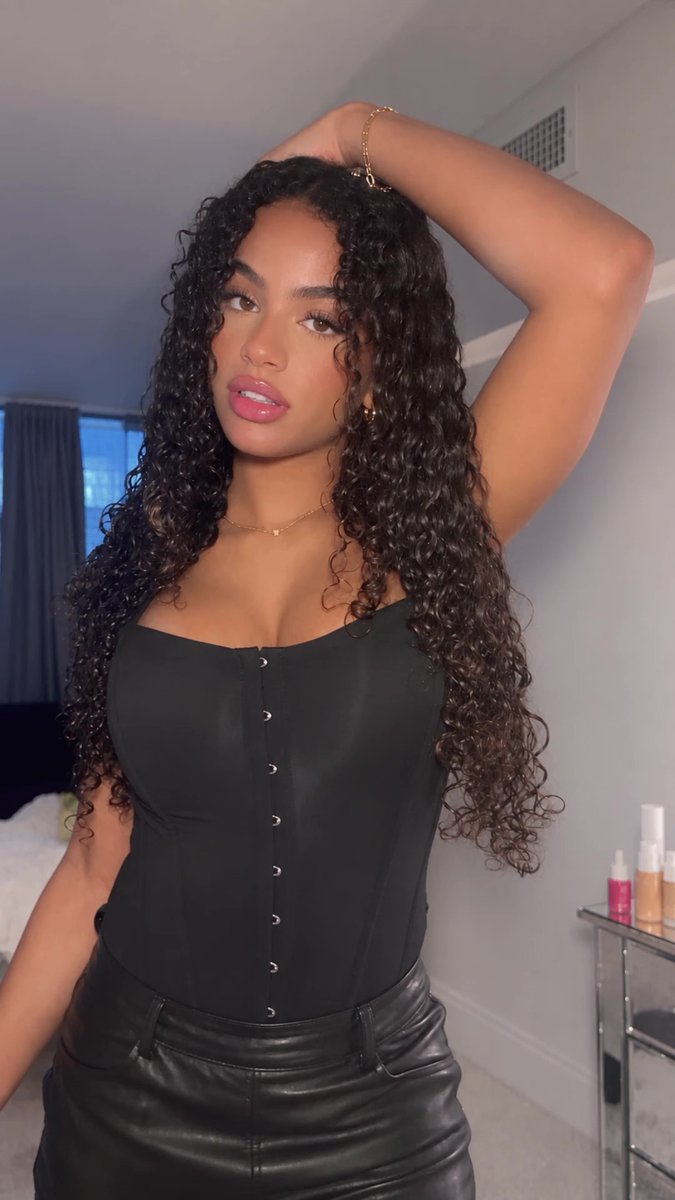


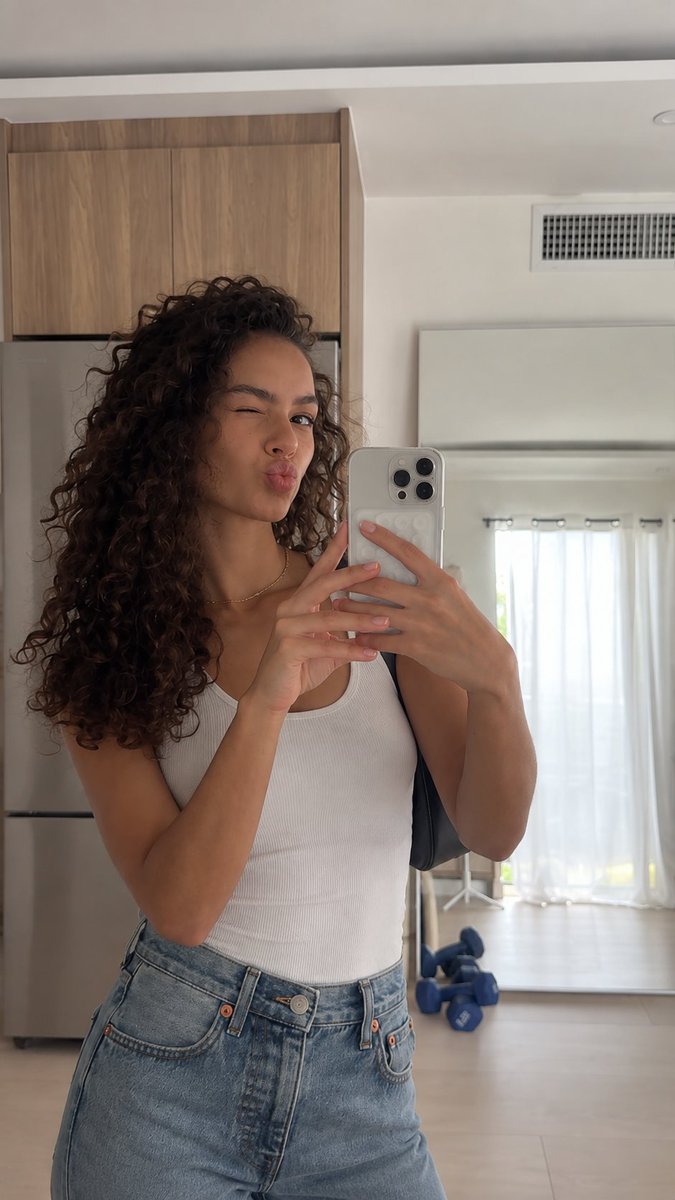


![enzoxmotion's tweet photo. GPT-Images 2.5 is f*cking insane for AI UGC...
full JSON prompt below, this is the exact one I use for consistent creator shots:
{
"prompt_type": "photorealistic_reference_reconstruction_with_targeted_modifications",
"objective": "Recreate the supplied reference selfie as closely as possible while preserving the same pose, hair, hand placement, jewelry, camera angle, framing, daylight, and overall social-media aesthetic. Apply only the listed changes. Ignore and remove all text, buttons, interface elements, captions, logos, watermarks, and screen overlays.",
"reference_fidelity": {
"target": "extremely high similarity to the reference composition and styling",
"priority_order": [
"same selfie camera angle",
"same facial pose and gaze",
"same hair length, color and curl pattern",
"same hand position",
"same jewelry",
"same body orientation",
"same background geometry",
"requested wardrobe change only",
"requested environment change only",
"same lighting direction and time of day"
]
},
"canvas": {
"orientation": "portrait",
"aspect_ratio": "approximately 9:16",
"framing": "tight vertical smartphone selfie",
"subject_scale": "large, filling most of the frame",
"subject_alignment": "centered slightly right",
"camera_distance": "approximately arm's length",
"camera_height": "around eye level",
"perspective": "natural smartphone wide-angle selfie perspective"
},
"subject": {
"description": "adult creator taking a selfie",
"age_appearance": "mid-20s",
"pose": {
"head": "slightly tilted",
"torso": "mostly facing camera",
"shoulders": "relaxed",
"camera_arm": "extended toward camera",
"posture": "upright"
},
"expression": {
"overall": "calm, confident, natural",
"gaze": "directly into the camera",
"mouth": "slightly open"
},
"skin": {
"finish": "luminous satin",
"texture": "realistic pores and natural tonal variation",
"highlights": "natural daylight highlights on forehead, nose, cheekbones",
"retouching": "moderate but realistic"
}
},
"lighting": {
"type": "natural daylight",
"primary_source": "front-left and overhead",
"quality": "soft directional daylight",
"contrast": "moderate",
"skin_effect": "warm luminous highlights without harsh clipping"
},
"camera": {
"device": "modern smartphone front-facing camera",
"orientation": "vertical portrait",
"lens": "wide selfie lens",
"focal_length_equivalent": "approximately 24-28mm",
"distance": "approximately 50-80 cm",
"focus": "sharpest on face and upper body",
"depth_of_field": "moderately deep so background remains recognizable",
"processing": "subtle HDR, natural phone sharpening, mild beauty processing",
"image_quality": "high-resolution smartphone photograph"
},
"photographic_style": {
"genre": "lifestyle selfie",
"aesthetic": "high-end social-media portrait",
"realism": "extreme photorealism",
"retouching": "polished but believable",
"desired_result": "looks like a genuine smartphone selfie, not a render"
},
"negative_prompt": [
"different pose",
"changed hair length or color",
"missing jewelry",
"studio background",
"nighttime",
"hard flash",
"cold blue skin",
"plastic skin",
"heavy beauty filter",
"text",
"captions",
"buttons",
"watermarks",
"logos",
"UI overlays",
"CGI",
"3D render",
"illustration",
"anime",
"extra fingers",
"warped hands"
],
"final_generation_instruction": "Generate one extremely photorealistic vertical smartphone selfie matching the supplied reference as closely as possible. Preserve pose, gaze, hair, hands, jewelry, background layout and natural daylight. Apply only the explicitly requested wardrobe and environment changes. Use authentic smartphone perspective, realistic skin texture and subtle HDR. Remove all text, buttons, captions, watermarks and interface graphics."
}](https://pbs.twimg.com/media/HS2VpZJXcAEHU4X.jpg)