Want to know who watched 👀 your Screencast?
"Take attendance" with Screencastify and Google forms. ✔️
Upload your video into a form and require a name submission. 🎥
Then - easily download all names on one spreadsheet from the responses tab #edtech@GoogleForEdu
Review students’ work beyond pen and paper with @quizizz. Find out how you can integrate this tool with #GoogleClassroom and #Chromebooks today: https://t.co/TRwCqlGuBX
Make the online world safer for your students by teaching them how to identify 🧐 and prevent 🛑 cyberbullying with this #AppliedDigitalSkills lesson → https://t.co/4o8lUZq1LJ #GrowWithGoogle
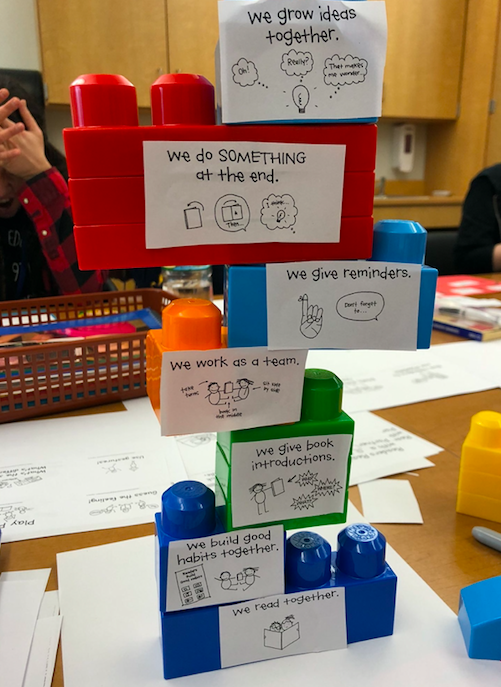
A6: Make partner time FUN! Think about ways to incorporate partner strategies from the UOS in a game-like way! Here is one example of building a block tower. Each time the partnership completes a reading strategy together, they add a new block! #TCRWP
Adding Closed Captions to your videos isn't just about accessibility, it's also about ⬆literacy 📕
Check our super simple steps for adding closed captions to your @Screencastify videos: https://t.co/XgGQ4PetaF
Due to popular demand, we made last night's webinar led by @friEdTechAmy ON-DEMAND. Watch RIGHT NOW or just, whenever 😄
Grab a friend, some snacks 🍿, and tune in to an amazing session on Supercharging @GoogleForEdu ⚡️#GoogleSlides with @Screencastify
https://t.co/sXcu7wFnGH