We'll be spending a lot more time trying to understand the outputs of language models. A few thoughts, tips & tricks:
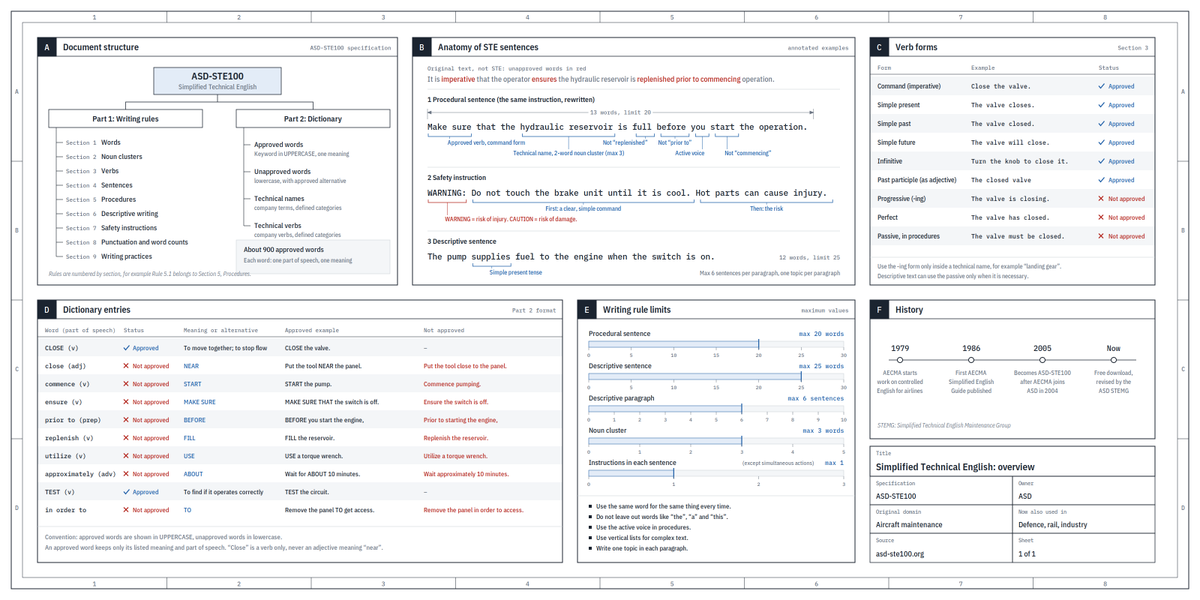
Writing. Something I've had success with: Ask your LLM to explain something in ASD-STE100, it's a controlled language specification originally developed for aerospace maintenance documentation. LLMs well-versed in this language and it comes with heavy constraints on clean writing style that I often find a lot more readable. Sometimes I've tried to soften it a bit e.g. ask for "80% of the way to ASD-STE100" because the spec is quite stringent. But even better:
Diagrams / images. Instead of writing, ask your LLM to create a diagram. These can be a lot easier to process, parse, and understand. But even better:
Web pages. Ask for output "in HTML" to get a beautiful, interactive webpage. LLMs are getting really good at frontend and can create beautiful experiences, animations, etc. But even better:
Explainer videos. The output format I am most bullish on is fully custom / bespoke explainer videos generated on any arbitrary topic. Experiment with things like "Create a 3b1b style video explainer on X. Use my ElevenLabs API key for audio narration". (you'd need an API key for the latter or you can ask your LLM to find you decent free alternatives that use your local compute). This is actually starting to work!
In summary:
- As LLMs get better, they will do more and more of the legwork autonomously, and a lot more of our work will rise up the abstractions into oversight and understanding.
- Luckily, LLMs can help here too because as intelligence and code are increasingly abundant, you can ask for large, custom, discardable software artifacts (e.g. web apps, video explainers) that would have never made sense to create before. Push the boundaries here and you'll be surprised.
Icons made for your Home Screen.
Every set comes in light and dark. Pick the W that fits yours.
Test it for free at https://t.co/XEtsutofhQ
#Weavly#iOSKeyboard
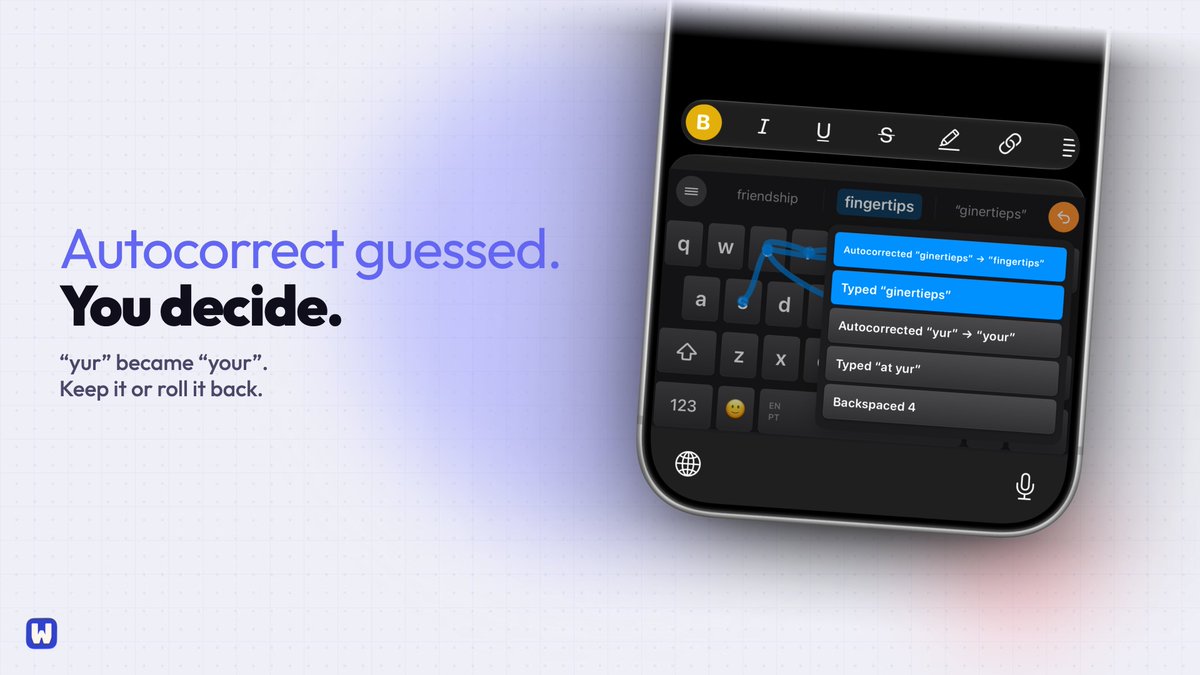
@TomcatJunkie Give Weavly a try: you control the dictionary, rate words up or down, and pick your own layout. Everything stays on your phone. Free in beta: https://t.co/XEtsutofhQ
@jeffnolan Try Settings > General > Transfer or Reset iPhone > Reset > Reset Keyboard Dictionary first. If that doesn't work to reset your hidden typed preferences, try our keyboard, where you CAN configure that. On-device. Free to try in beta: https://t.co/XEtsutofhQ
@YE11inLiz Maybe they help prove we are human and not bots just talking lol. But if it bother you, try Weavly, we learn with your typos and words so you can focus on the message. Free to try in beta: https://t.co/XEtsutofhQ
@_swdym Weavly learns the words you use, typos included, and lets you ban the ones you never want to see. On-device, nothing leaves your phone. With dictation included. Free to try in beta: https://t.co/XEtsutofhQ
@MarkGrabowski Not just you. Weavly lets you add your own predictions and rate words up or down, so suggestions follow how you write. Free to try in beta: https://t.co/XEtsutoN7o
@saml_dev There is no known toggle. SwiftKey shows it in a nice UI (and it is actually super helpful). The problem is the dictionary and customizing for you. That is why we build Weavly. You can set your own dictionary. Free to try while it's in beta: https://t.co/XEtsutofhQ
@semiramariesem Try Settings > General > Transfer or Reset iPhone > Reset > Reset Keyboard Dictionary first. If it's still off, try Weavly lets you import your words, ban the wrong ones and set key size. Free to try in beta: https://t.co/XEtsutofhQ
@Forged_Romey There are so many new good iOS keyboard. Why don't you try ours? Customize key size, style, layout and theme. We learn your typos and you can customize our dictionary. Free to try while it's in beta: https://t.co/XEtsutoN7o
@emmjay_init What seems to work in that spot: protect two non-negotiables first, a workout and a real meal, then let the building fill the rest. New ideas go on a parking list, not straight into a new project.
@NickElojire Talking it out at red lights is the right call. The trick is making sure it lands somewhere you'll actually look later, not in a pile of recordings nobody opens.