We have been fooled, tuned to believe, think that passwords should be in English.
Mix three languages or more that you know and mash it up with alpha numerical plus symbols.
You should also use password managers like #Bitwarden | #ProtonPass#YourWorldNTV#OTP#2FA#MFA#VPN
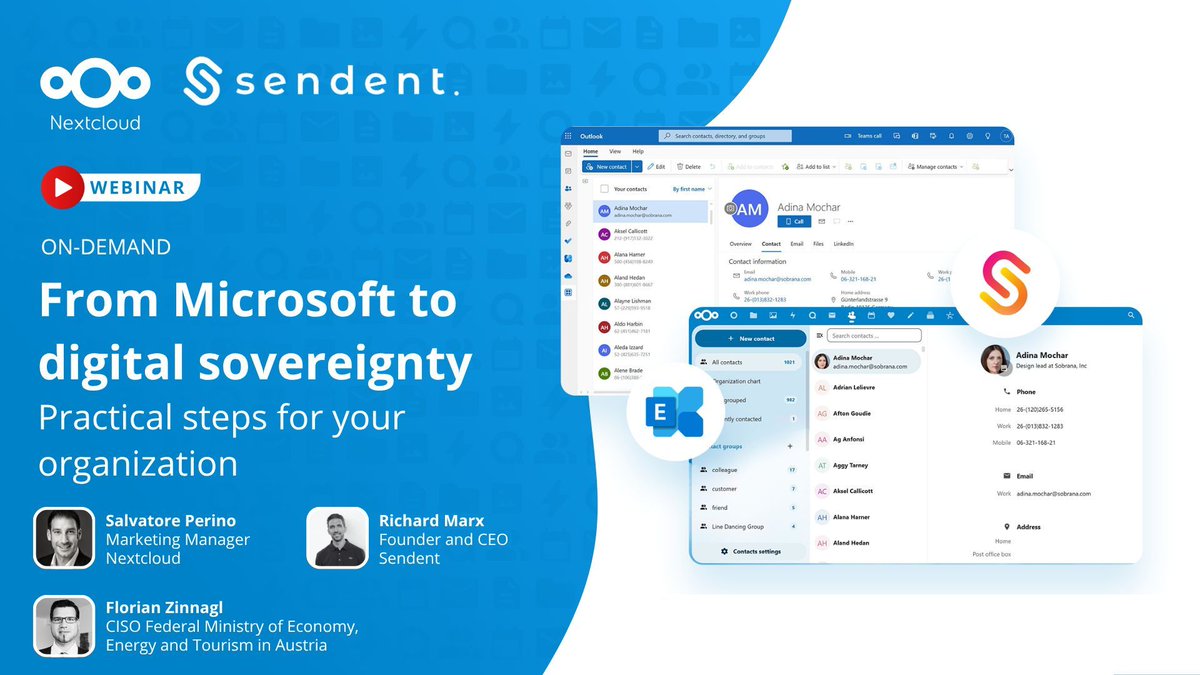
In their new article, @Computerworld explore whether #Nextcloud can provide a digitally sovereign alternative to Microsoft 365 in #Europe:
https://t.co/7Gw9NHxjVw
🔐 Can you achieve digital sovereignty without disrupting Microsoft workflows?
Answer: YES!
Watch our on-demand webinar with Sendent CEO Richard Marx & guest Florian Zinnagl (Austrian Ministry of Economy) to learn how and for real-world insights.
▶️ https://t.co/LzPytwHqaG
If you're still relying on mainstream public AI models, you're COOKED.
It's worse than Google.
The prompts are stored forever and are used to train new models.
They're also massively censored and adjusted so you get the most WOKE answers.
LEARN HOW TO USE AI PRIVATELY TODAY
"What's the problem with ChatGPT and others?"
- you need multiple subscriptions if you want to use AI from different company
- models are massively censored and will push woke biased questions
- your prompts are stored indefinitely and used to train the future AI models
There are countless reasons why you should use AI privately, preferably locally.
Local LLM
The best way to use LLMs in a private manner (Large Language Models) is locally.
You can be 100% sure that the data stays only on your computer.
You don't need to rely on any server or pay for expensive subscriptions.
You don't even need Graphics Card.
There are multiple options for running LLMs locally.
The choice is entirely on you. I recommend trying each one and deciding what works best for you, or doing deeper research beforehand.
Ollama + GUI
The most popular is probably Ollama.
Ollama is an open-source tool and platform designed to simplify running LLMs locally on your computer, allowing you to to download, manage, and execute open-source AI models without relying on cloud services.
Ollama itself does not come with graphical interface.
As a GUI, you can use official Ollama GUI (available on MacOS, Windows), OpenWebUI or others like Alpaca (Linux Flatpak).
You can also use it with various tools (while it runs in the background) like Goose or ContinueDev (continuedev/continue).
JanAI
JanAI is open source app similar to Ollama, but it comes with GUI.
If you're looking for out-of the box experience, where you just install the models, this is for you.
Additionally, it integrates features like context retention across sessions and connections to personal data sources such as emails or files.
Together with Ollama they both support popular model formats like GGUF and provide APIs compatible with OpenAI standards.
LM Studio
LM Studio is another GUI ready chat application where you can just download the models. Unlike JanAI or Ollama, the chat app is not Open Source.
GPT4ALL
GPT4ALL is another GUI ready option.
Uncensored Models
If you're not using task-specific models, I recommend you to try out uncensored models.
"Why uncensored models?"
Standard models achieve alignment through training on datasets produced by their developer (like OpenAI for ChatGPT), which has been fine-tuned for alignment by their dedicated team.
Since it's essentially a black box, the full rationale behind those choices remains opaque, though it's evident that the output tends to reflect American mainstream culture, compliance with U.S. legal standards, and a left-leaning, progressive ideological slant.
To avoid this, check out uncensored models, like those by Eric Hartford:
- WizardLM-30B-Uncensored
- WizardLM-13B-Uncensored
- WizardLM-7B-Uncensored
- Wizard-Vicuna-13B-Uncensored
Other models like llama2-uncensored are also available.
Hardware Requirements
Depending on your computer specs, the results will vary.
As a rule of thumb, if you have 8 GB of RAM, run up to 7-8B models, if you have 16 GB, run up to 13-16B. If you have a GPU, apply same numbers to your VRAM.
Obviously, this is oversimplification, but it gives you some idea what to aim for.
If smaller model is available, use it, since smaller models do not inherently work worse.
Public Instances
Venice AI
Venice AI is a private, artificial intelligence platform developed by Erik Voorhees, designed to offer users a private and secure alternative to mainstream AI tools.
The platform is accessible via the website, where users can interact with the AI.
It features multiple Text & Reasoning Models:
- Venice Large 1.1 (qwen3-235b)
- Venice Medium (mistral-31-24b)
- Venice Small (qwen3-4b)
- Venice Uncensored 1.1 (venice-uncensored)
And also Image Generation Models:
- Venice SD35 (venice-sd35)
- HiDream
- Qwen Image
- Lustify SDXL
- WAI-Illustrious (Anime)
- FLUX.1 Dev
Maple AI
Maple AI is a privacy-first, end-to-end encrypted AI platform, using security framework centered on end-to-end encryption, encrypted synchronization, and encrypted AI.
It ensures that your AI conversations remain private, even from us.
Your data is encrypted on your device with a unique personal encryption key before being transmitted to Maple servers, where only the secure enclave can access it.
It features multiple models, but some are available only on Pro+ plan.
- Meta Llama 3.3 70B
- Google Gemma 3 27B
- Mistral Small 3.1 24B
- Qwen 2.5 72B
- Qwen3 Coder 480B
- OpenAI GPT-OSS 120B
- DeepSeek R1 671B
NanoGPT
NanoGPT is a pay-per-prompt AI service that provides access to a wide range of AI models, including text, image, voice, and video generation capabilities, without requiring a subscription.
Users can access the platform without creating an account, allowing for anonymous usage with data stored locally on their device; if an account is created, data storage is opt-in and can be deleted at any time.
The service supports numerous models such as ChatGPT, Claude, Gemini, Deepseek, along with image generators like Flux Pro, Kontext, GPT Image, and Hidream.
Payments are made on a per-use basis, with support for multiple payment methods including including Monero.
Last but not least,
Use AI to accelerate yourself, not lobotomize.
- Learn how to prompt
- Save your prompts & polish them
- Build JSON Profiles to infuse the prompts
- Learn how to use Context - in prompts or with RAG
- Learn how to scrape Internet for niche data
That's it for today.
Stay Private.
Not only online.
Marconius Solidus
F-Droid warns that Google’s new sideloading restrictions, requiring developer verification, will kill its project and block access to hundreds of open source apps. It argues that this limits independent developers and consolidates Google’s control https://t.co/tfZCl847u5
📣 Hey, @Google "disable" Google apps is not "uninstalling" them. You can't dodge the EU’s #DMA rules by redefining language.
👏 Thanks to @fsfe and allies, a complaint has been filed to stop this abuse and protect user freedom.
💪 Support the FSFE's fight for digital rights: https://t.co/NfOEzHUjac
#DeviceNeutrality #BigTech
I’m writing today to ask you to defend Virtual Private Networks (VPNs), an important tool that people the world over use to defend their right to privacy and to access knowledge and information online.
#VPN#DefendVPNs#Privacy#Surveillance#Technology
https://t.co/0c8RuvmY99
Great Inventions: The Hyperlink
💡 Conceived by Ted Nelson (1965)
🖱️ First demo by Douglas Engelbart (1968)
🌐 Brought to the world by Tim Berners-Lee (1989)
Microsoft now wants to decide where your files live.
Word is rolling out a default setting that forces new documents into OneDrive instead of your desktop.
Here’s why that’s a problem for your privacy 👇
1/3