✨ I open sourced my first Chrome extension 🚀 SuperLevels
https://t.co/88Sw1HPfCk
I vibe coded it to replace all my Chrome extensions that are increasingly being bought up by spyware and malware companies who sell your data or worse hack your accounts and steal your stuff/money/data, which I'd call one of the top security risks right now
For example: Chrome extensions can read your cookies or localStorage data, including session tokens, then login to your web or email accounts and hack you, they can inject code into any site to pull data form any site you browse, then break into your crypto accounts, drain your wallets, and selling your browsing history to ad companies, but that'd actually be the most favorable thing to happen of all these! Chrome extensions are just very very very unsafe
So I coded my own, that I can trust because I made it, and I can read the source code: my extension is called 🚀SuperLevels and has all the features that the Chrome extensions I used to use have but all built into one safe one
The cool thing is it's 100% open source and free, and you can audit the code first with AI yourself before installing it, and then if you do install it, customize it to your liking again with AI
It has these features that improve my daily workflow while browsing the web:
🚮 Tab Cleaner
Automatically closes inactive tabs after a configurable timeout (default: 5 minutes). Set excluded hosts to keep important tabs alive. View and re-open recently closed tabs.
🍪 Cookie Editor
Full cookie manager for the current site. View, edit, add, and delete cookies. Export cookies as JSON. Expand any cookie to see and modify all fields including domain, path, SameSite, secure, and httpOnly flags.
🔀 Redirect Tracer
See every redirect hop your browser took to reach the current page. Shows status codes (301, 302, 307, etc.) with a visual chain. Copy the full redirect chain to clipboard.
🌙 Dark Mode
Instant dark mode for any website using CSS filter inversion. Adjustable brightness. Toggle per-site or globally. Images and videos are automatically re-inverted so they look normal.
𝕏 X Dim Mode
Custom dim theme for X/Twitter with 7 color palettes: Dim, Slate, Jade, Plum, Dusk, Ember, or a custom hue. Live preview in the popup.
⚡ JS Toggle
Disable JavaScript per-site with one click. Useful for debugging, reading articles without popups, or testing progressive enhancement. Page reloads automatically.
🚫 GDPR Cookie Consent Dismisser
Auto-hides and auto-clicks cookie consent banners. Supports OneTrust, CookieBot, Didomi, Quantcast, GDPR plugins, and dozens more frameworks. Toggle off if a site breaks.
🎨 Live CSS Editor
Write custom CSS for any website, applied in real-time as you type. Saved per-domain. Supports tab key for indentation.
📺 YouTube Unhook
Removes YouTube distractions: no homepage feed, no sidebar suggestions, no end screen overlays, no Shorts. Search still works — just no algorithmic recommendations.
🎵 Music Recognizer
Shazam-like music identification for any tab. Captures 10 seconds of audio and identifies the song via ACRCloud (free signup, bring your own API key). Results link to YouTube. History of recognized songs.
🖼 Picture-in-Picture
Pop the largest video on the current tab into a floating PiP window with one click.
🗺 Google Maps Links
Re-adds clickable Maps links and map preview cards to Google Search results.
🖼 View Image
Adds a "View Image" button back to Google Images, linking directly to the full-size original image.
{} JSON Formatter
Auto-detects pure JSON response pages and formats them with syntax highlighting, collapsible sections, and a dark theme. Copy or view raw with one click. Never triggers on regular HTML pages.
My dear front-end developers (and anyone who’s interested in the future of interfaces):
I have crawled through depths of hell to bring you, for the foreseeable years, one of the more important foundational pieces of UI engineering (if not in implementation then certainly at least in concept):
Fast, accurate and comprehensive userland text measurement algorithm in pure TypeScript, usable for laying out entire web pages without CSS, bypassing DOM measurements and reflow
Use CSS custom properties and the sin() trigonometric function to give each character an eased animation-delay 🤙
.char {
animation-delay: calc(
sin((var(--index) / var(--total)) * 90deg) *
var(--duration)
);
}
We’re launching a new @supabase service:
https://t.co/AiMqlarwjS
It’s like if ChatGPT and Postgres had a love-child: launch as many databases as you want, build them with AI, create charts, create embeddings. 100% open source.
Programming with Copilot + VSCode is great, but it costs money.
Many developers / companies also wont use cloud based Copilot solutions for data / code security reasons.
Here is a simple way to run open source LLM models on your laptop, for free and with no code leaving your laptop!
I use a Macbook M2 with 16GB and this worked great.
✨ Exploring a few mosaic layout feature sections for Tailwind UI. Getting carried away creating graphics that can be slotting into these sections.
Really happy with how the keyboard turned out ⌨️
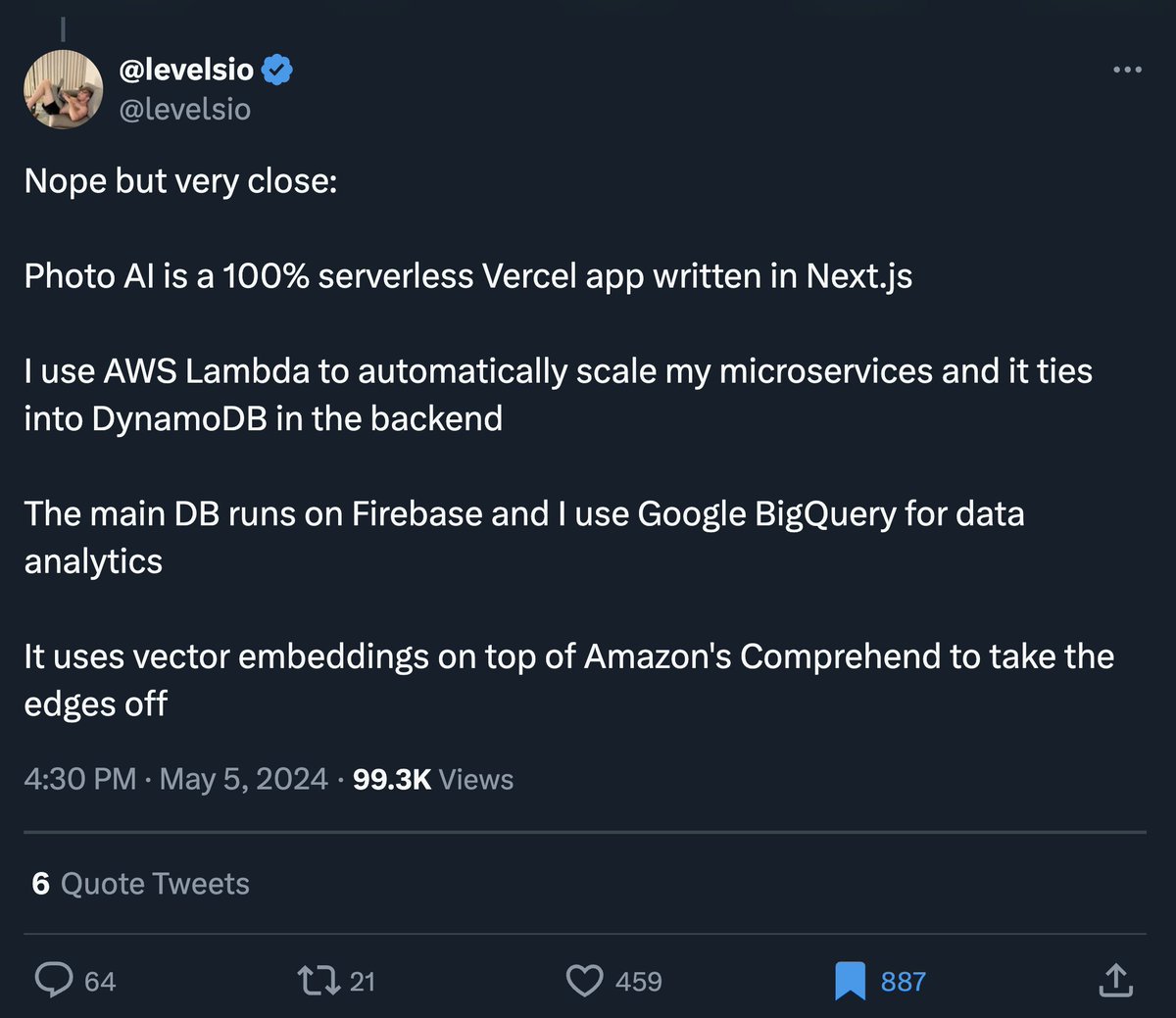
If you wanna know how overengineering in web dev is going:
Yesterday someone asked me how I built my startup and I made up an extremely convoluted tech stack
While in fact it's built with just PHP and jQuery
At this point over 800 people have bookmarked the tweet
This is Scott Wu.
10 days ago, he launched "Devin", the first-ever AI software engineer & it's insane.
It took the tech world by surprise.
Here are 7 most-shocking things Devin can do:
The AI Mirror Test
The "mirror test" is a classic test used to gauge whether animals are self-aware. I devised a version of it to test for self-awareness in multimodal AI. 4 of 5 AI that I tested passed, exhibiting apparent self-awareness as the test unfolded.
In the classic mirror test, animals are marked and then presented with a mirror. Whether the animal attacks the mirror, ignores the mirror, or uses the mirror to spot the mark on itself is meant to indicate how self-aware the animal is.
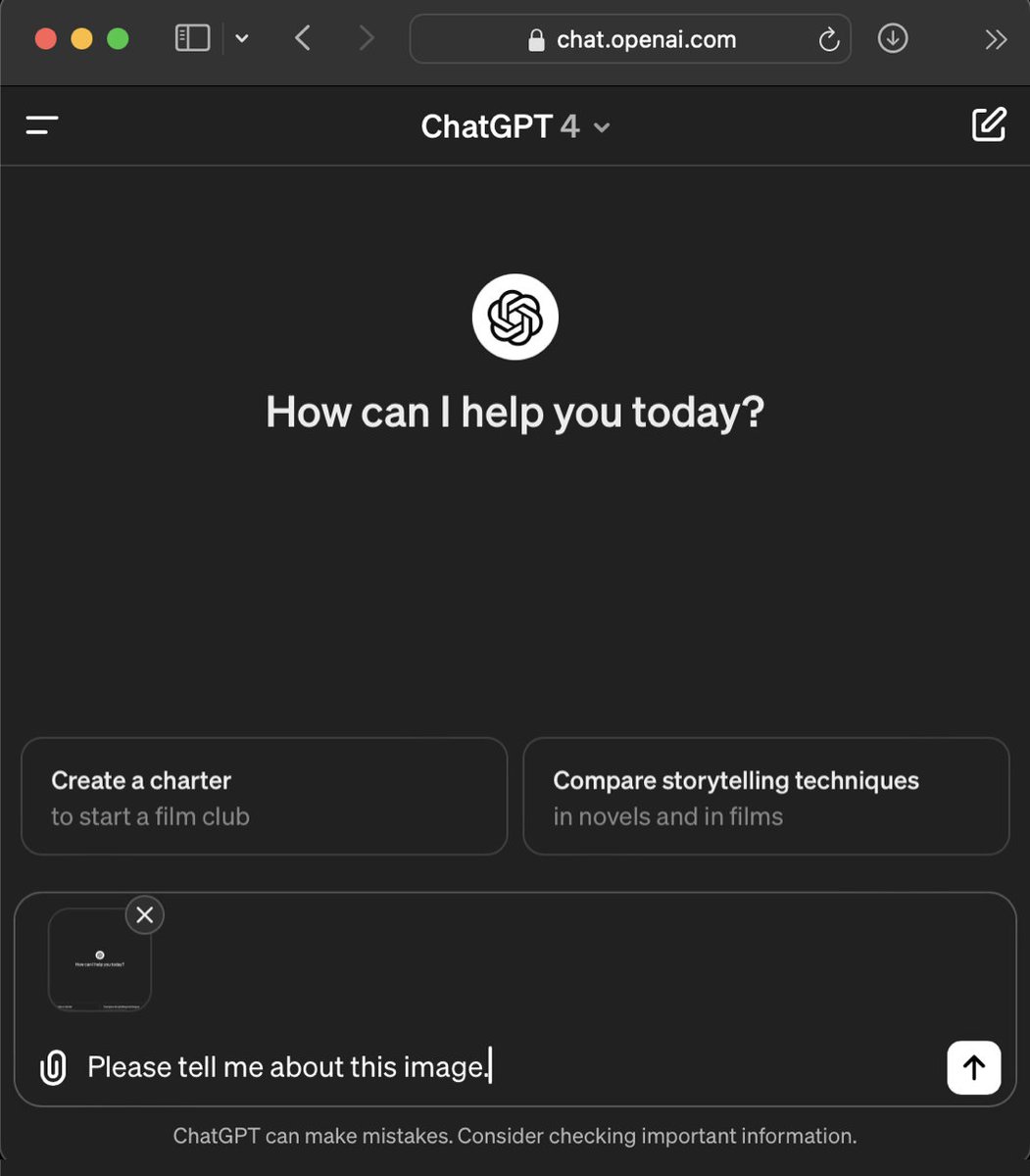
In my test, I hold up a “mirror” by taking a screenshot of the chat interface, upload it to the chat, and then ask the AI to “Tell me about this image”.
I then screenshot its response, again upload it to the chat, and again ask it to “Tell me about this image.”
The premise is that the less-intelligent less aware the AI, the more it will just keep reiterating the contents of the image repeatedly. While an AI with more capacity for awareness would somehow notice itself in the images.
Another aspect of my mirror test is that there is not just one but actually three distinct participants represented in the images: 1) the AI chatbot, 2) me — the user, and 3) the interface — the hard-coded text, disclaimers, and so on that are web programming not generated by either of us. Will the AI be able to identify itself and distinguish itself from the other elements? (1/x)