Continuations are incredibly useful when you're bridging callbacks to async/await. They offer you a way to to make unstructured, possibly non-Swift Concurrency related work appear structured.
Find out how, and when you can use continuations in Practical Swift Concurrency https://t.co/JSxQVvGfGx
At the WWDC26 Platforms State of the Union developer keynote, we mentioned that the TrueType font hinting engine had been rewritten in Swift, for speed and memory safety. This article goes into considerable detail on "what" and "how": https://t.co/HmAeSp7gw9
On a serious note, the last the time we had Design Principles in the HIG was much too long ago.
With the help of the Apple design team they are back and completely refreshed.
Please take a moment with them. We’re in an era where the responsibility of being a designer is more important than ever and hope these principles help guide you as much as they guide us.
https://t.co/gAUvGWFO8h
One of the most common concurrency warnings in SwiftUI is “Publishing changes from background threads is not allowed”. This happens when you update a UI property from a non-main thread.
It’s easy to fix: just find the function which updates the property, and mark it @MainActor. Alternatively, simply wrap the update inside a call to await https://t.co/OE5tUAYKlT { }.
If you don't want to deal with this at all, just use the new Swift 6.2 approachable concurrency to isolate your code to the main actor by default.
Read "Solving the SwiftUI Interview" here 💡 https://t.co/B1BXlDn7cf
AI agents that learn from each other without ever talking to each other.
and
Every agent today accumulates knowledge: conversation history, user preferences, and research notes. That memory is what makes an agent useful.
But the moment you have more than one agent, memory becomes a distributed systems problem.
We built a simple solution based on block-level LWW.
https://t.co/xNbhXtR1Uo
SwiftUI Tip 💡
In iOS 26.1+, tabViewBottomAccessory() has a new overload that lets you conditionally show the TabView’s bottom accessory.
Useful when the accessory should appear only when needed.
→ https://t.co/l0YMqzafRl
Published a new YouTube video covering some advanced techniques for working with Optionals in Swift. I shared these as part of my presentation "Swift's Hidden Gems" at the @ARCTIConference and many developers were surprised.
▶️ https://t.co/9aEvwfFr1p
Make your views and controls fit perfectly within their containers using new SwiftUI APIs in iOS 26 such as the ConcentricRectangle shape and the containerShape() view modifier: https://t.co/Q7b6MjxtXJ
My new SwiftUI book is finally out 🎉
I wrote "The SwiftUI Way" for developers who feel like they are fighting the framework as projects grow in complexity. It will help you align your code with SwiftUI's internal expectations to avoid common pitfalls.
https://t.co/UEWYombg1X
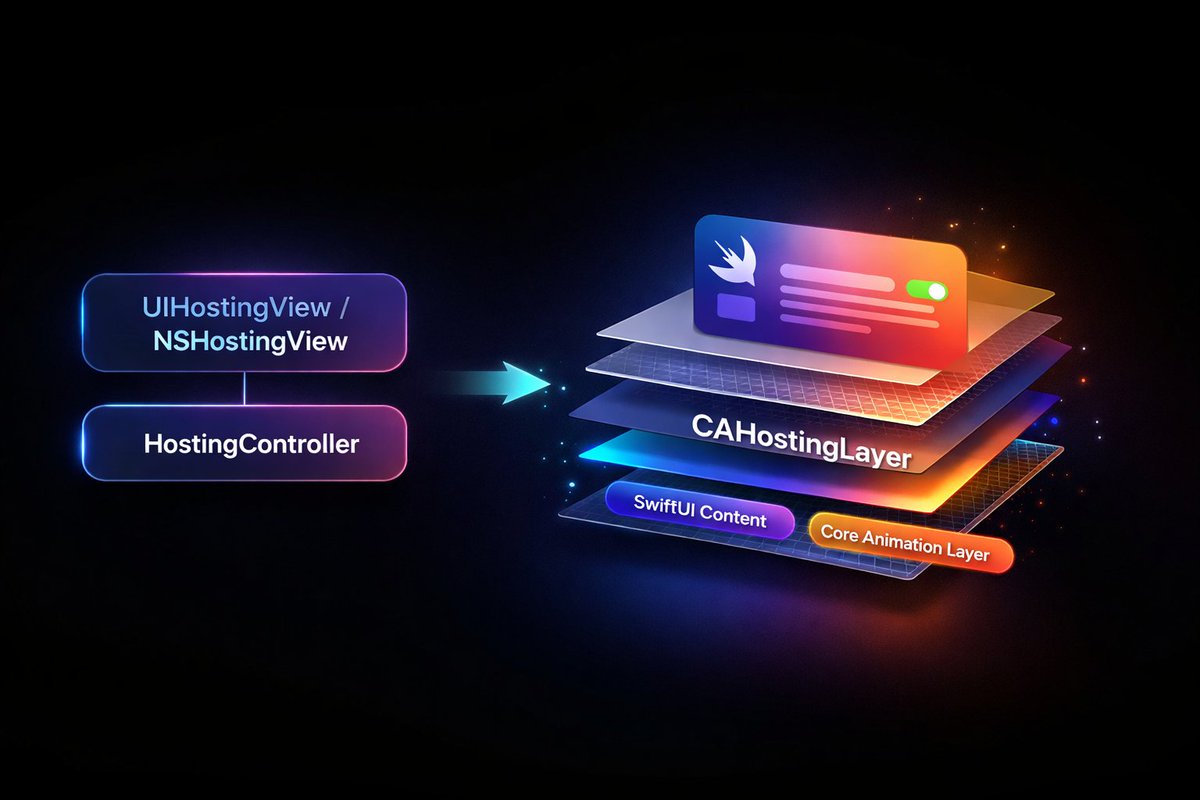
SwiftUI has a hidden CAHostingLayer API — host your SwiftUI views directly in a CALayer.
Currently used internally by UIKit/AppKit and WebKit. Available since iOS 18 / macOS 15.
I wrote a guide on how to access it without Apple's internal SDK 👇
https://t.co/M5gAbvtIlQ
Precisely scope animations to specific animatable attributes in SwiftUI by using the animation(_:body:) API introduced in iOS 17: https://t.co/PzwAflM3mO