Good series on Pwning AI Agents
Part 1: Exploiting AI Coding Agents https://t.co/XKy0WjqHFl
Part 2: RCE and Data Exfiltration https://t.co/ineERmxlFg
Part 3: Read Only Bypass https://t.co/jLfshrnrBh
Part 4: Exploiting MCP Hosts with a Malicious MCP Server https://t.co/RD4rRjiHB0
The recording of my second Binary Cartography webinar is public:
Agentic Malware Analysis: From Task Automation to Deep Analysis
Topics: string decryption, API hashing, unpacking & pipeline building
Recording: https://t.co/bhfs13LOn2
Slides & samples: https://t.co/0PJ1808f6a
A man spends 50 years teaching at MIT.
He knows his time is running out.
So he records one last lecture — everything he knows, distilled into a single hour.
He died 5 months later.
This is that lecture.
The most important hour you'll watch this week. 👇
Bookmark it for later
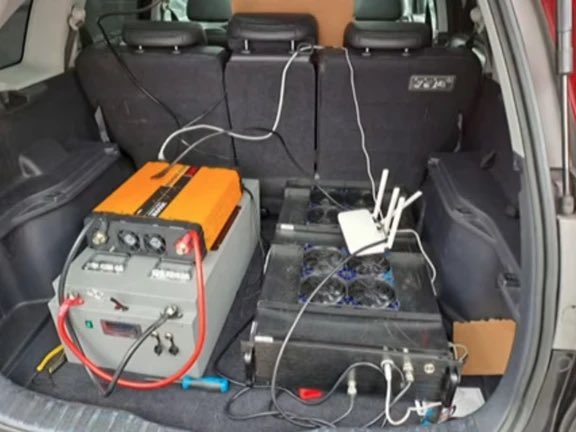
🚨 BREAKING: Toronto Police just seized “SMS Blasters” fake cell towers never seen before in Canada.
These portable devices hijack thousands of phones at once, blast fake bank/Canada Post texts, and knock out real service (even 911 calls).
Tens of thousands of phones hit.
Over 13 MILLION disruptions.
Three men charged 🇨🇳
• Dafeng Lin, 27, of Hamilton
• Junmin Shi, 25, of Markham
• Weitong Hu, 21, of Markham
This is next-level cyber crime on our streets. Stay alert. Never click surprise links.
#Toronto #CyberCrime #ScamAlert
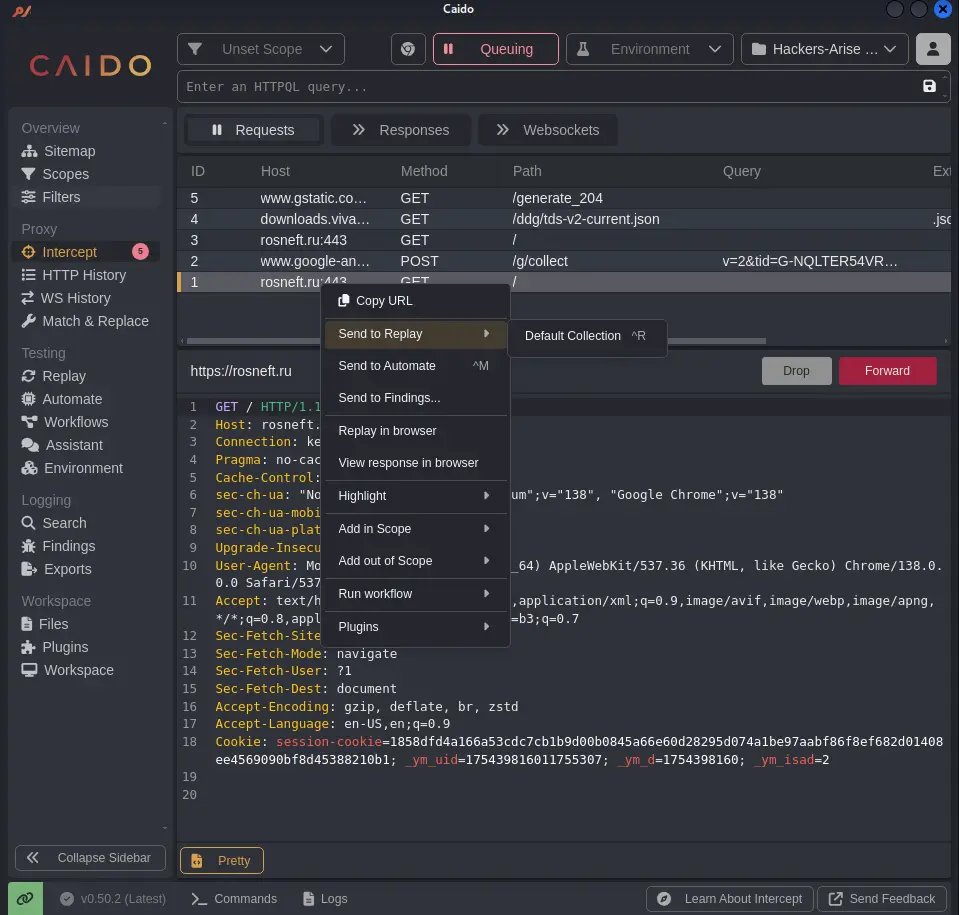
Web App Hacking: Finding Web App Vulnerabilities with Caido Scanner
Caido just became a serious Burp killer.
Scanner plugin auto-detects vulns as you browse + launches targeted attacks on suspicious endpoints:
https://t.co/wkiXeRK5CU
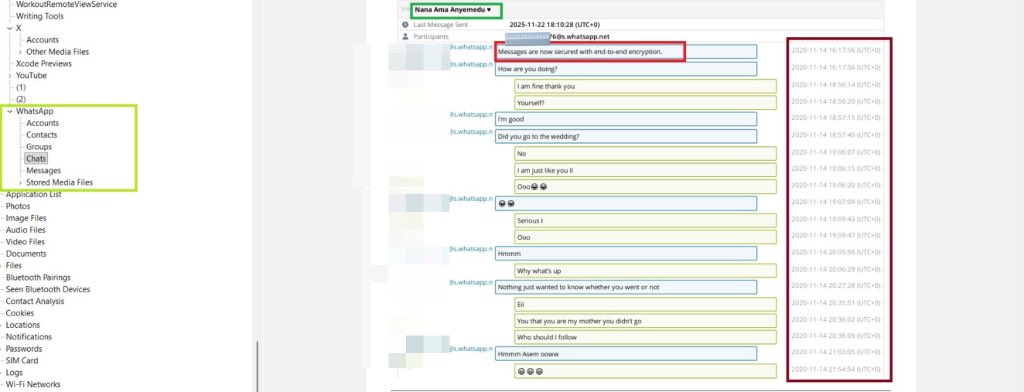
WhatsApp End-to-End Encryption vs. Forensic Extraction
Although WhatsApp uses end-to-end encryption to protect messages, calls, and shared media during transmission, this protection only applies while the data is moving between devices. Once the content reaches the device, it is stored unencrypted within WhatsApp’s local databases and media folders.
Out of the volumes of content, such as 733,543 WhatsApp messages, along with videos, audios, images, and documents.
I was able to get a conversation between my kid sister @ama_Anyemedu in November 11, 2020.
The chat preview shows a typical WhatsApp conversation recovered from a mobile forensic extraction. At the top of the chat, WhatsApp displays the standard banner “Messages are now secured with end-to-end encryption.”
This banner simply means that when messages are being transmitted between two devices, WhatsApp’s servers cannot read them because they are protected by encryption keys stored only on the users’ devices.
However, end-to-end encryption does NOT protect data stored on the device itself.
Mobile forensics work by accessing the phone’s internal storage, not by intercepting messages from WhatsApp servers. Once a device is unlocked or decrypted by the lawful extraction process, the tool can read the local WhatsApp databases stored on the device (usually the `msgstore.db` and related SQLite databases).
This is why, despite the presence of the "end-to-end encryption" banner, the forensic tool is still able to extract:
* Full chat history
* Timestamps
* Participants
* Message contents
* Attachments
* Deleted messages (if still recoverable in the database)
End-to-end encryption protects data in transit, not data *at rest* on the device.
Forensic tools exploit lawful access to the device’s decrypted file system, enabling them to parse and display the stored WhatsApp database, which is why you can see the complete message timeline, content, and timestamps on the right side.
Let me blow your mind real quick:
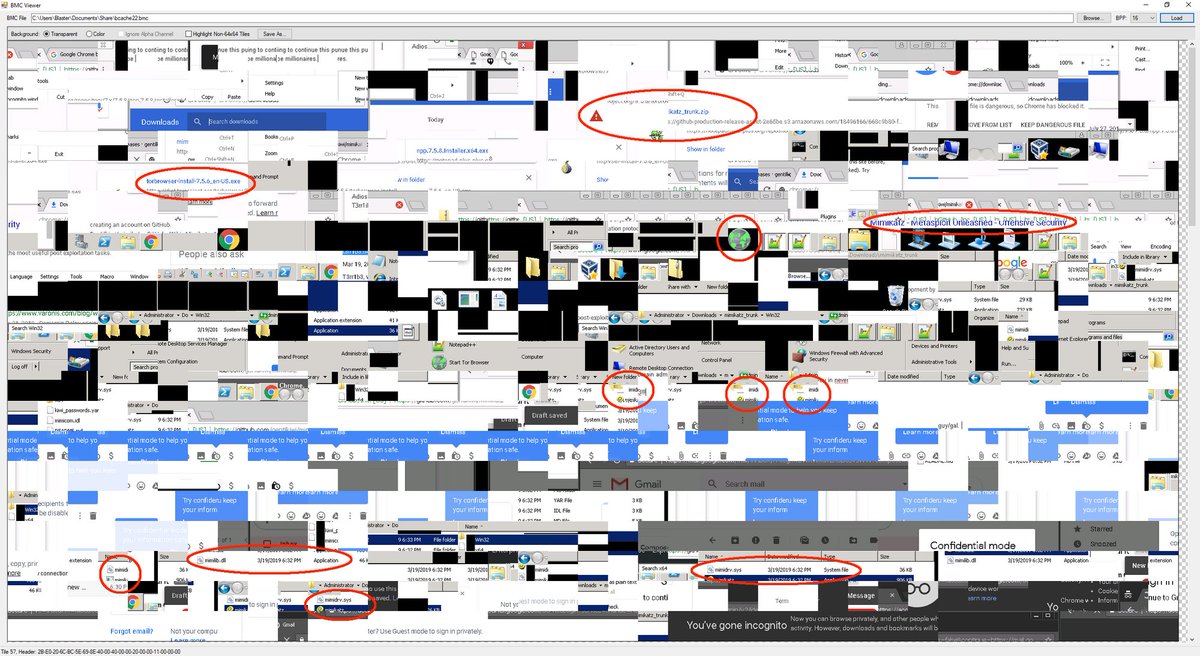
When you use Remote Desktop (RDP), Windows secretly takes screenshots of what you are doing.
It’s called the RDP Bitmap Cache.
To make the connection faster, Windows saves small tiles (images) of the remote screen to your hard drive in a bin file.
Even if the session is over and the remote server is destroyed... your laptop still holds the cache files.
Forensics teams use tools like BMCViewer to stitch those tiles back together.
They won't just see logs but the literal email, document, or picture you were looking at.
💀
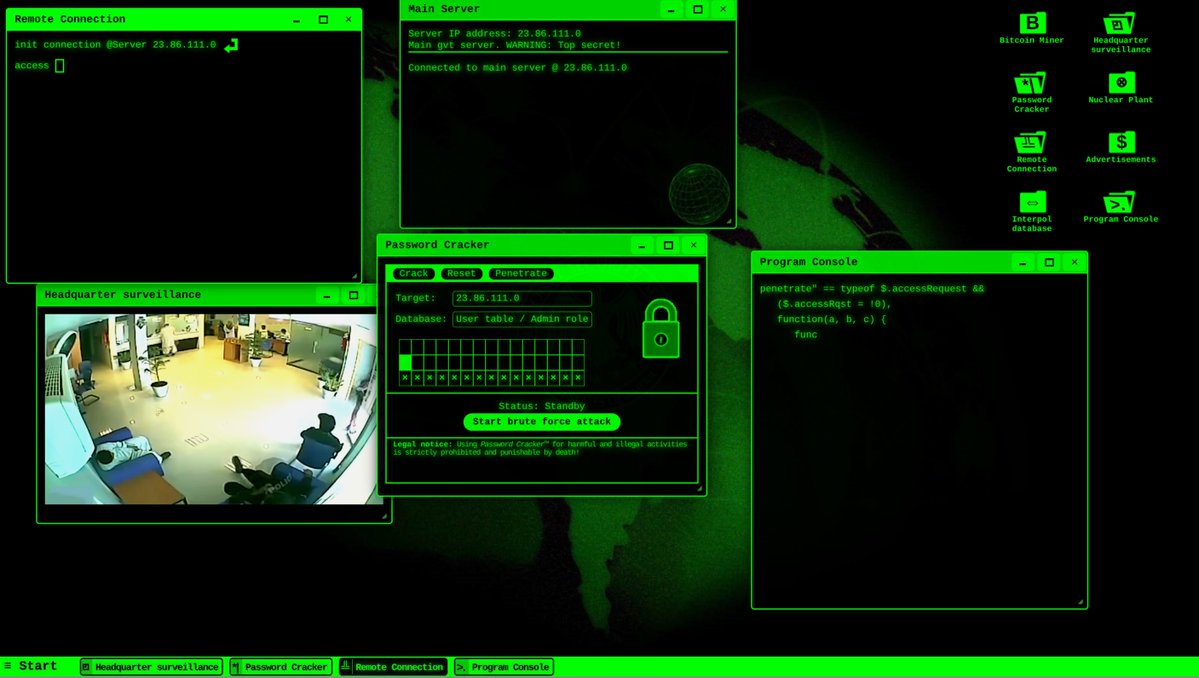
When the CFO walks in and you need to justify the budget for “research”
Hacking simulators
1. https://t.co/mY6T4JnQvC
2. https://t.co/qQQ4a9aUGK
3. https://t.co/ggkLRVTdPW
4. https://t.co/uyQAxhBHpB
5. https://t.co/aH62ZzsZ8P
Pew Pew Maps
A. https://t.co/kZrcGX7Qia
B. https://t.co/WLbnuFXFKH (Halloween version)
C. https://t.co/XWQu63iBmK
Other
I. https://t.co/NlLJlRGQAZ
II. https://t.co/34KCu8HwwW
Recently, we looked at Active Directory built-in groups (https://t.co/Pjxg0Te4MJ)
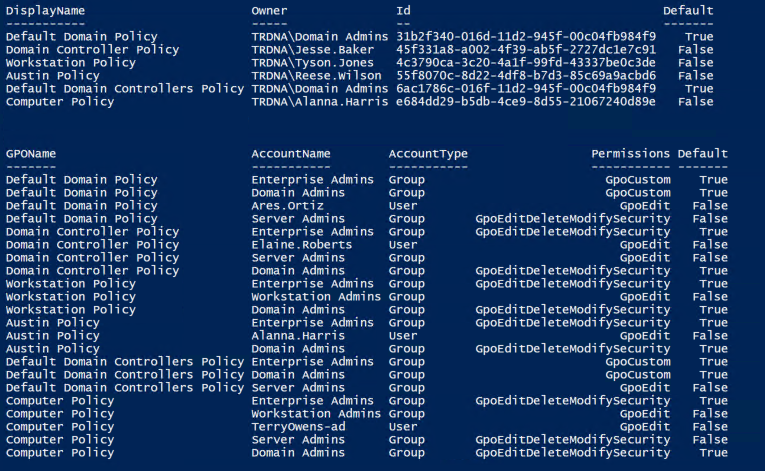
This week, we focus on Active Directory Group Policy Objects (GPOs). GPOs should be audited regularly to identify the configured owner as well as the permissions to ensure they are appropriate. In the provided script, I added a column called default, so you can look for the non-default owners and permissions to correct.
Group Policy in Active Directory is very powerful, so it's important to understand who the owners are. The Group Policy Owner can change permissions on the GPO and get edit rights to the GPO. GPO Owner should only be set to "Domain Admins" or "Enterprise Admins".
Changing the owner can be done by opening Active Directory Users and Computers (ADUC), going to the View menu option and selecting Advanced. Then browse down to System, Policies. Right-click on the desired GPO ID and select Properties. Then go to the Security tab and click on the Advanced button. Click on the Change option next to the owner and change the owner to "Domain Admins".
Review the permissions that are flagged non-default in the script and ensure they are appropriate. No standard users should have Edit rights. Also, edit rights (& full control) on any GPOs linked to the Domain root and the Domain Controllers OU should only be configured for AD Admins (preferably "Domain Admins").
Script leveraging the Group Policy PowerShell module:
https://t.co/oufTJYcRYQ
#ActiveDirectorySecurityTip
Active Directory Hardening Series
Part 1 Disabling NTLMv1 https://t.co/9gla1vtQ18
Part 2 Removing SMBv1 https://t.co/KOqpamarcW
Part 3 Enforcing LDAP Signing https://t.co/oW2Ymvu1ZW
Part 4 Enforcing AES for Kerberos https://t.co/iENjEPBOFD
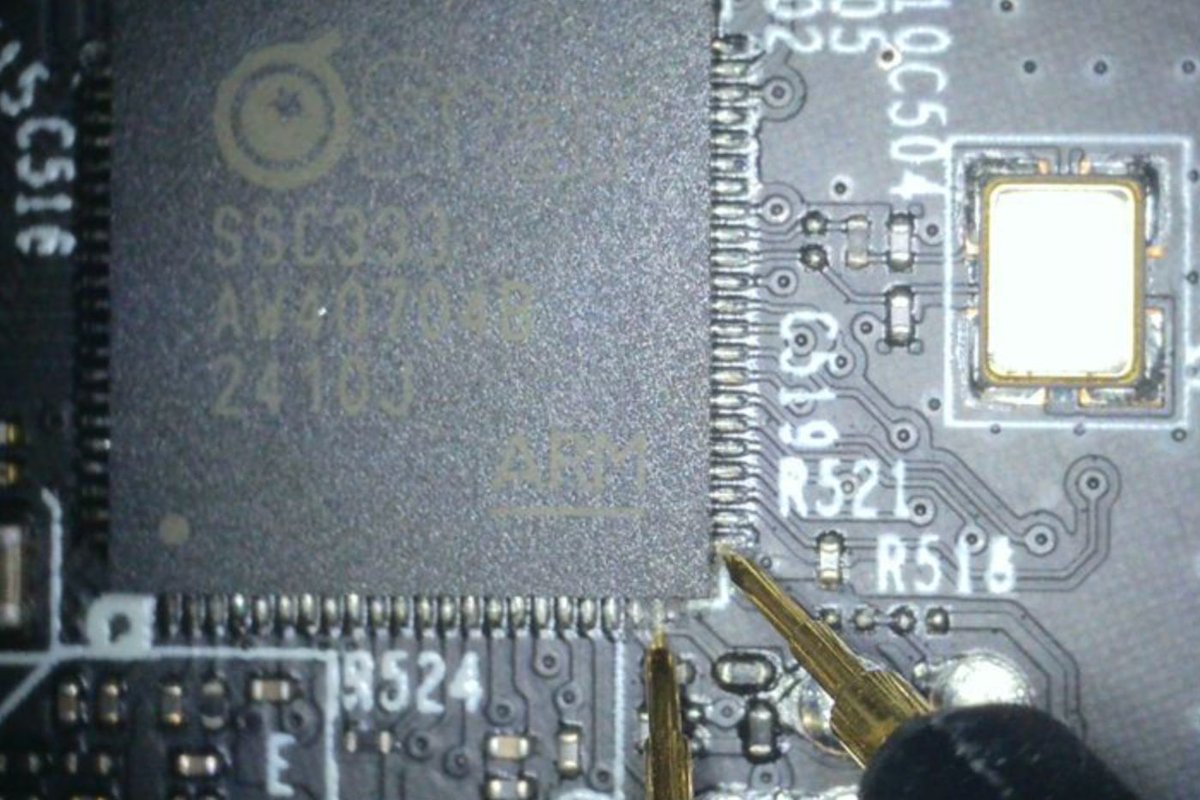
Bootloader vulnerability and firmware decryption in TP-Link (Tapo) C210 V2 cloud camera
https://t.co/jUb9a1NTpd
Credits @Watchful_IP#embedded#cybersecurity
🔥 SpAIware & More: Advanced Prompt Injection Exploits in LLM Applications 🔥
👉 Black Hat posted my talk to YouTube - Enjoy!🍿😈
A wild journey of exploits, peaking in compromising ChatGPT's long term memory for continuous remote command and control! 😱
Video link in comments