"Which MCP Server Should I Use?"
This is a common question that @SalesforceDevs often ask about the standard #Salesforce hosted MCP servers.
We recently posted a video covering this and there's now a detailed doc that answers this question:
https://t.co/IN2xEO5CV8
@salesforce@asksalesforce Case #473394153, opened 5 May: migrate my leads & opportunities to my new partner account. Marked "resolved" twice. Still not done, 16 weeks on.
A routine partner-account transfer shouldn't need a public post. Can someone in Alliance/Channel own this?
Configuring a Salesforce org, in 3 phases:
1. Click through Setup
2. Plain English, inside an IDE
3. Just chat. No IDE at all.
Phase 3 is here: I added 3 fields to Account from a Claude chat, using the new Headless 360 MCP server (beta).
https://t.co/NaLzN0G5YU
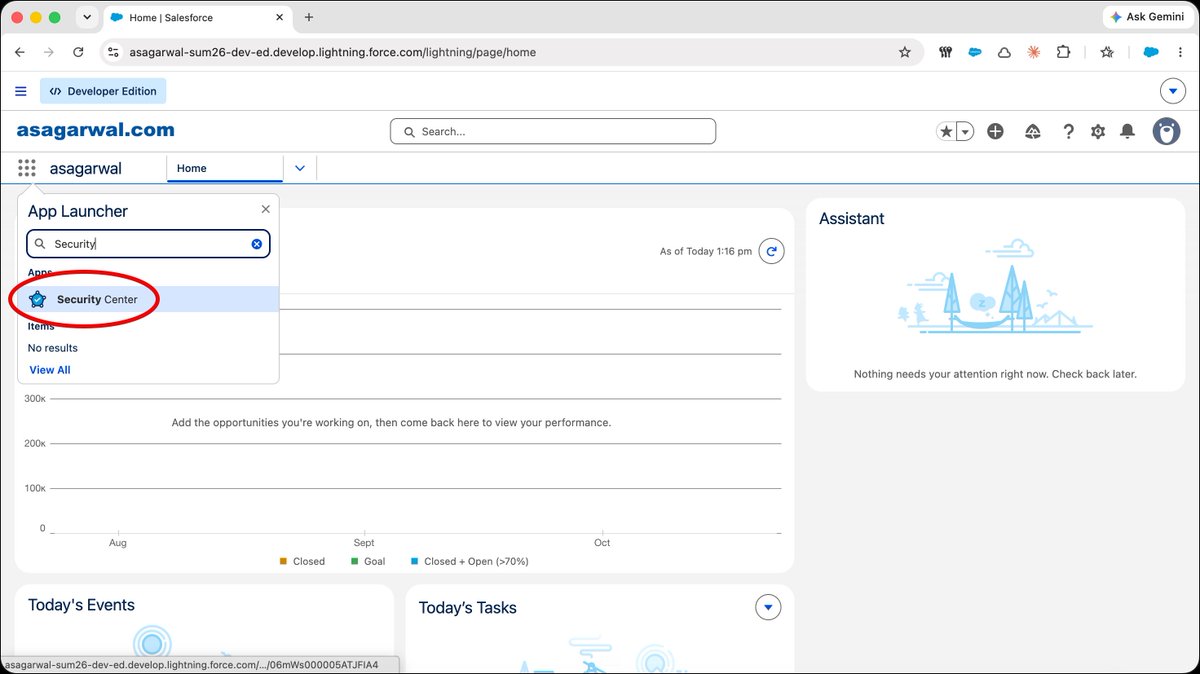
#SalesforceSummer26 [Tip 40 of 40] - A Free Security Dashboard
Meet Security Center Essentials—a free, unlicensed tier. One App Launcher dashboard: your Health Check score, threat detection summary, and latest security alerts. Nothing to install.
https://t.co/uHh8ycywL2
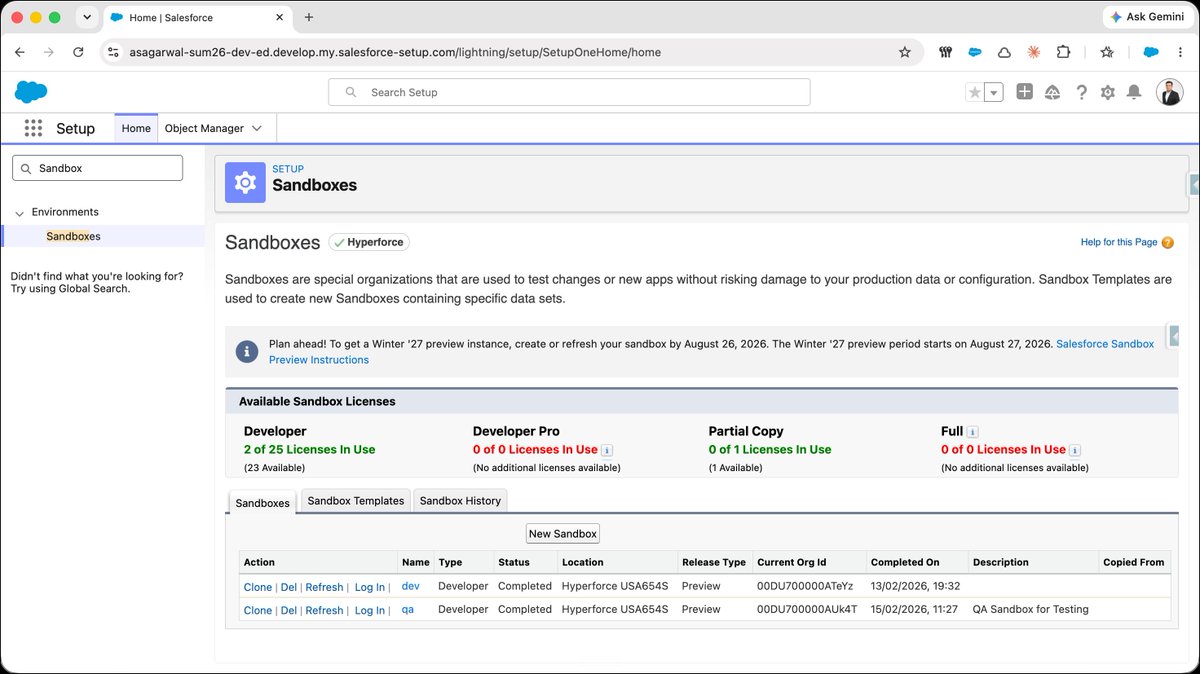
#SalesforceSummer26 [Tip 39 of 40] - Non-Preview Sandbox During a Release Transition
During a preview window, new sandboxes default to the next release. Summer '26 lets you opt into a non-preview one—matched to production—so you skip the Support case.
https://t.co/2S5z51N3fn
#SalesforceSummer26 [Tip 38 of 40] - Transcribe In-Person Meetings from Your Phone
Launch the In-Person Meeting Assistant in the mobile app and Einstein Conversation Insights transcribes the conversation—so you're with the client, not your notepad.
https://t.co/INuGEMQgZL
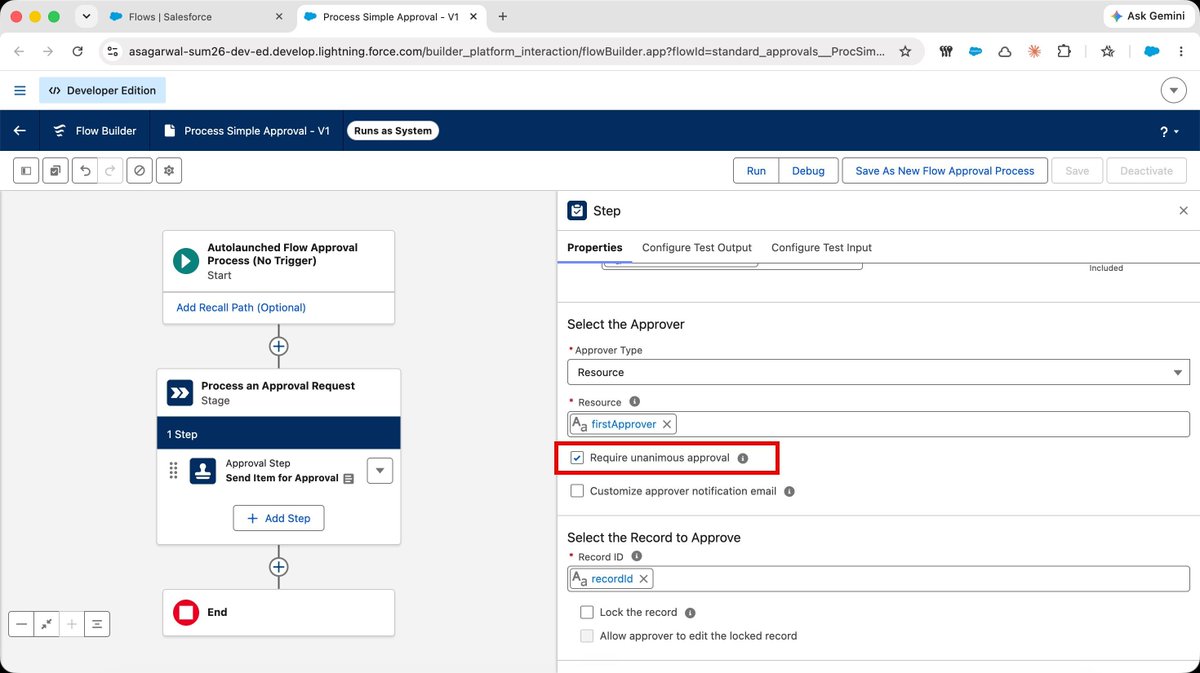
#SalesforceSummer26 [Tip 37] - Unanimous Approval in Flow
Group approval steps used to pass on the first response. Summer '26 adds Require unanimous approval—every member must approve; one reject fails the step. No more stacked steps.
https://t.co/IlCF7AhOIN
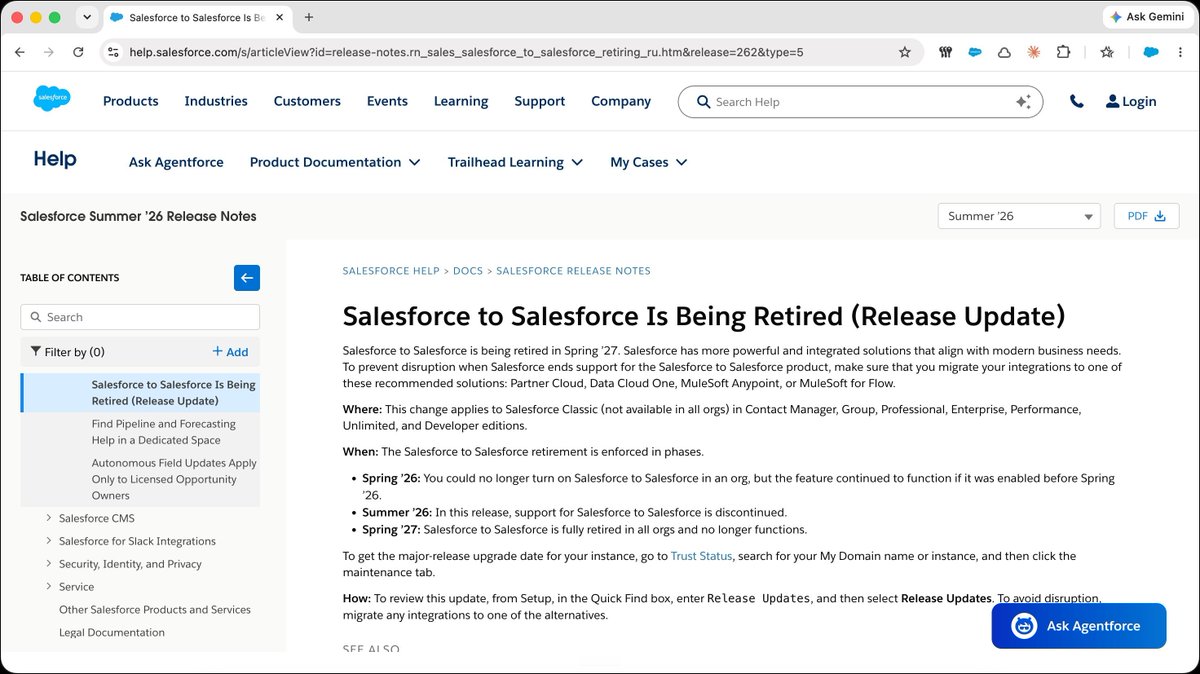
#SalesforceSummer26 [Tip 36 of 40] - Salesforce to Salesforce Is Retiring
Sharing records between orgs via Salesforce to Salesforce? Support ends Summer '26; it fully stops Spring '27. Migrate now (Partner Cloud, Data Cloud One, MuleSoft).
https://t.co/9psvM1S0c5
#SalesforceSummer26 [Tip 35] - Cleaner Apex Strings
Two Apex upgrades, any API version: multiline strings with triple quotes (bye, concatenation) and named ${customerName} placeholders via String.template() (bye, counting {0}, {1}).
https://t.co/43XsV1Fwfc
#SalesforceSummer26 [Tip 34] - See Your Screen Flow's Test Path
Finish testing a screen flow and the canvas now highlights the exact path it took—every element it touched—so you spot the wrong branch at a glance, no debug log needed.
https://t.co/mQcz6r6QaH
#SalesforceSummer26 [Tip 33] - Check Your Email Domain Verification Status
Salesforce now sends only from verified domains—unverified ones fail silently. In Setup → Deliverability, type your domain and click Check Verification to confirm.
https://t.co/UbYjtXKRIo
#SalesforceSummer26 [Tip 32] - Find the Right Expert for Any Case
New Agentforce action: from a case, get 3–5 ranked experts with reasons—matched on case content, past fixes, and availability. Then ping them in Slack or reassign.
https://t.co/ckxffGo2UN
#SalesforceSummer26 [Tip 31] - Style Screen Flow Components in Flow Builder
Summer '26 adds no-code styling for more screen flow components—Action Button, Address, Lookup, Slider, Toggle, and more. Select a component, open the Style tab.
https://t.co/ANIe0w6hP2
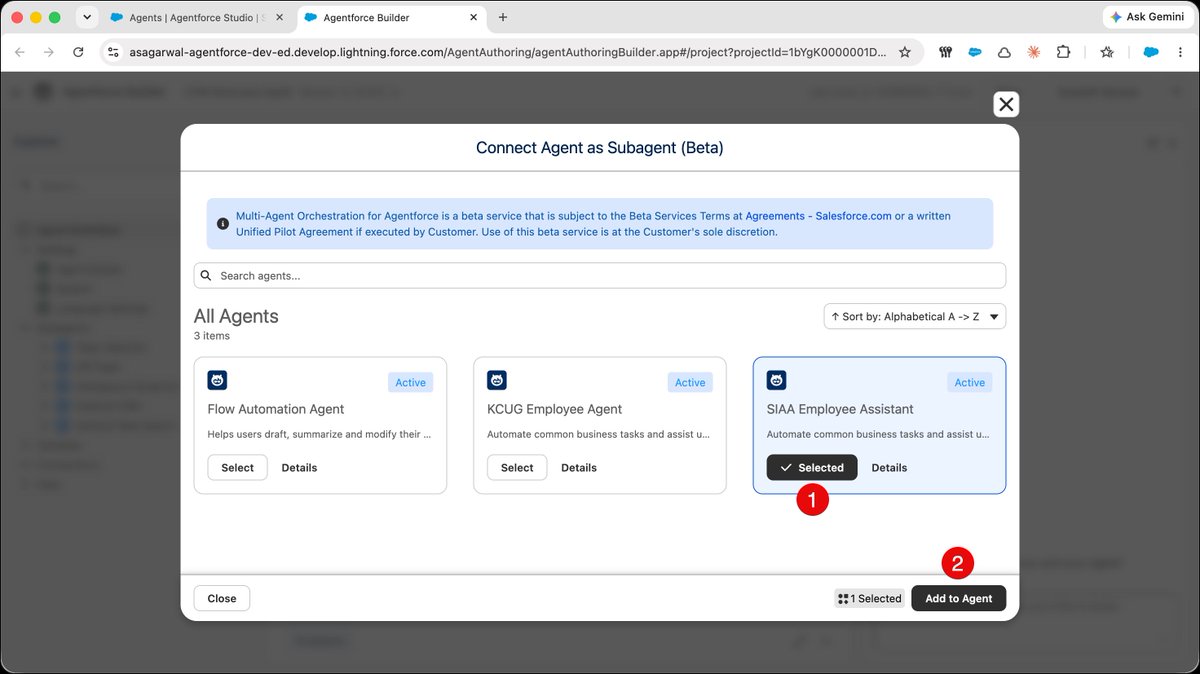
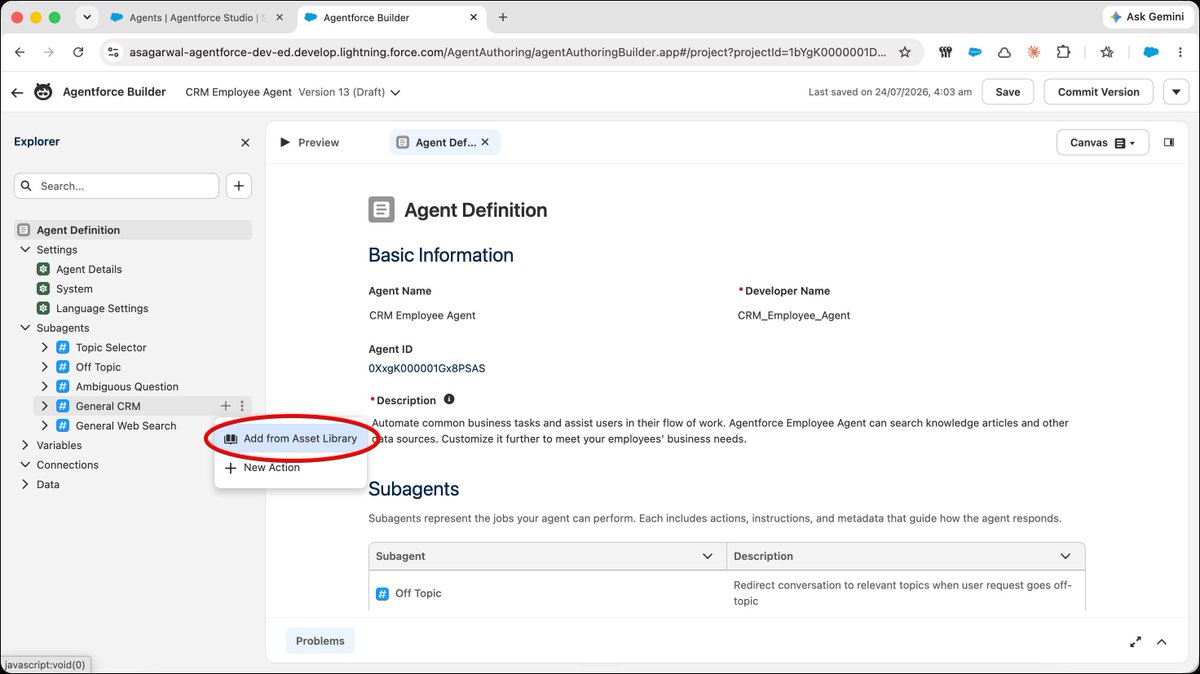
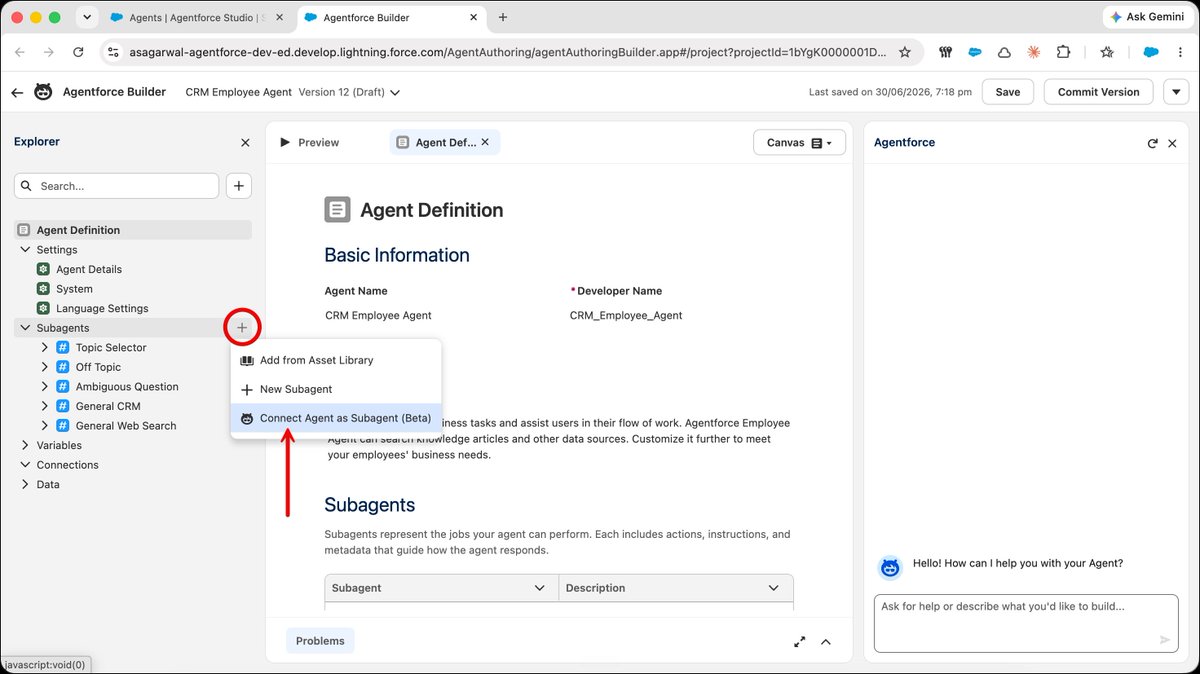
#SalesforceSummer26 [Tip 30] - Multi-Agent Orchestration (Beta)
Pick one Agentforce agent as the orchestrator and connect specialized agents as subagents. Users talk to one agent; it calls in the right specialist behind the scenes.
https://t.co/EITGauxSWR
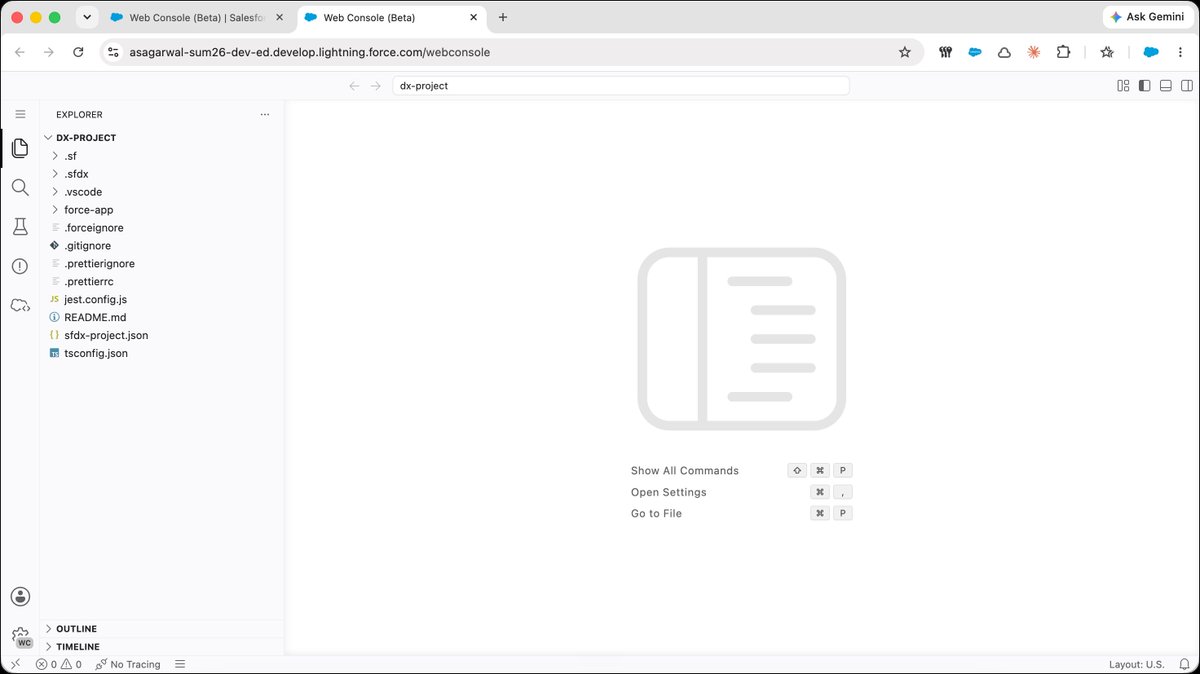
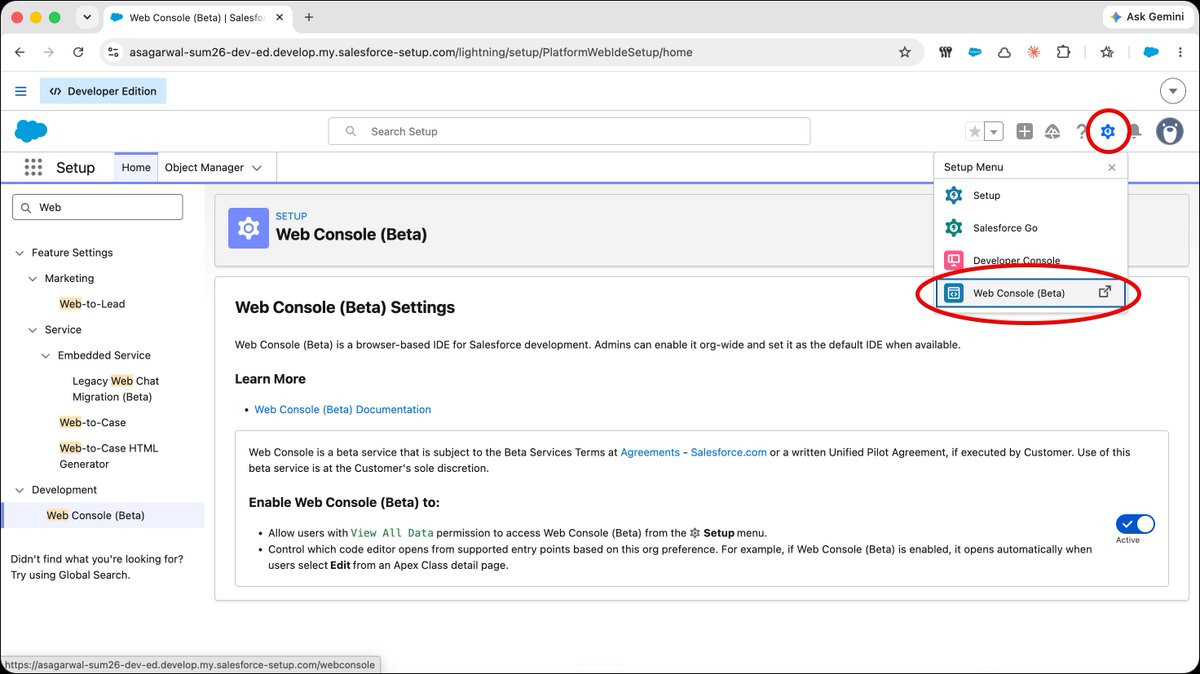
#SalesforceSummer26 [Tip 29] - Introducing Web Console (Beta)
A modern, browser-based IDE inside Salesforce: build SOQL, set trace flags, read logs, run anonymous Apex—all in one place. Opens automatically over Apex Classes in Setup.
https://t.co/d6qLwEgCIU
#SalesforceSummer26 [Tip 28] - Apex Classes Now Default to With Sharing
On API 67.0+, an Apex class with no sharing keyword now defaults to "with sharing"—it respects sharing rules automatically. To bypass, you must declare "without sharing."
https://t.co/XYei82oe6m
#SalesforceSummer26 [Tip 27] - Setup with Agentforce is now GA.
Do admin work inside Setup by describing what you want — create a field, manage users, build a flow. The agent proposes, you review, you confirm.
500 free actions per org each month.
https://t.co/LIq0jabOj2
#SalesforceSummer26 [Tip 26] - Apex now defaults to user mode.
On API v67.0+, SOQL, SOSL, DML & Database operations respect the running user's sharing, FLS & object permissions — secure by default.
Swap WITH SECURITY_ENFORCED for WITH USER_MODE.
https://t.co/IGGLzN1xsZ
#SalesforceSummer26 [Tip 25] - Add Images to Flow Screens Without Leaving Flow Builder
In Summer '26, add an image to a Flow screen from the Display Text component—search Static Resources or upload, add alt text, done. No detour to Setup.
https://t.co/D57zAIttK4
#SalesforceSummer26 [Tip 24] - Approve Requests Without Leaving Slack
Approvers now get a real-time Slack alert when a request lands—and can approve, reject, and comment right in Slack, no Salesforce needed.
https://t.co/NYOzcFF3hz