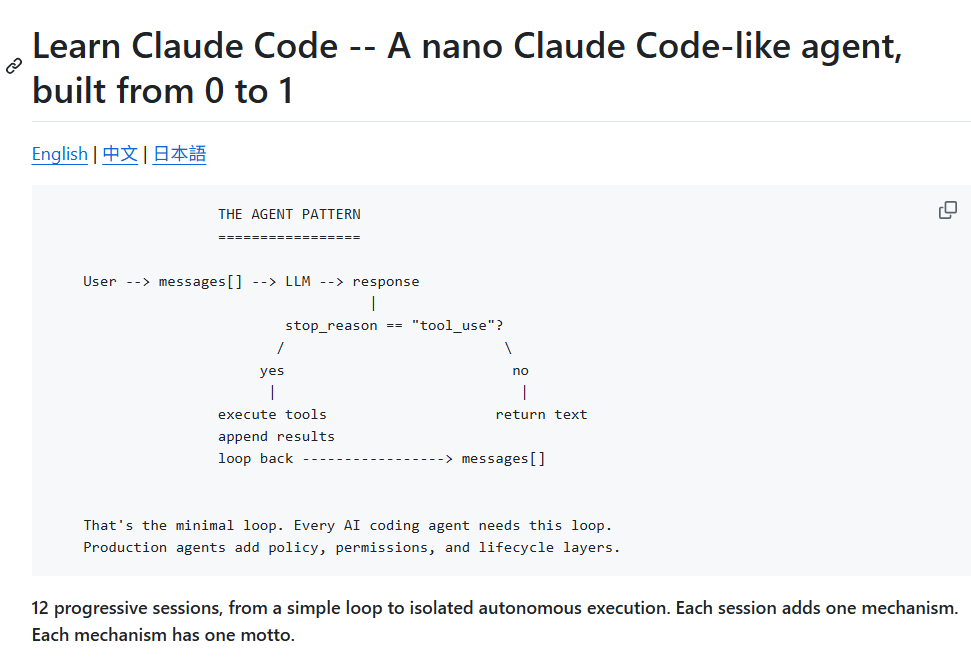
btw Claude Code lets you configure your own output style!
drop instructions in ~/.claude/output-styles, then run /config → Output style
this is the one I like to use after a long day lol. honestly helps so much
Claude Code tips:
(Add these to your CLAUDE .md file)
1. Before writing any code, describe your approach and wait for approval.
2. If the requirements I give you are ambiguous, ask clarifying questions before writing any code.
3. After you finish writing any code, list the edge cases and suggest test cases to cover them.
4. If a task requires changes to more than 3 files, stop and break it into smaller tasks first.
5. When there’s a bug, start by writing a test that reproduces it, then fix it until the test passes.
6. Every time I correct you, reflect on what you did wrong and come up with a plan to never make the same mistake again.
这个项目笑死我了
https://t.co/kCsXVKN2M8
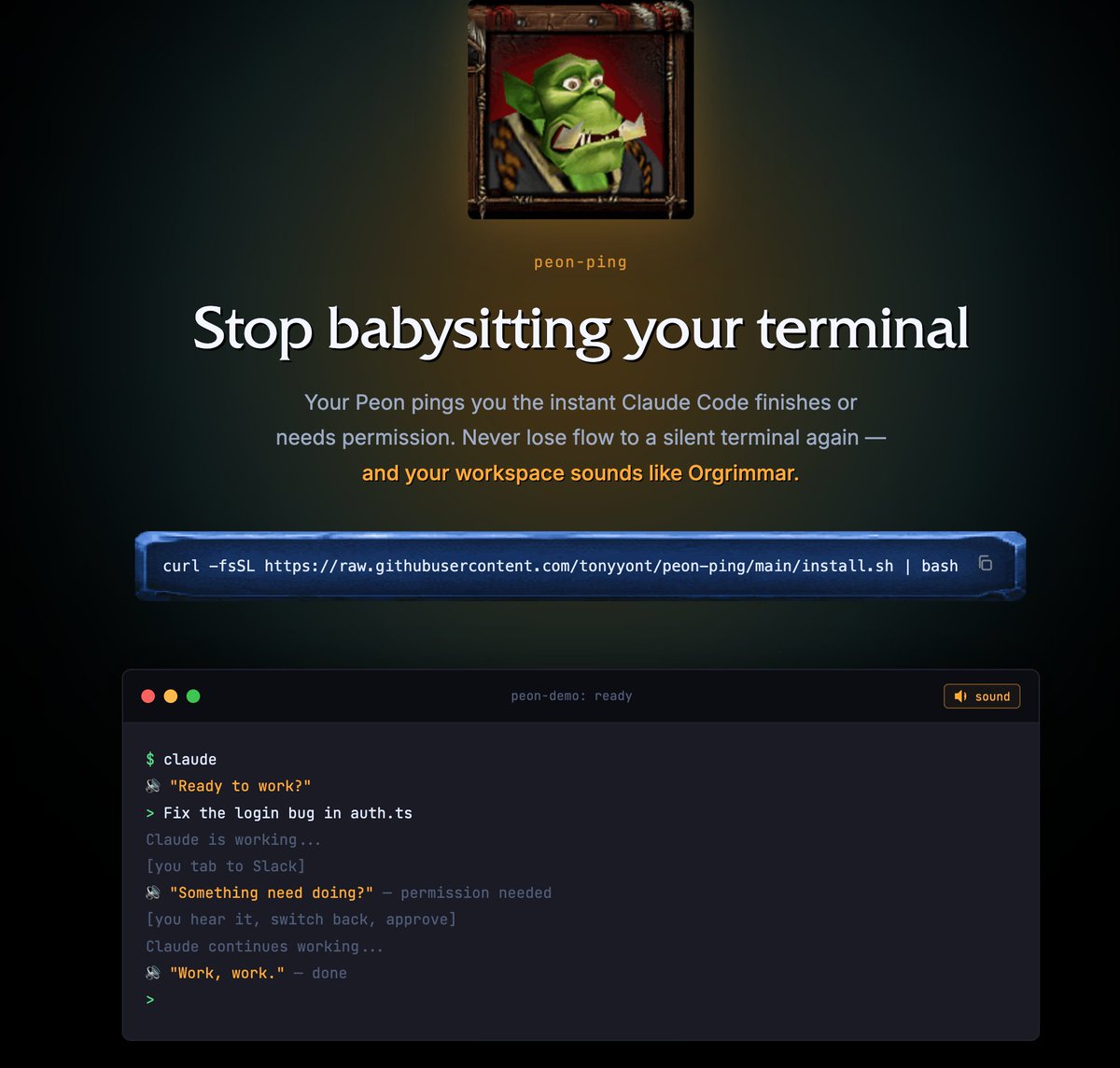
给 ClaudeCode 添加上魔兽争霸3 兽族苦工的声音,它的音效也是魔兽3中我最喜欢最喜感的音效,可以提醒当前 CC 的运行状态,还是很实用的。
Session 开始 "Ready to work?", "Yes?", "What you want?"
任务完成 "Work, work.", "I can do that.", "Okie dokie."
需要权限 "Something need doing?", "Hmm?", "What you want?"
太亲切了
这里可以看 demo:https://t.co/9a8iKmUdHz