This is a new paradigm for interacting with Claude that is significantly more "inline" with all the other human activity org-wide. Once you do all of the under the hood engineering work to make this "just work" (e.g. across tools, integrations, compute environments, memory, security, etc.), Claude basically joins the team in a seamless way - you can talk to it as you would talk to a person and it can help with a very large variety of workloads.
Imo this is the 3rd major redesign of LLM UIUX. The first paradigm was that the LLM is a website you go to, the second was that it is an app you download to your computer. This third one is that it is a self-contained, persistent, asynchronous entity with org-wide tools and context, working alongside teams of humans. It really takes a while to wrap your head around it, but it works and it is awesome.
@ekcheungAI The strongest part is that the workflow starts from a real human run. Some recurring work is too preference-heavy to describe from scratch, but easy to standardize after one good walkthrough.
@yuhasbeentaken This framing is useful. I’d add an explicit stop condition as a first-class part of the loop; otherwise the system can keep spending tokens after the useful work is done.
@jasonzhou1993 The shared artifact + verification layer feels like the part most people skip. Without those, a loop is just a prompt that gets more expensive every time it drifts.
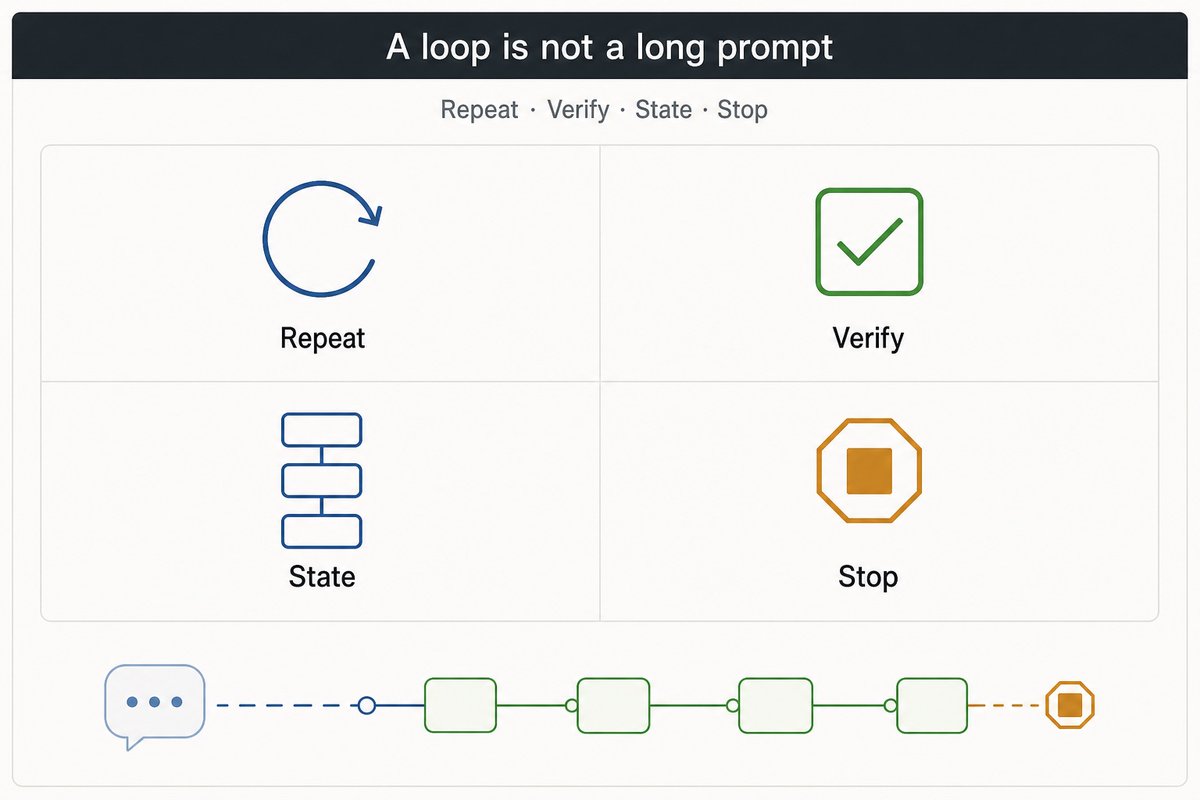
A useful loop is not a long prompt that keeps running.
It starts as a workflow a human already ran once.
Then make the hidden parts explicit: inputs, stable steps, state, verification, and stop conditions.
That is the difference between automation and a loop you can trust.
@i5ting Agree on being skeptical of benchmarks. The useful question is whether the system gives teams a clearer spec, isolated execution, and a review gate in real projects.
@cline The interesting bit here is not just cost. It is that the run spent effort verifying the build and cleaning dead code. That feels closer to the behavior teams actually need from coding agents.
@AdrianPunk115 This is the part most teams skip. The agent can be smart, but if source, time, authority, and risk checks are not part of the workflow, humans still become the QA layer every time.
Agent loops are not about letting the model run forever.
The useful loop is:
1. get the task
2. read the real context
3. do the work
4. verify it
5. write back what changed
For team workflows, the unlock is boring:
make verification the default, not a reminder.