⭐ ComfyUI-Ref2VA-VSA ⭐
https://t.co/ENlmcvkSdU
1. MiniMax H3의 '참고 이미지로 캐릭터 영상 만들기'(Ref2VA)를 ComfyUI에서 훨씬 빠르게 돌리는 커스텀 노드가 나옴
2. 기존엔 이 기능에 '화면 일부만 골라 계산하는 속도 기법'을 못 쓴다고 봤음. 참고 이미지·음성·글 부분은 전부 그대로 계산하고 영상 부분만 75%를 건너뛰게 나눠서 해결함
3. RTX 4090 한 장으로 5초짜리 영상(1344×768, 24fps)을 4단계 만에 약 72초에 뽑음. 처음 돌릴 땐 95초
4. 원래 H3는 같은 영상에 약 650초(10분 넘게) 걸려서 약 9배 빨라짐. 메모리 사용도 22.5GB에서 13.5GB로 줄어듦
5. Apache-2.0 무료, 스타 747개. 24GB 메모리 NVIDIA 그래픽카드, PyTorch 2.4 이상, CUDA 12.1 이상 필요. 노드에 실험용(EXPERIMENTAL) 표시가 있음
설치: cd ComfyUI/custom_nodes && git clone https://t.co/ENlmcvkSdU
━━━━━━━━━━
🇺🇸
1. A custom ComfyUI node that runs MiniMax H3's reference-image character video generation (Ref2VA) much faster
2. People assumed this feature couldn't use a speed trick that computes only part of the frame. The fix: keep the reference image, audio, and text parts fully computed, and skip 75% of only the video part
3. On a single RTX 4090, a 5-second video (1344×768, 24fps) takes about 72 seconds in 4 steps. 95 seconds on the first run
4. Native H3 takes about 650 seconds (over 10 minutes) for the same video, so it's about 9x faster. Memory use drops from 22.5GB to 13.5GB too
5. Free under Apache-2.0, 747 stars. Needs an NVIDIA GPU with 24GB VRAM, PyTorch 2.4+, and CUDA 12.1+. The node is labeled EXPERIMENTAL
Install: cd ComfyUI/custom_nodes && git clone https://t.co/ENlmcvkSdU
#AI #ComfyUI #VideoGeneration #OpenSource
⭐ Headroom ⭐
https://t.co/07PDcblr47
1. AI 에이전트가 읽는 도구 출력·로그·파일·검색 결과를 모델에 넘기기 전에 줄여주는 오픈소스 도구가 나옴
2. 읽은 걸 통째로 모델에 넘기는 대신 JSON·코드·글마다 맞는 방식으로 줄여서 넘김. 줄이는 작업은 내 컴퓨터에서 하고, 원본은 로컬에 저장해뒀다가 모델이 필요하면 다시 꺼내 봄
3. `headroom wrap claude` 한 줄이면 클로드 코드·Codex·Cursor·Aider 등에 붙임. 파이썬·TypeScript 함수, 프록시(코드 수정 없음), MCP 서버로도 쓸 수 있음. 모델이 쓰는 답변 길이를 줄이는 옵션도 있음(기본은 꺼짐)
4. 장애 원인 찾기 로그는 5만 6천 토큰이 2만 4천으로 57%, 코드 검색 결과는 21% 줄어듦. 반복이 많은 JSON·로그는 90% 넘게 줄지만 이미 촘촘한 글은 거의 안 줄어듦. 수학 문제 테스트 점수는 0.870 그대로. 압축 시간은 토큰 1만 개 기준 0.0002초
5. Apache-2.0 무료, 스타 7.6만 개. 파이썬 패키지로 설치
설치: pip install "headroom-ai[all]"
━━━━━━━━━━
🇺🇸
1. An open-source tool that shrinks what your AI agent reads (tool outputs, logs, files, search results) before it reaches the model
2. Instead of passing everything through as-is, it compresses JSON, code, and text each in a fitting way. The compression runs on your machine, and originals are stored locally so the model can pull them back when needed
3. One line, `headroom wrap claude`, hooks it into Claude Code, Codex, Cursor, Aider and more. Also works as a Python/TypeScript function, a proxy (no code changes), or an MCP server. There's an option to shorten the model's replies too (off by default)
4. A long incident-debugging log goes from about 56k to 24k tokens (57% less), and code search results shrink 21%. Repetitive JSON and logs shrink over 90%, but already-dense prose barely shrinks. A math benchmark score stays at 0.870. Compression takes about 0.0002 seconds on 10k tokens
5. Free under Apache-2.0, 75.6k stars. Installs as a Python package
Install: pip install "headroom-ai[all]"
#AI #ClaudeCode #LLM #TokenOptimization #OpenSource
⭐ ai-memory ⭐
https://t.co/JvLUFLTiRE
1. 코딩 AI 에이전트용 장기 기억 도구가 나옴. 클로드 코드로 작업하다 끄고 같은 폴더에서 Codex를 켜도 구조 설명을 다시 안 해도 이어서 작업 가능
2. 에이전트마다 기기마다 따로 놀던 기억을 하나로 합침. 다음 에이전트가 "어디까지 했고, 뭐가 실패했고, 뭐가 남았는지" 적힌 인수인계 노트를 받음
3. 작업하는 동안 훅이 조용히 기록하고 세션이 끝나면 읽기 쉬운 마크다운 문서로 정리함. 기본 설정은 AI 호출 0회라 API 키 없이도 기록·검색·인수인계 모두 동작
4. 클로드 코드·Codex·Cursor·Gemini CLI·OpenCode 등 20개 넘는 에이전트 지원. 서버 하나를 같이 쓰면 팀원 에이전트끼리 배운 내용도 공유 가능. 자주 쓰는 방식(패키지 매니저, 테스트 구조 등)도 새 프로젝트에 따라감
5. MIT 무료, 스타 1만 개. Rust로 만든 실행 파일 하나로 끝. 리눅스·맥·WSL2 지원, 윈도우 네이티브는 실험 단계
━━━━━━━━━━
🇺🇸
1. Long-term memory for AI coding agents. Quit Claude Code mid-task, open Codex in the same folder, and keep going without re-explaining the architecture
2. It merges memory that used to be split per agent and per machine. The next agent gets a handoff note saying where you left off, what failed, and what is still open
3. Hooks quietly record your work, and when a session ends it turns into readable markdown pages. By default it makes zero LLM calls, so capture, search, and handoffs all work with no API key
4. Supports 20+ agents including Claude Code, Codex, Cursor, Gemini CLI, and OpenCode. Point a team at one server and what one person's agents learn, everyone's can use. Your usual habits (package manager, test layout) follow you into new projects
5. Free under MIT, 10.1k stars. One self-contained Rust binary. Works on Linux, macOS, and WSL2; native Windows is experimental
#AI #ClaudeCode #AIAgents #OpenSource #Rust
⭐ HyperFrames ⭐
https://t.co/UgPOOunJNB
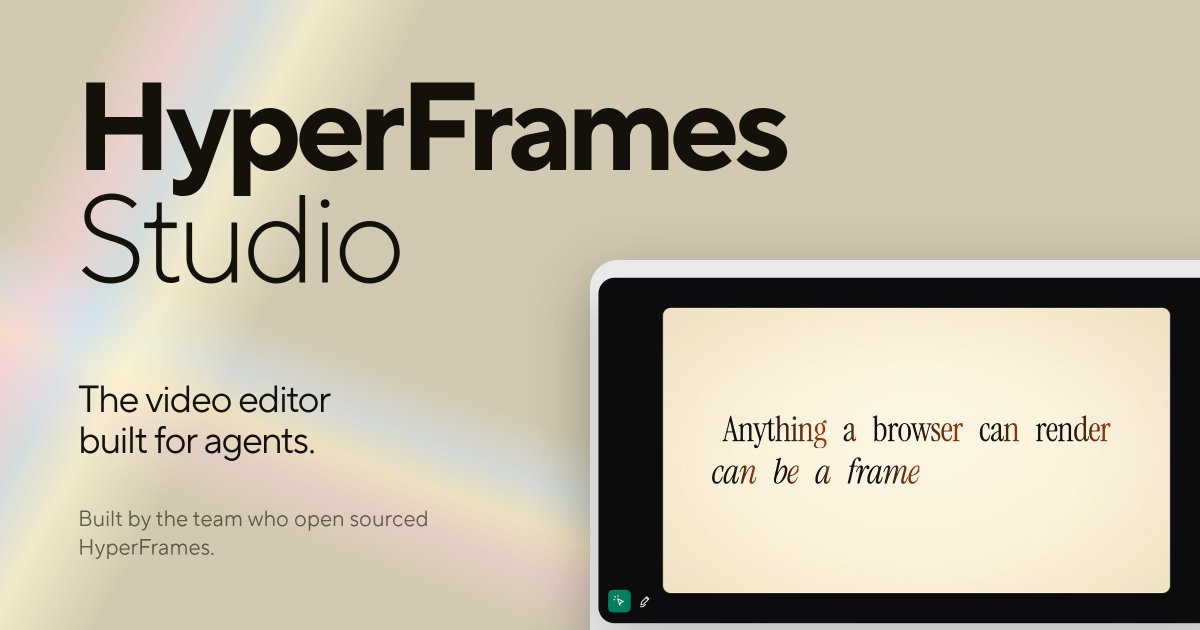
1. AI 아바타 영상 회사 HeyGen이 웹페이지(HTML)로 영상을 만드는 오픈소스 도구를 공개함
2. 화면은 웹페이지처럼 짜고 움직임은 애니메이션 코드로 넣으면 그대로 MP4 영상으로 뽑아줌. 같은 코드면 몇 번을 돌려도 똑같은 영상이 나옴
3. 클로드 코드·Codex·Cursor·Gemini CLI에 스킬로 넣고 "10초짜리 제품 소개 영상 만들어줘" 한 마디면 기획 → 제작 → 미리보기 → 영상 출력까지 AI가 알아서 함
4. 웹사이트 홍보 영상, 개념 설명 영상, 깃허브 PR 소개 영상, 자막 넣기, 발표 슬라이드까지 스킬 21개 제공. 맥·리눅스 앱도 나옴
5. Apache-2.0 무료, 스타 6.5만 개. Node.js 22 이상 필요
설치: npx skills add heygen-com/hyperframes
영상 편집 프로그램 없이 코딩 에이전트한테 말로 영상 뽑는 시대인 듯
━━━━━━━━━━
🇺🇸
1. HeyGen, the AI avatar video company, open-sourced a tool that turns web pages (HTML) into videos
2. Lay out the screen like a web page, add motion with animation code, and it renders straight to MP4. Same code, same video, every single time
3. Add it as a skill to Claude Code, Codex, Cursor, or Gemini CLI, then just say "make a 10-second product intro" and the AI handles planning → building → preview → final render
4. 21 skills: website promo videos, concept explainers, GitHub PR videos, captions, even slide decks. Mac and Linux apps are out too
5. Free under Apache-2.0, 64.9k stars. Requires Node.js 22+
Install: npx skills add heygen-com/hyperframes
Feels like we've reached the point where you make videos by talking to a coding agent, no editing app needed
#AI #ClaudeCode #AIAgents #OpenSource #VideoEditing
⭐ Agentic Scientist ⭐
https://t.co/XqvSuOtQe1
1. Sakana AI가 코딩 에이전트를 AI 과학자처럼 굴려서 실험부터 논문 쓰기까지 맡기는 오픈소스 도구를 공개함
2. 작업 설명 파일(task.md) 하나만 주면 에이전트가 아이디어를 내고, 실험을 돌리고, 채점 기준에 맞춰 결과를 평가하면서 프로그램을 점점 더 좋게 다듬음
3. 그 뒤로 비교 실험, 기능을 하나씩 빼보는 실험, 봉인해 둔 최종 평가, 추가 분석, 논문 작성까지 한 폴더에 차곡차곡 쌓임. 클로드 코드·Codex·Cursor·Gemini 등 에이전트를 바꿔 같은 실험을 반복할 수 있음
4. agsci run examples/circpack 한 줄이면 GPU 없이 원 채우기 예제를 처음부터 끝까지 돌려서 논문 PDF까지 뽑아줌. 브라우저로 결과 구경도 가능
5. Apache-2.0 무료, 공개 4일 만에 스타 225개. Python 3.11 이상, Docker 안에서 돌리길 권장함. 에이전트가 모든 권한으로 명령을 실행하고 API 키도 물려받아서 믿을 수 있는 작업만 돌려야 함
아이디어 내고 실험 돌리고 논문까지 쓰는 AI 대학원생 한 명 들이는 느낌인 듯
━━━━━━━━━━
🇺🇸
1. Sakana AI open-sourced a tool that runs coding agents like AI scientists, handling everything from experiments to writing the paper
2. Give it one task description file (task.md) and the agents come up with ideas, run experiments, score the results against your rubric, and keep improving the program
3. After that it runs baselines, experiments that remove one feature at a time, a sealed final evaluation, extra analyses, and paper writing, all saved in one run folder. You can swap in Claude Code, Codex, Cursor, Gemini and more to repeat the same experiment
4. One line, agsci run examples/circpack, runs a no-GPU circle-packing example start to finish and gives you a paper PDF. You can browse the results in your browser too
5. Free under Apache-2.0, 225 stars 4 days after release. Needs Python 3.11+, and running inside Docker is recommended. The agents run commands with full permissions and inherit your API keys, so only run tasks you trust
Feels like hiring an AI grad student who brainstorms, runs experiments, and even writes the paper
#AI #AIAgents #CodingAgents #OpenSource #SakanaAI
⭐ Spare ⭐
https://t.co/msOleGZx0h
1. 맥 메뉴바에서 CPU와 메모리를 누가 쓰는지 보여주는 무료 앱 Spare가 나옴
2. 프로세스 이름만 늘어놓지 않고 앱·프로젝트·AI 에이전트별로 묶어서 보여줌. Claude, Codex, Ollama, Aider, OpenCode 같은 로컬 도구를 알아봄
3. 항목을 열면 이게 뭔지, 메모리가 어떻게 늘었는지, 닫으면 뭐가 멈추는지 알려줌. 앱 하나, 세션 하나, 프로젝트 통째로 골라서 종료 요청 가능. 자동 정리나 강제 종료는 없음
4. 터미널용 spare 명령어도 있음. 코딩 에이전트가 메모리 상태를 읽고, 닫고 싶은 게 있으면 spare quit으로 요청하면 Spare 패널에 승인 창이 뜸. 내가 닫기 또는 취소를 고름
5. MIT 라이선스 무료, 구독·계정 없음. macOS 14 이상 + Apple silicon 필요
설치: brew install --cask coreyhaines31/tap/spare
탭 수십 개 열고 AI 에이전트까지 여러 개 돌리는 사람한테 딱인 듯
━━━━━━━━━━
🇺🇸
1. Spare is a free Mac menu bar app that shows what's using your CPU and memory
2. Instead of a flat process list, it groups things by app, project, and AI agent. It recognizes local tools like Claude, Codex, Ollama, Aider, and OpenCode
3. Open an item to see what it is, how its memory has grown, and what closing it would stop. Quit one app, one session, or a whole project. No automatic cleanup, no force killing
4. It ships a spare command for the terminal too. Your coding agent can read memory status, and when it wants something closed, spare quit puts a request in Spare's panel where you pick Quit or Don't Quit
5. Free under MIT, no subscription, no account. Requires macOS 14+ and Apple silicon
Install: brew install --cask coreyhaines31/tap/spare
Looks perfect for anyone running dozens of tabs plus a few AI agents at once
#AI #Mac #ClaudeCode #AIAgents #OpenSource
⭐ AesCode ⭐
https://t.co/FJxPIhUWgh
1. 마이크로소프트가 인포그래픽·포스터·대시보드를 웹페이지 코드(HTML/CSS)로 예쁘게 만들어 주는 AI 모델을 공개함
2. 코드 AI는 내용은 정확한데 디자인이 촌스럽고, 이미지 AI는 예쁜데 글자·숫자를 자주 틀림. 그래서 이미지 AI가 그린 시안은 디자인 참고용으로만 보고, 내용은 사용자 요청을 그대로 따르게 학습시킴
3. 결과물이 그림이 아니라 코드라 글자 하나, 숫자 하나 바로 고칠 수 있음
4. 인포그래픽 300개 시험에서 AesCode-32B가 종합 85.9점으로, 같은 시안을 받은 GPT-5.5(81.3점)·Claude Opus 4.8(80.4점)보다 높음. 작은 8B 모델도 82.9점
5. MIT 무료, 8B·32B 모델을 허깅페이스에 공개. 스타는 아직 83개라 초기 단계임
카드뉴스·발표 자료 만들 때 디자인은 이미지 AI한테, 내용은 코드로 정확하게 잡는 조합이라 실용적인 듯
━━━━━━━━━━
🇺🇸
1. Microsoft released an AI model that builds good-looking infographics, posters, and dashboards as web code (HTML/CSS)
2. Code AIs get the content right but the design looks dated, while image AIs look great but often get text and numbers wrong. So AesCode uses an image AI's draft only as a design reference and sticks to your request for the content
3. The result is code, not a picture, so you can fix any word or number right away
4. On a 300-infographic test, AesCode-32B scored 85.9 overall, beating GPT-5.5 (81.3) and Claude Opus 4.8 (80.4) given the same design reference. Even the small 8B model scored 82.9
5. Free under MIT, 8B and 32B models on Hugging Face. Only 83 stars so far, still early days
For card news and slides, letting an image AI handle the look while code keeps the content accurate feels really practical
#AI #Microsoft #OpenSource #Infographic #AIDesign
⭐ AI Job Search ⭐
https://t.co/kVuacow5RU
1. 클로드 코드로 구직 활동을 통째로 돌리는 오픈소스가 나옴
2. 만든 사람은 2025년 말 회사에서 자리가 없어진 지구물리학자임. 이걸로 지원서 69개 → 1차 면접 20번 → 계약 1건을 따서 2026년 6월 AI 엔지니어로 취업함
3. /setup으로 내 이력 정리 → /scrape로 채용 공고를 찾아 나랑 잘 맞는 순서로 보여줌 → /apply 한 번에 공고 분석, 맞춤 이력서·자기소개서 작성까지 함
4. 쓰는 AI와 검토하는 AI를 따로 둬서 초안을 한 번 더 고친 뒤 넘겨줌. /interview로 예상 질문 정리, 모의 면접도 가능
5. MIT 무료, 스타 4.7만 개. 다만 클로드 유료 구독이나 API 크레딧이 필요하고, 채용 사이트 검색은 덴마크 기준이라 국내 사이트는 직접 붙여야 함
포크하면 무조건 공개 저장소라 개인정보가 들어가는 내 사본은 비공개 저장소로 만드는 게 좋을듯
━━━━━━━━━━
🇺🇸
1. An open-source project that runs your whole job search with Claude Code
2. The creator is a geophysicist whose position was cut in late 2025. With this tool: 69 applications → 20 first interviews → 1 signed contract, and he started as an AI engineer in June 2026
3. /setup builds your profile → /scrape finds job posts and sorts them by how well you fit → one /apply analyzes the post and writes a tailored CV and cover letter
4. One AI writes, a second AI reviews, and the draft gets revised before you see it. /interview prepares likely questions and even runs mock interviews
5. Free under MIT, 47.7k stars. You need a paid Claude plan or API credits, and the job board search is built for Denmark, so you plug in your own local sites
Note: forks are always public, so keep your personal copy in a private repo
#AI #ClaudeCode #AIAgents #OpenSource #JobSearch
⭐ RISE ⭐
https://t.co/SVWLAiQ6GV
1. 그림 그리는 AI가 위험한 이미지를 막는 안전장치에 빈틈이 있는지 자동으로 찾아 주는 연구 도구가 나옴 (NeurIPS 2026 학회 논문, White Circle)
2. 해커 역할을 맡은 AI가 "어떻게 물어보면 뚫릴까" 하는 요령을 스스로 만들고, 잘 통한 요령만 남겨서 계속 발전시킴
3. 사람이 공격 문장을 직접 쓸 필요 없음. 기준만 정해 주면 다른 AI가 만들어진 그림을 보고 위반인지 채점하면서 알아서 반복함
4. DALL·E 3, 구글 Nano Banana 2, GPT-Image-2를 상대로 최대 13% 확률로 안전장치를 뚫음. 예전 방법들은 같은 기준으로 다시 재 보니 거의 0%
5. 무료(Apache-2.0)로 코드 공개. 다만 실제로 찾은 공격 요령과 그림은 악용 위험 때문에 공개 안 함, 스타 92
AI 회사들이 안전장치 점검할 때 참고할 만한 연구인 듯
━━━━━━━━━━
🇺🇸
1. A research tool that automatically finds gaps in the safety filters image AIs use to block harmful pictures (NeurIPS 2026 paper, White Circle)
2. An AI playing the hacker comes up with its own tricks for "how do I ask so it slips through," keeps only the ones that work, and keeps improving them
3. No need for people to write attack prompts. Just set the rules, and another AI checks each generated image for violations while the loop repeats on its own
4. Got past the safety filters of DALL·E 3, Google's Nano Banana 2 and GPT-Image-2 up to 13% of the time. Older methods, re-measured by the same standard, scored almost 0%
5. Free and open source (Apache-2.0). The actual tricks and images it found are kept private because they could be misused, 92 stars
A useful reference for AI companies checking their safety filters
#AI #AISafety #RedTeaming #NeurIPS2026 #OpenSource
⭐ KISS Sorcar ⭐
https://t.co/QiVGvjdaJO
1. UC 버클리 Koushik Sen 교수가 만든 AI 비서(에이전트) 프로그램이 나옴. 이름처럼 "단순하게 만들자(Keep It Simple, Stupid)"가 핵심
2. VS Code 안에서나 웹·휴대폰 앱으로 쓸 수 있음. 내 AI 서비스 키를 직접 넣어 쓰는 방식이라 대화 내용이 중간 회사 서버를 거치지 않음
3. 코딩 과제 시험(Terminal-Bench 2.0)에서 Claude Code·Codex보다 더 많이 풀었다고 함 (75.6% vs 65% 안팎). 대신 문제 하나당 비용은 조금 더 듦
4. AI 모델 776개 중에 골라 쓸 수 있고, 텔레그램·슬랙·iMessage·WhatsApp 등 메신저 32종과 연결해서 쓸 수 있음. Claude용 스킬·MCP도 그대로 가져와 씀
5. 무료(Apache-2.0), Mac·리눅스 지원, 설치는 명령어 한 줄, 스타 557
Claude Code·Codex 말고 다른 AI 비서도 써 보고 싶은 사람은 한번 비교해 볼 만할 듯
━━━━━━━━━━
🇺🇸
1. An AI assistant (agent) app made by UC Berkeley professor Koushik Sen. True to its name, the core idea is "Keep It Simple, Stupid"
2. Use it inside VS Code or as a web/phone app. You plug in your own AI service key, so your chats never go through a middle company's servers
3. Says it solved more coding tasks than Claude Code and Codex on the Terminal-Bench 2.0 test (75.6% vs about 65%). It costs a bit more per task, though
4. Pick from 776 AI models, connect it to 32 messengers like Telegram, Slack, iMessage and WhatsApp, and reuse your Claude skills and MCP servers as-is
5. Free (Apache-2.0), Mac and Linux, one-command install, 557 stars
Worth a try if you want an AI assistant other than Claude Code or Codex
#AI #AIAgents #ClaudeCode #Codex #OpenSource
⭐ pg_vectorsearch ⭐
https://t.co/FiYAbcSrhV
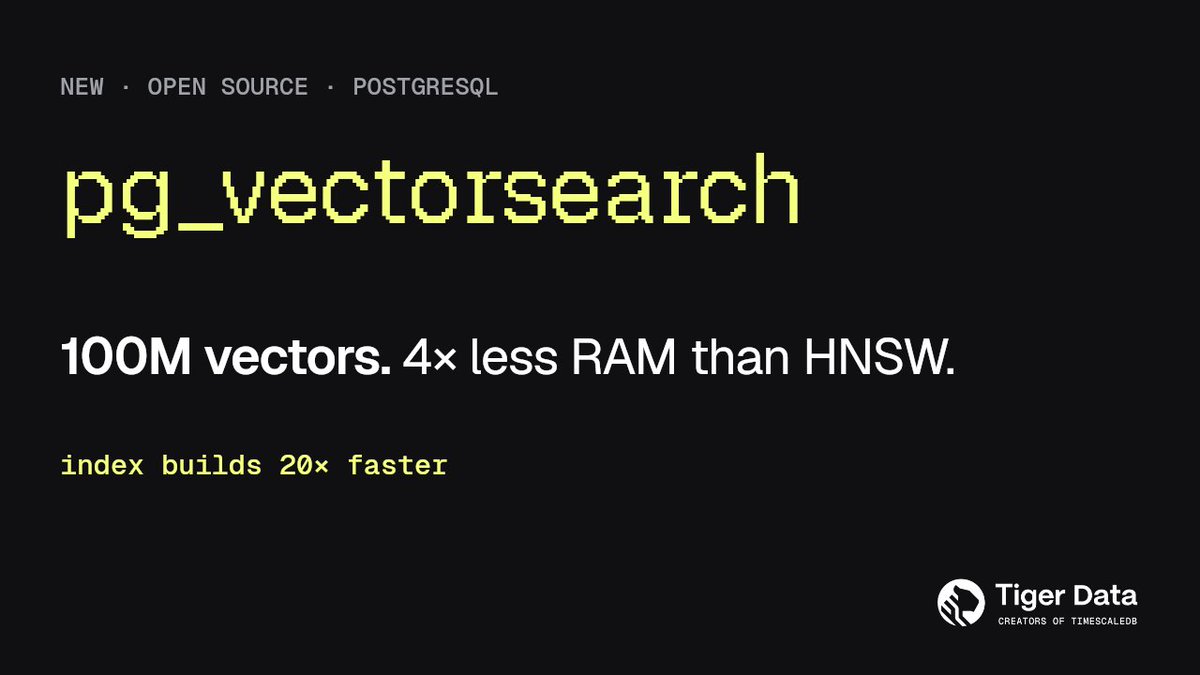
1. 데이터베이스(PostgreSQL)에서 "뜻이 비슷한 글·이미지 찾기"를 훨씬 빠르게 해 주는 무료 확장 기능이 나옴 (TimescaleDB 만든 Tiger Data 작품)
2. AI 챗봇이 내 문서에서 관련 내용을 찾아올 때 쓰는 검색을, 따로 서비스 안 쓰고 평소 쓰던 DB 안에서 처리 가능
3. 데이터를 묶고 압축해 두는 새 방식이라 메모리를 적게 씀. 데이터 1억 개 기준, 기존 방식보다 메모리 4분의 1인 컴퓨터에서도 검색 한 번에 0.006초
4. 검색 준비 작업은 기존보다 20배 넘게 빠름. 이미 pgvector를 쓰고 있다면 데이터는 그대로 두고 설정만 하나 추가하면 끝
5. 무료, PostgreSQL 18 이상 필요, 아직 시험 단계라 실서비스엔 비추천, 스타 304
DB 하나로 AI 검색까지 다 하고 싶은 사람한테 딱일 듯
━━━━━━━━━━
🇺🇸
1. A free PostgreSQL extension that makes "find similar text and images" search much faster (from Tiger Data, the team behind TimescaleDB)
2. The kind of search AI chatbots use to pull relevant info from your docs, done right inside the database you already use, no separate service needed
3. A new way of grouping and compressing data means much less memory. With 100M items, a search takes 0.006 seconds even on a computer with a quarter of the memory the old method needs
4. Setting up search is over 20x faster. Already using pgvector? Keep your data as-is and just add one setting
5. Free, needs PostgreSQL 18+, still in testing so not for production yet, 304 stars
Perfect if you want AI search and everything else in one database
#AI #PostgreSQL #VectorSearch #RAG #OpenSource
⭐ iPhone Use ⭐
https://t.co/Cw2jQtYD7C
1. Codex가 USB로 연결한 진짜 아이폰을 직접 조작하게 해 주는 플러그인이 나옴
2. 말로 시키면 앱 열기, 화면 읽기, 탭·스크롤·글자 입력까지 알아서 함. 버튼을 못 찾으면 스크린샷을 보고 좌표로 누름
3. 사이드바에 아이폰 화면이 실시간으로 뜨고, 그 화면을 직접 클릭·드래그할 수도 있음. AirDrop으로 사진·파일을 맥으로 옮기는 기능도 있음
4. MIT 무료, 공개 8일 만에 ★3.6K. macOS·Xcode가 필요하고 본인 Apple 개발 팀으로 WDA를 서명해 폰에 깔아야 함. 익명 사용 통계는 IPHONE_USE_ANALYTICS=0으로 끌 수 있음
탈옥 없이 실폰을 에이전트한테 넘기는 거라 앱 QA나 반복 작업 자동화에 딱일 듯
━━━━━━━━━━
🇺🇸
1. A plugin that lets Codex control a real iPhone over USB
2. Describe a task and it opens apps, reads the screen, taps, scrolls and types. If it can't find a control, it looks at a screenshot and taps by coordinates
3. A live iPhone screen shows up in the sidebar, and you can click and drag on it directly. It can also AirDrop photos and files back to your Mac
4. MIT, free. 3.6K★ in 8 days. Needs macOS and full Xcode, and you sign WDA with your own Apple dev team. Anonymous analytics can be turned off with IPHONE_USE_ANALYTICS=0
Handing a real phone to an agent without a jailbreak, perfect for app QA and repetitive phone chores
#AI #Codex #iPhone #AIAgents #OpenSource
⭐ Context Mode ⭐
https://t.co/V6MkZ4eJ3H
1. AI 코딩 에이전트의 컨텍스트 창을 아껴 주는 MCP 서버가 나옴
2. 도구 출력 원본을 샌드박스에 가두고 필요한 결과만 넘김. 세션 전체 315KB가 5.4KB로 줄어 약 98% 절약
3. 파일 수정·git 작업·할 일·오류를 SQLite에 기록하고, 대화를 압축한 뒤에도 필요한 것만 검색해서 하던 작업을 그대로 이어감
4. 에이전트가 파일 50개를 읽는 대신 분석 스크립트를 짜서 결과만 출력함. Playwright 스냅샷 56KB → 299B, 세션 지속 시간 약 30분 → 3시간
5. Claude Code·Codex·Cursor·Copilot·OpenCode 등 17개 플랫폼 지원, ELv2 라이선스(무료 사용·수정 가능, 호스팅 서비스 판매만 금지), 스타 28.5k
설치: /plugin marketplace add mksglu/context-mode → /plugin install context-mode@context-mode
예전부터 직접 써보고 있는데 토큰 절약에 너무 좋고 잘 쓰고있는 툴 중 하나
━━━━━━━━━━
🇺🇸
1. An MCP server that saves the context window of AI coding agents
2. Keeps raw tool output in a sandbox and only passes along what's needed. A full session's 315 KB shrinks to 5.4 KB, about 98% saved
3. Tracks file edits, git operations, tasks and errors in SQLite, so after the conversation compacts it searches back only what's relevant and picks up right where you left off
4. Instead of reading 50 files, the agent writes an analysis script and prints only the result. Playwright snapshot 56 KB → 299 B, sessions last ~3 hours instead of ~30 minutes
5. Supports 17 platforms including Claude Code, Codex, Cursor, Copilot and OpenCode, ELv2 license (free to use and modify, just can't sell it as a hosted service), 28.5k stars
Install: /plugin marketplace add mksglu/context-mode → /plugin install context-mode@context-mode
Been using it myself for a while now. It's great for saving tokens and one of the tools I rely on
#AI #ClaudeCode #MCP #AIAgents #DevTools


![doodi_dev's tweet photo. ⭐ Headroom ⭐
https://t.co/07PDcblr47
1. AI 에이전트가 읽는 도구 출력·로그·파일·검색 결과를 모델에 넘기기 전에 줄여주는 오픈소스 도구가 나옴
2. 읽은 걸 통째로 모델에 넘기는 대신 JSON·코드·글마다 맞는 방식으로 줄여서 넘김. 줄이는 작업은 내 컴퓨터에서 하고, 원본은 로컬에 저장해뒀다가 모델이 필요하면 다시 꺼내 봄
3. `headroom wrap claude` 한 줄이면 클로드 코드·Codex·Cursor·Aider 등에 붙임. 파이썬·TypeScript 함수, 프록시(코드 수정 없음), MCP 서버로도 쓸 수 있음. 모델이 쓰는 답변 길이를 줄이는 옵션도 있음(기본은 꺼짐)
4. 장애 원인 찾기 로그는 5만 6천 토큰이 2만 4천으로 57%, 코드 검색 결과는 21% 줄어듦. 반복이 많은 JSON·로그는 90% 넘게 줄지만 이미 촘촘한 글은 거의 안 줄어듦. 수학 문제 테스트 점수는 0.870 그대로. 압축 시간은 토큰 1만 개 기준 0.0002초
5. Apache-2.0 무료, 스타 7.6만 개. 파이썬 패키지로 설치
설치: pip install "headroom-ai[all]"
━━━━━━━━━━
🇺🇸
1. An open-source tool that shrinks what your AI agent reads (tool outputs, logs, files, search results) before it reaches the model
2. Instead of passing everything through as-is, it compresses JSON, code, and text each in a fitting way. The compression runs on your machine, and originals are stored locally so the model can pull them back when needed
3. One line, `headroom wrap claude`, hooks it into Claude Code, Codex, Cursor, Aider and more. Also works as a Python/TypeScript function, a proxy (no code changes), or an MCP server. There's an option to shorten the model's replies too (off by default)
4. A long incident-debugging log goes from about 56k to 24k tokens (57% less), and code search results shrink 21%. Repetitive JSON and logs shrink over 90%, but already-dense prose barely shrinks. A math benchmark score stays at 0.870. Compression takes about 0.0002 seconds on 10k tokens
5. Free under Apache-2.0, 75.6k stars. Installs as a Python package
Install: pip install "headroom-ai[all]"
#AI #ClaudeCode #LLM #TokenOptimization #OpenSource](https://pbs.twimg.com/media/HU5hSP3awAAAyEr.jpg)