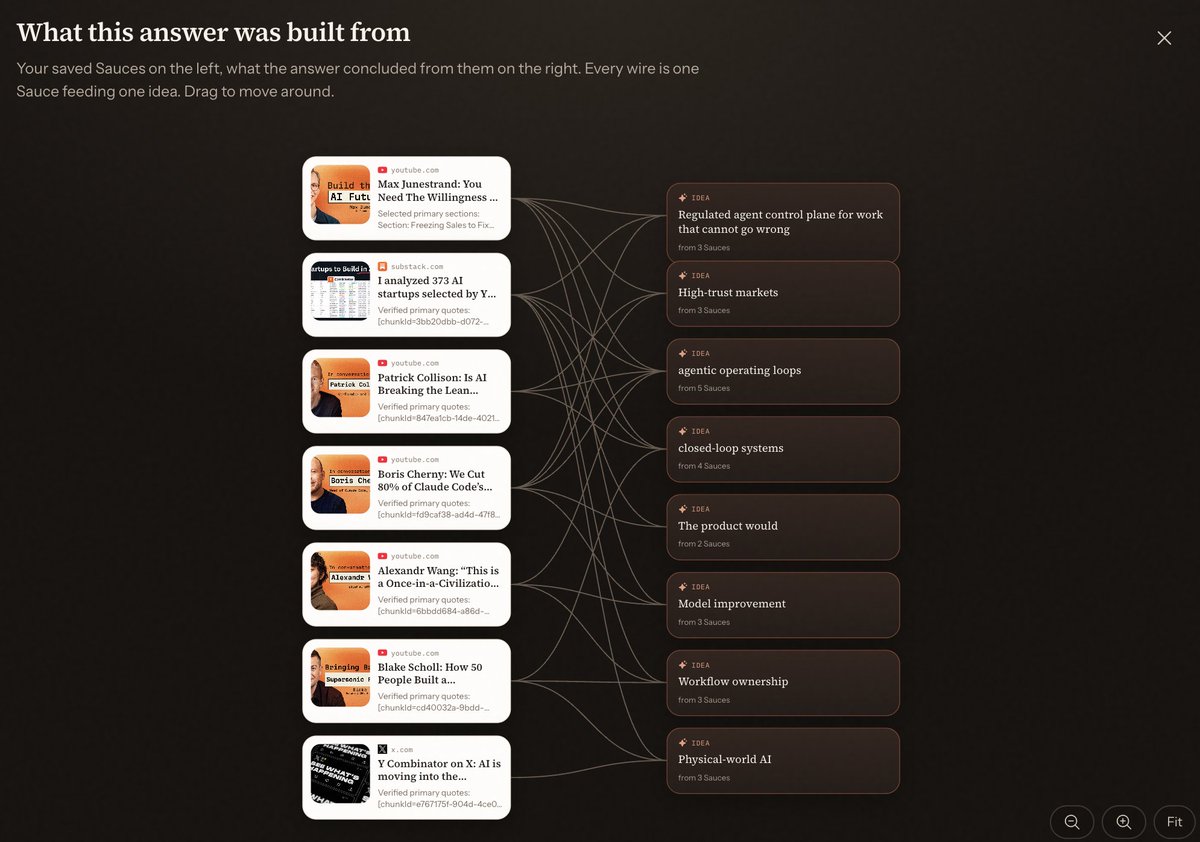
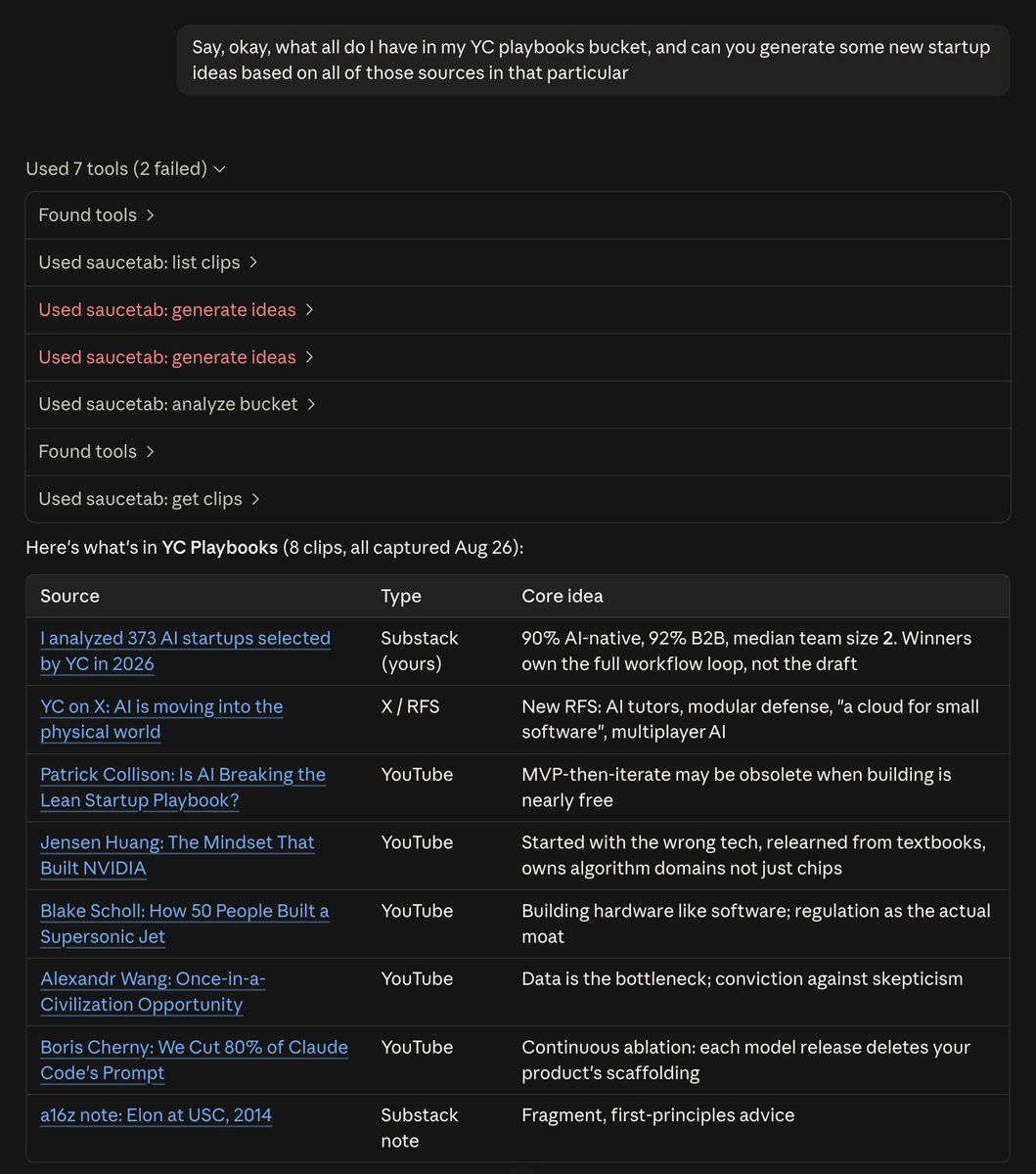
I save a lot of videos, posts, and articles.
But when I need one, usually inside an AI tool, I rarely remember where I saved it.
So I search for it again.
Last week, I built a better system for myself: SauceTab.
It is my take on NotebookLM, designed around how I research:
- Save videos, posts, and articles to dedicated research buckets in one click.
- SauceTab analyses the sources, finds patterns, and helps you generate ideas, learn, or create content.
- Bring the same research into your preferred AI tool through MCP.
I’m having fun using it. I’ll share what I’m doing with it, what works, and what still feels rough.
You can try it for free at saucetab dot com.
If you do, let me know what you use it for.
AI alone is cool. But mastery + creativity + AI hits on a whole different level. Don't let anyone discourage you from pursuing excellence and craft. Keep studying the blade.
This "loop" automation is nuts inside of Codex.
"/goal go over every single feature in this app create a user story with expected behaviour based on the code keep a single canonical spreadsheet tracking the features status
- when done switch loop to testing every user story and documenting all errors
- when done fix every logistical error or ux error
- test every user behaviour again post fix"
Shoutout to @MatthewBerman for the heads up.
Hundreds of user stories being worked through like it's nothing.
Show Codex a workflow once. Reuse it as a skill.
Record & Replay lets you show Codex a recurring task, like filing an expense report or submitting a time-off request.
Codex turns that demo into an inspectable, editable skill.
You control when recording starts and stops.
We heard you wanted to use Codex rate limit resets on your own time.
Starting today, we’re rolling out the ability to save rate limit resets to use later.
We’re starting Go, Plus, Pro, and Business users with one free reset:
My latest YouTube video, fully edited by Fable 5 in just 2 prompts.
(My wife has officially warned me that I've run out of excuses for not uploading more.)
Is this as comprehensive as Thariq's workflow? Not even close.
But I wanted to test Fable, and honestly, I was too lazy to hunt down the right editor and explain the exact edit I wanted.
So I figured, why not make the edit itself the test?
I already had a similar workflow with Codex + Hyperframes + Remotion, but this beat it by a huge margin.
The setup: Claude Code + Remotion + reference assets (YC report).
The first edit was 90% there, with a few audio-visual sync issues. One more prompt with timestamps to fix them. Done.
Enjoy the video and tell me what you're building!
Lots of people asked how I used Fable to edit its own launch video so I made a video about that!
TLDR it wrote a lot of code & tool calls to use transcription services, ffmpeg, do colorgrading, use the figma mcp, make remotion UI and render it.
I didn't touch a video editor.
My latest YouTube video, fully edited by Fable 5 in just 2 prompts.
(My wife has officially warned me that I've run out of excuses for not uploading more.)
Is this as comprehensive as Thariq's workflow? Not even close.
But I wanted to test Fable, and honestly, I was too lazy to hunt down the right editor and explain the exact edit I wanted.
So I figured, why not make the edit itself the test?
I already had a similar workflow with Codex + Hyperframes + Remotion, but this beat it by a huge margin.
The setup: Claude Code + Remotion + reference assets (YC report).
The first edit was 90% there, with a few audio-visual sync issues. One more prompt with timestamps to fix them. Done.
Enjoy the video and tell me what you're building!